Wallpapers
- 9.65K
- 4.0
- Installs
- 1.00B
- Price
- Free

Screenshots
Analysis by Reviewed
I judge a wallpaper app less by how many pictures it can show me than by how calmly it lets me choose one. A background becomes part of the phone I look at throughout the day, so it should be easy to browse, comfortable to live with, and simple to change when it stops feeling right. Wallpapers is Google LLC’s free personalization app, and its appeal is straightforward: it offers a place to explore images and apply one without turning a small bit of phone upkeep into a project.
What I look for before trusting a wallpaper app
Wallpapers has a 4.0 average from around 282,000 ratings and over a billion installs. That reach makes it a familiar option, but popularity alone doesn’t tell me which permissions I should allow or how I should handle personal images. I prefer to make those decisions from the prompts and settings visible on my own device, instead of assuming that a well-known app automatically suits every privacy preference.
The app is rated for everyone, which makes its basic purpose easy to understand: choosing a background is a simple form of personalization. Still, the image itself can reveal something about me. A family photo might show a school name in the background; a travel picture might reveal a location or routine. That is not a reason to avoid wallpapers, but it is a good reason to glance at an image as if someone else might see the screen over my shoulder.
The Latest on Wallpapers
Permissions and choices I can check myself
When an app asks for access, I read the request on my device and consider whether it makes sense for the action I want to take. I don’t infer a permission from the app’s category or from the fact that it handles pictures. Android’s app settings are also where I can revisit permission choices later. This is a practical habit: it keeps the decision grounded in the control I can actually see, rather than in a guess about how the app operates behind the scenes.
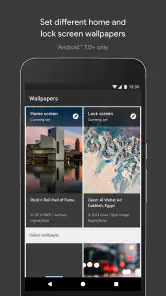
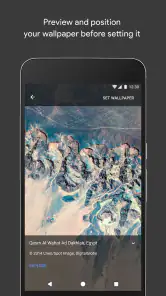
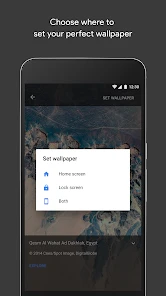
For a quick wallpaper change, I want the choice to remain mine: browse, preview, and decide whether an image belongs on the lock screen, the home screen, or neither. I also make a point of checking the preview instead of tapping through on impulse. A clear picture can still be a poor fit if its brightest area sits behind the clock or its details make icons difficult to spot.
Browsing and setting a background
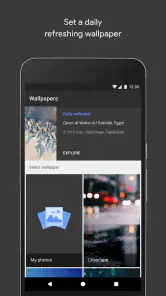
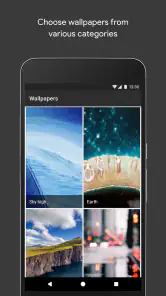
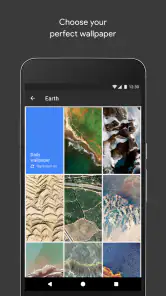
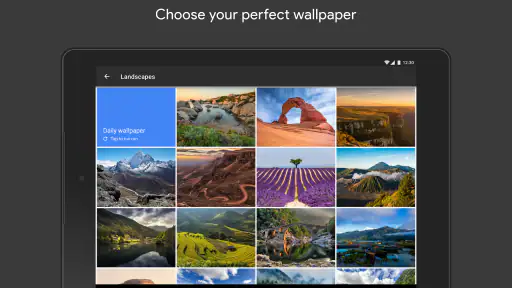
First off, when you open the Wallpapers app, you're greeted with a smorgasbord of categories. We're talking nature, abstract, space, and so much more. It's like having an art gallery in the palm of your hand. Every swipe brings something new and exciting, and honestly, I got lost in the options for quite some time. The app feels like it understands the kind of variety users crave, providing an endless stream of stunning visuals.
User Experience That Feels Like a Breeze
Now, let's talk about the user interface. It's sleek, intuitive, and just plain user-friendly. Navigating through the app is smooth sailing, no hiccups whatsoever. The categories are neatly organized, and with just a few taps, you can find exactly what you're looking for. Plus, the app doesn’t bombard you with ads every few seconds, which is a massive plus in my book.
More From Our News Desk

X Under Pressure: Can It Recover When Posting Goes Wrong?

Clash of Clans Is Won Between the Battles

Android Auto Makes the Case for Quieter Car Software

MobiOffice: Transforming Mobile Productivity with Seamless Integration

EA SPORTS FC™ Mobile Soccer: Redefining Mobile Sports Gaming

How Microsoft OneDrive Became a Mobile Productivity Giant
One of the standout features for me was the ability to set a wallpaper directly from the app. You see something you like, you tap, and boom – it's on your screen. No more fumbling around with saving and setting manually. This feature alone makes the app incredibly convenient for those of us who like to switch up our wallpapers often.
Making the choice feel more considered
Before applying an image, I like to check how its main subject sits against the clock, icons, and other screen elements. A bright or busy picture can look great in a preview yet make app labels harder to pick out on the home screen. If I find an image I love but it feels too crowded, I’ll keep it for the lock screen and use a calmer option behind my icons. That small distinction makes the collection more useful than simply choosing the most striking picture.
This is also where the direct setting workflow has a trade-off: it is fast, but it encourages quick decisions. I recommend pausing on the preview and checking the crop before committing, especially with a face, horizon, or centered design that could be cut differently on your display. If you prefer to edit an image extensively or build a very specific layout, a dedicated photo editor or a manual gallery workflow gives you more control.
Image quality and screen fit
Alright, let's get into the quality of these wallpapers. High-resolution images? Check. Vibrant colors that pop? Double-check. Whether you're into minimalistic designs or intricate patterns, the app delivers on all fronts. It's clear that the creators put a lot of thought into curating a collection that appeals to a wide audience.
And for those worried about storage space, fret not. The app optimizes the wallpaper size without compromising on quality, ensuring your phone stays clutter-free while still looking fabulous.
Choosing a workflow that suits you
For me, the easiest time to use it is during a small phone refresh: perhaps while waiting for a bus, I can browse a few categories, preview an image, and set it without first downloading and locating a file. It suits someone who wants a convenient source of ready-to-use backgrounds more than someone who wants to collect, edit, or organize a large personal image library. If I already have a photo I want to use, my phone’s gallery is usually the simpler route; if I want detailed cropping or color adjustments, an editing app is a better fit.
When privacy is part of the decision, I look for the app’s visible choices and the permission prompts on my own device rather than guessing from its purpose or developer. I review what Android asks me to allow and make a decision based on the specific request in front of me. I also check the system’s app settings if I want to revisit permissions later. That keeps the decision in my hands without assuming anything about data practices that I cannot see directly.
Who benefits most from browsing here
I think this app makes the most sense for someone who enjoys a quick change of atmosphere but doesn’t want to build a collection from scratch. It gives a casual user a simple starting point: browse a subject, compare a few images on the actual screen, and apply the one that feels right. It is also useful when I want to replace a background without searching through downloads or remembering where I saved a picture.
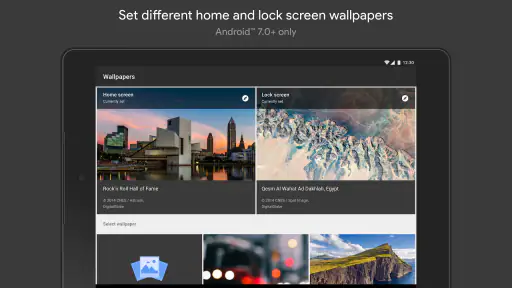
A realistic use is a weekday morning when I notice that my current home screen feels visually noisy. I can look for a quieter image, check that the icons remain readable, and use a different background for the lock screen if I want a more expressive picture there. That small two-screen distinction is worth considering: the lock screen can be decorative, while the home screen has a practical job to do. A background that looks lovely by itself may not be the one I want behind a grid of apps.
By contrast, someone who treats wallpapers as a carefully organized personal archive may be happier managing images in a gallery or file-based workflow. That approach makes it easier to keep a particular set, label images, and choose personal photos. Likewise, people who want to adjust colors, remove details, or compose an image around a specific icon layout should start in an editor. The app’s convenience is strongest when browsing and applying are the main tasks, not when the image needs substantial work first.
Small decisions that improve the result
One useful habit is to judge a candidate twice: first as a picture, then as a background. In the preview, I check whether the important subject will survive the crop and whether the overall contrast will compete with text or icons. If the image has a centered subject, I pay particular attention to how it sits on my display rather than assuming the preview will match every screen shape. A few seconds of checking can save me from replacing a choice that looked better in the browsing view.
I also avoid choosing only by category. A nature image might be peaceful but still contain busy branches where icons sit; an abstract image might have ample empty space even if I would not normally search that category. Browsing with a practical question—“Will this leave a calm area for my home-screen icons?”—can be more helpful than endlessly swiping for the most striking image. The best background is often the one that stays pleasant after repeated glances, not the one that wins a quick first impression.
For people wondering whether the app replaces a phone’s built-in wallpaper picker, I see it as a browsing source with a convenient setting route rather than a universal replacement for every image workflow. The system picker or gallery remains useful for a saved photo, while an editor is better for a tailored composition. If I want a ready-to-use option and prefer discovery over file management, this app is the more natural place to start.
A cautious recommendation
With a 4.0 average and a free price, this is an easy app to try if you want quick visual changes and prefer browsing curated choices to hunting through image files. I’d recommend it to casual personalizers who enjoy changing a screen’s mood now and then. I’d skip it if you need deep editing, strict control over a personal collection, or a look built around custom graphics. The useful test is simple: browse, preview carefully, and see whether the available images fit your screen and your taste before making them part of your daily view.
So, if you're on the hunt for a refreshing way to personalize your device, I’d say give this app a go. It’s a fantastic resource for anyone looking to add a bit of flair to their phone’s aesthetic. Happy wallpaper hunting!
Wallpapers Frequently Asked Questions
Can Wallpapers help me find a style that suits my screen?
Wallpapers is a personalization app focused on making the most of your display with beautiful wallpapers and advanced features. It can be a useful place to explore visual options when you want your screen to feel more personal. Choosing a new background is a simple way to change the look of your device, whether you prefer a subtle refresh or a more noticeable change.
Is Wallpapers free to download, and what is its age rating?
Wallpapers is free to download and has an Everyone content rating, so it is intended for a general audience. It is published by Google LLC and belongs to the Personalization category. As with any app, it is a good idea to review the app’s terms and your device’s settings before installing, especially if you are managing downloads for a child.
Can I use Wallpapers to change the look of my phone without changing its other settings?
Wallpapers is a personalization app for making the most of your display with beautiful wallpapers and advanced features. Choosing a wallpaper is focused on the appearance of your screen, so it can be a straightforward way to refresh your phone’s look without rebuilding your setup. The app is free to download, and its content rating is Everyone.
What devices are compatible with the Wallpapers app?
The Wallpapers app is designed to be compatible with a wide range of devices, including smartphones and tablets running on Android and iOS platforms. It supports devices with varying screen sizes and resolutions, ensuring that users get the best visual experience regardless of their device specifications. However, it is always recommended to check the app's compatibility with your specific device on the Google Play Store or Apple App Store before downloading.
Are there any costs associated with using the Wallpapers app?
The Wallpapers app is free to download. It offers a way to personalize your display with beautiful wallpapers and advanced features. Before installing, users can check the app’s page in their device’s app store for the current terms of use and any details relevant to their download. The app is published by Google LLC and has an Everyone content rating.
Pros
- High-resolution images
- Wide variety of categories
- Easy to set up wallpapers
- Regular updates
- User-friendly interface
Cons
- Contains ads
- Limited free options
- Requires internet connection
- No customization options
- Occasional crashes
- Category
- Personalization
- Version
- Varies with device