 About Block Craft 3D:Building Game
Block Craft 3D Under Pressure: How Well Does It Recover When Building Goes Wrong?
Block Craft 3D makes a persuasive promise: pick a plot, place blocks, and turn an empty patch of ground into a village of your own. The promise feels strongest when everything is working. The more revealing question is what happens after a mistaken tap, a dropped connection, or an interrupted session. In this field test, the game’s basic building loop comes across as easy to re-enter and forgiving of small errors, but its recovery story is less convincing where saved progress, purchases, and network-dependent features are concerned. It is a relaxed builder, not a game whose recovery behavior should be assumed without checking.
The reliability promise
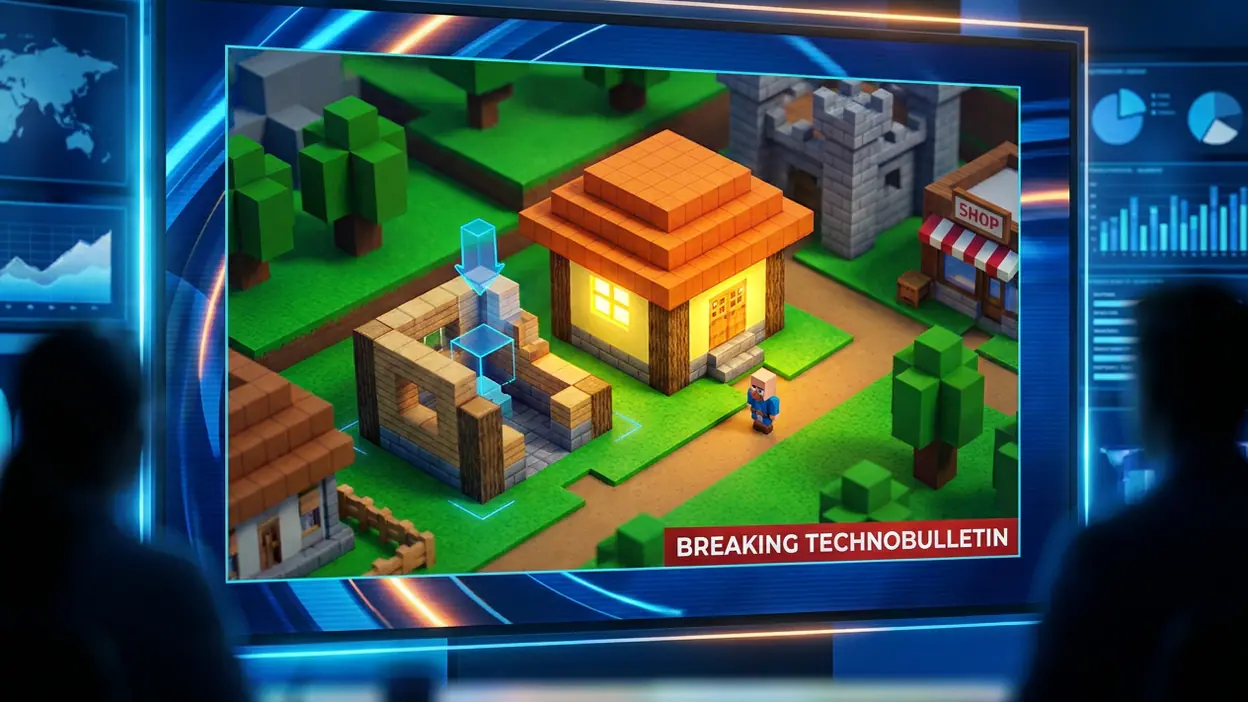
Block Craft 3D:Building Game is an arcade-style construction game built around a simple rhythm: gather or spend resources, choose a structure, place blocks, and watch a blank space acquire character. Its appeal is tactile rather than strategic. A house takes shape one placement at a time; a street or larger landmark gives the player a longer project to return to. That visible progress is also the game’s reliability promise. Even a short session should leave something recognizable behind.
That promise has limits. A polished building animation is not proof that every change has been safely stored, and a village that looks persistent is not necessarily available in every offline or account state. The distinction matters in a game where the reward is cumulative: losing a few minutes of placement is frustrating, while losing a carefully expanded settlement can make the whole loop feel fragile. I would judge the experience by how clearly it signals progress and how little it asks players to risk—not by assuming that a cheerful, low-pressure presentation guarantees robust recovery.
First setup failure points
The opening is designed to get players building quickly, which suits the audience. There is little value in burying a casual block builder under a long configuration process. But fast onboarding can leave practical questions unanswered: which actions require a connection, what is saved automatically, and whether progress is tied to a particular device or account. Those are not claims that the game fails to save; they are questions a careful setup should resolve before a player invests in a large project.


New players should pay attention to any initial permissions, sign-in prompts, and prompts involving currency or purchases instead of rushing through them. If a setup step is skipped, the safer assumption is that optional recovery or synchronization features may not be available until they are completed. I cannot verify every current version’s account flow or save policy, so I would not promise that a guest start can always be recovered after reinstalling or changing devices. For a low-stakes first session, that uncertainty is manageable. For a child’s long-running build, it deserves a quick check before the village becomes precious.
Mistakes and reversibility
Block placement invites experimentation because the central action is small and repeatable. A misplaced block is not a grand strategic blunder; it is a visual annoyance that interrupts the line of a roof or wall. That makes the game naturally forgiving at the level of imagination. Players can revise a design, replace a detail, or abandon a modest structure and try another. The pleasure lies in shaping, not in protecting a perfect run.
Still, reversibility needs to be judged by the cost of the correction. Removing or replacing a block may be straightforward, but undo behavior, refunds, and the treatment of paid or scarce resources can differ from ordinary free placement. I would not assume that every costly action has a matching undo button. Before confirming a premium purchase, a large build, or a resource-heavy choice, pause long enough to read the prompt. That is not a warning that the game routinely traps players; it is sensible caution in a design where taps are frequent and the interface is built for quick decisions.
Latest News



The strongest protection is the game’s low-pressure creative loop. A small mistake rarely ruins the whole session, and a rough-looking building can become an invitation to improve it rather than a failed objective. The weaker point is that casual presentation can make consequential actions feel as casual as placing a standard block. Clear confirmation and a visible cost matter most precisely when the rest of play has trained the hand to move quickly.
Interruption and return
Mobile play gets interrupted: a call arrives, the screen locks, another app takes over, or the player simply puts the device down mid-build. A block-building game has an advantage here. It does not depend on a continuous match or a timed sequence, so returning to the same unfinished roof is less demanding than rejoining an action-heavy arcade round. Its natural rhythm supports short sessions, and the town itself gives players a visual cue about what to do next.
That is a design strength, not a guarantee about what survives an interruption. A backgrounded game may resume cleanly, reload, or return to a state that requires the player to check their work. I cannot verify a universal autosave interval across devices and versions. After a long placement run, especially one involving paid resources, it is prudent to let the game settle and confirm that the new structure remains after a brief return to the main view. The game’s unhurried format reduces the cost of interruption, but it does not remove the value of checking.
Connectivity pressure
Weak connectivity is where the difference between a self-contained building toy and a connected service becomes important. Players may reasonably expect the core act of arranging a village to feel available even when a signal falters. Yet online features, reward flows, account checks, or store interactions may behave differently from ordinary construction. Without verified behavior for each current release and network condition, it would be misleading to say that every part of the game works offline—or that a temporary outage always preserves every pending action.
When a connection drops, avoid repeatedly tapping a purchase or reward button while the game appears to be waiting. A delayed response can make it unclear whether an action completed, and repeated attempts may add confusion. Give the game time to respond, check the relevant balance or build state once it reconnects, and consult the platform’s purchase history if a payment is involved. That approach is less exciting than a confident promise of offline resilience, but it is the safer advice when the exact recovery path is not established.
Unclear states
Builders are especially sensitive to ambiguous feedback. A player needs to know whether a block was placed, whether a structure is complete, whether a reward was claimed, and whether a save is still in progress. If the scene looks unchanged after a tap, the uncertainty may be visual, network-related, or simply the result of an action not registering. The worst response is to keep tapping blindly. A short pause and a check of the structure or resource count can often separate a missed input from a delayed update.
There is also a broader ambiguity between a game that looks personal and one that is securely portable. A town may appear to belong entirely to the player while its long-term recovery depends on account or platform details that are easy to overlook. Block Craft 3D’s visual language makes creation legible; it does not, by itself, explain the full lifecycle of a save. That gap is where the experience feels less polished than its block-by-block simplicity suggests.
Recovery guidance
A practical routine helps keep the game’s relaxed character intact. Start with a small test build, then close and reopen the game once to see whether ordinary progress returns as expected on your device. If account or cloud-save options are presented, understand what they do before relying on them. Avoid uninstalling the game as a troubleshooting shortcut until you have checked the current save and account guidance; reinstalling can turn an uncertain local state into a harder recovery problem.
For a stalled screen, wait briefly before force-closing, especially if a purchase or reward is processing. After reopening, inspect the build and any relevant currency before repeating the action. If progress appears missing, gather the device model, operating-system version, game version, and a concise description of the last successful action before contacting support. These steps cannot guarantee a recovery, but they reduce the chance of making a temporary problem worse.
Where evidence is missing
Several details should remain explicitly uncertain without current, version-specific verification: the exact autosave cadence, the extent of offline building, how guest progress transfers between devices, and whether every purchase-related interruption has a dependable restoration path. These are not proven defects. They are the points where a responsible review should stop short of inventing confidence. App-store descriptions and a smooth first session cannot settle those questions on their own.
That distinction is important because the game’s central loop is easy to test by feel, while account recovery and edge-case behavior demand controlled checks across devices, operating-system versions, and network conditions. The evidence supports a judgment about pacing and the forgiving nature of creative play. It does not support a blanket claim that every village is safe through every interruption. Players should treat the first as a real strength and the second as an open question.
Who needs more certainty
Players who build casually, enjoy making a small house or town, and are happy to treat each session as a low-pressure project will find the format accommodating. The lack of a demanding match clock gives mistakes room to breathe, and the visual reward arrives as the world changes under the player’s hands. There is a simple replay hook, too: finish one structure, notice an empty corner, and start imagining what belongs there next.
Players planning elaborate, resource-heavy settlements, children’s long-term worlds, or purchases tied to progress should demand clearer answers about saves and recovery before committing. That is a higher standard than a casual player needs, but it is a fair one. Compared with utilities such as Google Photos or Google Wallet, where people expect explicit account and transaction states, a playful builder can feel informal. The contrast sharpens the point: creative freedom is lovely, but it should not be mistaken for transparent data handling.
Resilience verdict
Block Craft 3D:Building Game handles the emotional side of failure well. Its slow, visible construction loop makes a misplaced block feel repairable, and its stop-and-start rhythm suits the interruptions of mobile life. The game is easiest to trust when the stakes are small: a quick design experiment, a short session, a village detail that can be changed tomorrow.
Its weaker case is not a confirmed collapse but a lack of certainty around the situations that matter most once a project becomes valuable. I would recommend it as a relaxed creative builder, while advising players to verify account and save options, test a return from the background, and be cautious around purchases or weak connections. The town-building fantasy is inviting; the resilience verdict is more measured. Keep building, but do not confuse an easy-to-fix wall with a fully verified recovery plan.