Hulu: Stream TV shows & movies
- 226.02K
- 4.4
- Installs
- 100.00M
- Price
- Free

Screenshots

Analysis by Reviewed
When several people share one screen, the hardest part is often not finding something to watch; it’s keeping everyone’s viewing habits from getting tangled together. I find Hulu: Stream TV shows & movies most useful when I treat it as a place to browse, save a few choices, and settle on something that fits the moment, rather than expecting one recommendation feed to suit a whole household.
One screen, different viewing habits
In a shared-use situation, a watchlist can make the handoff between viewers easier: each person can keep track of titles they want to return to instead of relying on memory during a quick search. Before a family movie night, for example, I’d ask everyone to add a couple of options ahead of time, then choose together. That small routine is more dependable than scrolling through suggestions while everyone waits.
It also helps to be realistic about what a shared device can do. Separate viewing preferences are useful, but they don’t replace an agreed household routine. I would avoid assuming that one person’s profile or viewing activity automatically keeps another person’s choices private; anyone sharing a device should check which profile is active before starting a show and switch deliberately when finished.
The Latest on Hulu: Stream TV shows & movies
Set expectations before pressing play
The app is free to install, but access to its entertainment is tied to signing in, and some purchases are available within the app. I’d sort out who manages the account and how household members should handle spending before handing a phone or tablet to someone else. That conversation can prevent a confusing checkout moment, especially when a child is browsing alongside an adult.
For a regular evening, a practical workflow is to choose a show while connected to Wi-Fi, confirm the right profile, and check whether the title is suitable for the people in the room. If you plan to watch while travelling, look into download availability for the specific title and prepare before leaving home. Offline access can be helpful, but it is not a reason to assume every program will be downloadable or remain available indefinitely.
What kind of streamer will enjoy it?
Hulu is an entertainment app from Disney, and its mix of series, films and live sports gives it a different feel from services that focus mainly on a single kind of catalog. I’d consider it when I want one app to explore several types of viewing, or when I already have particular Hulu content in mind. If I mainly want a narrow collection of films, prefer a service organized around another catalog, or rarely watch video on a phone or tablet, a different streaming option may make more sense.
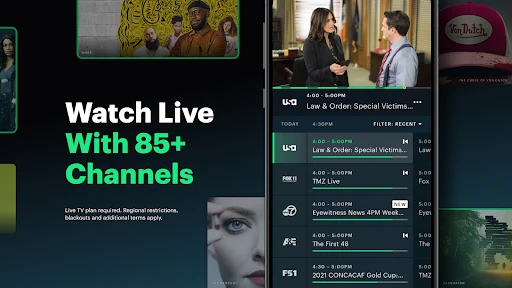
Live sports also change how I’d use it: they make the app more relevant for someone who wants to check what’s available around a game, while a person who only watches scripted shows may not care about that part at all. I would check the app’s current options before planning a watch party, rather than assume a particular event or channel will be there. The useful question is not simply whether Hulu has a lot to browse, but whether its mix matches what your household actually watches.
More From Our News Desk

Android Auto Makes the Case for Quieter Car Software

MobiOffice: Transforming Mobile Productivity with Seamless Integration

EA SPORTS FC™ Mobile Soccer: Redefining Mobile Sports Gaming

How Microsoft OneDrive Became a Mobile Productivity Giant

How Google Translate Breaks Language Barriers Effortlessly

Why Google Sheets Is the Ultimate Mobile Productivity Tool
Its broad audience is reflected in a 4.4 average from around 1.5 million ratings, and it has passed 100 million installs. Those figures suggest many people use it, but they don’t tell me whether a particular household will like its catalog or find the right plan. The app is free, rated Teen, and offers in-app purchases ranging from $9.99 to $18.99 per item, so I’d review the available purchase choices and age context before setting it up for younger viewers.
The app first arrived on June 22, 2011, and the current Android version is 6.17.0+13630701-google, with Android 7.1 or later required. That makes device compatibility worth checking before relying on an older phone or tablet for a trip or shared living-room setup. I’d also test playback on the screen you expect to use; a smooth experience on one device does not guarantee the same result on every connection or display.
My household verdict is that Hulu works best when people know who is using the account, choose the right profile, and agree on what they want to watch before the remote—or phone—starts changing hands. It can be a convenient fit for mixed tastes, particularly when series, movies and live sports all matter, but it is not a substitute for family conversations about age suitability or spending. If you want that combination and are willing to coordinate a little, it’s worth trying; if you need a very specific catalog or a viewing setup with rules the app itself may not provide, compare alternatives first.
Getting Started with Hulu
First things first, getting started with Hulu is a breeze. You just download the app from your favorite app store, sign up or log in, and you’re ready to roll. The interface is super intuitive, which is great because who has the time to figure out complicated menus, right?
A World of Content
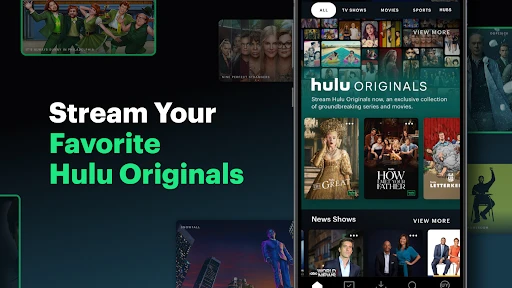
If you’re a TV show fanatic or a movie buff, Hulu has got your back. The app offers a vast library of content that caters to all tastes. From classic sitcoms to the latest movies, there’s something for everyone. And let’s not forget about those exclusive Hulu Originals that everyone’s talking about. Seriously, some of these shows are absolute gems!
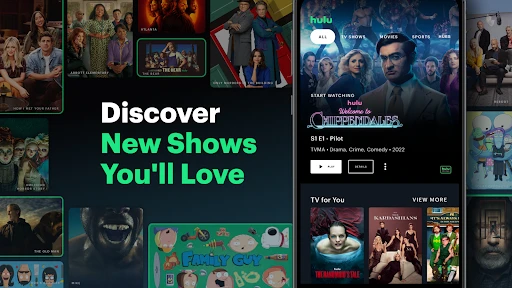
What I really love is how easy it is to discover new content. The recommendations are spot on, and the categories are well-organized. Plus, there’s a handy feature where you can add shows and movies to your watchlist. It’s like having your own personal cinema right in your pocket.
Streaming Quality and Experience
Now, let’s talk about the streaming quality. I’ve used the app on both Wi-Fi and mobile data, and the quality remains top-notch. There’s no annoying buffering, and the video quality is pretty impressive. Whether you’re watching on a smartphone or casting to a bigger screen, the experience is seamless.
Not to mention, the app supports multiple profiles, so everyone in the family can have their own personalized experience. This is perfect for avoiding those awkward moments when your parents’ soap operas start popping up in your recommended list!
Ad-Free and Offline Viewing Options
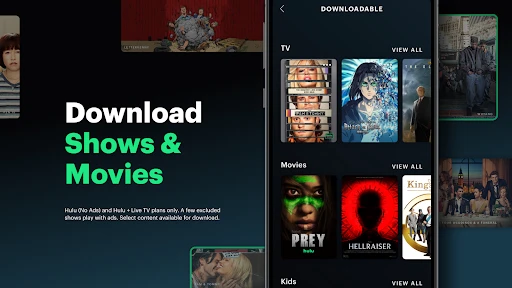
For those who can’t stand ads interrupting their binge sessions, Hulu offers an ad-free subscription option. It’s a bit pricier, but if you ask me, the uninterrupted viewing experience is worth it. Moreover, the ability to download shows and movies for offline viewing is a game-changer, especially when you’re on the go.
Overall, Hulu: Stream TV shows & movies is a fantastic app for anyone looking to dive into a world of entertainment. With its vast library, user-friendly interface, and excellent streaming quality, it’s hard not to fall in love with it. So grab your popcorn, get comfy, and let the binge-watching begin!
Make the shared screen easier to manage
A useful way to reduce household friction is to separate choosing from watching. I’d have each person save a few possibilities when they have time, then use the watchlist as a shortlist when everyone is ready. That makes it easier to compare a comedy, a film and a live event without turning the evening into an endless search. It also gives quieter viewers a practical way to suggest something before the fastest person with the remote takes over.
For a shared tablet, I’d make the profile check part of the handoff rather than an afterthought. A quick glance before playback helps keep recommendations and watch progress from becoming confusing. If someone is watching a series, it is also worth confirming the episode before pressing play; otherwise, a family member may accidentally continue from the wrong place. These are small habits, but they matter more than expecting profiles to solve every shared-device problem.
Choose the right viewing setup for the occasion
Hulu makes most sense when the screen and connection suit the plan. For a short break, a phone is convenient; for a household movie night, a larger screen is usually more comfortable if your setup supports it. I would test the route from the app to the display before guests arrive, rather than discovering a connection snag after everyone has settled in. That is particularly useful for live sports, where a delay or setup issue can be more frustrating than it would be during a casual episode.
When deciding whether to rely on downloads, I’d treat them as a travel convenience to prepare in advance, not a guarantee for every title. Check the specific program while you have a dependable connection and allow time to resolve any issue before leaving. For a commute, a downloaded episode can make sense; for a trip where the exact program is essential, I’d keep a second entertainment option in mind. That cautious approach avoids assuming the whole catalog behaves identically offline.
Where Hulu fits among streaming choices
Compared with a service built around one narrow library, Hulu’s appeal is the possibility of moving between series, movies and sports in the same entertainment app. That breadth is valuable for households with different viewing routines, but it does not mean every person will find their favorite title or event available. A competitor with a stronger match for a particular film collection, franchise or personal viewing habit could be the better everyday choice. I’d compare what you actually plan to watch, not just the size of a catalog or the number of tiles on a home screen.
It is also worth distinguishing the free app download from the ongoing cost of viewing. The listed in-app purchase range is $9.99 to $18.99 per item, so I would inspect the choices shown in the app and decide whether they suit your budget before building Hulu into a household routine. If you only want occasional access, compare the total commitment with how often you expect to use it. If a live game is the main reason you are considering it, check availability for the event you care about before making plans around the app.
Age, boundaries and everyday trust
The Teen age rating is a useful starting point, not a replacement for an adult checking individual titles. In a home with younger viewers, I’d look at what is being selected together and agree on which profile to use. A shared login or device can blur boundaries even when people mean well, so clear expectations are more reliable than assuming the app will make every family decision on your behalf. I would also keep purchase decisions with the account manager rather than leaving a child to interpret payment prompts.
That makes Hulu a better fit for households willing to communicate than for anyone looking for a hands-off solution to every viewing boundary. If you need strict rules that are managed entirely through app settings, I would compare services and device-level options before relying on this one. The more relaxed arrangement works well for adults sharing a screen or families who already discuss what is appropriate; it is less suitable when the device is passed around without supervision or a clear account routine.
Who I would recommend it to
I’d recommend trying Hulu if your household genuinely watches more than one kind of entertainment and appreciates having a shared place to browse. It is especially practical when one person follows shows, another wants films, and someone else checks live sports, provided everyone is comfortable coordinating the account and choices. A watchlist can help turn that variety into a plan instead of a pile of competing recommendations.
I would be less enthusiastic if you want a single, highly specific catalog, rarely stream, or expect a shared app to enforce household rules without discussion. In those cases, a more focused service or a different viewing setup may be simpler. My overall impression remains positive, but the best reason to install Hulu is not that it promises something for everyone; it is that its range may line up with what your particular group already enjoys. Start with the titles and viewing habits you care about, then decide whether the experience earns a place on your home screen.
Hulu: Stream TV shows & movies Frequently Asked Questions
Can I watch Hulu on more than one device?
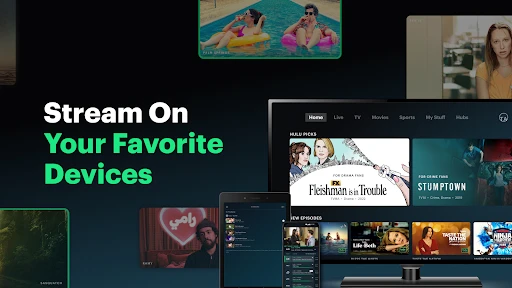
Hulu is designed for streaming entertainment, and you can use the app on compatible devices to watch shows, movies, and other available content. Before downloading it on another device, check that the device meets the relevant operating-system requirements and that Hulu is available for your account and location. Your subscription terms may affect how you can use the service across devices.
Does Hulu include live sports and downloadable movies?
Hulu’s app description highlights the ability to stream the latest live sports and download movies you love. The content and features available to you can depend on the subscription you choose, and not every title is necessarily available for offline viewing. If a particular sport, movie, or download option matters to you, check the current Hulu app and plan details before subscribing.
Is Hulu suitable for children and families?
Hulu is rated Teen, so families may want to review the available content and viewing settings before children use the app. Parental controls and kids’ profiles can help parents manage what younger viewers can access, but they are not a substitute for checking whether individual programs are appropriate. Consider setting up profiles and controls that fit your household’s preferences.
Can I use Hulu without an internet connection?
Some Hulu content can be downloaded for offline viewing, which can be useful when traveling or when you expect limited connectivity. Downloads are not available for every title, and access to this feature depends on the applicable subscription. Check that the content you want supports downloading and save it ahead of time; streaming the rest of Hulu’s library requires an internet connection.
Who develops Hulu, and is the app available for Android?
Hulu is an entertainment app developed by Disney and is available for Android devices that meet its operating-system requirements. The Android version requires Android 7.1 or later, so check your device’s software before downloading. Hulu is also available on iOS, with compatibility depending on the device and operating system. Make sure the app is supported on your device before choosing a subscription.
Pros
- Wide variety of shows and movies.
- User-friendly interface design.
- Offers live TV streaming options.
- High-quality video streaming.
- Ad-free experience with premium.
Cons
- Limited offline downloads.
- Ads in basic subscription.
- Occasional buffering issues.
- Regional content restrictions.
- Some popular shows missing.
- Category
- Entertainment
- Version
- 6.17.0+13630701-google













