SHAREit: Transfer, Share Files
- 56.84K
- 4.3
- Installs
- 1.00B
- Price
- Free

Screenshots





Analysis by Reviewed
When I need to move a batch of photos or a large video between devices nearby, I want a tool that avoids the slow, fussy steps of sending each item separately. SHAREit: Transfer, Share Files is built for that kind of handoff, with file sharing at its core and extra tools for managing files and downloading videos. I find it most useful when both devices are within reach and I can focus on the transfer rather than expecting files to appear everywhere automatically.
Choose the right kind of transfer
The first decision is less about which button to tap and more about what you need afterward. If I am passing a set of photos to someone standing beside me, a direct handoff makes sense. If I need those photos available on several devices next week, a cloud folder is usually the more useful destination. Keeping that distinction clear prevents me from treating a quick transfer as a backup plan.
I also think about the recipient before opening the app. A friend who is ready to receive a folder can make a nearby exchange straightforward; someone who is away, busy, or using a device that is not prepared for the transfer may find a messaging app or shared cloud link easier. For a single small file, the setup can feel like more work than the transfer itself. The app is at its best when the batch is large enough that sending items one by one would be irritating.
The Latest on SHAREit: Transfer, Share Files
Effortless Sharing with SHAREit
SHAREit is a tools app from Smart Media4U Technology Pte.Ltd. that brings nearby file transfers together with a file manager and video downloader. The basic idea is straightforward: choose what you want to send, connect with the receiving device, and check that the items arrived. It is free to install, though it includes optional in-app purchases. Its broad feature set makes it more than a bare transfer button, but not every user will need every part of it.
Speed Without the Guesswork
One of the standout features of SHAREit is its speed. Have you ever tried transferring a large video file via Bluetooth and felt like it was taking forever? With SHAREit, those days are long gone. The app uses Wi-Fi Direct technology, which means you can transfer files at speeds up to 20MB/s. That’s roughly 200 times faster than Bluetooth! You can literally send a full movie in just a couple of minutes. Talk about efficiency!
For me, the practical benefit is less about chasing a headline speed and more about avoiding the wait and uncertainty of Bluetooth when moving a batch of photos or a large video. Actual transfer time can vary with the devices and connection, so I would treat any speed claim as an expectation rather than a guarantee. If the transfer matters, I keep both devices nearby and avoid interrupting the process until I can see that the files have arrived.
A Simple Start, with a Little Preparation
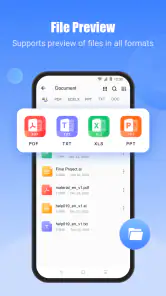
Another thing I love about SHAREit is its user-friendly interface. The app is designed to be intuitive and easy to navigate, even for those who might not be very tech-savvy. When you open the app, you’re greeted with a simple screen that lets you send or receive files with just a tap. Plus, it supports multiple file formats, so whether it’s a PDF, a photo, or a video, SHAREit handles it all seamlessly.
More From Our News Desk

X Under Pressure: Can It Recover When Posting Goes Wrong?

Clash of Clans Is Won Between the Battles

Android Auto Makes the Case for Quieter Car Software

MobiOffice: Transforming Mobile Productivity with Seamless Integration

EA SPORTS FC™ Mobile Soccer: Redefining Mobile Sports Gaming

How Microsoft OneDrive Became a Mobile Productivity Giant
A useful habit is to choose only the files you need before starting, especially when sharing a mixed camera roll. It makes the handoff easier to check at the receiving end and avoids making someone sort through unrelated items. For documents, I also confirm the filename and open the received copy before deleting the original; a transfer tool is most helpful when it fits into a careful file workflow, not when it encourages rushing.
Moving Between Different Devices
In a world where we’re juggling multiple devices, having an app that works across different platforms is a godsend. SHAREit doesn’t disappoint here either. It allows you to share files from Android to iOS, Windows PCs, and even Macs without any hiccups. Imagine the convenience of being able to move your files around no matter what device you’re using!
This is especially handy after a day of taking photos on a phone and wanting to review them on a computer, or when a classmate needs a presentation file that is not convenient to send through a messaging app. I would still check that both devices can see each other before selecting a large batch. For a one-off small attachment, email or a messaging service may be simpler; for a folder of personal files, a direct transfer can be the less awkward option.
Planning for Bigger Jobs
Heavy use is where I would be most deliberate. Moving several large videos while switching between apps, locking a phone, or letting a device run low on battery creates more opportunities for an interrupted session. I plan a bigger transfer when I can leave both devices alone, and I check the destination afterward rather than assuming every selected item completed. If something does not arrive, retrying just the missing files is more sensible than sending the whole batch again.
That workflow also helps with storage. A phone with little free space may be a poor place to receive a collection of videos, even if the sending process itself is straightforward. Before starting, I check that the destination has room and decide where the files should go. SHAREit is a transfer tool, not a substitute for organizing or backing up files, so I would keep a separate copy of anything important.
Privacy Is Also a Matter of Context
Of course, with great file sharing capabilities comes the concern for security and privacy. SHAREit ensures your data is safe by not storing any files on their servers. All transfers happen directly between devices, which means there’s no third-party access to your files. This is a huge relief, especially when dealing with sensitive information.
Even with direct sharing, I use a little common sense: I only connect with the person and device I intend to share with, and I avoid sending sensitive documents casually. If privacy is your main concern, think about who is physically nearby and whether you are comfortable making that transfer. For highly confidential material, I would use a workflow specifically designed for that need rather than treating any general-purpose sharing app as a complete security solution.
Who Will Get the Most from It?
I see this as a good fit for people who regularly move photos, videos, or documents between their own devices, and for families or classmates who need a quick way to pass files face to face. A realistic example is coming home from a trip, selecting a set of large phone videos, and moving them to a computer for sorting without sending each one through a chat service. The key advantage is having a direct, purpose-built handoff when both devices are available.
It is less compelling if you mainly share occasional small files, need to send something to someone who is not nearby, or want automatic syncing across devices. Cloud storage is usually more convenient for keeping the same files accessible later, while Bluetooth remains available for a simple nearby exchange when speed is not important. I would choose based on the job: SHAREit for a hands-on batch transfer, cloud storage for ongoing access, and a lightweight built-in option for a single small item.
Extras and Everyday Trade-Offs
The added video downloader and file manager may suit someone who wants transfer and basic file handling in one place. I would treat them as optional conveniences, not reasons by themselves to install the app. If I already have a file manager I like, or prefer keeping downloads in a separate workflow, those extras may add little. The useful question is whether I will actually use them after the first transfer, rather than whether a longer feature list sounds appealing.
One practical way to keep the app manageable is to make each session purposeful: decide whether I am sending, receiving, or organizing, and avoid turning a quick handoff into a long cleanup on the same phone. For a group of files, a short selection and destination check can prevent confusion later. That is particularly helpful when several people are passing items around and filenames or camera photos look alike.
What to Expect on Different Phones
SHAREit is a free tools app from Smart Media4U Technology Pte.Ltd., with in-app purchases ranging from $0.19 to $7.99 per item. It is rated for Everyone, and the current version is 6.26.38_ww. The app has a 4.3 average from around 18 million ratings and over a billion installs, which suggests it is widely used, though popularity alone does not guarantee that it will feel equally smooth on every phone.
It first appeared on April 28, 2013, and supports Android 4.2 and later. On an older or entry-level device, I would keep the job modest: close anything unnecessary, make sure there is enough storage, and transfer a smaller group first. If your phone is already under strain or you dislike installing a broad utility for an occasional task, your built-in sharing tools may be the better choice. The app also offers video downloading and file management, but I would use those only if they suit the way I already organize content rather than treating every extra tool as essential.
When a Transfer Goes Sideways
A useful recovery habit is to make a quick inventory before sending a large group: note the number or names of the important items, then compare them with what appears on the receiving device. This is especially helpful with similar camera filenames, where a missing image can be hard to spot by scrolling casually. I would not erase source files just because the transfer screen looked complete; first open a few received files and confirm that the important ones are usable.
If a session stalls or one item is missing, I would avoid immediately restarting the entire batch. Check the destination for files that arrived, identify what remains, and try those items separately. That narrows down whether the trouble is limited to a particular file or the whole connection, and it avoids creating confusing duplicate copies. For irreplaceable material, I would keep the originals untouched until I have another dependable copy.
My Performance Verdict
For a large nearby transfer, I would reach for SHAREit when I can keep both devices together and give the process my attention. Its appeal is the prospect of moving a useful batch without relying on the slower feel of Bluetooth or the extra steps of uploading and downloading through cloud storage. I would not judge it by a single speed expectation: the connection, device condition, available storage, and size of the selection all affect how smooth a session feels.
If the transfer is interrupted, I would first check which files actually arrived, then retry only what is missing. That simple recovery habit is more useful than assuming a long progress session succeeded completely. For routine, low-stakes sharing, built-in options may be enough; for keeping a library synchronized or sharing with someone far away, cloud services are a better fit. SHAREit earns its place when I need a deliberate, device-to-device handoff rather than an always-on file system.
Who Should Pass on It?
I would skip it if I rarely move more than one small file at a time, already have a sharing method that feels effortless, or do not want another utility alongside the file tools built into a phone or computer. Someone who expects transfers to happen in the background, remain synchronized, and serve as a reliable archive is also looking for a different kind of product. In those cases, a cloud service or the operating system’s own sharing feature is likely to fit better.
For regular handoffs, though, the combination of file selection, receiving-device checks, and optional file management can save repeated trips through unrelated apps. The trade-off is that it rewards a little preparation: both devices need to be available, the destination needs room, and I still have to verify the result. I see that as a fair exchange when the job is a substantial batch rather than a tiny attachment.
In conclusion, if you’re in need of a fast, reliable, and secure way to transfer files, SHAREit: Transfer, Share Files should definitely be on your radar. It’s fast, user-friendly, and versatile, making it the perfect tool for anyone looking to simplify their file sharing process. Whether you’re a student, a professional, or just someone who loves sharing content, give SHAREit a try and experience the ease for yourself. You’ll wonder how you ever managed without it!
SHAREit: Transfer, Share Files Frequently Asked Questions
Can SHAREit transfer files without using mobile data?
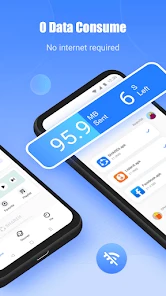
SHAREit is designed for direct file transfers between nearby devices, so sending files does not require an internet connection or mobile data. This can be helpful when you are offline or want to avoid using your data allowance for a transfer. Keep in mind that both devices need to be ready to connect, and you should still check the recipient and selected files before sending.
Can I use SHAREit to send large videos and other big files?
SHAREit is described as a way to send and receive big files, including videos and other content. It can be a practical option when a file is too large to share conveniently through some other methods. Before starting, check that the receiving device has enough room for the files, select the intended items, and keep both devices nearby while the transfer is underway.
Can I share files with someone who is in another location?
SHAREit is intended for transferring files between devices that can connect to one another, so it is most useful when the sender and recipient are nearby and can both open the app. It is not a way to send files to someone far away through a regular online link. If you are sharing in person, confirm the receiving device before you begin.
Does SHAREit transfer my files automatically after installation?
Installing SHAREit does not mean you have to send everything on your device. You choose the content to share and confirm the receiving device before a transfer, so take a moment to review both selections. This is particularly useful if your phone contains personal photos, contacts, or other private items that you do not intend to send.
Can I use SHAREit to transfer files between a phone and a computer?
SHAREit is described as supporting file sharing across devices, and its cross-platform approach can be useful when moving content between a phone and a computer. Both devices need to be able to run and connect through SHAREit for the transfer. Before relying on it, check that the app is available for each device and that you have selected the correct recipient.
Pros
- Fast file transfer speeds.
- Supports multiple file formats.
- User-friendly interface.
- No internet required for transfer.
- Cross-platform compatibility.
Cons
- Contains ads.
- Privacy concerns with data usage.
- Occasional connectivity issues.
- Limited file size for free version.
- Some features require in-app purchases.
- Category
- Tools
- Version
- 6.26.38_ww









