Gboard - the Google Keyboard
- 438.81K
- 4.5
- Installs
- 10.00B
- Price
- Free

Screenshots


Analysis by Reviewed
When a keyboard change seems to make simple things harder, I’d check the setup before judging the typing itself. A new keyboard can feel unfamiliar, and options such as language switching or voice input may not behave as expected until they’re enabled and selected. Gboard, Google LLC’s free keyboard app in the Tools category, is a flexible choice, but that flexibility means the first few minutes can involve more tapping through settings than some people expect.
Start with the keyboard basics
After installing it, make sure it is selected as the active keyboard in your device’s keyboard settings; installing a keyboard and using it are separate steps. Then open a text field and check that the layout and language match what you intend to type. If a symbol or punctuation mark seems to have moved, look at the current layout before assuming the app has lost a setting. I find it useful to test in a low-stakes message first, rather than discovering a mismatch while filling in a long form.
Language switching is especially worth checking if you move between languages during the day. Add the languages you actually use and try switching in a message draft. That small test helps distinguish a layout issue from a typing mistake, and can make multilingual suggestions feel less intrusive. If you mainly write in one language, keeping the setup simple is often more comfortable than enabling options you rarely need.
The Latest on Gboard - the Google Keyboard
Recover a workflow without losing your place
When a keyboard disappears or voice typing is unavailable in one app, I start by tapping into another ordinary text field. If the keyboard works there, the problem may be specific to the first app or field rather than the keyboard as a whole. I also check that the intended keyboard is still selected and that the device’s microphone access is available when I’m trying to dictate. These basic checks are more useful than repeatedly reinstalling the keyboard.
The clipboard can help with short snippets you need to reuse, such as an address or a sentence you are moving between messages. I treat it as a temporary convenience, not a permanent filing system: copy important information somewhere intended for storage. For longer writing, I draft in a notes or document app and then paste the finished text. That gives me a safer place to revise if a message is interrupted or a text field refreshes.
Use it for quick, repeated tasks
The best reason to choose a keyboard like this is not one spectacular feature; it is the small amount of friction it can remove from tasks you repeat all day. If I am answering a message, looking for a particular emoji, and then switching to a different language, keeping those actions near the text field can spare me from jumping between apps. That convenience is most noticeable in short conversations, where opening a separate search or media app would interrupt the exchange.
A realistic example is arranging a pickup while I’m out. I can type a short reply, switch to the language I use with a relative, and add an emoji or GIF if the tone calls for it. If I need to dictate because my hands are busy, I can try voice input, then read the result before sending. I would not treat any keyboard’s suggestions or speech recognition as a substitute for checking names, addresses, or other details that need to be exact.
More From Our News Desk

Clash of Clans Is Won Between the Battles

Android Auto Makes the Case for Quieter Car Software

MobiOffice: Transforming Mobile Productivity with Seamless Integration

EA SPORTS FC™ Mobile Soccer: Redefining Mobile Sports Gaming

How Microsoft OneDrive Became a Mobile Productivity Giant

Why Google Sheets Is the Ultimate Mobile Productivity Tool
Make suggestions work for your habits
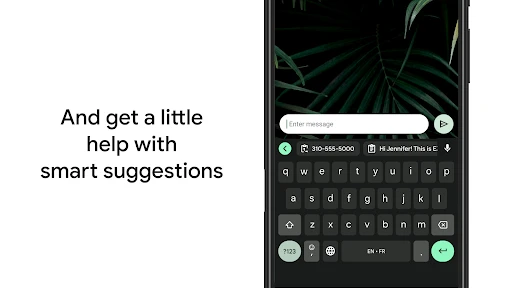
Predictive suggestions can speed up familiar messages, but they are less dependable with unusual names, specialist vocabulary, and mixed-language sentences. I find it more useful to regard them as shortcuts than as corrections I should accept automatically. If a suggestion changes the meaning or tone, tap back into the text and fix it rather than allowing a quick reply to become an awkward one.
There is also a practical trade-off in how much of the keyboard’s extra functionality you use. Search, emoji, GIFs, voice input, and clipboard tools can be handy when you reach for them deliberately, but they can make the typing area feel less plain. Someone who wants the fewest visible controls may prefer to leave optional tools alone and focus on the basic layout. The keyboard is most comfortable when its features serve a real routine instead of becoming another set of settings to manage.
Everyday typing, with realistic expectations
Let’s dive into the world of Gboard - the Google Keyboard, a nifty little app that promises to take your typing experience to the next level. I’ve been using it for a while, and I’m here to spill the beans on what makes this app a must-have for your smartphone.
Customization Galore
If you’re like me and love to tweak every little aspect of your phone, Gboard will feel like a playground. The app offers a plethora of customization options that allow you to change themes, adjust keyboard size, and even set your own photos as the background. It’s like having a keyboard that’s truly your own.
Typing Features
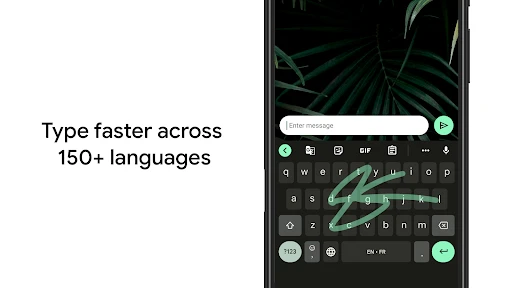
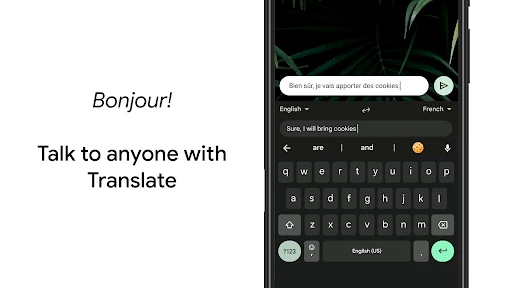
Now, let’s talk about why we’re all here – the typing features! Gboard takes the cake with its smooth and intuitive typing experience. Whether you’re a fan of glide typing or prefer the traditional tapping style, Gboard has got you covered. The app even supports multilingual typing, allowing you to switch between languages with ease. I found this particularly handy when texting friends in different parts of the world.
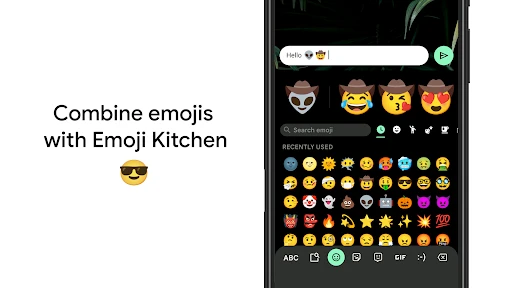
One feature that stands out is the integrated Google Search. You can search for anything right from the keyboard itself without having to open a browser. This has saved me a ton of time and is perfect for quick look-ups while having a conversation. Plus, the emoji and GIF search is top-notch, making it easy to find the perfect expression for every moment.
Voice Typing and More
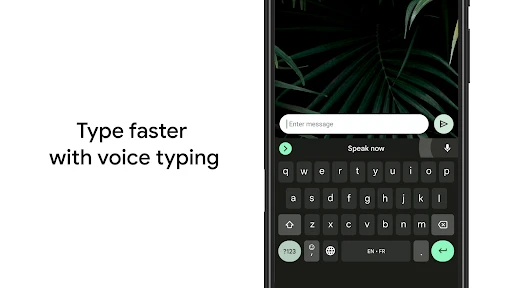
For those moments when you just can’t be bothered to type, Gboard’s voice typing comes to the rescue. It’s surprisingly accurate and picks up on nuances in speech exceptionally well. This feature has been a game-changer for me when I’m on the go or just feeling a bit lazy.
And let’s not forget about the built-in clipboard manager, which stores your copied text for an extended period. It’s a lifesaver for anyone who works on their phone or needs to frequently copy and paste text.
Performance and Reliability
In terms of performance, Gboard is a solid contender. It’s fast, reliable, and rarely crashes. The battery consumption is minimal, which is always a bonus. I’ve used other keyboards that tend to slow down my phone, but Gboard runs smoothly without a hitch.
Where it fits—and where it doesn’t
A typical day shows its strengths better than a feature checklist: I might glide-type a quick reply while walking between tasks, use voice input when my hands are occupied, then search for an emoji or GIF without leaving the conversation. For those small, frequent actions, having tools close to the text field can save interruptions. The trade-off is that suggestions and extra controls can make the keyboard feel busier than a bare-bones layout.
Compared with the keyboard already on a phone, Gboard is most appealing if you want Google Search, broad language support, and personalization in one place. A manufacturer’s default keyboard may be the easier pick if you already like its layout and do not need those extras. People who prefer a highly minimal keyboard, or who would rather avoid search and media tools in their typing flow, may be happier staying with a simpler alternative.
Small habits that make it easier to use
I’d personalize the keyboard in stages rather than changing everything at once. Set a comfortable size first, use it for a day, and then decide whether a theme or background actually helps. When typing errors cluster near the edges, adjusting the size is a more practical first move than trying to retrain your thumbs. For a long message, glide typing can be quick, but a final read-through still matters: names, uncommon terms, and mixed-language phrases deserve a check before sending.
Gboard is developed by Google LLC and is free, with an Everyone age rating. It has a 4.5 average from around 19 million ratings, and has been installed over 10 billion times. Those figures suggest wide adoption, but the right choice still comes down to whether its tools suit your habits. If you depend on a keyboard for accessibility or a specialized language layout, test those needs directly before relying on it for important writing.
Choose it for the right reasons
I would recommend trying it if you switch languages, use emoji and GIF search often, or like having Google Search close while composing a message. It is also a sensible option if you want to adjust the keyboard’s appearance or size rather than accept a fixed layout. The app is free, and its broad use means it is familiar to many phone owners, but popularity alone does not make it the best fit for every typing style.
I would be more cautious if you need a very plain keyboard, rely on a specialized layout, or find suggestions distracting. In those cases, the keyboard already built into your phone may be easier if its layout already suits you, while another focused alternative could be preferable if you want fewer extras. Whatever you choose, test the actual languages and writing tasks you depend on before making it your default for important work.
Overall, Gboard - the Google Keyboard is more than just a typing tool; it’s an all-in-one package that enhances the way you interact with your phone. It’s packed with features that cater to various needs, making it a versatile choice for any user. So, if you haven’t tried it yet, I’d highly recommend giving it a go. You might just find it’s the keyboard you never knew you needed!
Gboard - the Google Keyboard Frequently Asked Questions
Can Gboard be used with a tablet as well as a phone?
Gboard is a mobile keyboard app, and it can be considered for typing on compatible Android and iOS devices, including tablets. The way it appears may vary with the device’s screen size and keyboard settings. If you regularly write on a tablet, you can enable Gboard and try its layout in the apps you use before deciding whether it suits your setup.
What should I check before enabling Gboard?
Before enabling Gboard, consider which keyboard you currently use and whether you want to make Gboard your active option. Keyboard selection is managed through your device settings, and you can change it later. You may also want to explore its language, appearance, and input options after setup so the keyboard is arranged in a way that feels comfortable for everyday use.
Can I use Gboard if I regularly switch between languages?
Yes. Gboard supports multilingual typing, so you can select the languages you use and switch between them without changing keyboards. This is convenient for writing messages in different languages or mixing languages in a conversation. You can set up your preferred languages in the keyboard settings, then use Gboard across your everyday apps wherever text entry is available.
Will Gboard replace the keyboard that came with my phone?
Installing Gboard gives you another keyboard option; it does not automatically mean you must stop using your device’s existing keyboard. You can enable Gboard in your device settings and choose it when you want to type. If you later decide you prefer the original keyboard, you can switch back through the keyboard settings or switcher.
Can I try Gboard before making it my main keyboard?
Yes. You can install and enable Gboard, then try it for everyday typing without committing to use it for every task. Your device lets you choose which keyboard is active, and you can switch between available keyboards when needed. That makes it practical to see whether Gboard’s layout and tools suit your habits before deciding whether to keep using it.
Pros
- Highly accurate autocorrect
- Supports glide typing
- Integrates Google search
- Customizable themes
- Multiple language support
Cons
- May collect user data
- Occasional lag on older devices
- Limited emoji search
- Can be resource-heavy
- Lacks advanced text editing features
- Category
- Tools
- Version
- Varies with device








