Truecaller: Caller ID Blocker
- 157.56K
- 4.4
- Installs
- 1.00B
- Price
- Free

Screenshots


Analysis by Reviewed
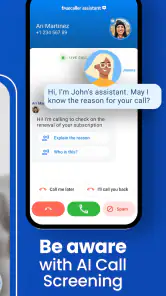
I find caller screening most valuable when it reduces interruptions without pretending to make every decision for me. That is the useful idea behind Truecaller: Caller ID Blocker: it can identify callers and flag suspected spam, giving me context while the phone is ringing. The benefit is modest but practical. Instead of treating every unfamiliar number as equally urgent, I can weigh the available clue against what I’m doing and whether I’m expecting a call.
A useful clue, not a verdict
Caller identification works best as a prompt for judgment. A label may help me spot an unwanted call, but it cannot tell me with certainty whether an unknown caller is trustworthy or whether a flagged call is irrelevant. I would still answer when I’m expecting an important callback, and I wouldn’t assume a missing warning means a call is safe. That cautious approach makes the feature useful without asking it to do more than it can.
There is also a practical difference between screening and blocking. When I’m unsure about a number, seeing caller context can help me decide whether to pick up or let the call pass. Blocking is a stronger step, so I’d reserve it for calls I have good reason to avoid. If a legitimate caller is mistakenly treated as spam, a habit of checking missed calls helps reduce the chance of overlooking something important.
How I would use it during a busy day
Imagine I’m preparing dinner and waiting for a service appointment. An unfamiliar call arrives just as I’m handling a hot pan. A spam warning gives me a reason not to stop what I’m doing; if there is no warning, I can still let the call go and decide whether to follow up once I’m free. The app doesn’t make the choice for me. It gives me a little more information at the moment when answering has a cost.
That same approach can help someone who takes work calls from new clients or expects callbacks from clinics and delivery services. I’d save numbers I know are important, use caller labels as supporting context, and check missed calls rather than relying on a label alone. If I receive only occasional unknown calls, though, the phone’s built-in call controls may already be enough, with less setup and another app to manage.
What changes compared with a standard dialer
The usual alternative is the phone app already on the device. It is convenient because it is there by default and can provide basic call handling without asking me to learn another interface. Truecaller’s appeal is different: it focuses on identifying unfamiliar callers and helping screen suspected spam. That distinction matters most when unknown numbers are a regular nuisance, not when I only need to silence one occasional caller.
I would not replace a familiar dialer just for the sake of adding features. First, I’d consider how often I miss calls, how much unwanted calling disrupts me, and whether I’m comfortable with the setup choices the app presents. If those problems are rare, default controls are likely the simpler fit. If they recur throughout the week, caller context can make the extra step worthwhile.
More From Our News Desk

Weather by Xiaomi Review: Clear at a Glance, Less Clear Up Close

X Under Pressure: Can It Recover When Posting Goes Wrong?

Clash of Clans Is Won Between the Battles

Android Auto Makes the Case for Quieter Car Software

MobiOffice: Transforming Mobile Productivity with Seamless Integration

EA SPORTS FC™ Mobile Soccer: Redefining Mobile Sports Gaming
What caller identification changes in practice
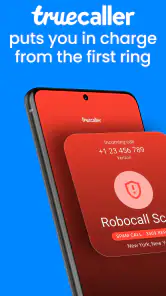
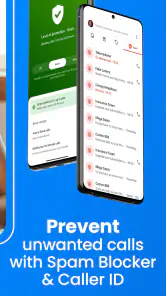
Right off the bat, what struck me was how efficiently Truecaller: Caller ID Blocker identifies and blocks spam calls. The app has a massive database of numbers, constantly updated by its vast community of users. So, the next time you get a call from a number you don't recognize, there's a good chance Truecaller will have the details for you. It's like having a personal assistant who whispers in your ear, "Hey, don't bother with this one; it's spam."
Deciding whether to answer
Caller ID is most useful when it gives me a clue, not a guarantee. I still treat an unfamiliar name or number as something to assess for myself; identification can help me avoid an obvious nuisance, but I wouldn’t assume every unlabelled call is safe or every flagged call is harmful. That distinction matters if I’m expecting a delivery, a callback from a clinic, or a return call about work. In those situations, I can use the label as context and decide whether to answer, let the call pass, or check the number afterward.
For example, imagine I’m cooking dinner and a number I don’t know calls while I’m waiting for a service appointment. A spam warning gives me a sensible reason not to interrupt what I’m doing. If no warning appears, I can still choose to answer briefly or let it go to voicemail and follow up later. The practical benefit is not that the app makes the decision for me; it’s that it can make an unknown interruption easier to judge.
Text Messages Under Control
It's not just about calls; Truecaller also has your back when it comes to text messages. The app cleverly sorts your messages, filtering out the promotional and spammy ones. This means your inbox is cleaner and less cluttered, leaving you with the messages that actually matter. I found this feature particularly helpful during the holiday season when promotional texts are at an all-time high.
That message filtering can be useful when I want to separate routine personal conversations from promotional noise, but it also calls for a quick habit: check filtered messages now and then if I’m waiting for an unfamiliar sender. A legitimate message can be unexpected, and a tidy main inbox is only helpful if I don’t mistake it for a complete picture. I’d use the sorting as an aid to attention, not as a reason to stop checking messages that matter.
User-Friendly Interface
Now, let's talk about the app's interface. It’s sleek and intuitive, making it super easy to navigate. Whether you're a tech-savvy user or someone who just wants things to work without fuss, Truecaller has got you covered. Setting it up was a breeze, and I was up and running in no time. The app even offers customization options, so you can tweak it to suit your style.
Setup is also the point where I’d pause and make deliberate choices. Caller identification and blocking work best when the app is configured to handle those tasks on the phone, so I’d review the options it presents instead of tapping through automatically. If I prefer the built-in phone app’s simpler approach, or I don’t want a separate service involved in screening calls, sticking with that default may feel more comfortable. On the other hand, people who receive frequent calls from unfamiliar numbers are more likely to appreciate having caller context in one place.
Privacy and Security
In today's digital age, privacy is a big concern for many of us. Truecaller has made it clear that they take user data seriously. The app provides options to manage your privacy settings, so you decide what information you want to share. While it does require some access to your contacts to function optimally, it assures users that their data is safe and secure.
That contact access is a real consideration, not a box to dismiss without thought. Anyone who is cautious about sharing address-book information should read the privacy choices carefully and decide whether the caller-identification benefit is worth the trade-off for them. If that exchange feels wrong, the phone’s built-in caller controls are a reasonable alternative, even if they may not offer the same community-based identification experience.
Who gets the most from it
I’d point this app toward people who regularly receive calls from numbers they don’t recognize and want help deciding which ones deserve attention. It may also suit someone whose text inbox collects a steady stream of promotional messages. It is less compelling for a person who rarely gets unwanted calls, prefers not to grant contact access, or is already satisfied with the basic blocking tools on their phone. In those cases, another app may add more setup and privacy decisions than everyday value.
Truecaller is a communication app from Truecaller, and its call-screening focus is what separates it from relying only on a standard dialer. The built-in option is simpler and avoids adding another app to manage; this one is more appealing when identifying unfamiliar callers is a frequent, practical need. It’s free to install, rated for Everyone, and has a 4.4 average from around 27 million ratings, with over a billion installs. Optional in-app purchases range from $0.99 to $449.00 per item, so I’d check the specific offer before buying anything rather than assuming every useful function requires payment.
The app first appeared on May 31, 2012, and supports devices running Android 8.0 or later. Its long-running presence and broad adoption make it easy to find, but neither scale nor caller labels should replace common sense. I’d keep important contacts saved, review calls I’m unsure about, and treat blocking as a convenience rather than a perfect filter. That’s the balance that makes caller ID useful without handing every decision over to an app.
Small habits that make screening safer
I’d start by deciding what I want the app to do before adjusting its call-handling options. There is a meaningful difference between using an identification label to inform a choice and automatically blocking calls. A cautious setup lets me benefit from context while keeping room for calls I may need to take. I’d also make a point of reviewing missed calls and filtered messages periodically, especially during a week when I’m expecting contact from someone whose number I haven’t saved.
Another useful habit is to save reliable contacts as soon as I know I’ll need them. That does not solve every unknown-call problem, but it reduces avoidable uncertainty around people and services I already recognize. I would treat a caller label as one signal among several, not as proof of identity or a reason to share personal information. If a caller asks for sensitive details, I’d verify the request through a channel I already trust rather than relying on what appears on the screen.
Where the trade-off becomes personal
The main question I’d ask before installing it is whether the interruption problem is frequent enough to justify another communication app and its setup decisions. Someone who works from home, receives calls from new customers, or often waits for callbacks may get regular value from caller context. Someone whose contacts are already familiar and whose phone rarely rings with unwanted numbers may notice little improvement. In that case, the default dialer’s basic controls can be a cleaner choice.
Privacy comfort is just as individual. The app’s value depends partly on caller identification, while a user wary of contact access may prefer to keep screening local and simple with built-in phone controls. I wouldn’t call either choice universally better: one prioritizes added context for unfamiliar callers, the other minimizes extra setup and data-sharing decisions. If I were unsure, I’d read the choices during setup carefully and avoid granting anything I don’t feel comfortable with.
Worth installing for the right kind of interruption
Truecaller is free to install, with optional purchases in the app, so I’d begin with the basic experience and decide whether it solves a recurring annoyance before spending money. It is aimed at all ages, and it supports Android 8.0 or later. Its 4.4 average across around 27 million ratings and more than a billion installs suggest that many people use it, but popularity alone does not make it the right fit for every phone or privacy preference.
My recommendation is specific: if unfamiliar calls regularly break your concentration, try caller identification as a decision aid, keep an eye on filtered messages, and review your settings rather than accepting every prompt without thought. If you rarely face that problem or are uncomfortable with the contact-access trade-off, stay with your phone’s built-in controls. For me, the strongest case for Truecaller: Caller ID Blocker is not that it can eliminate uncertainty; it is that it can make a ringing phone less demanding when I’m already busy.
Truecaller: Caller ID Blocker Frequently Asked Questions
Can I install Truecaller on a phone with limited storage?
Before installing Truecaller, check how much free storage is available on your phone and leave room for the app and its ongoing use. The app focuses on caller identification and managing unwanted calls and messages, so it may be useful if those tools fit your needs. If storage is tight, reviewing unused apps and files first can help avoid installation or update problems.
Will Truecaller still be useful if I receive very few unknown calls?
Truecaller is primarily designed to identify unfamiliar callers and help manage spam calls and messages. If you rarely receive calls from numbers outside your contacts, you may use those features less often, although its caller ID and blocking tools may still be useful when an unexpected call arrives. Consider whether having that extra context is worth adding another communication app to your phone.
Can I choose which Truecaller notifications I receive?
Notification preferences can affect how noticeable an app feels during everyday use. After installing Truecaller, review its in-app options and your phone’s notification settings to decide which alerts you want to receive. This lets you tailor the experience around caller identification, spam protection, and message features without assuming every notification is essential. You can revisit those settings if your preferences change.
Does Truecaller replace my mobile carrier or phone service?
Truecaller is a communication app that adds caller identification and tools for handling unwanted calls and messages; it is not a replacement for your phone’s calling service. Your mobile network or other phone service continues to carry calls, while Truecaller can provide additional information and management options. The app’s online caller information works best when your device has an internet connection.
Can I use Truecaller to look up a number before calling it back?
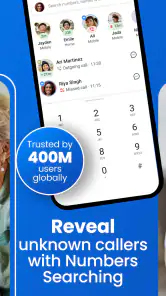
Truecaller’s caller ID is intended to help identify numbers that are not saved in your contacts, which can be useful when deciding whether to return a missed call. Its online number database supports this identification, and an internet connection helps access current information. The app is focused on calls and messages, so it is most relevant when you want more context about an unfamiliar number.
Pros
- Accurate caller identification
- Blocks spam and scam calls
- User-friendly interface
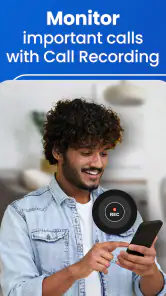
- Call recording feature
- SMS spam detection
Cons
- Requires internet connection
- Data privacy concerns
- Limited free version features
- Occasional false positives
- Ads in free version
- Category
- Communication
- Version
- Varies with device