 About Google Wallet
Google Wallet Makes Everyday Payments and Passes Feel Effortless
The best payment app is the one you stop thinking about. Google Wallet gets closest to that ideal not through flashy features, but by making the small rituals around money and movement feel lighter: tap at the till, pull up a boarding pass, find a loyalty card before the queue starts moving. Its ambition is broader than replacing a plastic card, and its appeal lies in how little ceremony it demands.
That restraint is worth celebrating. A digital wallet can easily become a junk drawer of financial tools, promotions and nudges. Google’s version has a clearer job: keep the cards and passes you need close at hand, then get out of the way. It is not a bank, and it does not pretend to be one. It is a practical layer between your phone and the everyday places where you pay, travel and prove who you are.
Why it deserves the spotlight
Payments are unglamorous until they fail. A card buried in a bag, a ticket hidden in an email, or a loyalty barcode that refuses to scan can make a simple errand feel oddly stressful. Google Wallet brings many of those loose ends into one place, using the phone you already reach for. The result is less about novelty than about removing friction from routines that repeat every week.
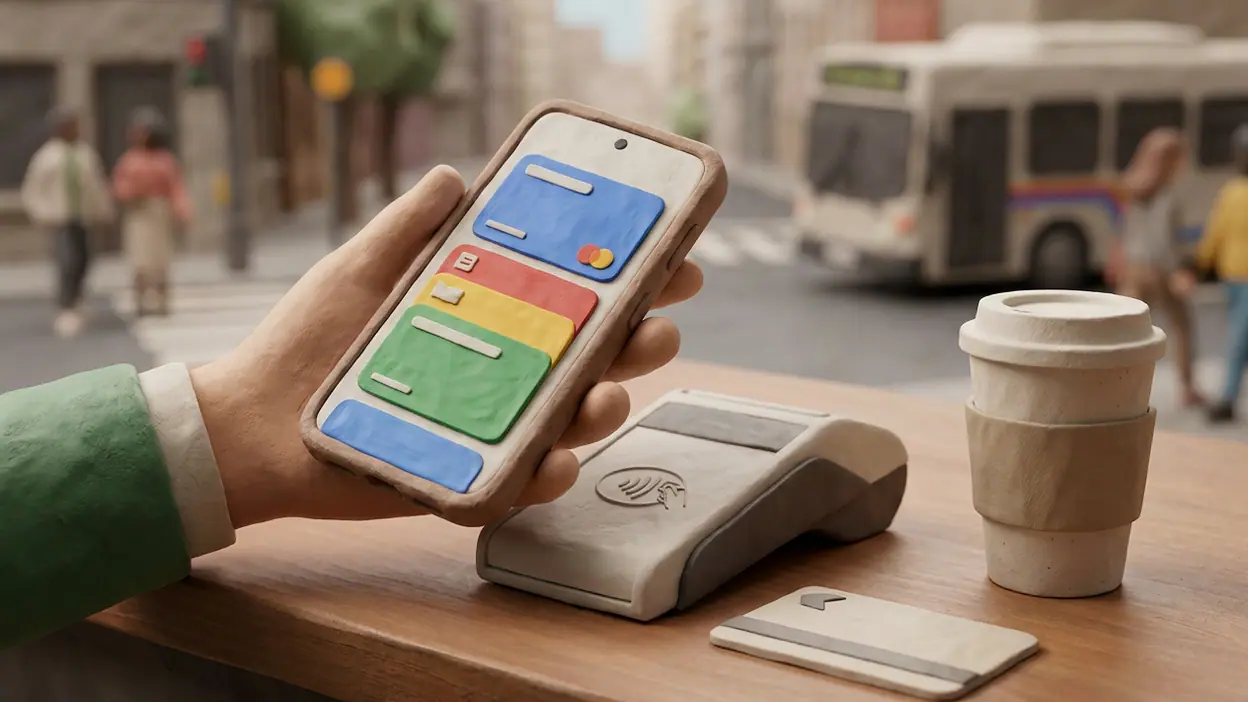
On compatible Android phones, contactless payment is the headline act. Add an eligible card, confirm the required security checks, and you can pay at a supported terminal with a tap. The phone’s lock and authentication safeguards make that feel more considered than simply handing over a card, while the familiar checkout gesture keeps the process quick. Availability depends on your country, bank, card and device, so the experience is not universal; where it is supported, though, the setup is straightforward.


The less obvious strength is the range around that core. Boarding passes, event tickets, transit cards, gift cards and loyalty passes can join payment cards, depending on what is supported in your region and by the issuer. Instead of asking you to remember where each item lives, Wallet gives them a shared home. It turns a phone into a useful pocket, not another financial dashboard.
What feels immediately exceptional
The interface understands that a wallet is something you reach into, not something you browse for entertainment. Payment cards are easy to identify, and passes sit within a familiar stack rather than being scattered across unrelated apps. The visual language is clean and recognizable without insisting on attention. When you need a card, the point is to find it fast; the design mostly respects that.
Using a card at a terminal is satisfyingly direct. Wake or unlock the phone as required by your device and settings, authenticate when prompted, and hold it near the reader. There is no need to open a banking app and navigate through a menu while people wait behind you. That difference sounds minor until it becomes a habit. Then the old search through a wallet or purse feels like unnecessary work.
Latest News



Passes make the app feel more complete than a tap-to-pay utility. A boarding pass can be ready before you reach the airport gate; a ticket can be brought up outside a venue; a loyalty card can appear at the moment the cashier asks. Some passes can update with relevant information, and some can be added from supported apps or websites. These details vary, but the central promise holds: the useful item should be available at the moment you need it.
There is a quiet confidence in that approach. Google Wallet does not need to turn paying into a spectacle. It simply makes the necessary steps legible and quick, then lets the rest of your day continue.
How it earns long-term attention
Most apps earn loyalty by giving you something new to do. A wallet earns it by becoming dependable enough that you do not have to think about it. Once your regular cards, tickets and passes are there, the app’s value compounds through repetition. A commute, a coffee, a grocery run and a night out become a string of small moments with less searching and fewer forgotten cards.
That usefulness depends on a network beyond Google. Banks must support the cards, transport agencies must support the relevant passes, and businesses need workable digital options. This makes Wallet’s quality uneven from place to place. In a city with strong transit support and broadly compatible payment cards, it can become a genuinely central tool. Somewhere with limited participation, it may remain a convenient place for only a few cards. The app can organize what is available; it cannot make every issuer join in.
Security and privacy also matter more over time than they do during the first setup. Digital payments use device protections and tokenization rather than simply exposing the physical card number at the terminal. The exact safeguards and available controls depend on the payment method and region, but the design asks you to protect the phone as the gateway to your wallet. That is a sensible trade, provided you use a screen lock and keep your account secure.
Its limits are part of the story, too. Wallet is not a budgeting tool, a full account-management hub or a universal replacement for every plastic card. Some passes still require their original app, and a physical card remains wise as a backup when a phone battery dies or a reader behaves badly. The app is strongest when judged for its actual role, not for a larger financial job it never set out to do.
Best moments in real use
The best moment is often the least memorable: paying for something while carrying bags, without stopping to sort through a pocket. That is the test of a good utility. It reduces the amount of attention a mundane task asks from you, and then disappears again.
Travel gives the app a more visible payoff. Having a ticket close at hand is reassuring when you are moving through a station or approaching a gate, especially when a crowded inbox is the alternative. For transit, support varies by system, but a compatible pass can make entering a station feel as simple as bringing the phone to a reader. The convenience comes from being ready, not from any grand redesign of travel.
There is also a small pleasure in keeping loyalty cards and event passes in the same place as payment cards. No rummaging through screenshots, no guessing which app holds the barcode. It is not a dramatic transformation; it is the kind of improvement that makes everyday life feel better organized.
What gives it an edge over louder rivals
Many apps want to become the command center for your life. Wallet is more persuasive because it does not make that claim. Android Auto has a distinct job in the car, Google Home organizes connected devices, and even a utility such as Microsoft SwiftKey AI Keyboard earns its place by changing how you type. Wallet’s remit is narrower: carry the digital items that help you pay and get through a door. That clarity is an advantage.
Its strongest competition is not necessarily another app. It is the physical wallet, the issuer’s own app, the ticket in your email, and the habit of using whichever option happens to be closest. Google’s edge is the ability to gather several of those practical credentials in one familiar place while keeping contactless payment fast. When support lines up, that combination feels more coherent than a collection of disconnected shortcuts.
There is no need to pretend that this makes Wallet universally superior. iPhone users have Apple Wallet, and the best choice often follows the phone and services already in use. Even on Android, card and transit support can decide the matter. But as a daily utility within the Google ecosystem, Wallet has a rare quality: it is useful without constantly reminding you that it exists.
Where it still needs polish
The experience can feel fragmented when a pass is not accepted, an issuer requires a separate route for setup, or a local transport system has not embraced digital wallets. Users can mistake those gaps for app failures, even though much of the underlying problem sits with partners. Google could make regional availability and compatibility clearer, so people know what they can add before spending time searching.
Organization could also be more flexible for people who carry many passes. The simple stack works well for a modest collection, but frequent travelers or event regulars may want more ways to sort, pin or prioritize items. The app’s understated design is a virtue; a little more user control would not have to make it cluttered.
Finally, digital convenience always brings a practical dependency: your phone needs power, a working screen and a secure account. Some payment features may still work in limited circumstances without a network connection, but users should not assume every pass or transaction will. Keeping a backup payment card is not a criticism of the app. It is sensible preparation for a tool that lives on a device.
Who should care most
Wallet is an easy recommendation for Android users whose banks support contactless payments and who regularly juggle tickets, loyalty cards or transit passes. It suits people who value speed and order more than elaborate money-management features. Frequent travelers may appreciate having boarding passes nearby; commuters should check local transit compatibility before making it part of their routine.
It is less essential if you rarely pay by phone, prefer to keep every card physical, or live somewhere with limited support. And if you are looking for spending analysis, bill payments or a way to manage accounts, a dedicated banking or budgeting app is a better fit. Google Wallet is most compelling when its modest promise matches your daily needs.
Why it belongs in this moment
Phones increasingly serve as keys, tickets and payment tools, but that shift only matters when it feels dependable rather than futuristic. Wallet makes a convincing case for the practical version of that change: fewer bits of paper, fewer plastic cards to hunt for, and fewer separate places to check. It does not erase every inconvenience, and it should not encourage anyone to leave a backup behind. It simply makes the phone a more capable companion in the routines people already have.
That is a more durable kind of relevance than a burst of novelty. The app meets a real need, works best when its partners cooperate, and asks little of the user once everything is set up. Its good ideas are not loud; they are repeated at checkout counters, station gates and venue entrances.
My verdict is clear: Google Wallet is one of Android’s most convincing everyday utilities, precisely because it knows its limits. It will not replace your bank, solve every regional compatibility problem or make a dead phone useful. But where cards and passes are supported, it makes paying and getting around feel tidier, quicker and less distracting. That is enough to earn a permanent place on the home screen.