Microsoft SwiftKey AI Keyboard
- 223.69K
- 4.4
- Installs
- 1.00B
- Price
- Free

Screenshots
Analysis by Reviewed
I spend enough time typing on a phone that small changes to the keyboard can make a real difference. Microsoft SwiftKey is worth considering if you want more control over how typing feels, along with tools such as predictions, swipe input, themes, and translation. I would not install it just because it offers many options, though: a keyboard handles text as you enter it, so comfort and trust matter as much as speed.
A keyboard is also a trust decision
A keyboard sits between you and almost every message you write, so I judge it differently from a theme or wallpaper app. Predictions and personalization can save time, but they also make it worth thinking about what you type and which keyboard you choose. I’m comfortable treating SwiftKey as a practical typing tool, not as a place to compose anything I would not want handled by a keyboard service. If privacy is your overriding concern, your phone’s built-in keyboard may feel like the simpler choice.
SwiftKey is a free personalization app from SwiftKey, and it has been available since September 22, 2010. Its 4.4 average rating comes from around 4.5 million ratings, with roughly 224,000 written reviews and over 1 billion installs. Those figures suggest it is widely used, but popularity alone is not a reason to trust any keyboard with sensitive text. I would still make the choice based on how its features fit my habits and the controls I can see on my device.
The Latest on Microsoft SwiftKey AI Keyboard
What Makes Microsoft SwiftKey AI Keyboard Stand Out?
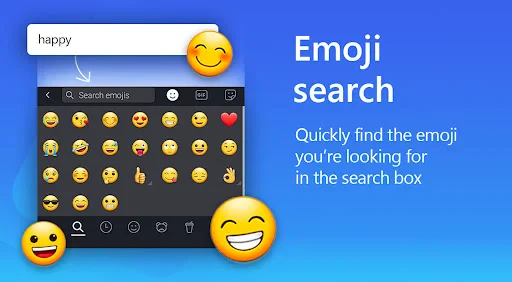
First off, let’s talk about its AI-powered predictions. This isn’t your standard predictive text feature that just guesses the next word. Nope, Microsoft SwiftKey AI Keyboard learns from how you type. It picks up on your slang, your favorite emojis, and even those weird nicknames you have for your friends, making your communication feel more natural and personalized.
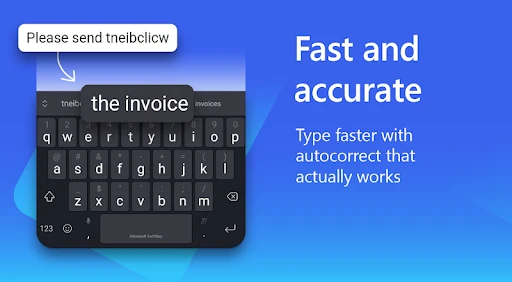
That learning is most useful in low-stakes, repetitive writing: quick replies to family, familiar work phrases, or messages where you often use the same shorthand. It can reduce keystrokes, but I would not assume every suggestion is right just because it sounds fluent. I check the text before sending, especially when a prediction could change a name, a negation, or the tone of a work message. If you would rather not have a keyboard adapt to your habits, predictive features may be a poor fit, and a basic keyboard can be more comfortable.
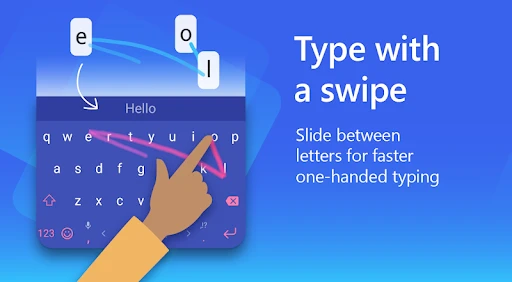
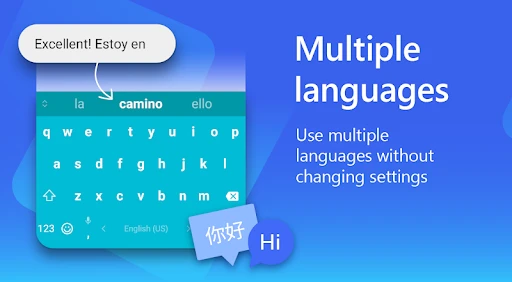
One of my favorite features has to be the seamless swipe typing. Instead of tapping each letter, you can glide your finger across the screen. It’s surprisingly accurate, and once you get the hang of it, you might wonder how you ever lived without it. Plus, it supports a crazy amount of languages, so if you’re multilingual, this keyboard has got your back.
For multilingual users, I find it helps to think about the task before switching languages: a short message in one language may be easy to swipe, while names, borrowed words, and mixed-language sentences can still need careful correction. I would try a few ordinary messages before relying on gesture typing for anything important. Compared with sticking to the default keyboard, the benefit is a more personal typing flow; the trade-off is that a new keyboard takes time to feel natural, and some people will prefer the familiar layout they already use.
More From Our News Desk

Clash of Clans Is Won Between the Battles

Android Auto Makes the Case for Quieter Car Software

MobiOffice: Transforming Mobile Productivity with Seamless Integration

EA SPORTS FC™ Mobile Soccer: Redefining Mobile Sports Gaming

How Microsoft OneDrive Became a Mobile Productivity Giant

How Google Translate Breaks Language Barriers Effortlessly
Customization and Themes
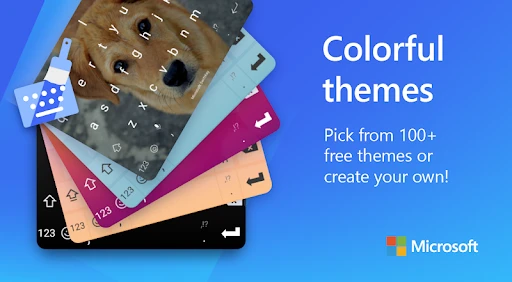
Now, if you’re into customizing your apps to match your style, you’re in for a treat. Microsoft SwiftKey allows you to change the keyboard’s appearance with loads of themes. Whether you’re into something sleek and professional or bright and funky, there’s something for everyone. And if you really want to express yourself, you can even create your own theme!
My practical tip is to choose appearance settings for legibility, not just looks. A high-contrast theme and a comfortable key size matter more over a full day of messages than a design that is fun for a few minutes. The keyboard is a good match for someone who wants both a distinct look and a familiar typing surface; if you never change keyboard settings and value minimal setup, the standard option on your phone may be easier.
But it’s not just about looks. The app allows you to resize the keyboard, which is great if you’re using a device with a larger screen or if you just want those keys a tad closer together. It’s all about making the typing experience as comfortable as possible.
Integration and Efficiency
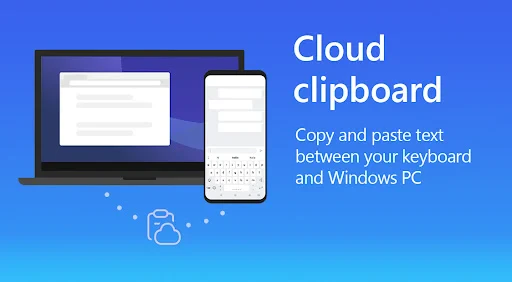
Efficiency is key, and this app doesn’t disappoint. It integrates smoothly with your favorite apps, whether you’re texting, writing emails, or browsing social media. The clipboard feature is a lifesaver, allowing you to copy and store snippets of text, which you can paste later. Super handy if you need to juggle multiple pieces of information at once!
A realistic use is filling in the same details across a few conversations: I can keep a short text snippet ready, then paste it where needed instead of rewriting it each time. I would avoid putting passwords, payment details, or private notes into a clipboard workflow; convenience is not a reason to treat a keyboard clipboard as secure storage. For one-off typing, the clipboard may add little, but it earns its place when I am moving between messages and repeatedly reusing harmless text.
Another cool feature is the built-in translator. You can type in your language, and it translates your message into another language in real-time. This is perfect for when you’re chatting with international friends or need a quick translation on the go.
I see translation as a first draft, not a substitute for checking meaning. It is handy for a casual exchange when I need to get the main point across, but names, idioms, jokes, and sensitive messages deserve a closer read before I send them. If I am writing something consequential, I would use a dedicated translation workflow and verify the result rather than relying on a keyboard convenience alone.
Choices, setup, and everyday fit
SwiftKey’s summary highlights Copilot alongside its keyboard tools, but I would choose features deliberately rather than turning on every option just because it is available. On Android, the listed minimum operating system is version 8.0, and the current version is 9.12.18.12. The app is free and rated Everyone, which makes it easy to try, though those facts do not tell me how any particular device will behave. I would install it, test typing in my usual messaging app, and adjust only the settings that solve a real annoyance.
One question people often have is whether they must use every feature to benefit. I would start with ordinary typing and themes, then try swipe input or translation only if those match a regular need. Another is whether it suits private or professional writing: I would use discretion, review predictions, and avoid entering sensitive material when I am not comfortable with the keyboard involved. That cautious approach is useful for any third-party keyboard, not a reason to assume a particular data practice.
Putting it through a normal day
The most useful way to judge SwiftKey is to give it a job you actually repeat. Imagine answering a family group chat while walking between errands, then replying to a work message and sending a short note in another language. Predictions may speed up familiar phrases, while swipe typing can help when one hand is occupied. But a name, address, or carefully worded work sentence deserves a pause and a visual check. That mix of convenience and correction is a more realistic measure than testing only a few isolated words.
I would also separate the keyboard’s benefits by task rather than expecting one feature to solve everything. Themes and resizing affect comfort throughout the day; swipe input is a matter of personal rhythm; translation is useful only when language is the obstacle; and clipboard snippets help when the same harmless text needs to be reused. If none of those situations comes up often, the extra options may not justify changing a keyboard that already works for you.
How it compares with the keyboard you already have
The natural alternative is the keyboard that came with your phone. That option usually wins on familiarity and fewer decisions: you already know where the keys are, and there may be no reason to adjust your routine. SwiftKey makes more sense when you want to shape the layout, use swipe input, or get suggestions that reflect your usual phrasing. I would compare them by typing the same kinds of messages on both, not by counting features. The better choice is the one that produces fewer frustrating corrections in your own hands.
Other keyboards may suit someone who wants a deliberately minimal interface or prefers not to explore extra personalization and assistant tools. I would not switch for novelty alone. Before settling on SwiftKey, I would check that its layout feels comfortable, that its language handling suits the way I mix languages, and that I can find the settings I care about. If setup feels like a chore or the suggestions distract more than they help, returning to the built-in option is a sensible outcome, not a failure to use it properly.
Visible choices and careful habits
When I install any keyboard, I pay attention to the choices shown during setup and in its settings rather than guessing what happens behind the scenes. I look for options that let me shape the experience, and I avoid enabling a feature simply because it is offered. If I am unsure whether a particular setting fits my comfort level, I leave it alone until I have a clear reason to use it. That approach keeps the keyboard useful without turning every available tool into part of my routine.
For sensitive writing, I make the decision by context. A casual reply or a non-confidential note is different from a password, financial detail, or private work information. I would use a password manager’s dedicated field for credentials and avoid copying confidential text into a reusable clipboard. Predictions also deserve a final read: autocorrection and suggestions can create an awkward or misleading sentence even when the feature is trying to help. These are practical precautions, not claims about a specific data policy.
Choosing the right workflow for the job
One useful way to test the keyboard is to keep the same small task in mind for several days rather than judging it during setup. For example, I might use it for quick replies, then note whether I actually tap its suggestions, swipe words, or reach for the clipboard. If I rarely use a tool, I do not need to build my routine around it. This makes the decision less about a long feature list and more about whether the keyboard removes a real point of friction.
For people who type one-handed, resizing can be more than a cosmetic adjustment: I would try a comfortable width and position, then check whether it helps without making nearby controls harder to reach. On a tablet or large phone, a layout that feels spacious may be preferable; on a smaller screen, the same arrangement may feel cumbersome. I would change one setting at a time, since that makes it easier to tell which adjustment improved accuracy and which merely changed the look.
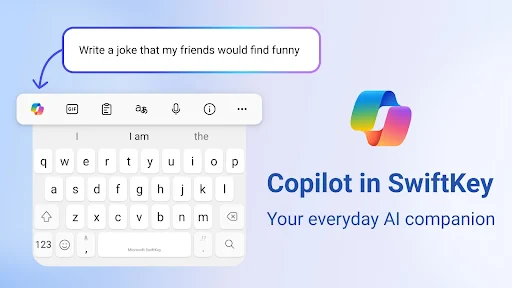
Copilot is another reason some readers may be curious, but I would treat it as an optional part of the experience rather than the main reason to change keyboards. If your goal is simply to type a short message reliably, the core layout and correction behavior matter more. If you are exploring assistant tools, take a moment to understand the choices presented in the app and decide whether they belong in your usual workflow. You do not need to adopt every feature to get value from the keyboard.
Final Thoughts
All in all, the Microsoft SwiftKey AI Keyboard is more than just a keyboard app; it’s a smart assistant that evolves with your typing habits. It makes typing not just faster and more efficient, but also a whole lot more enjoyable. Whether you’re a speed texter or someone who loves a bit of customization, this app has something to offer. So why not give it a shot and see how it transforms your typing experience?
My recommendation is strongest for people who write often, switch between languages, reuse short snippets, or want to tune the keyboard’s feel and appearance. I would skip it if I am perfectly happy with my phone’s default keyboard, want the fewest settings to manage, or do not want adaptive suggestions. The best test is simple: try it for routine, low-risk messages, notice whether its predictions and layout genuinely save effort, and keep the default keyboard available if they do not. That gives you a fair sense of its value without asking convenience to outweigh your own comfort.
Microsoft SwiftKey AI Keyboard Frequently Asked Questions
Is Microsoft SwiftKey AI Keyboard suitable for someone who has never used a third-party keyboard?
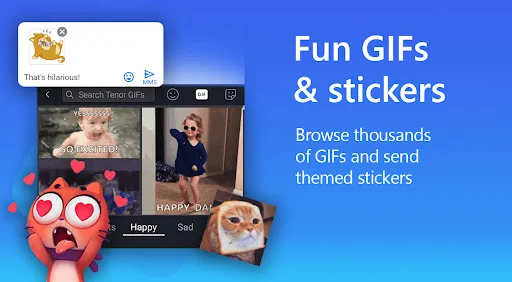
Yes. SwiftKey is a keyboard app designed to replace or complement the keyboard already on your device, and you can choose it through your device’s keyboard settings. If you are new to third-party keyboards, you can start with its basic typing experience and explore features such as suggestions, themes, GIFs, and stickers as you become comfortable. You can also change your keyboard choice later.
Does installing Microsoft SwiftKey AI Keyboard mean I have to use it everywhere?
No. Installing the app does not require you to select it as your keyboard for every text field or use it all the time. You choose whether to enable it, and you can switch to another keyboard through your device’s settings or keyboard selector when available. This makes it possible to try SwiftKey in the situations where its tools feel useful while keeping your usual setup available.
Can I set Microsoft SwiftKey AI Keyboard as my default keyboard?
Yes. After installing Microsoft SwiftKey AI Keyboard, you can enable it in your device’s keyboard settings and select it when you want to type. The exact setup steps vary between Android and iOS, but both platforms let you choose which keyboard to use. Once enabled, SwiftKey can appear when you enter text in apps, and you can switch back to your device’s usual keyboard if you prefer.
Does Microsoft SwiftKey AI Keyboard work with messaging and other apps?
SwiftKey is a keyboard, so it is designed to appear wherever your device allows text entry, including messaging and other apps. Its GIFs, stickers, themes, and typing suggestions can add options while you compose messages or enter text elsewhere. The experience may depend on the app and device settings, but installing SwiftKey does not mean you have to use it for every text field.
Can I use Microsoft SwiftKey AI Keyboard without Copilot or the extra visual features?
Yes. The keyboard’s store summary highlights AI-powered Copilot, GIFs, stickers, and themes, but these features do not have to define every typing session. You can use SwiftKey primarily as a keyboard and adjust its available settings to suit your preferences. If you want a more straightforward setup, focus on the typing tools and appearance choices that are useful to you.
Pros
- Highly customizable keyboard layout
- Seamless integration with Microsoft services
- Advanced AI for accurate predictions
- Supports multiple languages
- Voice typing feature is reliable
Cons
- May lag on older devices
- Occasional prediction errors
- Limited theme options for free users
- High battery usage reported by some users
- Privacy concerns with data collection

- Category
- Personalization
- Version
- 9.12.18.12