 About Clash Royale
Clash Royale on Android and iOS: The Phone Changes That Shape Every Match
A Clash Royale match can be decided in three minutes, but the phone around it has changed far more than the game’s basic rhythm. Faster screens, stricter notification controls, background restrictions, and a steady stream of operating-system updates all shape how easily a player can drop in, stay focused, and return. The central appeal remains its tight real-time duels; the modern mobile experience is best understood as a contest between that brisk design and the increasingly busy devices carrying it.
That tension is especially clear on Android and iOS. Neither platform transforms the battlefield, and there is no magic update that makes a poor connection or an uneven card collection disappear. What newer phones do bring is a more responsive, more interruptible, and more personalized setting for the same familiar loop. The result is a game that can feel wonderfully immediate in a spare moment, yet unusually demanding when the rest of the phone insists on competing for attention.
What the phone upgrade actually changes
Clash Royale is built around a simple arrangement: two players, two lanes, towers to defend, and a deck of cards that turns into troops, spells, and buildings. Elixir fills over time, so every deployment has a cost. A Knight can absorb damage while a ranged unit attacks from behind; a Fireball can punish a cluster, but spending it carelessly may leave a tower exposed. The rules are easy to read. The consequences are not.
Newer Android and iOS devices make those consequences easier to follow. Higher-refresh-rate displays can make the scrolling arena and troop movement look cleaner, while fast touch response helps card placement feel immediate. These are refinements, not competitive superpowers: timing and judgment matter much more than a screen running at 120Hz. Still, when a match turns on placing a spell at the edge of a tower’s range, crisp feedback helps the player trust what they saw and did.


There is also a practical gain in how quickly the game can be reached. App shortcuts, widgets where available, and familiar notification controls make it easier to check in without treating the game as a full-session commitment. On both platforms, a player can fit a battle between errands or while waiting for a ride. That convenience fits the design, but it also exposes its most demanding feature: a three-minute match asks for uninterrupted attention from the first card to the final tower hit.
The first thing players notice: interruption has a cost
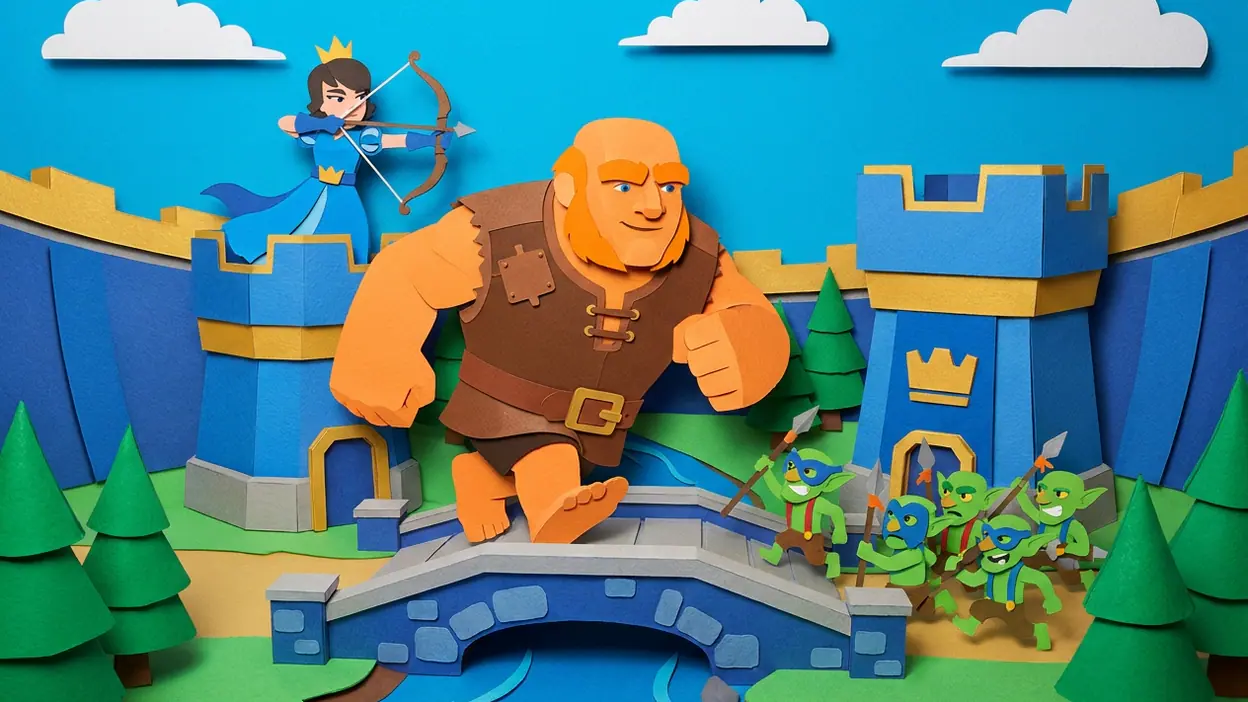
The arena is vivid and legible on a compact display. A Goblin Gang rushing down a lane, a Giant absorbing tower fire, or a Princess taking long-range shots gives the eye an immediate story to follow. The familiar, bright visual style keeps units distinct even when the screen fills with effects. You do not need to study a cluttered interface to understand that a push is coming or that a tower is in danger.
But a match does not pause politely because a message arrives. A notification banner can cover part of the action; a quick glance away can miss a placement or the opponent’s response. Android’s notification channels and modes such as Do Not Disturb let players reduce interruptions with fairly fine control. iOS Focus can do something similar, especially if a player already uses a gaming or personal Focus profile. Both systems make quiet play easier, though setting up that calm is still the player’s job.
Latest News



This is where the game’s short sessions become a double-edged promise. A quick battle sounds easy to squeeze in, but it is not a good activity to half-play. Unlike a turn-based card game such as UNO!™, where a brief pause may be less costly, Clash Royale keeps the opponent acting in real time. Its best matches reward full attention; its worst moments can feel like a penalty for answering the very notification that modern phones are designed to deliver.
A daily loop that survives changing habits
The day-to-day rhythm is built from more than the battle itself. Players collect rewards, improve cards, adjust decks, and return for another contest. That progression gives each match a longer tail: a win can help a deck develop, while a loss invites the familiar question of whether the problem was a bad matchup, an imperfect choice, or a genuine mistake. The pleasure lies in having enough information to form a theory, then testing it in the next fight.
Modern phones support this loop with dependable app switching and improved battery management, but background behavior varies by device and settings. Battery-saving modes can limit background activity, and aggressive Android manufacturer settings may delay alerts or close processes more readily than expected. iOS manages background tasks tightly as well. For a game centered on live battles, that is rarely a serious problem while the app is open, but it can affect the convenience of reminders and the smoothness of returning after leaving the game.
The bigger shift is psychological. Phones now divide attention across work chat, social feeds, reading, shopping, and entertainment. Facebook can pull a player into an open-ended feed; Google Play Books & Audiobooks encourages a quieter, longer stretch of attention; Canva: AI Photo & Video Editor is often opened to complete a task. Clash Royale occupies an unusual middle ground. It is entertainment with a clear endpoint, but its competitive pressure makes each endpoint feel like an invitation to play one more match.
That makes the game sticky in a specific way. A close loss creates unfinished business; a narrow win makes the deck feel validated. The loop is not simply “play until bored.” It is “play until the result feels settled,” which can take longer than planned. Newer operating systems help people manage app time and notifications, but those controls do not change the emotional pull of a rematch.
Where the ecosystem helps, and where it gets in the way
Android and iOS now give players more useful tools for deciding when a game may demand attention. Focus modes, notification summaries, per-app settings, and screen-time controls can help build a boundary around play. On a tablet, the larger display makes troop placement and battlefield reading comfortable, though the game remains clearly designed for quick portrait sessions on a phone. The strongest ecosystem benefit is not a dramatic feature; it is the ability to shape the phone so a match receives the attention it asks for.
There is still friction around device variety. Android spans a wide range of processors, screen sizes, refresh rates, and vendor software, so the feel can differ from one handset to another. A budget phone may run the game perfectly well but feel less fluid under heavy visual effects or while warming up during a long session. iOS has a narrower hardware range, which tends to make performance more consistent, but older devices still face battery wear, storage pressure, and the limits of aging hardware. Neither platform can guarantee a stable online match when a connection is unreliable.
Controls and screen ergonomics matter more than headline specifications suggest. In a fast push, a thumb can cover a card or obscure a small part of the battlefield. Larger phones offer more room, but they can be harder to hold comfortably through repeated sessions. A high-refresh display may make movement look smoother, yet it also draws more power on some devices. For a game played in bursts, battery drain is rarely a crisis; for someone chaining matches during a commute, it becomes part of the calculation.
Updates can add their own small uncertainties. An operating-system upgrade may change notification behavior, permissions, or battery settings without changing the game itself. A game update can alter balance or menus, and players may initially blame the phone for a change that actually comes from the software. Keeping both the operating system and the game current is sensible, but players should not assume every update improves performance on every device. The practical rule is to test after major changes rather than expect a perfectly identical feel.
What rival apps reveal about mobile design
Clash Royale’s strongest rivals are not necessarily other strategy games. They are the habits competing for the same few minutes. UNO!™ also turns a deck into a social contest, but its turns create natural pauses. Facebook can be opened and abandoned without a clear finish line. Books and audiobooks reward sustained attention, while Canva is often about making something and leaving. Against those patterns, Clash Royale’s identity is unusually precise: short rounds, immediate feedback, and a result that arrives before the player’s next obligation.
That design has aged well because it does not need a huge screen or a long setup. It also has not escaped the trade-offs of mobile competition. Live opponents make the game feel alive, but they make interruptions more costly. Progression gives victories meaning, but can make collection gaps frustrating. Deck variety invites experimentation, while balance changes can unsettle strategies that once felt reliable. The same compactness that makes it convenient also leaves little room to recover from a distraction or a poor opening.
Rivals adapt to phone changes in different ways: some lean on asynchronous turns, some rely on feeds and recommendations, and others make creation tools easier to reach from a notification or share sheet. Clash Royale’s answer is more conservative. It keeps the battle front and center and depends on system-level tools to control interruptions. That restraint suits the game, but it means the quality of a session is partly determined by how thoughtfully the player has configured the rest of the phone.
The direction of mobile play
The broader lesson is that operating-system improvements increasingly shape the conditions of play rather than the rules of play. Faster displays and better chips polish the action; Focus modes and notification controls protect it; battery and background policies decide how gracefully a phone handles everything around it. The game itself still rests on readable choices, timing, and resource management. No platform feature can decide whether to spend elixir defending a lane or commit to a counterattack.
This is a healthy division of labor. A mobile game should not have to imitate a console session to feel substantial, and a phone should not need to pretend it is only a gaming device. The best experience comes when a player can deliberately set aside a few minutes, quiet the phone, and give the match full attention. In that context, a compact duel can feel as involving as a much longer session, precisely because every decision arrives quickly.
For returning players, the change is mostly comfort: clearer motion, familiar controls, and better tools for managing interruptions. For newcomers, the game remains easy to understand but can take time to master, and progression may make the early experience feel less open than the first few battles suggest. Competitive players will value stable performance and a focused screen more than cosmetic hardware advantages. Casual players will enjoy the quick format, provided they accept that “quick” does not mean “safe to ignore.”
What to watch next is not simply whether the next phone is faster. The more meaningful question is whether mobile platforms and games can make attention easier to manage without flattening the excitement of live competition. Battery efficiency, reliable reconnect behavior, accessible controls, and clearer ways to quiet nonessential alerts would all improve the experience more than another layer of visual gloss. On its own terms, Clash Royale remains a sharp, replayable strategy game: its battlefield still rewards nerve and good timing, but its best matches happen when the phone stops asking for attention elsewhere.