Universal TV Remote Control
- 10.30K
- 3.9
- Installs
- 100.00M
- Price
- Free
Screenshots
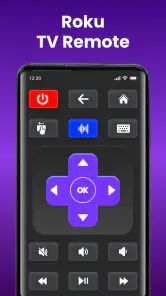
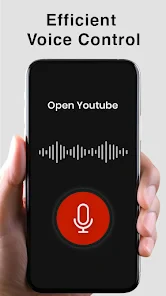
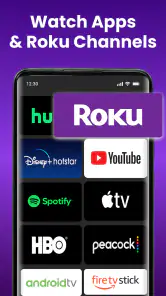
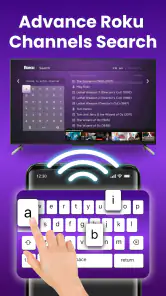
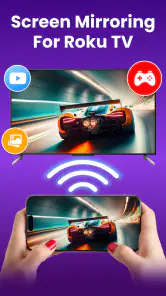
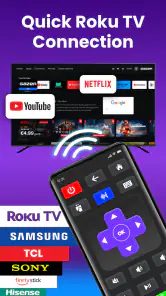
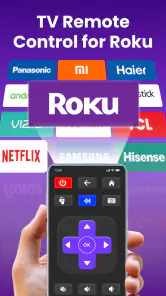
Analysis by Reviewed
I reach for Universal TV Remote Control most when the physical remote has slipped between sofa cushions or been left in another room. As a House & Home app from CodeMatics Media Solutions, it turns a phone into a TV controller, which is a small convenience that can make a familiar annoyance disappear. It is free to install, though in-app purchases range from $1.49 to $27.99 per item, so I would check the purchase details before paying for anything.
Where it fits in a household
This is most useful as a ready-to-hand backup, rather than a guaranteed replacement for every remote in the house. If I am alone in the room and my phone is already beside me, using it to adjust the TV is a sensible shortcut. If several people want to switch channels, or someone needs the television while my phone is locked or charging, the physical remote is still the more dependable shared option.
It can also help in a guest room, rental space, or second living area where the original controller is easy to misplace. The important trade-off is that a phone is personal and may not always be available to everyone. I would keep the usual remote accessible until the app has proved reliable for the people and viewing habits in that home.
What it’s like to use now
The app has a 3.9 average from around 463,000 ratings, and it has passed 100 million installs. Those figures suggest it has reached a broad mix of households, but they don’t guarantee a match for every television. I’d treat compatibility as something to test at home rather than assume from the word “universal.” Its Everyone age rating makes it suitable for general audiences, while the practical question is whether your TV and phone can communicate through a supported connection.
The key distinction is between smart TVs controlled over a network and TVs that rely on infrared. With Wi-Fi control, the phone and television generally need to be on the same home network; with infrared, the phone needs the right hardware and a usable line toward the TV. Before relying on the app for movie night, I’d try the basic controls while standing near the set. That quick check helps reveal whether the issue is setup, network access, or a phone that cannot send infrared signals.
A useful test beyond the first successful tap
When you try it, check more than whether the power command works. Test volume, mute, and channel changes from the spot where you normally sit, then repeat after moving to another room or switching between the household’s usual network conditions. A controller that works only when you stand close to the TV may technically connect but still be awkward in daily use. This is a practical way to decide whether it can serve as a backup you trust or just an occasional convenience.
It is also worth thinking about how you watch. If most viewing happens through a separate streaming device, the TV’s own channel buttons may not be the controls you reach for most often. A universal layout can be handy for basic television functions, but it should not be assumed to replace the controls for every device connected to the screen. Keeping the relevant device remote nearby may still be the simplest arrangement.
More From Our News Desk

Clash of Clans Is Won Between the Battles

Android Auto Makes the Case for Quieter Car Software

MobiOffice: Transforming Mobile Productivity with Seamless Integration

EA SPORTS FC™ Mobile Soccer: Redefining Mobile Sports Gaming

How Microsoft OneDrive Became a Mobile Productivity Giant

How Google Translate Breaks Language Barriers Effortlessly
How it fits into a real household
Imagine you’re cooking and want to lower the television without touching a remote covered in crumbs. If the phone is already nearby, opening the app and adjusting the volume can be easier than searching the room. It can also be handy in a guest room where the original remote has gone missing. I wouldn’t make it the only control in a home where several people need to change channels quickly, though: a shared physical remote is often simpler when a phone is locked, charging, or being used by someone else.
Compared with a manufacturer’s own TV app, a universal controller has an appealing one-phone-for-more-than-one-set idea. The trade-off is that a brand-specific app may offer deeper access to that manufacturer’s features, while a universal remote’s broad aim does not mean every model or button behaves identically. Compared with buying a replacement remote, the app costs nothing to install, but it depends on a compatible phone and a working connection method. For an older TV, checking the phone’s infrared capability before troubleshooting Wi-Fi is a useful first step.
Getting Started with Ease
Setting up the Universal TV Remote Control is a breeze. Once you download the app, available for both Android and iOS, you simply follow the on-screen instructions to sync it with your TV. The app supports a wide range of TV brands, so chances are, your model is covered. I was pleasantly surprised at how quickly it connected; no frustrating hiccups or complicated setups. Just a few taps and you’re good to go!
Features That Stand Out
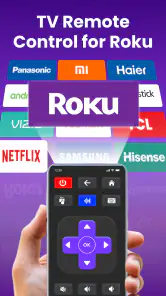
One of the standout features of this app is its user-friendly interface. The layout is intuitive, mimicking the physical remote you're used to. It has all the essential buttons: power, volume, channel switch, and even a handy mute button for those sudden loud commercials. Plus, there’s a nifty feature that lets you save your favorite channels for quick access. It’s like having your remote on steroids!
Another cool aspect is the voice command feature. Sometimes, you’re just too comfortable to even tap on your phone, and that’s where voice control comes in. Simply tell your phone what to do, and it’s done. This feature is not only convenient but also feels a bit like living in the future.
Performance and Compatibility
In terms of performance, I found the app to be quite responsive. There’s barely any lag between pressing a button on the app and your TV responding, which is crucial for maintaining that seamless viewing experience. However, it’s important to note that this efficiency depends on the stability of your Wi-Fi connection.
Compatibility is another strong suit. Whether you have a smart TV or an older model, this app has you covered. It supports both infrared and Wi-Fi connections, making it versatile for various setups. I tested it with different brands, and it worked flawlessly, which is pretty impressive.
Who should choose another option
If you want a controller everyone can use without unlocking a phone, I would stick with a physical remote or make sure the TV maker’s app suits the household better. The same goes for someone who expects complete access to every menu and connected device: a universal controller is best approached as a convenient set of common controls, not a promise that every television feature will be represented. If your phone lacks infrared and your TV cannot be controlled over the home network, this is not the right fix for that setup.
For people who mainly need a fallback for volume or power, the trade-off is easier to accept. I would install it, test those commands, and keep the app available for the moments when the regular remote goes missing. If you depend on favorite-channel shortcuts, check that they suit the way you watch; they are more useful for frequent channel switching than for a routine centered on streaming services.
What I’d check before relying on it
If you’re deciding whether this is the right option, think about who controls the TV and how often. It suits someone who already keeps a phone close and wants a backup for ordinary commands. It’s less convincing for a household that needs a dependable shared controller at all times, or for anyone expecting every advanced TV function to appear in a universal layout. In those cases, the original remote or the TV maker’s own app may be the better everyday tool.
A practical way to avoid frustration is to test several jobs, not just power: try volume, channel changes, and mute, then check whether your preferred connection stays reliable from the seats where you usually watch. If the TV responds only when you stand nearby, that tells you more about the setup than a successful first tap does. Saving favorite channels, where available, is most useful when you have a few regular destinations; it matters less if you mainly stream through a separate box or app and rarely switch broadcast channels.
Version, longevity, and expectations
The app was released on September 7, 2015, and its current version is 2.9.2. That establishes that it has been around for years, but a version number alone doesn’t tell me how well it will handle a particular television or how its controls may evolve. Existing users should judge it by whether their current setup still responds consistently, rather than assuming that age guarantees either reliability or obsolescence. It supports Android 6.0 and later, a useful check if you plan to install it on an older phone.
For someone already using it, a major phone or network change is a good point to test the controls again instead of assuming the old pairing will behave exactly as before. If the TV stops responding, I would first check whether the phone and television are still using the same home network, when the setup relies on Wi-Fi. For infrared, I would check that the phone has the required hardware and can point toward the set. These simple checks help separate a connection issue from a device limitation.
What to watch as you decide
The useful question is not whether the app has existed for a long time, but whether its present controls work with your particular TV and phone. The release date and current version offer context for its history, not a guarantee about future compatibility or new capabilities. I would pay attention to whether ordinary commands remain consistent after routine changes to the home network or phone, and whether the app still earns its place as a backup.
For a new user, I’d start with the free install and confirm basic control before considering any optional purchase. Keep the physical remote somewhere reachable until you have tested the app through a normal evening, including any moment when the phone changes networks or goes into power-saving mode. Those small checks are more informative than a quick connection screen: they show whether the app fits your routine, not just whether it can be paired once.
Final Thoughts
All in all, the Universal TV Remote Control app is a must-have for anyone looking to simplify their home entertainment system. It’s reliable, easy to use, and packed with features that make it more than just a remote control. The convenience of having your TV controls in your pocket is unmatched, and once you try it, you’ll wonder how you ever lived without it. So, give it a shot—you might just find it becomes your new favorite app.
Universal TV Remote Control Frequently Asked Questions
Can I use Universal TV Remote Control with an infrared-only TV, or does my TV need Wi-Fi?
The app is described as a remote for both Smart and IR TVs, so it is intended to cover more than Wi-Fi-connected televisions. The way it communicates depends on the TV and phone: smart-TV control may use a network connection, while infrared control requires a phone with an IR transmitter. Check your phone’s capabilities and your TV’s setup before downloading.
What permissions or phone features might I need to use the remote?
The app’s control method depends on the devices you want to use it with. For a smart TV, the phone and TV need to be able to communicate over the home network; for an infrared TV, the phone needs an IR transmitter. Review the permissions requested when installing and launching the app, and allow only those you are comfortable with for its remote-control functions.
Can I use Universal TV Remote Control if I do not have the original TV remote?
The app is intended to let you control a TV with your phone, which can be useful when the physical remote is unavailable. Whether it can replace your remote depends on your phone’s control capabilities and the TV’s compatibility. If you are considering it as a replacement, check that the app can connect to your particular setup before relying on it for everyday use.
Can one phone control more than one TV with the app?
The app is described as a universal remote for Smart and IR TVs, but the experience depends on the televisions and control method in your home. Before relying on it for several TVs, check whether each device can be selected and controlled in the app. Keep in mind that network-based control requires the phone and relevant TV to be on the same Wi-Fi network.
Is Universal TV Remote Control available for my phone, and what age group is it intended for?
Universal TV Remote Control is a House & Home app developed by CodeMatics Media Solutions. It is rated Everyone and supports Android 6.0 and later. The app is free to download, though it offers optional in-app purchases. Before installing, check that your phone meets the Android requirement and that you are comfortable with any optional purchases offered within the app.
Pros
- Easy setup process
- Wide range of TV compatibility
- User-friendly interface
- Quick response time
- Free version available
Cons
- Limited features in free version
- Contains ads
- Requires stable internet connection
- May not work with older TV models
- Occasional connectivity issues

- Category
- House & Home
- Version
- 2.9.2