Universal Tv Remote-Cast to TV
- 958.00
- 4.2
- Installs
- 10.00M
- Price
- Free

Screenshots
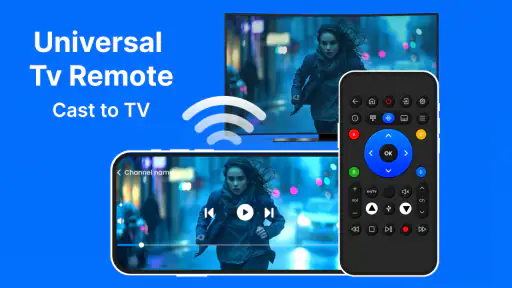
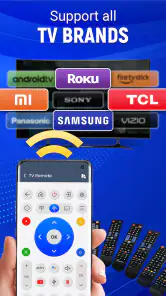
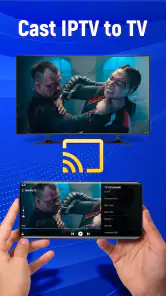
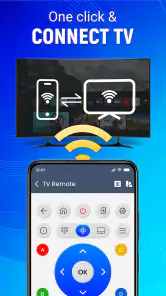
Analysis by Reviewed
I find a phone remote most useful when it solves a specific annoyance, rather than when it promises to replace every control in the house. Universal TV Remote-Cast to TV is aimed at people who want to manage a compatible TV and cast from their phone without reaching for a separate remote. That convenience depends on your home setup: the phone and TV need to be able to connect, and a familiar physical remote can still be quicker for some tasks.
Start with the room, not the feature list
Before deciding whether a phone remote belongs in your routine, think about how you use the television. Do you mostly adjust volume and navigate menus, or do you often send photos and videos from your phone to a larger screen? Is your phone usually close by when you watch, and are you comfortable using it as a shared control? Those questions matter more than the broad promise of universality, because the app is only useful when it works with the TV and network in your home.
I would also consider who else watches with you. A phone-based controller can be convenient for one person who already has their phone in hand, but it may be less natural when several people want to make quick adjustments. If children or guests are likely to need the controls, keeping a physical remote available avoids turning one person’s phone into the room’s only route to the TV settings.
Check your setup before relying on it
Before making this your main remote, I would try it alongside the TV’s regular controller. Confirm that your phone and television are on the same Wi-Fi network, then test the controls you actually use, such as volume, navigation, and switching inputs. A successful connection is more useful than a long feature list: it tells you whether the app fits your particular room and routine.
That small test also helps set realistic expectations. A phone is convenient when it is already in your hand, but it can be asleep, charging elsewhere, or being used by someone else. I would keep the original remote nearby until I knew the app worked reliably for the everyday actions that matter in my home.
A handy choice for shared viewing
The app makes the most sense when you often have your phone close by and want one place to control viewing and cast personal media. For example, when relatives visit, I can see the appeal of bringing up photos on the TV rather than passing a phone around. For a relaxed evening, it is also useful to have a possible backup control when the usual remote has slipped between the cushions.
There is a practical trade-off with casting: using a phone to choose and send content is convenient, but it is not the same experience as browsing directly on a television. I would treat casting as a useful extra for material already on my phone, not assume it replaces every TV app or viewing method. If I mainly watch through the TV’s own interface, its remote may remain the simpler choice.
More From Our News Desk

Clash of Clans Is Won Between the Battles

Android Auto Makes the Case for Quieter Car Software

MobiOffice: Transforming Mobile Productivity with Seamless Integration

EA SPORTS FC™ Mobile Soccer: Redefining Mobile Sports Gaming

How Microsoft OneDrive Became a Mobile Productivity Giant

How Google Translate Breaks Language Barriers Effortlessly
Small workflow choices that make casting easier
For a family photo session, I would select a handful of pictures before connecting the TV, rather than trying to sort through a large camera roll while everyone waits. That keeps the phone in the role of a quick picker and makes the TV the shared viewing space. It is a modest change, but it avoids the awkward pause of scrolling through unrelated images in front of guests.
I would also test a short clip before relying on casting for a longer gathering. If the phone needs to stay active or close at hand in your setup, that can affect whether it is comfortable to use while people watch. Casting works best as a deliberate handoff of something you already have on the phone; for browsing a catalogue or moving between TV services, the television’s own interface is often the more natural tool.
Where another option may suit you better
Compared with the remote supplied with a television, a phone app trades tactile buttons for a screen you already carry. That is a good exchange when the remote is missing or you want to cast, but less appealing if you prefer physical controls or need to operate the TV without unlocking and handling a phone. A manufacturer’s own control app may be a better fit for someone focused on a particular TV, while a universal option is more attractive when flexibility is the priority.
In a household with several viewers, agree on who will use the phone control and keep the standard remote available. This avoids a minor but common frustration: the person holding the phone becomes the only one able to adjust the TV. I would also test the connection from the seat where I usually watch, rather than only during setup, so I know whether the arrangement works in the actual room.
What the alternatives are really trading
The usual alternatives fall into three practical groups: the TV’s physical remote, a control app made for one television brand, and a phone remote intended to cover more than one kind of setup. The physical remote wins on immediacy and shared access; a brand-specific app may suit someone who wants a close fit with one television; a universal app is worth trying when the phone-and-casting combination is the draw. None is automatically best for every room.
There is also a difference between having a backup and replacing a habit. If your current remote is comfortable and reliably within reach, installing another control may add little. If it regularly goes missing, or if you already use your phone to choose media, the app has a clearer job. I would judge it by whether it removes a repeated annoyance, not by whether it can theoretically take over every interaction with the TV.
Unlocking New Convenience
Once I downloaded the Universal TV Remote: Cast to TV on my smartphone, setting it up was a breeze. The app guides you through a simple setup process that connects your phone to your TV over the same Wi-Fi network. Within minutes, my phone transformed into a sleek remote control. No more digging through couch cushions!
Features that Stand Out
What I love most about this app is its user-friendly interface. It's intuitively designed so that even the least tech-savvy among us can navigate it with ease. The app not only controls your TV but also other smart devices, which is a game-changer. Imagine dimming the lights, adjusting the volume, and switching channels all from one device. It feels like living in the future!
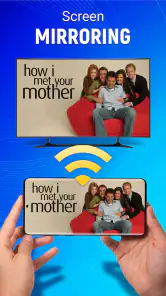
Additionally, the app supports casting, which means you can stream your favorite videos and photos from your phone directly to your TV. This feature is perfect for family gatherings or showing off your latest vacation snaps on the big screen. I found it particularly handy during impromptu movie nights with friends.
Seamless Connectivity
One of the things that can make or break such an app is connectivity. Fortunately, Universal TV Remote: Cast to TV excels in this department. The connection between my phone and TV was stable, with minimal lag time. The app supports a wide range of TV brands and models, which means it’s likely compatible with your setup too.
Moreover, the app updates regularly, which means the developers are constantly ironing out any bugs and adding new features. It's nice to see a commitment to quality and user satisfaction.
Everyday moments where it earns its place
A realistic use is a weeknight when I settle onto the sofa, realise the remote is in another room, and already have my phone beside me. In that moment, opening a phone control can be easier than getting up, provided the TV connection is available and the controls I need respond as expected. The value is less dramatic than replacing a whole entertainment setup; it is a small convenience repeated often enough to matter.
Another useful case is showing a visiting friend a video saved on the phone without crowding around its small screen. I would prepare the media first and keep the physical remote close in case the group wants to move back to regular TV controls. That approach makes the app a helper for a particular task instead of forcing it into every part of the evening.
What to expect when the phone is the remote
The phone brings its own interruptions. It may be low on battery, in another room, or needed for a call just when someone wants to pause or change the volume. A screen-based control also lacks the physical landmarks that let me press a familiar button without looking. If quick one-handed operation matters to you, that difference can outweigh the benefit of having controls on a device you carry.
Network dependence is another practical consideration. Since the setup relies on the phone and television being connected through the same Wi-Fi network, I would not treat the app as a fallback for every situation, such as when the home network is unavailable or the devices cannot communicate. Keeping the supplied controller nearby is the sensible choice for those moments, and it also gives other viewers independent access.
Cost, setup, and the decision to keep it
The app is free to download, while optional in-app purchases are available at prices ranging from $0.99 to $99.99 per item. I would first try the basic experience and look carefully at what a purchase covers before spending anything. A remote app has to solve a real problem for me; I would not pay simply because an upgrade is offered, especially if the controls I need already work.
Switching habits has a small cost even when the download is free: I need to install the app, connect it, learn where the useful controls are, and show other household members how to reach it. To keep that effort worthwhile, I would focus on a narrow routine at first, such as using it only when the physical remote is missing or when I want to cast phone media. If that routine feels natural, expanding its role makes sense. If I keep reaching for the old remote, there is no reason to force a change.
Final Thoughts
In conclusion, the Universal TV Remote: Cast to TV app is a handy tool that brings a new level of convenience to controlling your home entertainment system. While it won’t replace the tactile feel of a traditional remote entirely, it offers a robust alternative that is especially useful when your remote is missing in action. Whether you're a tech enthusiast or just someone who frequently misplaces remotes, this app is worth a try. Trust me, you won't want to go back to the old way of doing things.
Who should give it a try
Developed by One Music Player, this free House & Home app has an average rating of 4.2 from around 78,000 ratings, with roughly 958 written reviews and over 10 million installs. It is rated for Everyone, first released on November 23, 2020, and version 7.0.1 requires Android 6.0 or later. The basic download costs nothing, though in-app purchases range from $0.99 to $99.99 per item, so I would check what is optional before paying for anything.
I would recommend trying it if you regularly misplace the remote, want to cast phone media, or simply like having a backup control ready. It is less compelling if you rarely use your TV, strongly prefer buttons, or expect a phone app to work independently of your home network. In that case, the supplied physical remote—or a TV maker’s own app for a single-device setup—may be the more straightforward option.
A sensible way to make the switch
Keep the physical remote within reach for the first few viewing sessions and compare the controls you use most. Try casting a photo or video before guests arrive, when there is time to work through the process without an audience waiting. That simple rehearsal can show whether the app is genuinely convenient for your household, rather than merely appealing in theory.
My overall take is that this app is best viewed as a practical companion, not a guaranteed replacement for every remote or TV interface. Its combination of phone-based control and casting can be handy, especially in a shared living room, but the value rests on compatibility and a dependable connection in your home. If those conditions suit your setup, it is an easy option to test; if not, sticking with a physical controller is a perfectly reasonable choice.
Universal Tv Remote-Cast to TV Frequently Asked Questions
Is Universal TV Remote: Cast to TV free to download?
Universal TV Remote: Cast to TV is free to download, though it also offers in-app purchases. If you prefer to avoid spending, check any purchase prompts carefully while using the app and make sure payment settings on your device are appropriate. The app is listed for a general audience, but purchases may still require a parent or account holder’s attention.
What does the app offer beyond basic remote control?
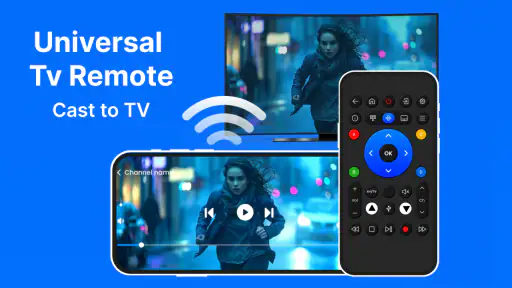
The app’s description highlights both TV control and casting to Chromecast and other TVs. That makes it relevant if you are looking for a phone-based remote as well as casting features in one app. The exact options available can depend on the television or streaming device you connect, so it is sensible to explore the controls after pairing.
What is Universal TV Remote: Cast to TV, and who makes it?
Universal TV Remote: Cast to TV is a House & Home app from One Music Player. Its short description presents it as a universal TV remote, and its summary highlights control for TVs and casting to Chromecast and other TVs. It is free to download, with optional in-app purchases, so you can explore the app before deciding whether any paid options suit you.
Which operating systems can run Universal TV Remote: Cast to TV?
The Android version requires Android 6.0 or later, so check your phone’s operating system before downloading. The app is also associated with iOS, but the supported iOS requirements can vary by device and release. Its current version is 7.0.1. Checking the app’s page in the store for your device is a practical way to make sure the version offered is compatible.
What devices are compatible with Universal TV Remote: Cast to TV?
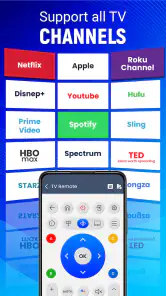
Universal TV Remote: Cast to TV is designed to work with a wide range of smart TVs and streaming devices. It supports popular brands including Samsung, LG, Sony, and Roku, among others. Before downloading, ensure your device is connected to the same Wi-Fi network as your smartphone, as the app uses this connection to function properly.
Pros
- Wide compatibility with most TV brands.
- User-friendly interface for easy navigation.
- Quick setup process without complex steps.
- Customizable remote layout for preferences.
- Supports voice commands for convenience.
Cons
- Advertisements can be intrusive at times.
- Limited features in the free version.
- Requires stable Wi-Fi connection to function.
- Some advanced features may be device-specific.
- Occasional lag in response time.
- Category
- House & Home
- Version
- 7.0.1











