 About PayPal - Pay, Send, Save
PayPal Reviewed: Who Benefits from Its Reach, and Who Should Skip It
PayPal is easiest to judge not as a universal replacement for your bank, but as a payment tool that earns its place in particular situations: paying a merchant that already accepts it, sending money to someone who uses it, or keeping an eye on a balance between transactions. That distinction matters. The app gathers several financial tasks in one familiar place, yet its value depends on whether the people and businesses you deal with actually use PayPal—and whether you are comfortable with its fees, account rules, and security checks.
I would recommend PayPal - Pay, Send, Save to someone who needs a widely recognized way to pay online or move money between PayPal users. I would not install it simply because a phone needs a general-purpose wallet. The casebook below puts the same app through six common reader situations, with an adopt, test, or skip decision for each.
Decision premise: a bridge, not a bank replacement
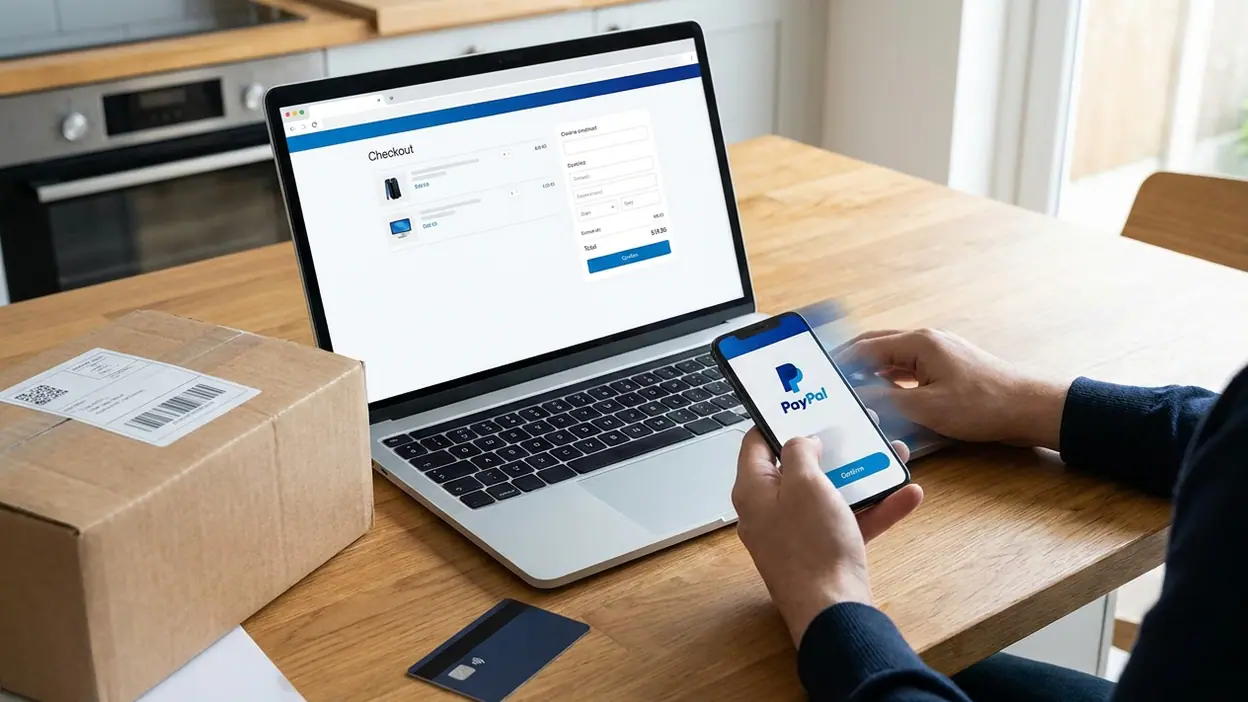
PayPal’s central strength is connection. A person can link eligible payment methods, pay participating merchants, and send or receive money through an account familiar to many online shoppers. That can be useful when you do not want to give a merchant your card details directly, or when a recipient already expects a PayPal transfer. The app makes those jobs accessible from a phone rather than requiring a desktop checkout.
But a familiar name does not make every transaction free, instant, or reversible. Costs and timing can vary with the type of payment, funding source, currency conversion, and location. Protection policies also have eligibility rules and limits; they are not a blanket guarantee that every purchase or transfer can be undone. Check the terms shown for the specific transaction before confirming it. PayPal is best thought of as an additional route through the payment system, with its own conditions.


The beginner case: the occasional online buyer
If you shop online a few times a month and run into PayPal at checkout, the app can make the process feel familiar. Once your account and payment method are set up, paying a participating merchant can take less repeated typing than entering card details on every site. It also gives you a place to review account activity and manage payment preferences. For a first-time user, that combination is more compelling than a long list of financial features.
The setup is not a reason to rush. Use a strong, unique password, enable available account security options, and check which cards or bank accounts are linked before making a payment. Read the checkout screen carefully: paying a merchant is different from sending money to a person, and the protections and costs can differ. My recommendation is test: install it if you have a real purchase coming up, complete setup deliberately, and decide afterward whether the convenience is worth maintaining another account. If you rarely encounter PayPal at checkout, there is little reason to add it preemptively.
The frequent-user case: the person who regularly sends and receives
For someone who pays friends back, receives money from customers, or uses PayPal at several merchants, the app becomes more useful through repetition. The value is not a dramatic feature; it is having a known account and transaction history close at hand. Frequent users can check what has arrived, review payments, and start another transfer without treating every occasion like a brand-new setup.
Latest News


This is the strongest adopt case, with an important qualification: agree on the payment method before you send. Confirm the recipient’s account details, the amount, currency, and any fee shown. A completed transfer to the wrong person can be difficult to resolve, and the rules for personal transfers are not identical to purchase protection. If you receive business payments, review the applicable fees and account requirements rather than assuming a personal transfer is suitable. For regular, expected use among people who already rely on the service, I would adopt. For one-off transfers, another route may be simpler or cheaper.
The constrained-device case: an older phone or tight data plan
A finance app has to be dependable on the device someone owns, not just on a new phone with fast service. If storage is scarce, the operating system is older, or connectivity is patchy, PayPal’s usefulness is constrained by more than its interface. Account access may involve updates, verification steps, or a connection that is not available at the moment you need to pay. A payment app should not be treated as an offline wallet: do not assume you can complete a transaction without network access.
Before relying on it, check current operating-system requirements in the relevant app store and whether the app still runs acceptably on your device. Try signing in and reviewing a low-stakes transaction while you have reliable connectivity. Keep a separate payment option for travel, urgent purchases, or weak-signal locations. My recommendation is test cautiously, not adopt as your only way to pay. If the app is slow, unsupported, or too demanding on your phone, skip it until the device or circumstances change.
The shared-use case: a household, couple, or small team
Sharing expenses can make a central payment account sound convenient, but convenience is not the same as safe account sharing. PayPal is tied to an individual account, its credentials, and its security checks. Passing a password around can expose payment methods and account history, muddy responsibility for purchases, and trigger extra verification. A shared household need does not automatically justify a shared login.
For partners who each maintain their own account, the app can still be useful for settling an expense when both people use PayPal and understand what kind of transfer they are making. For a family or team that needs formal expense tracking, assigned permissions, or clear records, a dedicated shared-finance arrangement may fit better. My call is adopt individually, not casually share. If a single person handles payments for a group, establish clear consent and recordkeeping outside the app rather than treating one account as a communal wallet.
The specialist case: cross-border payments and business use
PayPal’s international reach can help when a merchant or recipient operates in another country, but this is exactly where assumptions become expensive. Currency conversion, funding source, transfer type, and local availability can affect the total cost and delivery. The amount displayed at the start is not enough; inspect the final confirmation screen for the rate, fees, and amount the recipient is expected to receive. For large transfers, compare alternatives before committing.
Business users should make a separate decision from casual buyers. Receiving customer payments may involve merchant fees, disputes, refunds, account checks, and recordkeeping obligations. Those details can be manageable for a small seller who already gets paid through PayPal, but they deserve a proper review before the app becomes the center of a business’s cash flow. I would test it for a low-value transaction and study the relevant terms first. Skip the assumption that an app suitable for paying for a purchase is automatically the right platform for managing business income.
Where recommendations diverge
The same features that help one reader can be irrelevant to another. Familiar merchant checkout is a strong reason for an occasional online buyer to try PayPal, while transaction history and repeat transfers matter more to a frequent user. International reach may justify a closer look for a cross-border payment, but fees and exchange rates make it a poor choice to accept without comparison. A shared household account sounds efficient until account security and individual responsibility enter the picture.
That is why a single “best payment app” verdict would be misleading. PayPal’s usefulness rises with the number of merchants and people in your life who accept it. If your network already uses a different service, installing PayPal may add another login without removing any friction. The most practical test is not browsing every feature; it is completing the exact kind of payment you expect to make and checking its total cost and confirmation details.
The common deal-breaker: uncertainty at the moment of payment
The main drawback is not that PayPal lacks useful functions. It is that people can mistake familiarity for simplicity. A payment may have different rules depending on whether it is a purchase, a personal transfer, an international transaction, or a business payment. Fees, timing, account restrictions, and dispute options are not interchangeable. The app cannot remove those distinctions, and a confident tap does not guarantee that a transfer can be reversed.
That means the app rewards careful habits. Verify the recipient, read the transaction summary, keep account details current, and do not send money under pressure from an unfamiliar person. If you cannot tell what a payment is classified as or what it will cost, pause. For readers who want every transaction to work like a simple bank transfer with identical protections, that uncertainty may be enough reason to choose another service.
Best-fit profile
The ideal user already encounters PayPal in everyday online shopping or deals with people who prefer to send and receive money through it. They want quick access to account activity, understand that different transactions have different terms, and are willing to check the final details before paying. For that person, PayPal - Pay, Send, Save can be a practical companion to a bank account and card—not a replacement for either.
It is a weaker fit for someone who rarely encounters PayPal, needs offline access, wants a shared household login, or is choosing a platform for large international transfers without comparing costs. Those readers should not confuse availability with a personal need. A payment app is useful only when it solves a recurring problem better than the alternatives already in reach.
Final decision rule
Adopt PayPal if you regularly pay participating merchants or transact with people who already use it, and the terms work for your situation. Test it with a small, ordinary transaction if you are unsure about setup, device performance, or costs. Skip it if you have no clear use, cannot rely on your device or connection, or need shared access and predictable fees that the service does not provide for your case. That is the fair verdict: PayPal is a useful extra payment route for the right network, not an automatic upgrade to everyone’s financial life.