 About Sketchbook
Sketchbook Makes It Easy to Turn Spare Moments into Drawings Worth Keeping
The useful thing about a sketchbook is that it lets an idea stay unfinished. That matters more than ever: we collect visual fragments all day, from a shape noticed on the walk to a character idea buried in a chat, then lose them among screenshots and saved posts. Sketchbook gives those fragments somewhere to become drawings. It is not a replacement for a studio setup, and it does not need to be. Its strength is making the first mark feel close at hand.
That small promise fits a wider change in mobile habits. Phones are no longer just cameras and message machines; they are where people gather references, plan projects, and make things in the gaps between other tasks. A quick drawing can now happen on a commute, during a lecture break, or beside a laptop while a thought is still fresh. The app feels timely because it meets that behavior without demanding a new ritual or a perfect workspace.
Why drawing has found a place in the phone-sized day
For years, mobile creativity often meant choosing between a tiny, awkward tool and a serious desktop program that required time, hardware, and concentration. Sketchbook occupies a more welcoming middle ground. Its canvas opens quickly, the tools are visible without being overwhelming, and the interface feels designed around making marks rather than managing a project. On a tablet, it can support a focused drawing session; on a phone, it is a pocket-sized place to test an idea.
The shift is not simply that more people want to become illustrators. It is that visual thinking has spread into ordinary work and play. People rough out a room layout before moving furniture, mark up a photo with a quick concept, plan a tattoo, explore a logo, or sketch a character for a story. A drawing is often faster than explaining a spatial idea in a paragraph. Sketchbook makes that kind of informal visual note feel legitimate instead of disposable.


There is also a countercurrent to the endless feed. Apps such as Google News help people keep up with a stream of headlines; delivery and payment apps help move everyday transactions along. Those tools answer immediate needs, but they also keep us in the role of reader, customer, or organizer. Drawing changes the posture. Even a rough line is something made rather than consumed, and that modest switch can make a short phone break feel more satisfying.
A clean canvas, without a long warm-up
At its best, Sketchbook gets out of the way. The canvas has room to breathe, the tool palette gives quick access to brushes and colors, and layers let a user separate a rough construction from cleaner lines or color. That separation is especially useful on a small screen: it encourages experimentation because a tentative layer can be changed or hidden without wrecking the whole drawing. Undo and redo make the first strokes less precious, which is exactly what a sketching app should do.
The brush selection is broad enough to support different intentions, from light pencil-like planning to more assertive inking and painting. The point is not that every brush behaves like its real-world counterpart in every situation; it is that a few taps can change the character of a mark. Pressure-sensitive stylus support, where available on a compatible device, adds control for people who want it. Finger drawing remains possible, though it asks for more patience and a willingness to zoom in.
Latest News


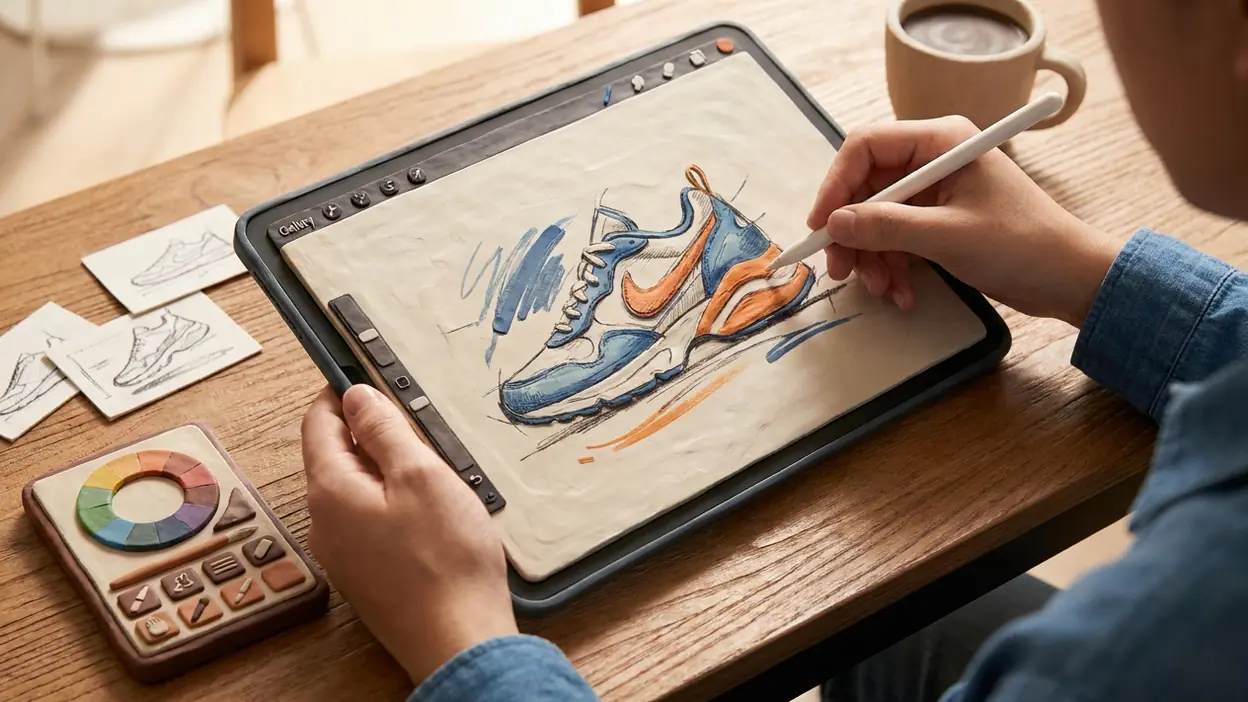
That quick access matters in real situations. I can imagine opening the app to sketch a product idea before it disappears, rough in a poster composition, or draw over a visual reference while discussing a project. The app suits thumbnails particularly well: make several small versions, compare proportions, then develop the promising one. It also works for low-stakes practice, where the goal is not a finished image but a few minutes spent learning how a shape or brush behaves.
For casual users, this is a friendlier entry point than a complex desktop illustration package, where panels, file settings, and tool menus can make a beginner feel as if they need to learn software before learning to draw. Sketchbook still has depth, but it presents that depth in a way that does not have to be confronted all at once. Open a canvas, pick a brush, begin. The tool can grow with the user instead of demanding expertise on day one.
Who is picking it up, and what they get from it
The fastest adopters are likely to be people who already think visually but do not identify as artists: students making diagrams, designers collecting early concepts, hobbyists planning crafts, and anyone who wants to keep a personal drawing habit alive between larger projects. For them, the app is less a digital art destination than a bridge between impulse and follow-through. It lowers the cost of trying an idea, and that is often the difference between making something and merely thinking about it.
Beginners benefit from the open canvas and forgiving editing tools. Experienced artists get a portable surface for warm-ups, composition tests, and studies. The same app can serve both, but not in exactly the same way. A beginner may value the absence of a steep setup; a practiced illustrator may value the speed of a clean workspace and the ability to work in layers. That flexibility is part of its appeal, though it should not be confused with a full desktop production pipeline.
Sketchbook is also easier to return to than older approaches to casual drawing. A paper pad is wonderfully direct, but it cannot give you layers, a stack of alternate versions, or a simple way to correct a misplaced line. A desktop program can do those things, but the computer has to be available and the session has to feel worth starting. A phone or tablet is already nearby. The app brings a useful portion of digital drawing to the device people are already carrying, without turning every doodle into a project file to manage.
The contrast with other mobile utilities is revealing. PayPal, foodpanda, and maxim are built around getting a task done and moving on. Sketchbook is more open-ended: it has no order to fulfill, fare to book, or balance to check. Its value appears in the minutes after a task, when a person wants to make rather than transact. That makes it less universally necessary, but potentially more personal. A drawing can be an idea, a memory, or simply a pleasant use of five spare minutes.
Where the experience still has edges
The phone is a compromise. Even a well-designed interface cannot give a thumb the precision of a stylus or a large display, and drawing with a finger can make fine details fiddly. Tool controls and palettes take up space that could otherwise belong to the canvas. Zooming and panning help, but they interrupt the natural flow when a drawing needs careful line work. For sustained illustration, a tablet and stylus are the more comfortable combination.
There is also a learning curve hidden beneath the approachable surface. Layers, brush settings, selection tools, and export choices are useful, but new users may not immediately know which controls matter or how to build a tidy workflow. A blank canvas can be inviting; it can also be intimidating. The app is more effective for someone who arrives with a small task in mind than for someone expecting it to teach drawing from scratch.
Finally, mobile drawing is not the same as a complete creative system. Depending on the work, artists may need other software for detailed typography, vector precision, team review, or final production. Sketchbook is strongest in the early and exploratory stages, where speed and freedom matter more than an elaborate handoff. Treating it as a pocket studio is fair; expecting it to replace every specialist tool is not.
Those limits help explain the app’s real place in mobile life. We have become accustomed to using our phones to capture everything, but capturing is not the same as developing. A photo can preserve a scene, and a saved post can preserve a reference, yet neither necessarily helps a person work through an idea. Sketchbook offers a small, practical alternative: draw the thing, change it, and see what the thought becomes.
A lasting tool for a passing moment
Its relevance is likely to outlast any particular creative trend because the need it serves is ordinary and durable. People will keep needing to explain shapes, test visual ideas, practice, and make things for pleasure. What may change is how often the app gets opened. A wave of interest in digital illustration can bring new users in, but lasting use depends on whether the app stays quick enough for casual sketches and capable enough for serious ones.
The strongest recommendation is simple: if you want to draw on a phone or tablet, or need a low-friction place to think visually, Sketchbook is an easy app to keep within reach. It is most convincing when used as a sketchbook in the literal sense: a forgiving space for drafts, observations, and ideas not yet ready to be finished. Its rough edges are real, especially on a phone, but they do not undermine its central utility. It makes creating feel more immediate than saving another reference, and that is a good reason to open it.