Vizio Smart TV Remote
- 1.22K
- 3.1
- Installs
- 500.00K
- Price
- Free
Screenshots
Analysis by Reviewed
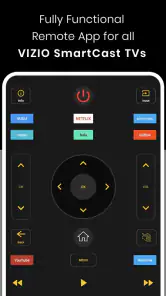
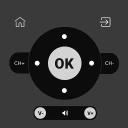
Have you ever been in that all-too-familiar situation where you’ve misplaced your TV remote just as your favorite show is about to start? Well, let me introduce you to the Vizio Smart TV Remote app – your new best friend in the world of remote controls. This app transforms your smartphone into a smart remote control, offering a seamless and intuitive way to manage your home entertainment system without the need for the physical remote.
Setting Up the App
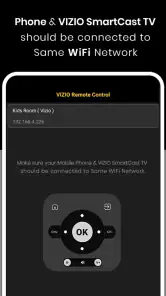
Getting started with the Vizio Smart TV Remote app is as quick and easy as a snap! After downloading and installing the app, you just need to connect your smartphone and Vizio TV to the same Wi-Fi network. The app automatically detects your TV, and voila, you’re ready to dive into a world of convenience. The user interface is straightforward and user-friendly, making it perfect for techies and non-techies alike.
Features That Stand Out
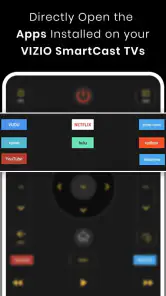
This app is packed with a bunch of cool features that enhance your viewing experience. Firstly, it offers a full range of control functionalities that you’d expect from a physical remote. Whether you want to adjust the volume, change channels, or access your favorite streaming services, the app’s got you covered. Plus, it supports voice commands, so you can just tell your TV what you want to watch – talk about living in the future!
Another standout feature is the keyboard functionality. Remember those frustrating moments trying to type using the traditional remote? Well, with this app, typing is as easy as using your smartphone’s keyboard. This is especially handy when searching for shows or entering passwords.
Performance and Reliability
Now, I’ve used a fair number of remote apps, and the Vizio Smart TV Remote app stands out in terms of performance. It’s reliable, with minimal lag time, ensuring that your commands are executed almost instantaneously. This app has proven itself to be a reliable companion for everyday TV control, and I haven’t encountered any major glitches or crashes during my time using it.
Ending Thoughts
In conclusion, the Vizio Smart TV Remote app is a must-have for anyone with a Vizio TV. It’s packed with features that make controlling your TV a breeze, and its seamless performance makes it a reliable tool in your home entertainment arsenal. So, if you’re tired of searching for your remote every time you want to watch TV, give this app a try. You might just find that it’s the remote control solution you never knew you needed!
Pros
- User-friendly interface
- Seamless connectivity
- Customizable settings
- Wide compatibility
- Voice control feature
Cons
- Requires stable internet
- Limited free features
- Occasional lagging
- Ads in free version
- In-app purchases needed
- Category
- House & Home
- Version
- 1.45