 About Remini - AI Photo Enhancer
Remini Is Our App of the Week for Bringing Old Photos Back to Life
Some photos deserve more than a place in the camera roll. A grandparent’s portrait softened by time, a family snapshot scanned from a print, or a treasured image that never quite came into focus can feel close enough to keep and frustratingly unclear at the same time. This week’s pick is Remini - AI Photo Enhancer, an app that takes a bold, practical swing at that problem: it uses AI to reconstruct detail in photos that ordinary editing can only sharpen so far.
That promise needs a little caution. Remini does not retrieve information that was truly captured in a blurry or damaged image; it makes an informed, sometimes striking guess. Used with that distinction in mind, it is one of the most satisfying photo utilities to open when a specific picture matters. The appeal is not that every result is faithful. It is that a single tap can turn an image you had nearly given up on into one you are glad to look at again.
Why it won the week
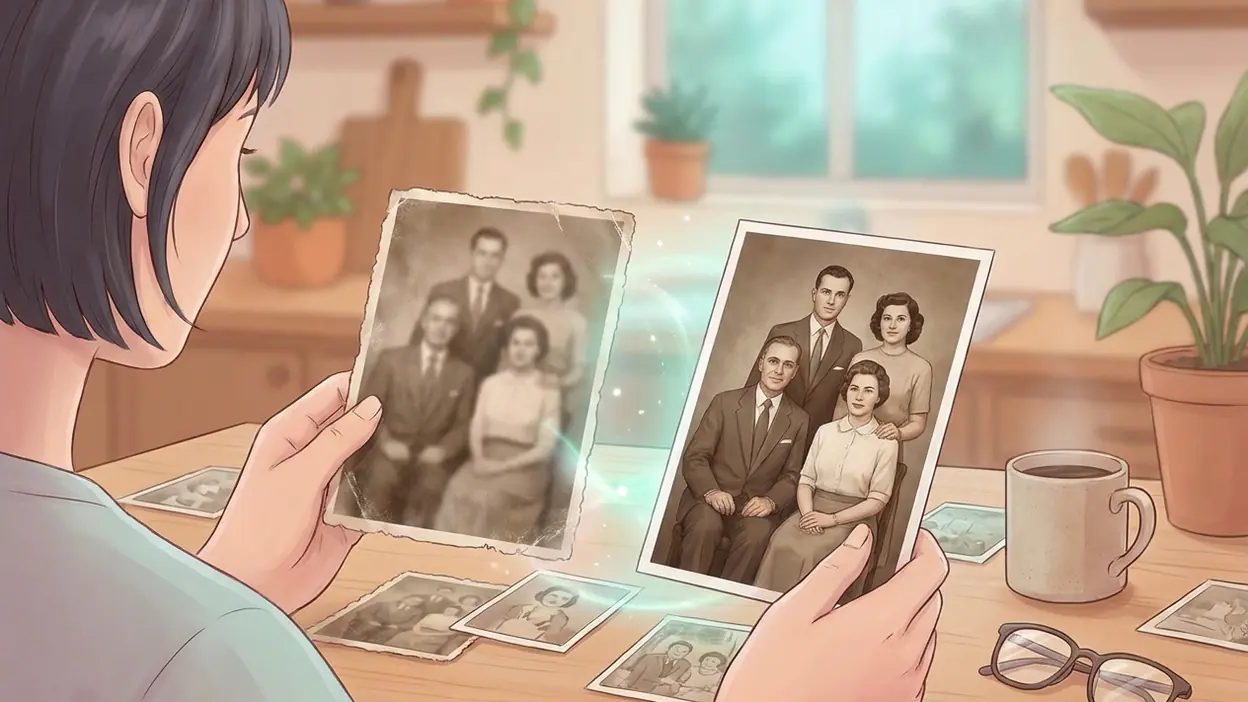
Most photo apps ask you to do the work: adjust exposure, lift shadows, sharpen edges, and keep nudging sliders until the picture feels right. Remini’s central trick is much simpler. Choose an image, run its enhancement, and compare the result with the original. That makes it unusually approachable for a task people often want to finish in a minute, not turn into an editing session.
The difference can be dramatic on a face. In a low-resolution portrait, the app may clarify eyes, hair, and facial contours in a way that gives the picture a new sense of presence. On a faded or slightly blurred family image, that can be emotionally useful, not just visually impressive. You are not polishing a disposable post; you may be making a person’s expression easier to see.


That is why Remini earns the weekly recommendation over a more all-purpose utility. 1Weather Forecasts & Radar answers a recurring practical question, Gboard makes typing easier across the day, and Zoom Workplace helps people meet and work. Remini is narrower, but it has a more memorable moment of payoff: the before-and-after reveal of a photo you care about. Its best use is personal, immediate, and easy to understand without a tutorial.
What stands out instantly
The first thing you notice is the contrast. Remini makes the result easy to judge against the original, and that side-by-side logic keeps the app focused on the job. You do not have to decode a complicated editing vocabulary or wonder which tool might help. The question is concrete: does this version make the subject clearer, and does it still look like the person in the photo?
That last question matters. AI enhancement can produce a crisp face that feels more like a plausible reconstruction than a faithful restoration. Remini’s strength is also its risk: it can add the appearance of detail with confidence. A strong result may seem almost miraculous at first glance, but zoom in and you may find skin that looks too smooth, hair that has acquired invented texture, or features that feel subtly changed.
Latest News



For that reason, I treat the enhanced version as a fresh interpretation rather than a replacement master. Keep the original untouched, compare at the size where you will actually view or share the image, and decide whether the added clarity helps. The best result is the one that brings the memory closer without pretending the AI knows more than the photograph did.
Best use cases
Remini is most compelling with portraits. An old family photo, a small image copied between devices, or a picture taken in dim light can give the AI enough recognizable structure to work with while still benefiting from its reconstruction. It is particularly handy when a face is the reason you want to rescue the image in the first place.
Scanned prints are another natural fit. Many people have boxes of photographs that were digitized quickly, sometimes at low resolution or with imperfect focus. Remini can help those files look more legible on a modern display and more presentable in a digital album. It will not repair every scratch or correct every color cast, but it can make a soft portrait feel less distant.
It is also useful for quick social sharing. If an older image looks muddy beside today’s crisp phone photos, enhancement can give it enough definition to sit comfortably in a post, message, or family group chat. That convenience is the point: Remini is not a full restoration studio, and it does not need to be one for this kind of small, meaningful job.
Less suitable are images whose appeal depends on precise, untouched detail. A documentary photograph, a product shot where surface accuracy matters, or a picture with intricate text may not benefit from invented clarity. Landscapes and objects can improve, but the app’s most persuasive work tends to happen where faces provide recognizable forms for the AI to interpret.
What feels fresh
AI image tools are no longer novel simply because they can produce a polished result. What feels fresh here is the way Remini places that power in a familiar, low-friction routine. The source image is usually already in your library; the task is already clear; and the payoff arrives quickly enough that you can make a judgment while the reason for opening the app is still in mind.
There is also a cultural fit. People increasingly treat their camera rolls as personal archives, full of screenshots, portraits, and imperfect records of ordinary life. The photos they most want to save are not always the best ones. Remini gives those images a second chance without asking users to learn a specialist workflow, which helps explain why its enhancements can feel more consequential than another filter or preset.
Still, the freshness is in the use, not a guarantee of truth. The app does not perform magic on a file; it produces a plausible, visually legible version. That distinction is worth keeping in view as AI-generated detail becomes normal. Remini is at its best when you can enjoy the improvement and remain honest about what changed.
Who will connect with it fastest
People with old family photographs are the clearest audience. If you have a portrait that is meaningful but frustratingly small or blurry, Remini gives you a direct way to test whether it can be made easier to see. The app also suits anyone who regularly receives compressed images through messages and wants a quick rescue before saving or sharing them.
Casual photographers may appreciate it too, especially those who care about their pictures but have little interest in manual editing. Remini keeps the barrier low: no knowledge of sharpening masks, noise reduction, or image resolution is required. You can try the enhancement, inspect the difference, and move on if it is not convincing.
Perfectionists and professional archivists should be more selective. If provenance and faithful detail matter, an AI reconstruction should not be mistaken for restoration. Keep an untouched copy, document which version was enhanced when that matters, and consider a dedicated editing or scanning workflow for valuable originals. Remini is a handy companion, not a substitute for careful preservation.
Where it beats bigger names
Against broad photo editors, Remini wins on focus. A general-purpose app gives you a wider set of controls, but those controls assume you want to make a series of decisions. Remini is better when the question is simply whether AI can make this particular photo clearer. The comparison is not about having more tools; it is about reaching a useful answer with less effort.
It also has a stronger emotional use case than a routine editor. A filter can change the mood of a picture. Remini’s most memorable results make a person or expression easier to recognize. That is a different kind of satisfaction, and it gives the app a reason to stay installed even if you only open it occasionally.
But it does not beat larger editors at control, consistency, or careful retouching. Those remain the right choice when you need exact color work, detailed corrections, or a result you can shape by hand. Remini’s advantage is speed and a clear single-purpose payoff—not universal superiority.
Where it still has limits
The main limitation is the gap between apparent sharpness and genuine accuracy. AI can infer facial detail in ways that look convincing, but a convincing result is not proof that the detail was present in the source. On some pictures, that inference can shift a face’s character or add an artificial smoothness that makes the image feel less like a remembered photograph.
Results also depend on the image. If the source is extremely blurred, tiny, heavily compressed, or obscured, there may not be enough structure for a satisfying enhancement. A one-tap workflow is convenient, but it leaves less room to steer the outcome than a manual editor. And because Remini’s feature set, limits, and pricing can change, check the current in-app terms before building a regular workflow around it.
My practical advice is to judge the result at normal viewing size before getting impressed by a zoomed-in preview. If the enhanced photo feels more alive without losing the person’s recognizable character, keep it. If it looks strangely perfect or subtly unlike the original, the untouched version may be the more valuable one.
Why now is the right moment
Phone cameras keep improving, but that does not solve the problem of the pictures already sitting in our libraries. The most emotionally important images are often older than the latest camera, or they arrived through a chain of copies that slowly eroded their clarity. Remini meets that backlog where it is: in a photo roll full of images people still want to share and remember.
It is also a good moment to try the app because expectations around AI image editing are becoming more informed. Users are learning to distinguish a useful reconstruction from a faithful record. That makes Remini easier to appreciate on its own terms: as a fast enhancement tool for personal photos, not a machine that can reverse time or certify what an image originally contained.
Remini - AI Photo Enhancer is our App of the Week because it turns one of the simplest promises in mobile photography into a genuinely useful test: can this old or soft picture become easier to love? Often, yes. Not always, and not without a little judgment, but the best transformations feel immediate and personal.
Editor’s note
Install Remini when you have a particular portrait or memory in mind, not because every image needs AI treatment. Keep the original, compare carefully, and let the result earn its place. For that focused kind of photo rescue, this is a recommendation worth acting on now: a small, accessible tool that can make the pictures you care about easier to see again.