 About Flipboard:Your Social Magazine
Switching to Flipboard: Trade the Endless Feed for a Magazine You Shape
Switching to Flipboard:Your Social Magazine makes sense if your current way of following news feels less like reading and more like keeping up with an endless queue. Flipboard’s central promise is not that it will find every story faster; it is that it can make chosen interests feel like a magazine assembled for you. That shift can be refreshing, but it also asks you to accept a different rhythm: less reactive scrolling, more deliberate browsing, and some hands-on curation.
That distinction matters if you are coming from a familiar app or a general-purpose feed. Flipboard is not a drop-in replacement for a keyboard, smart-home controller, or delivery service, and there is no useful one-to-one migration story to tell. It is a news and magazine reader. The decision is whether its visual, topic-led way of reading suits the attention you want to give the news.
Why consider switching?
The strongest reason to try Flipboard is dissatisfaction with a feed that mixes important reporting, light entertainment, and algorithmic recommendations without giving you much sense of control. Flipboard puts topics and sources closer to the surface. You can follow subjects that matter to you and browse stories presented as a curated collection rather than a single, undifferentiated timeline.
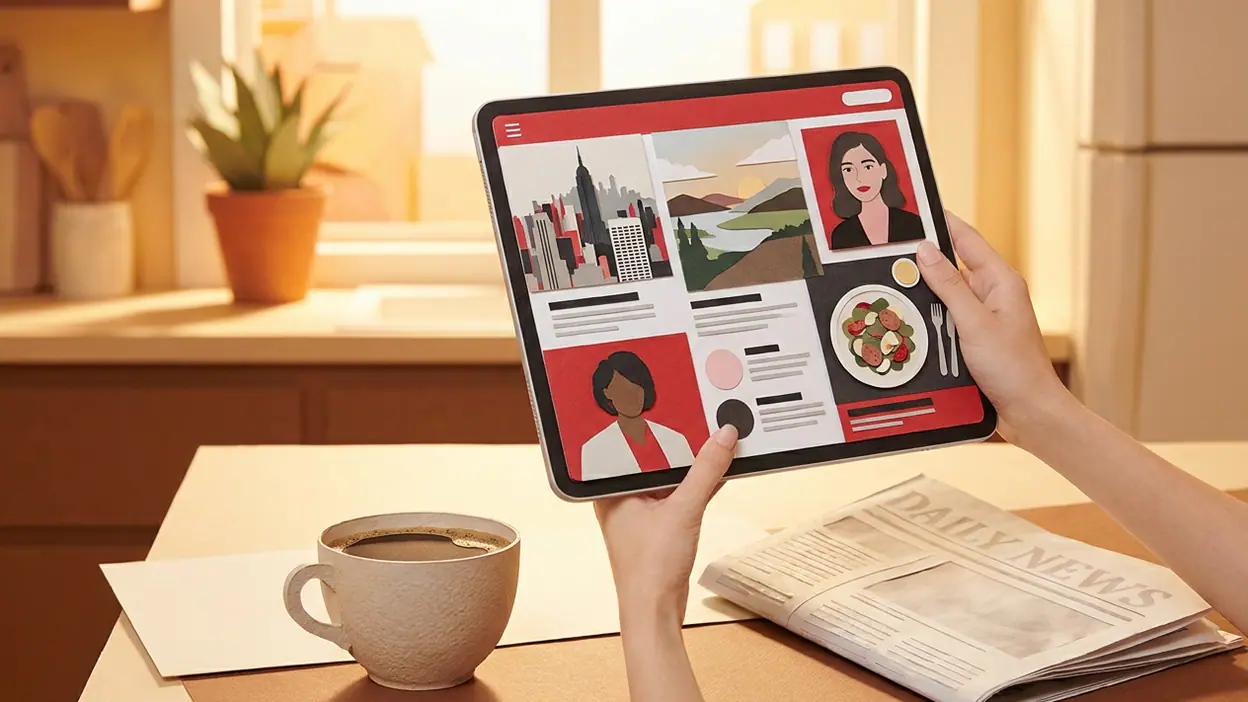
That presentation is the product’s personality. Stories arrive with prominent photography, clear headlines, and a magazine-like layout. The familiar page-turning gesture gives browsing a little physical rhythm, even on a screen. It is not a radical reinvention of reading, but it makes the act feel more like opening a publication than clearing notifications.


Flipboard is also worth considering if you want a place to gather interests that do not fit neatly into one publisher’s app: technology, local news, culture, design, food, or a hobby you follow in bursts. Rather than asking you to commit to a single newspaper’s worldview, it lets you build around subjects and sources. The value is not simply more stories. It is a more legible way to decide what deserves your attention.
The first habit that changes
The habit that changes first is how you enter the news. In a conventional feed, you may open the app and begin reacting to whatever appears. Flipboard nudges you toward choosing a topic, browsing a magazine, or moving through a set of stories. That puts a small decision before reading. For some people, this is welcome friction: it makes a quick check feel purposeful. For others, it is one more step between opening an app and seeing what is happening.
Expect to spend a little more time selecting and arranging your interests, especially at the beginning. The payoff comes when the app starts to feel like a set of useful reading shelves rather than a collection of random links. But the magazine metaphor should not be mistaken for a guarantee that every issue is perfectly balanced. Curation still depends on the topics and sources you choose, and a narrow setup can produce a narrow view.
Latest News


This is a different kind of stickiness from the pull of a constantly updating timeline. Flipboard can keep you reading because the presentation makes one story lead naturally to another. That is pleasant when you have time; it can also turn a five-minute check into a longer browse. If your goal is to reduce screen time, the visual polish alone will not do that work for you.
Setup and migration facts
Approach setup as building a new reading routine, not moving an existing library wholesale. I would not assume that another app’s subscriptions, saved stories, reading history, or personal settings can be imported into Flipboard. Nor should you plan around transferring an account or carrying over recommendations unless the apps themselves clearly document that option. The safe expectation is that you will choose interests and sources again, then refine the result as you use it.
That is a modest migration burden compared with moving a complex work system, but it is still real. If you have spent years training a feed through follows, likes, saves, or reading behavior, those signals may not come with you. Make a short list of the subjects you actually check, plus any publications you do not want to miss. Rebuilding from that list is more useful than trying to recreate every old preference.
Before relying on Flipboard as your main news destination, check the current app listing and settings for the features available on your device and in your region. App capabilities and publisher availability can change. In particular, do not assume that every source you read elsewhere will appear in the same way, or that a story’s full text will always be available inside the app. A headline and preview are not a substitute for access to a publisher’s article.
The relearning cost
There is little technical learning to worry about, but there is a small conceptual one. You have to learn where topics live, how to tune what you see, and whether you prefer browsing an interest or following individual sources. The interface is visual, so new readers may take a few sessions to understand what is a story, what is a collection, and where their own curation fits in.
The more meaningful cost is editorial judgment. Flipboard can put a pleasing frame around your interests, but it cannot decide how much variety you want or which sources deserve trust. A broad mix may expose you to useful perspectives, while a tightly filtered setup can become an echo chamber with excellent photography. Revisit your choices after the novelty wears off. If one topic overwhelms the page or a source feels unreliable, adjust the mix rather than treating the initial setup as permanent.
There is also a change in pace. If you are used to opening a news app for breaking alerts, Flipboard may feel less immediate as your sole source of urgent updates. It is better understood as a reading and discovery destination than as a promise that you will see every development the moment it happens. Keep a trusted alert source if speed is part of your daily routine.
What improves immediately
The immediate improvement is the quality of the browsing experience. Flipboard gives stories room to breathe, and its magazine-like presentation can make a mixed set of interests feel coherent. When you want to explore a subject rather than scan a list of headlines, the format is particularly effective. It is easy to move from a striking feature to a related topic without feeling trapped in one publisher’s app.
It can also make your choices feel more visible. Following a topic or collecting stories gives you a clearer sense of what you are trying to read, instead of leaving all the work to a recommendation feed. For readers who already curate links or share articles with friends, that editorial mindset feels natural. The app rewards curiosity and a bit of housekeeping.
That is where Flipboard:Your Social Magazine makes its best case: not as a faster news ticker, but as a better place to spend an intentional reading session. The difference is most obvious when you have ten or twenty minutes, a few subjects in mind, and enough patience to follow a story beyond its headline.
What you may lose
Switching can cost you the familiarity and focus of a dedicated publisher app. If you value a specific newspaper’s reporting, newsletters, saved articles, or account features, Flipboard may not reproduce that relationship. You may still need the publisher’s own app or website for complete access and the most direct route to its coverage.
You may also lose the immediacy of a tightly personalized timeline. A feed that has learned your habits can feel effortless, even if you dislike the trade-offs that come with it. Flipboard’s choices may require more active tuning, and its magazine format can make quick scanning feel slower. Readers who mainly want a compact list of breaking headlines may prefer their current setup.
Finally, curation is not the same as verification. A polished layout can make a story look authoritative without settling whether its source is sound. Keep checking the publication behind a headline, especially when a claim is consequential. The app can organize reading; it cannot replace the judgment required to assess it.
A parallel-use strategy
The lowest-risk move is to run Flipboard alongside your existing news app for a week or two. Keep the old app for breaking alerts and any subscriptions you rely on. Use Flipboard for slower discovery: a morning browse, a weekend reading session, or an interest you rarely have time to explore. This tests the actual habit change without forcing an all-or-nothing decision.
During that trial, notice what you reach for each app to do. If you repeatedly open Flipboard when you want context and variety, while the old app serves only alerts, you have evidence that the switch may be worthwhile. If you keep returning to the old app for its source coverage, saved reading, or quicker scan, that is useful evidence too. Do not judge only by which interface looks better on day one.
After the trial, simplify only if the roles are genuinely redundant. Keep any publisher app or alert service that fills a need Flipboard does not. Parallel use is not a failure to commit; it is a practical way to avoid losing a useful routine before the replacement has earned your trust.
Reasons to stay put
Stay with your current setup if it already gives you the coverage you need and you read comfortably there. A new format is not automatically an upgrade. If your news habit depends on one publication’s complete articles, a chronological feed, or carefully tuned alerts, switching for the sake of a more attractive reading surface may add friction without solving a real problem.
Stay put, too, if you do not want to curate. Flipboard’s strongest feature is its topic-led approach, and that works best when you make choices about what belongs in your reading mix. If you prefer an app to make those choices invisibly, or you only open news when a notification arrives, the magazine model may feel like extra work.
Conversely, if you are considering a move from an unrelated daily app such as Google Home, foodpanda, or Gboard, treat that as a change of task rather than a direct replacement. Those products serve different needs. The useful comparison is not whether their features match, but whether you want a separate, more deliberate place for news reading.
Who should switch?
The best switching candidate is a curious reader who feels overfed by a general timeline, follows several subjects, and wants a more visual way to browse them. They are comfortable spending a few sessions rebuilding their interests and understand that the app is a reading companion, not a complete substitute for every publisher, alert, or subscription. They will notice the improvement because they actually want to browse, not merely check whether anything new happened.
Flipboard is a weaker fit for someone who wants the shortest path to a list of headlines, depends on a particular publisher’s ecosystem, or expects their existing follows and saved material to transfer automatically. If those needs define your current routine, the relearning cost is not the main issue; the app is solving a different problem.
My verdict is to switch gradually, not dramatically. Give Flipboard a defined trial as a curated reading space, keep your essential alerts and subscriptions in place, and compare the quality of your reading rather than the number of stories you consume. If its magazines make you more likely to explore worthwhile subjects, it has earned a permanent spot. If you only want a faster glance at the news, stay with the tool that already does that well.