QR Scanner: Barcode Scanner
- 18.00K
- 4.6
- Installs
- 50.00M
- Price
- Free

Screenshots
Analysis by Reviewed
I tend to judge a scanner by what happens after the camera recognizes a code: does it make the result easy to understand, and do I feel in control of what I open or share? QR Scanner: Barcode Scanner is a practical productivity app from Simple Design Ltd., aimed at people who want a dedicated place to read QR codes and ordinary product barcodes. Its appeal is the direct approach, though I would still treat any scanned link with the same caution I use when browsing anywhere else.
A useful tool, not a reason to trust every code
The app is free to install, rated for Everyone, and has earned a 4.6 average from around 521,000 ratings. More than 50 million installs suggest it has become a familiar choice for quick scans, but popularity doesn’t make a code safe. A QR image can lead somewhere unexpected, so I pause to check the destination before proceeding rather than tapping through automatically. That small habit matters more than how quickly a scanner reacts.
The trust question is especially relevant when a code appears in a public place, arrives in a message, or is stuck over another printed code. Scanning only tells me what the image contains; it doesn’t tell me who placed it there or whether the destination deserves my details. I find it helpful to separate those two steps: first read the code, then decide whether the result is worth opening.
Using the scanner with a little care
First things first, downloading QR Scanner: Barcode Scanner was a breeze. Available on both Android and iOS, the installation process was seamless. Once I opened it, the clean and intuitive interface immediately stood out to me. No unnecessary fluff, just straight to business. The app asks for camera access, which is pretty standard for any scanner apps. You know the drill, right? Tap ‘Allow’ and you’re good to go!
Scanning capabilities and practical checks
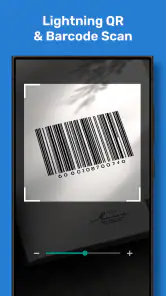
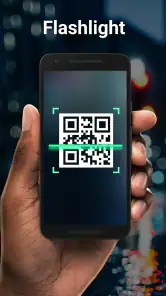
This app doesn't just stop at QR codes. Oh no, it goes the extra mile by recognizing a variety of barcodes as well. During my tests, I scanned everything from a cereal box barcode to a QR code on a billboard, and it worked flawlessly. The scanning speed is impressive; it’s almost like the app reads the code before you even get a chance to steady your hand!
For a routine purchase, a barcode scan can be a quick way to capture the number printed on packaging, while a QR scan might save typing a long address from a poster. I still wouldn’t assume a product barcode provides a complete comparison of ingredients, price, or availability; the code is an identifier, not a substitute for checking the label or retailer. When a QR scan returns a web address, reading it first is a sensible checkpoint, especially if the printed code looks altered or the offer asks for personal or payment information.
History, sharing, and everyday control
What truly makes this app shine is its user-friendly design. The developers clearly had users in mind when crafting this gem. The process is straightforward: open the app, point the camera, and voila! Your code is scanned and the information is at your fingertips. Plus, it offers handy options like saving scan history and sharing scanned codes. That’s right, no more digging through your phone’s history trying to find that one code you scanned last week!
You May Like

Clash of Clans Is Won Between the Battles

Android Auto Makes the Case for Quieter Car Software

MobiOffice: Transforming Mobile Productivity with Seamless Integration

EA SPORTS FC™ Mobile Soccer: Redefining Mobile Sports Gaming

How Microsoft OneDrive Became a Mobile Productivity Giant

How Google Translate Breaks Language Barriers Effortlessly
History is handy when I scan a code in a hurry and want to revisit the result later, but it can also leave traces of places or links I have looked up. I’d avoid sharing a screen or history casually if it includes something private, and I’d use the phone’s own app-permission controls if I later decide I no longer want camera access. The practical balance is simple: grant the camera when scanning is useful, and keep an eye on what gets saved or passed along.
Creating codes and choosing the right moment
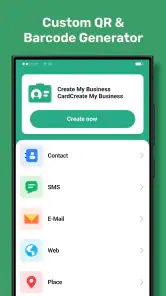
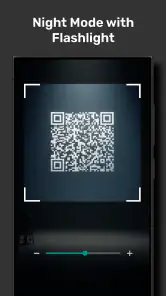
Beyond the basic scanning, the app also offers some nifty extra features. For instance, it allows you to create your own QR codes. This could be a game-changer for small business owners looking to create quick links to their websites or product pages. The app also supports flashlight use during scans in low-light conditions. It’s like they thought of everything!
Code creation is most useful when I have a clear, stable destination in mind: for example, a small seller could put a QR code on a thank-you card so customers can reach a product page without typing. I’d test the code on another phone before printing it in quantity, because a typo in the destination is much easier to fix on screen than after a batch of cards is made. The flashlight is a modest but practical aid for a dim pantry or a poorly lit label; it won’t fix a damaged, tiny, or reflective code, so adjusting the angle and moving closer may still be necessary.
Where it fits—and where another option wins
This is a good fit if you scan often enough to want a dedicated tool, need both QR and barcode reading, or like keeping previous results available. A realistic use is arriving at a café, scanning a menu code, checking the address shown, and returning to the result later without searching through browser tabs. It also suits someone who makes occasional QR codes for a club notice or a small business card, without needing a full design workflow.
If I only scan a code once in a while, the camera app already on my phone may be simpler and avoids maintaining another app. If I need detailed product research, a shopping or inventory tool built around that task is a better match than a general scanner. And if I routinely handle confidential codes, I’d choose a workflow designed for that sensitivity rather than relying on a general-purpose utility and assuming its history or sharing behavior meets a stricter standard.
The app has optional in-app purchases at $2.99 per item, so I’d check what an offered purchase adds before paying; the basic appeal here is fast access to scanning, not a reason to buy extras sight unseen. The current version is 2.6.7, and it runs on Android 6.0 or later. Those details make it easier to judge fit: it’s a lightweight everyday option for compatible devices, not a specialist barcode-management system.
My cautious verdict
While testing, I noticed how lightweight the app is on system resources. It didn’t slow down my phone or drain the battery, which is always a plus. No one wants an app that behaves like a battery vampire, right?
In a world where digital interactions are becoming the norm, having a reliable QR and barcode scanner is almost essential. QR Scanner: Barcode Scanner delivers on its promises with an easy-to-use interface, quick scanning capabilities, and useful extra features. Whether you’re scanning for fun or function, this app is a solid choice. So, next time you’re out and about, and need to scan something, you know which app to turn to!
QR Scanner: Barcode Scanner Frequently Asked Questions
Can QR Scanner: Barcode Scanner scan codes from printed materials and screens?
QR Scanner: Barcode Scanner is designed to read codes through your device’s camera, so you can point it at a printed label or a code displayed on another screen. For a clear scan, keep the code visible and give the camera a steady view. The app is intended for everyday QR and barcode scanning rather than editing or creating codes.
What should I consider before installing a QR scanner app?
Think about which codes you expect to scan and whether you want a straightforward camera-based tool for everyday use. QR Scanner: Barcode Scanner is described as a fast, simple scanner for multiple formats, and it is categorized as a productivity app. It is free to download, with in-app purchases available, so consider those options if you prefer to avoid paid features.
Who develops QR Scanner: Barcode Scanner, and how widely is it used?
QR Scanner: Barcode Scanner is developed by Simple Design Ltd. It has more than 50 million installs and around 18,000 written reviews, reflecting its broad reach among people looking for a quick code-reading tool. That popularity can offer reassurance when choosing an app, though the best way to judge whether it suits you is to try its scanning workflow on the kinds of codes you encounter regularly.
Is QR Scanner: Barcode Scanner suitable for children and families?
The app has an Everyone content rating, making it suitable for a broad audience from a content-rating perspective. It provides a practical scanning tool for reading QR codes and barcodes, rather than a game or entertainment experience. As with any app that uses a camera, families may want to discuss when and where it is appropriate to scan codes.
Does QR Scanner: Barcode Scanner need camera access, and what is it used for?
The app uses your device’s camera to view and read QR codes and barcodes. Camera access is therefore central to its scanning function; without it, you would not be able to point the app at a code for scanning. You can review and manage camera permissions through your device’s settings if you want to control when the app can use the camera.
Pros
- Fast scanning speed
- User-friendly interface
- Supports multiple barcode formats
- Minimal permissions required
- Free to use
Cons
- Ads can be intrusive
- Limited advanced features
- No batch scanning option
- Requires internet for some features
- Occasional false readings

- Category
- Productivity
- Version
- 2.6.7













