Microsoft OneNote: Save Notes
- 52.83K
- 4.6
- Installs
- 500.00M
- Price
- Free
Screenshots


Analysis by Reviewed
Have you ever found yourself scribbling notes on random scraps of paper, only to lose them when you most need them? Well, let me tell you about my savior: Microsoft OneNote. It's like having a digital notebook that’s always at your fingertips, and trust me, once you start using it, there’s no turning back.
The Handy Note-Taking Companion
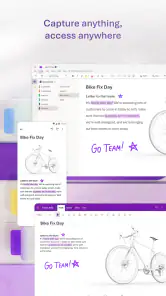
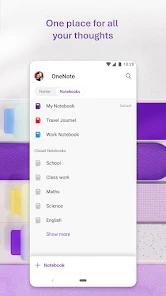
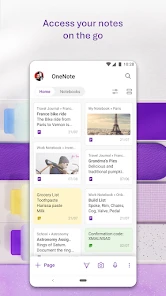
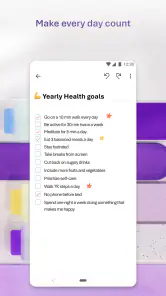
Let’s dive into the world of Microsoft OneNote and see what makes it tick. At its core, this app is all about versatility and accessibility. Whether you're a student trying to keep track of lectures, a professional organizing your meetings, or just someone who loves jotting down ideas, OneNote's got your back. You can create notebooks, sections, and pages, which means your notes can be structured just the way you like them. Plus, it’s cross-platform, so whether you’re on Android, iOS, or even your desktop, your notes sync seamlessly across all devices.
Features That Stand Out
One of the things I love about OneNote is the ability to embed multimedia. You can insert audio recordings, pictures, and even videos into your notes. It's a game-changer for those who prefer a more dynamic and interactive note-taking experience. Have you ever tried to describe a complex diagram with words? With OneNote, you can just insert the image directly!
Another handy feature is the search functionality. In the past, I often found myself flipping through pages trying to find that one elusive note. But with OneNote, a simple search brings up results in a flash, saving precious time and effort. And let’s not forget about the handwriting recognition! For those who love the feel of writing by hand, OneNote can convert your scribbles into text. It’s not perfect, but it's definitely a nifty feature.
Collaboration Made Easy
In today’s world, collaboration is key, and OneNote doesn’t disappoint. You can share your notebooks with others, making it a breeze to work on projects together. Whether it's brainstorming ideas or working on a group assignment, everyone can contribute and stay updated in real-time. The integration with other Microsoft apps, like Outlook and Teams, makes it even more powerful for those embedded in the Microsoft ecosystem.
OneNote also respects the importance of privacy and security. Your notes are stored in the cloud, but you have control over who can access them. This is particularly reassuring for those handling sensitive information.
Final Thoughts
If you’re someone who loves being organized, or even if you’re a bit scatterbrained like me, Microsoft OneNote is a must-have app. It’s free, it’s powerful, and it’s incredibly user-friendly. I’ve found it to be an invaluable tool in my daily routine, whether I'm planning a trip, organizing work, or just doodling away. Give it a try; I promise you won’t regret it!
Pros
- Cross-platform sync enhances accessibility.
- User-friendly interface simplifies note-taking.
- Supports multimedia notes and file attachments.
- Integration with Microsoft Office boosts productivity.
- Robust search feature for easy navigation.
Cons
- Requires Microsoft account for full features.
- Limited offline functionality hinders access.
- Occasional sync issues can cause data loss.
- Steep learning curve for new users.
- No built-in handwriting to text conversion.
- Category
- Productivity
- Version
- 16.0.19127.20320