PDF Reader - PDF Editor
- 5.25K
- 4.7
- Installs
- 50.00M
- Price
- Free
Screenshots
Analysis by Reviewed
In a shared household, PDFs tend to land on whichever phone is closest: a school handout, a delivery document, or a form someone needs to check before heading out. I find PDF Reader - PDF Editor useful for that quick, practical kind of reading, especially when installing a full desktop-style document suite would be overkill. It is a free productivity app from Simple Design Ltd., and its broad appeal is reflected in a 4.7 average from around 652,000 ratings and over 50 million installs.
One phone, several kinds of reading
A realistic use is opening a child’s worksheet at the kitchen table, searching for a particular instruction, then highlighting the relevant passage before handing the phone to someone else. That is more convenient than printing a short document or moving to a computer. In my experience, the app makes most sense when the job is contained: read, mark up, sign, or share a PDF, then move on.
For ordinary reading, I would choose it over a basic file viewer when I expect to search or annotate rather than just glance at a page. A cloud drive can be better for storing and coordinating a large household archive, while a desktop editor remains preferable for complex layout changes. This app sits between those options: more hands-on than a simple viewer, but still centered on working with documents from a phone.
Keep shared-device boundaries simple
If several people use one device, I would treat the phone itself as the boundary rather than assume the reader creates separate personal spaces. Before passing it over, open the intended file and avoid leaving unrelated documents visible in the recent-file area. For a private form or a document containing personal details, I would keep the device in my hands and share only the finished file through a channel I already trust.
A useful habit is to make a copy before annotating anything that another person may need in its original form. Markups are helpful for study notes and household paperwork, but a clean original is easier to reuse or send onward. I would also check the saved file before sharing, especially after signing or adding notes, so the recipient gets the version I meant to send.
Who will appreciate it—and who may not
The app is a good fit for students, readers, and people who handle occasional forms on Android. It is also practical for a household member who needs to review a document while away from a desk. It is less compelling if you mainly need a shared filing system, advanced editing on long documents, or a clear separation between several users’ files; in those cases, a dedicated storage service or desktop PDF editor is likely the better tool.
I would not assume that “easy to use” means every document task is equally comfortable on a small screen. Editing text or positioning elements precisely can be fiddlier than reading and highlighting, and a phone is a poor place to make extensive revisions. For a quick correction or signature, mobile access is the advantage; for careful page-by-page restructuring, I would switch to a larger screen.
You May Like

Clash of Clans Is Won Between the Battles

Android Auto Makes the Case for Quieter Car Software

MobiOffice: Transforming Mobile Productivity with Seamless Integration

EA SPORTS FC™ Mobile Soccer: Redefining Mobile Sports Gaming

How Microsoft OneDrive Became a Mobile Productivity Giant

How Google Translate Breaks Language Barriers Effortlessly
Comprehensive Features That Stand Out
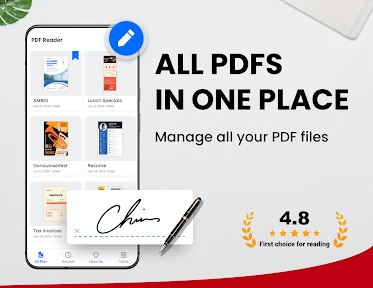
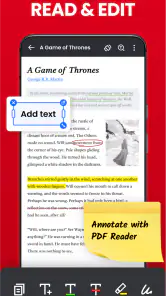
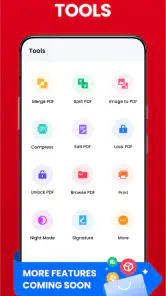
Once I fired up the PDF Reader - PDF Editor on my phone, the first thing that struck me was its user-friendly interface. The developers have clearly put a lot of thought into making the app easy to navigate. With just a few taps, I was able to open documents, annotate them, and even share them with my colleagues.
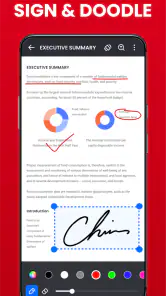
One of the standout features is the app's ability to edit PDFs. I mean, who knew editing a PDF could be this seamless? Whether it's adding text, images, or even signing documents, this app handles it all with finesse. And the best part? The changes are saved in real-time, so there's no need to worry about losing your progress.
Read and Annotate Like a Pro
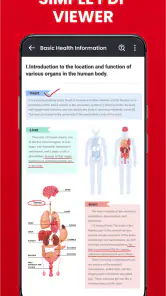
If you're someone who spends a lot of time reading PDFs, this app has got you covered. The reading mode is smooth, and you can easily adjust the brightness and contrast to suit your eyes – perfect for those late-night study sessions. Plus, the annotation tools are top-notch. Highlighting text, adding sticky notes, or even drawing directly onto the document is a breeze.
And let's not forget the search functionality. Quickly finding specific text within a lengthy document is incredibly efficient, saving both time and frustration.
Sharing and Cloud Integration
Sharing documents with others is straightforward, thanks to the app's integration with various cloud services. I found it incredibly handy to sync my documents across devices using Google Drive and Dropbox. It's a feature that ensures you always have your important files on hand, no matter where you are.
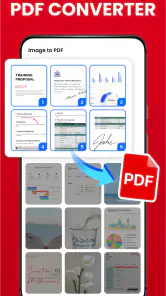
Moreover, the option to convert files from PDF to other formats and vice versa is a cherry on top. It adds a layer of versatility that is often missing in similar apps.
Age, cost, and everyday trust
The app is rated Everyone, which makes its intended age context broad, but I would still supervise younger users when they are handling family paperwork. That is less about the reading tools and more about the contents of documents: a shared screen can expose names, addresses, or school details. I would open only the file a child needs and stay nearby if the document contains personal information.
It is free to install, with in-app purchases ranging from $9.99 to $49.99 per item. I would start with the free version and see whether its reading and annotation workflow covers your needs before paying for anything. The current version is 1.6.0 and requires Android 6.0 or later, which is useful to know when checking an older household phone.
For coordination, I would use shared cloud storage as the household’s source of truth and this app as the place to read or mark a document on the go. That separation avoids treating an edited phone copy as the only copy. When two people need to work on the same form, agree who is making the final changes first; otherwise, separate versions can be confusing even when sharing itself is simple.
A practical routine for forms and study files
For a school form that needs a signature, I would first locate the original in the household’s chosen storage, then open it here and make a working copy if the original may be needed again. After adding a signature or note, I would reopen the saved result and scan the pages at normal size. That quick check catches a misplaced mark or an incomplete page before the document leaves the phone. It is a small step, but it matters more than relying on the editing screen alone.
The same approach works for reading a long set of instructions. Search for the key phrase, mark the passage that answers the immediate question, and use a note for context rather than covering the source text with a long explanation. On a phone, short annotations stay easier to review later. If the document will become a shared reference, I would also give the saved copy a recognizable filename in the storage location rather than expect everyone to identify it from a recent-files list.
Where mobile editing reaches its limits
PDF editing can mean very different things. Adding a signature, a brief note, or an image is a manageable phone task; rewriting a dense paragraph, correcting many layout elements, or reorganizing a document page by page is another matter. I would not choose this app as my main tool for those heavier jobs, because precision and screen space become the bottleneck. A desktop editor is more comfortable when the final result must look carefully composed.
Conversion also deserves a cautious workflow. It can be useful when a recipient needs another file format, but I would inspect the converted copy before relying on it, particularly if layout or spacing affects meaning. A PDF preserves a fixed page appearance; converting it changes the kind of document being handled. For a simple text handout, that trade-off may be fine. For a form whose exact arrangement matters, keeping and sharing the PDF is the safer choice.
What to decide before sharing a device
On a household phone, the main question is not only whether someone can open a file, but what else is left in view afterward. I would close the document when the task is done, avoid handing over the device with a private form open, and check the destination before using the sharing option. These are ordinary habits rather than special app controls, but they help keep personal paperwork from becoming casually visible to the next person using the phone.
There is also a useful distinction between reading together and editing together. Two people can review the same document in conversation, but that does not automatically make one edited copy a reliable shared record. If a partner adds notes while another person has a separate copy, the household can end up with competing versions. I would assign one person to prepare the final file, then place that version in the agreed storage location and let others read from there.
Choosing it over a basic viewer or a full suite
Compared with a basic PDF viewer, this app makes more sense when reading is only the start of the task. Search, markup, signing, and editing reduce the need to switch tools for routine paperwork. A cloud drive still has the advantage for organizing a shared archive, while a full office or desktop suite is a stronger fit for broader document production. I see this reader as a practical middle ground, not a replacement for either of those roles.
That middle ground is particularly useful for someone who does not want to learn a large suite just to sign an occasional form or highlight study material. On the other hand, if most of your work involves authoring documents, managing versions across a team, or making exact layout changes, the lighter mobile workflow is unlikely to be enough. The right choice depends on whether PDFs are occasional reading and paperwork or the center of a more demanding work process.
For anyone wondering whether it is suitable for a shared family phone, my answer is yes for brief, supervised document tasks, with sensible attention to what is open and where edited copies go. I would not treat it as a multi-person filing cabinet or assume it separates one person’s documents from another’s. Nor would I hand it to a child with sensitive household paperwork already on screen. The Everyone rating describes a broad age context, but good judgment still depends on the document itself.
Its free installation makes it reasonable to try for everyday reading, while in-app purchases mean I would check the available workflow before deciding whether any paid option is worthwhile. I would not pay simply because an editing tool is present; I would first identify a repeated task that the free experience does not handle comfortably. For occasional highlighting, search, or signatures, the app’s value is mainly convenience. For regular, precision-heavy work, another tool may justify the extra setup.
Overall, I would recommend PDF Reader - PDF Editor when a household wants a capable PDF reader and editor on an Android phone, not a full document-management system. Its strongest everyday value is combining comfortable reading, quick search, annotations, and practical editing in one place. Just keep originals for important paperwork, be deliberate about what is visible on a shared device, and use a larger-screen tool when precision matters. That makes it a sensible companion for routine documents without asking it to solve every part of household file management.
PDF Reader - PDF Editor Frequently Asked Questions
Can PDF Reader - PDF Editor help me keep PDFs organized?
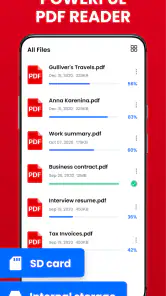
PDF Reader - All PDF file, document read & manage by PDF Viewer for android fast is built around reading and managing PDF documents, so it may suit users who want a dedicated place to work with these files. The app is in the productivity category. If organizing PDFs is your main reason for downloading, consider whether its available document-management tools fit the way you prefer to sort and access files.
Can I use PDF Reader - PDF Editor to read and manage more than one kind of document?
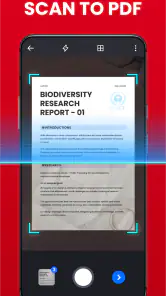
The app’s stated focus is PDF files: its short description is “PDF Reader,” and its summary describes reading and managing PDF documents. The published feature description also says it supports various file formats and can convert documents into PDFs. If you regularly work with formats beyond PDFs, check the app’s available format and conversion options before relying on it as your only document tool.
What devices and operating systems can run PDF Reader - PDF Editor?
PDF Reader - PDF Editor is an Android app for reading and managing PDF documents. It requires Android 6.0 or later, so check your device’s Android version before downloading. The app is listed as a productivity tool and is suitable for a general audience. If you use an iPhone or iPad, confirm availability in the iOS app store before expecting to install it there.
Who develops PDF Reader - PDF Editor, and is it widely used?
PDF Reader - PDF Editor is developed by Simple Design Ltd. It has a 4.7 average from around 652,000 ratings and has passed 50 million installs, suggesting that it is a well-established choice for mobile PDF tasks. Those figures can help you gauge its reach, though your experience will still depend on your device and which tools you need.
What are the main features of PDF Reader - PDF Editor?
PDF Reader - PDF Editor offers a comprehensive set of features including viewing, annotating, and editing PDFs. Users can highlight text, add comments, insert images, and fill out forms. It supports various file formats and can convert documents into PDFs. Additionally, it provides secure file management with password protection and cloud storage integration for easy access and sharing.
Pros
- Easy to navigate interface
- Supports multiple file formats
- Fast document loading
- Annotation tools available
- Offline access to files
Cons
- Limited editing features
- Ads in free version
- Occasional crashes
- No cloud storage integration
- Limited font customization
- Category
- Productivity
- Version
- 1.6.0













