Samsung Print Service Plugin
- 9.11K
- 3.7
- Installs
- 1.00B
- Price
- Free

Screenshots
Analysis by Reviewed
I often find phone printing most useful when I already have the document on my device and want to avoid sending it to a computer first. That is the practical appeal of Samsung Print Service Plugin: it brings printing into the Android share-and-print routine, so a saved file, photo, or web page can go from screen to paper with fewer steps. It is a free productivity app from HP Inc., and its wide reach makes sense for a tool designed to work with printers from different brands.
What the plugin changes in everyday printing
Rather than acting as a full document editor or a place to manage a print queue, the plugin is a printing service that works with Android’s printing options. In practice, I look for the print command in the app holding the item, choose a printer, check the job, and send it. That distinction matters: it is most useful when the content is already ready to print, not when I need to revise a file, combine pages, or redesign a document first.
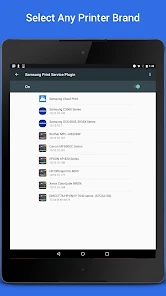
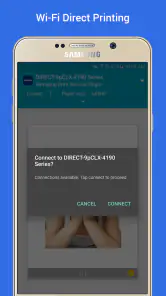
The cross-brand approach is its strongest idea, but it does not mean every printer will behave identically. The printer still needs to be available to the device, and network printing depends on the phone and printer being able to reach one another. If the printer does not appear, I would first check that both are on the same Wi-Fi network and that the printer is awake before reinstalling anything. A network guest mode or a disconnected printer can interrupt discovery even when the plugin itself is installed correctly.
A useful workflow for documents and images
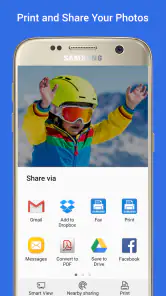
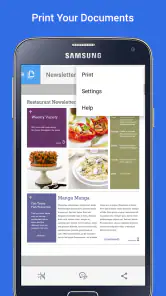
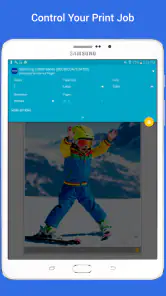
For a receipt, school form, or travel document, I would open the file on the phone and use its print option rather than moving it to another device. Before sending, it is worth checking the print preview: a page that looks tidy on a small screen can still have a clipped edge, an unexpected page break, or an image scaled awkwardly on paper. That quick check is more useful than repeatedly sending test copies.
Photos call for a different kind of care. A picture that looks bright on a phone may print with different framing or appearance, so I would check the preview and avoid assuming that the screen is a perfect guide to the final sheet. For a document with several pages, I would also confirm the page range and orientation in the available print controls. These small checks help limit wasted paper, especially when a file contains pages I do not need.
Effortless Printing at Your Fingertips
The Samsung Print Service Plugin is like your digital printing assistant. Once installed, it seamlessly integrates with your device, allowing you to print documents, photos, and web pages directly from your phone or tablet. The best part? You don’t have to go through the hassle of installing drivers or setting up connections with your printer. Just make sure your printer is compatible and connected to the same Wi-Fi network as your device, and you’re good to go!
Simple Setup and User-Friendly Interface
Setting up the plugin is a breeze. Once you download and install it, you’ll find it in your phone’s settings under "Connections". A few taps, and you’re all set to start printing. The user interface is straightforward and intuitive, making it accessible even for those who aren’t the most tech-savvy. I love how it doesn’t require any special permissions or complicated setups. It’s all about simplicity and ease of use.
More From Our News Desk

Weather by Xiaomi Review: Clear at a Glance, Less Clear Up Close

X Under Pressure: Can It Recover When Posting Goes Wrong?

Clash of Clans Is Won Between the Battles

Android Auto Makes the Case for Quieter Car Software

MobiOffice: Transforming Mobile Productivity with Seamless Integration

EA SPORTS FC™ Mobile Soccer: Redefining Mobile Sports Gaming
Compatibility and Performance
One of the main concerns with any printing app is compatibility. The Samsung Print Service Plugin supports a wide range of printers from various manufacturers, not just Samsung. This means you’re not limited to a specific brand, which is a huge plus. In terms of performance, I found it to be quite efficient. Whether you're printing a text-heavy document or a high-resolution photo, the quality is commendable. Plus, it supports a variety of file formats, including PDFs, JPEGs, and more.
My advice is to treat “wide compatibility” as a reason to try it, not as a promise that every printer or phone setup will be equally straightforward. If your printer has its own manufacturer app, that may be the better option when you need brand-specific controls or help diagnosing a connection. If you only need to send ordinary documents and images from Android, a built-in print workflow is usually less work than installing and learning a separate app for each task.
Where the convenience pays off
A realistic use is preparing for a trip: I might receive a boarding pass or confirmation as a file, open it on my phone, check the preview, and print it while the home printer is already available. The same approach suits a permission slip sent through a school app or a form downloaded from a website. The key benefit is not that printing becomes effortless in every situation; it is that I can skip the extra transfer to a laptop when the file is already on my phone.
For occasional jobs, that is a welcome shortcut. For regular office work, though, I would not treat the plugin as a replacement for a computer-based print setup. A desktop workflow may be better for batch jobs, detailed layout changes, or documents that need careful editing before they reach the printer. Likewise, if the printer is USB-only or cannot be reached by the phone over the local network, this service cannot remove that underlying limitation.
One print job, fewer avoidable surprises
For a multi-page form, I find it useful to decide what actually needs to be on paper before opening the print controls. If the document includes instructions or duplicate pages that I do not need, checking the range first is an easy way to avoid printing the whole file by habit. This is a small workflow choice, but it matters more on a phone because the compact screen can make page-by-page review slower than it would be on a computer.
There is also a practical distinction between sending a file and preparing it. The plugin helps with the first step; it does not turn a badly formatted web page into a polished handout. If a page contains menus, sidebars, or oversized images, I would look for a cleaner print view in the source app or save the relevant information in a more suitable format before printing. That extra preparation can produce a better result than repeatedly changing printer settings.
Where it sits beside other printing options
Compared with opening a printer maker’s dedicated app for every job, Android’s print route can feel more direct: I start in the app where the document already lives and move to printing from there. That is a real advantage when the goal is simply to put a saved PDF or photo on paper. A manufacturer app can still be the stronger choice when I need its particular device controls, setup assistance, or a more printer-specific troubleshooting path.
Compared with printing from a laptop, the phone workflow is convenient but narrower. A computer is easier for rearranging a document, handling a large batch, or checking a complicated layout on a bigger display. I would not choose this plugin just because I want to avoid a computer at all costs; I would choose it when the content is already prepared and the phone can reach the printer. The best option depends less on the brand of the app than on how much editing and control the job needs.
When the printer is shared
In a household, a shared Wi-Fi printer can make phone printing useful even if everyone keeps documents in different apps. One person may have a school notice open, another a receipt, and another a travel confirmation. A service integrated into Android gives each person a familiar path from the open item to the printer, rather than requiring everyone to locate and learn a separate app before each occasional job.
That convenience still depends on the home network being set up in a way that lets devices communicate. A phone connected to a guest network may not find a printer on the main network, even though both devices show a Wi-Fi connection. When printer discovery fails, I would check the network connection and printer status first, then try again from the document. If the issue happens repeatedly, the manufacturer’s app may offer a more useful route for diagnosing that particular printer.
Who is likely to get the most from it
The app makes the most sense for Samsung-device owners who already print from Android now and then and want a simple route to a compatible printer, including one made by another manufacturer. It is especially handy in a household where people share a Wi-Fi printer but use different apps to view documents. Because the print command can be reached from the content itself, there is less need to remember which dedicated printing app to open.
I would skip it if you rarely print, if your printer is not reachable from your phone, or if your usual jobs require advanced layout and printer-specific adjustments. In those cases, printing from a computer or using the printer maker’s app may be more dependable for the controls you need. Android version also matters: the current release is 3.11.250805 and requires Android 12 or later, so an older device is not a fit for this version.
What to expect before installing
Samsung Print Service Plugin has been available since November 5, 2013, and has grown to over a billion installs. Its average is 3.7 from around 472,000 ratings, with about 9,100 written reviews. I read that as a sign of a widely used utility that solves a specific, practical problem, rather than an app everyone needs every day. It is rated for Everyone, and there is no charge to try it.
If you are deciding whether it suits your setup, the most useful question is simple: can your phone and printer see each other on the network, and do you mainly need straightforward printing rather than extensive editing? If so, it is a sensible first option. If discovery fails, check the network and printer state; if you need controls beyond the basic print path, compare it with the printer manufacturer’s app before settling on a workflow.
A small habit that improves results
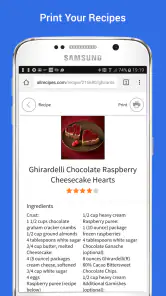
I would make previewing the job part of the routine rather than treating it as an optional extra. On a short receipt, it may take only a moment to confirm that the content fits; on a longer document, the preview can catch an unwanted page or a layout that has shifted. That is especially useful when printing from a browser, where the page on screen and the page on paper do not always have the same shape.
For an image, I would be deliberate about whether I need the whole picture or just a particular portion. If the preview crops an important edge, changing the source image or choosing a different print route can be wiser than hoping the paper result will match the phone display. The plugin is most satisfying when I treat it as a convenient handoff to the printer and still take responsibility for checking what that handoff will produce.
Why You Should Give It a Try
If you frequently need to print from your mobile device, this plugin is a game-changer. It saves time and eliminates the need for a computer as an intermediary. Imagine being able to print your boarding pass or a last-minute document right from your phone. It’s the convenience factor that makes this app stand out.
For someone who prints only now and then, I would frame the benefit more modestly: it removes a transfer step when a compatible printer is already reachable. That can be enough to make a last-minute task less awkward, but it will not solve a network problem or replace editing tools. I would try it first for a simple document, check the preview, and see whether the printer appears reliably in the places I normally open files.
In conclusion, the Samsung Print Service Plugin is a must-have for Samsung users who want to simplify their printing tasks. Its ease of use, compatibility, and performance make it a reliable choice for everyday printing needs. So next time you’re in a pinch and need to print something quickly, you’ll be glad you have this handy tool at your disposal. Give it a try and see how it transforms your printing experience.
Samsung Print Service Plugin Frequently Asked Questions
Can I use Samsung Print Service Plugin with a non-Samsung printer?
The plugin is not limited to Samsung printers. Its purpose is to let you print from Android apps to printers from different brands, though compatibility depends on the printer and its available printing support. If you already have a printer in mind, check whether your device can discover it through Android’s print options before relying on the plugin for a particular model.
Can I print documents and photos directly from my phone?
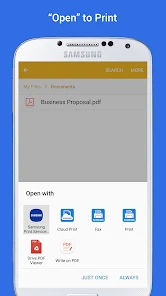
Samsung Print Service Plugin can make printing available from supported Android apps, including apps that display documents or photos and offer a Print command. Open the item in its app, find Print in the menu, and select a printer. The exact choices can vary between apps, so the plugin works as part of Android’s printing flow rather than replacing the apps you use to view your files.
Can Samsung Print Service Plugin print to a USB-connected printer?
The plugin is intended to provide printing through Android’s print features, with the printer’s availability depending on its connection and compatibility. Before downloading, consider how your printer is connected and whether Android can find it as a print destination. For many users, wireless printing is the most straightforward way to use the service, particularly when the printer and phone share a local network.
Can I print from different kinds of apps with Samsung Print Service Plugin?
Samsung Print Service Plugin is designed to make printing available from Android apps that include a print option. When you open a document, photo, or other supported item, look for Print in the app’s menu and choose a printer. The experience depends on the app and printer, but the plugin provides a way to send print jobs without switching to a separate printing app.
What Android version do I need to use Samsung Print Service Plugin?
The app requires Android 12 or later. Before downloading, check the Android version on your device in its settings to make sure it meets that requirement. The plugin is a productivity app, and its purpose is to connect Android printing features with compatible printers; having a supported Android version is an important first step before setting it up.
Pros
- Seamless integration with Samsung devices.
- Supports a wide range of printer brands.
- User-friendly interface and easy setup.
- Efficient printing with minimal delays.
- Regular updates enhance functionality.
Cons
- Limited advanced printing options.
- May require occasional manual updates.
- Compatibility issues with older printers.
- Consumes significant background resources.
- No cloud storage integration support.
- Category
- Productivity
- Version
- 3.11.250805