ChatGPT
- 128.86K
- 4.7
- Installs
- 500.00M
- Price
- Free

Screenshots

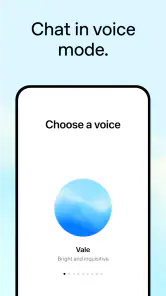
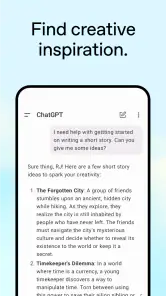
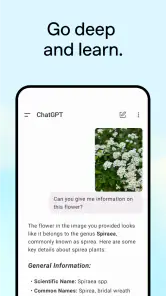
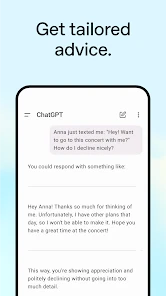
Analysis by Reviewed
I find ChatGPT most useful when I treat it as a flexible thinking partner, not an all-knowing authority. It can help me get unstuck, explain an unfamiliar idea, or turn a rough request into a workable first draft. The convenience is real, but so is the need to check important answers: a confident reply can still be wrong.
A practical tool for everyday tasks
For a realistic example, imagine I have a busy afternoon and a jumble of errands, a work message to write, and dinner to plan. I can ask for a simple order of operations, request a warmer version of the message, then share the ingredients I have and ask for a few meal ideas. The value is not that every suggestion is perfect; it is that I can refine the response through follow-up questions instead of starting from scratch each time.
A useful habit is to give the app context and constraints up front: who the message is for, how much time I have, what tone I want, or what I need to avoid. I also ask it to show assumptions when a decision matters. That tends to produce a more usable answer than a broad prompt, while reminding me that I remain responsible for the final choice.
Where it fits—and where it doesn’t
Compared with a search engine, ChatGPT is better at shaping an explanation, brainstorming options, and working through a multi-step request in conversation. Search is often the better choice when I need to inspect original sources, confirm a current detail, or compare exact specifications. For calculations, critical health or legal questions, and anything with serious consequences, I would use it as a starting point at most and verify the result elsewhere.
It also occupies a different space from a notes app or calendar. Those tools are better for keeping a dependable record and managing scheduled commitments; a conversational assistant can help me decide how to organize a task, but I would not make it my only system for remembering something important. The strongest workflow is often to use it to draft or plan, then save the result in the tool I already rely on.
Small workflows that make it more useful
When a task feels vague, I sometimes ask the app to turn it into a short checklist before asking it to solve anything. That makes the missing pieces visible: perhaps I need to confirm a date, gather a document, or ask someone a question first. I can then tackle one item at a time in the same conversation, rather than receiving a confident but premature plan based on details I never supplied.
For a decision with several reasonable options, I find it more useful to ask for trade-offs than for a single recommendation. For example, I can describe what matters most—time, simplicity, or flexibility—and ask it to compare choices against those priorities. The result is still a thinking aid, not independent evidence, but it can help me notice what I should investigate before making the choice myself.
More From Our News Desk

Weather by Xiaomi Review: Clear at a Glance, Less Clear Up Close

X Under Pressure: Can It Recover When Posting Goes Wrong?

Clash of Clans Is Won Between the Battles

Android Auto Makes the Case for Quieter Car Software

MobiOffice: Transforming Mobile Productivity with Seamless Integration

EA SPORTS FC™ Mobile Soccer: Redefining Mobile Sports Gaming
There is also a practical difference between asking for a finished answer and asking for a reusable format. If I need to handle similar messages repeatedly, I can ask for a template with parts I can fill in, then adapt it to each situation. That saves effort without encouraging me to send the same generic wording to everyone. I still check names, dates, and tone before using anything externally.
Who should try it
I would recommend the productivity app to curious learners, writers who want a first draft, and people who regularly need ideas explained in plain language. It is also useful for language practice: asking for a translation, then asking why a phrase sounds natural, can turn a quick exchange into a small lesson. For work involving private or sensitive material, I would pause before sharing details and consider whether a less personal prompt can do the job.
It may not suit someone who wants every answer to be sourced and independently verifiable, or anyone who prefers fixed menus and predictable, specialist tools. The conversational style can make an uncertain response sound polished, and broad requests can lead to generic output. I get better results when I challenge a first answer, ask for alternatives, and check anything that could affect money, safety, or an important decision.
It is the official app from OpenAI, and its scale is hard to miss: it has over 500 million installs and a 4.7 average from around 33 million ratings. It is free to download, with in-app purchases ranging from $19.99 to $200.00 per item. The Teen age rating is worth noting for families, while the app’s practical fit still depends on how a young person uses it and what guidance they have.
For Android, the listed minimum operating system is 7.0; the current version is 1.2025.329, and the app was released on July 21, 2023. Those details aside, my verdict is straightforward: I’d keep it handy for drafting, learning, and sorting through ideas, but I would not confuse a fluent conversation with a verified answer. Used with that boundary in mind, it earns its place as a useful companion rather than a replacement for search, a calendar, or my own judgment.
How the conversation works in practice
It feels like everyone and their dog is talking about ChatGPT these days. So, naturally, I had to dive in and see what the fuss was all about. Spoiler alert: this app is like having a chatty buddy who knows just about everything, right in your pocket. Let’s break it down.
First Impressions
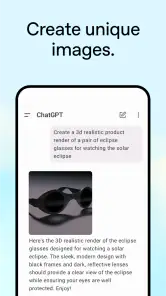
When I first opened ChatGPT, I was greeted with a clean, user-friendly interface. Now, I’m not the kind of person who gets excited over design, but I must admit, it was refreshing. The layout is intuitive, making it super easy to jump into a conversation or explore the app’s features.
Diving Into Conversations
One of the coolest things about this app is how naturally it holds a conversation. I mean, I threw some pretty random questions at it, and it responded like a pro! From asking about the weather on Mars to discussing the latest trends in tech, ChatGPT handled it all. It’s like having a well-read friend who’s always ready to chat.
Another thing I loved is how adaptable the app is. Whether you want to chat about serious topics or just have a bit of fun, it adjusts its tone perfectly. It's like it gets my mood, which is both impressive and a tad bit spooky!
Features That Stand Out
Besides its conversational skills, the app is packed with handy features. You can set reminders, get news updates, or even get recommendations for books and movies. It’s like having a personal assistant who also happens to be a trivia master!
The app also supports multiple languages, which is a huge plus if you’re bilingual or just trying to pick up a new language. I tried switching to Spanish, and the transition was seamless. It’s perfect for practicing language skills without the pressure.
Making a useful study session
For learning, I get more from a back-and-forth than from asking for a summary and stopping there. I might ask for a plain-language explanation, then request a simple example, and finally ask what people commonly misunderstand about the idea. That sequence gives me a chance to test whether I actually understand it, rather than mistaking a smooth explanation for knowledge. If I am studying something where exact definitions matter, I compare the explanation with my course materials.
Language practice works best for me when I set a narrow goal. Instead of asking for a general lesson, I can write a sentence I might genuinely use and ask how it sounds, what feels unnatural, and how the wording changes in a more formal situation. I can then try another version myself. It is a low-pressure way to explore phrasing, though I would still use a teacher or trusted reference for high-stakes writing or subtle regional usage.
Getting more from each exchange
I find it works best when I treat a conversation as a sequence of small edits rather than one grand request. For example, I might ask for a short outline, choose the most useful direction, and then request a version that fits a particular audience. This makes it easier to spot where the answer is making assumptions and gives me a chance to steer it before I rely on the result.
For writing, I also get more value by asking for a critique than simply asking for something to be “better.” I can specify that I want unclear phrases flagged, or ask it to keep my meaning while making a note more concise. The trade-off is that an edit can smooth away my voice, so I compare the revision with my original and keep only changes that sound like something I would actually say.
One particularly useful approach is to ask for a first pass that is deliberately easy to review: a few options, a short outline, or a draft with uncertain points called out. This is less impressive-looking than asking for a polished final answer, but it lowers the chance that I will overlook a weak assumption buried in confident prose. Once I have checked the substance, I can ask for cleaner wording.
I also try to keep separate goals separate. If I want a message to be both shorter and warmer, I say so explicitly, then read the result aloud to see whether it still sounds like me. If the first revision changes the meaning, I point to the sentence that matters and ask for a narrower edit. That is usually more effective than repeating “make it better,” which gives the assistant too much room to rewrite things I wanted to keep.
Limits worth keeping in view
A conversational answer can feel complete even when it leaves out a key qualification. I therefore separate brainstorming from verification: I use the app to generate questions, possible explanations, or a first structure, then consult a suitable source when accuracy is important. That is especially helpful when a topic changes quickly or a decision depends on exact wording and details.
I would also avoid putting confidential work material or personal information into a prompt unless I am comfortable doing so. Often I can get the same help by replacing names, removing identifying details, and describing the situation in general terms. That small adjustment preserves much of the usefulness without making a private scenario more specific than it needs to be.
Another limitation is that the quality of the exchange depends heavily on what I choose to share. If I ask for a plan but leave out a deadline, an accessibility need, or a firm constraint, the answer may be tidy and still unusable. Adding context helps, but it takes thought; for a quick fact that I could look up directly, composing a careful prompt can be more work than using a conventional search.
There is a related risk in letting the app frame a question too narrowly. When I am weighing a meaningful choice, I sometimes ask what information would change the recommendation, or what a reasonable opposing view would be. This does not make the response authoritative, but it can expose missing considerations. I then verify the consequential points outside the conversation instead of treating agreement or confidence as proof.
Choosing it for the right job
For someone who regularly drafts messages, studies unfamiliar subjects, or wants a low-pressure place to practice phrasing, the app can be a handy everyday tool. It is less compelling if the main need is a dependable archive, a structured project board, or a specialist service that shows its sources and follows a fixed process. In those cases, I would choose the dedicated tool and use a conversational assistant only for preparation or brainstorming.
If I were helping a friend decide whether to install it, I would ask what they want it to do on an ordinary day. Someone who often turns scattered thoughts into a plan, wants feedback on a draft, or likes asking follow-up questions may find a regular use for it. Someone who mainly needs alarms, an address book, or a reliable record of tasks will probably be better served by the apps built specifically for those jobs.
Families may also want to think beyond the age label and talk about how the app will be used. For a younger person, it can be a starting point for asking questions or practicing explanations, but it should not replace learning to consult teachers, books, or dependable sources. I would encourage them to treat answers as material to examine, especially when the subject is personal, sensitive, or important.
Before relying on it as part of a routine, I would test it on a few low-stakes tasks that resemble my real needs. Try turning a rough note into a polite message, asking for a concept to be explained at a different level, or requesting a checklist from a messy set of errands. If the results save time after review, it may fit. If I have to correct the same kind of mistake repeatedly, a template or specialist app may be less frustrating.
At the end of the day, ChatGPT feels less like an app and more like a friend in your pocket. It’s smart, adaptable, and incredibly easy to use. Whether you’re a tech enthusiast or just someone looking for a virtual buddy, this app has something for everyone.
So, if you’re curious about having a digital companion who can keep up with your random musings or help you organize your day, give ChatGPT a go. It’s a small download for a hefty dose of convenience and fun!
ChatGPT Frequently Asked Questions
Can I use ChatGPT for writing, studying, or organizing my work?
Yes. ChatGPT can help with tasks such as drafting and revising text, exploring ideas, understanding study topics, and planning everyday work. You can start with a question or request, then ask follow-up questions to develop or adjust the response. Treat its output as a starting point: review important details and use your own judgment before relying on it.
Does ChatGPT work on both Android and iOS?
Yes. ChatGPT is available as a mobile app for Android and iOS, so you can use it on a supported phone or tablet. Before downloading, check that you are selecting the official app from OpenAI in your device’s app store. Android users should also check their operating-system version, since the app has a minimum Android requirement.
What is the minimum Android version required for ChatGPT?
The Android app requires Android 7.0 or later. If your phone runs an earlier version, it does not meet that requirement, so check your device’s software settings before you try to install the app. Keeping your operating system updated can also help with compatibility and make it easier to use the current app version.
Is ChatGPT’s mobile interface suitable for quick tasks?
ChatGPT is designed around entering a prompt, receiving a response, and continuing with follow-up questions. That makes it suitable for brief requests, such as asking for an explanation or help refining a sentence, as well as longer conversations about a project. The usefulness of a response depends on your request, so give enough context and review the result before acting on it.
Can ChatGPT help me understand difficult subjects?
You can ask ChatGPT to explain a topic, rephrase an idea in simpler language, or help you explore a question through follow-ups. This can be useful when studying or trying to understand unfamiliar material. Its responses can still contain mistakes or omit important context, so compare explanations with reliable learning materials, especially when accuracy matters.
Pros
- Intuitive interface for easy navigation
- Supports multiple languages for global users
- Provides accurate and relevant information
- Continuously updated with new features
- Enhances productivity with quick responses
Cons
- Requires internet connection to function
- Limited to text-based interactions only
- May occasionally provide incorrect answers
- No voice or video chat capabilities
- Subscription needed for premium features
- Category
- Productivity
- Version
- 1.2025.329











