Projector - TV Cast, HD Mirror
- 152.00
- 4.0
- Installs
- 5.00M
- Price
- Free
Screenshots
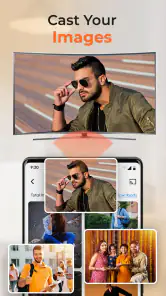
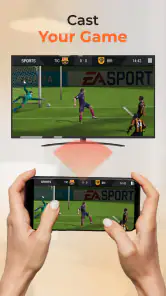
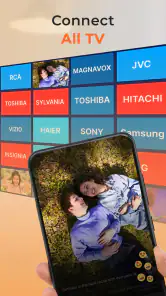
Analysis by Reviewed
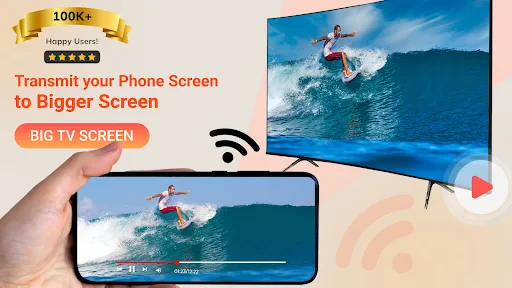
I think of Projector - TV Cast, HD Mirror as a phone-to-screen tool for moments when a small display is inconvenient, not as a replacement for every TV app or built-in casting option. Its appeal is practical: put something from a mobile device on a larger screen, whether that is a video, a set of photos, or the phone display itself. The app is free to install, although it also offers in-app purchases, so I would treat the first session as a chance to check whether its approach fits your setup before paying for anything.
How it fits into everyday casting
The idea sounds simple, but the useful question is whether the app suits the devices already in your home. Projector - TV Cast, HD Mirror is made by One Music Player and sits in the productivity part of the app catalog, despite its entertainment-focused name and use. It has a 4.0 average from around 21 thousand ratings and more than 5 million installs. Those figures suggest it has found an audience, but they are not a guarantee that every television or network will behave the same way.
Getting started and checking compatibility
Getting started with the app is a breeze. The app's user interface is intuitive, with a clean and straightforward design that guides you through the setup process. Once installed, the app scans for available devices and allows you to connect with just a few taps. It supports a variety of devices, including Smart TVs, Chromecast, and more, which is fantastic if you have a mixed tech environment at home.
For the smoothest first test, I would open the app while the phone and intended screen are connected to the same home Wi-Fi, then try a harmless, short item before settling in for a film. That gives you a quick way to tell whether the television appears and whether the connection stays usable. If the screen does not show up, I would first check the network on both devices and make sure I selected the TV or receiver I actually intend to use, rather than assuming that every casting method discovers every display automatically.
This is also where expectations matter. A TV’s own casting menu, a Chromecast receiver, and phone screen mirroring are related but not identical ways to send content to a large display. An app can make the process easier to start, yet the receiver and the network still shape what works. I would not buy a new display or streaming device solely on the assumption that one app will make every combination compatible.
Features and performance
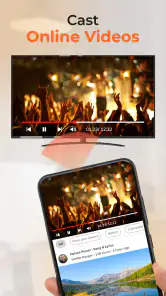
The app boasts a range of features that cater to all your casting needs. One of the standout features is its ability to cast in high-definition quality without noticeable lag. Whether you're streaming a movie or displaying a photo slideshow, the visual clarity is impressive. Moreover, the app supports a wide range of video formats, which means you won't have to worry about compatibility issues.
Another feature worth mentioning is the screen mirroring capability. This function allows you to mirror your phone's display on the TV, making it perfect for presentations or playing mobile games on a larger screen. During my testing, I found the mirroring to be smooth, with minimal latency. However, the performance can vary depending on your network strength, so a stable Wi-Fi connection is recommended for the best experience.
More From Our News Desk

Clash of Clans Is Won Between the Battles

Android Auto Makes the Case for Quieter Car Software

MobiOffice: Transforming Mobile Productivity with Seamless Integration

EA SPORTS FC™ Mobile Soccer: Redefining Mobile Sports Gaming

How Microsoft OneDrive Became a Mobile Productivity Giant

How Google Translate Breaks Language Barriers Effortlessly
There is a useful distinction between casting a selected video and mirroring everything visible on the phone. For a slideshow, showing a travel map, or walking someone through a document, mirroring can be the more flexible choice because the TV follows the phone’s screen. For a long video, a direct cast is often the more comfortable workflow: you can use the phone to choose what to watch without making every notification or screen change part of the presentation. I would choose the mode based on the task rather than treating them as interchangeable.
That flexibility comes with a trade-off. Mirroring makes the phone the source of the whole picture, so incoming alerts, app changes, or an accidental swipe can interrupt what everyone sees. Before sharing a screen in a meeting or with family, I would silence notifications, close unrelated apps, and open the material I want to show. It is a small preparation step, but it can prevent the awkward moment of displaying private or irrelevant content on the television.
For mobile games, I would be realistic about the experience. A bigger picture can make a game easier to share with other people in the room, but mirroring is not the same as a console connection. Fast, precise play is especially sensitive to network delay, and the phone remains the controller. It is a better fit for casual games and watching someone play than for competitive play where immediate response matters.
How I would use it at home
A normal evening gives a good example of where this kind of app earns its place. Imagine that I have photos on my phone from a weekend away and want to show them to friends without passing the handset around. I would connect to the living-room screen, open the pictures, and mirror the phone so everyone can follow along. If we switch to a video afterward, I would try a direct cast instead, since it keeps the phone more available for choosing the next item and avoids displaying every interaction on the TV.
The same approach is handy for a small, informal presentation. I can bring up a document or visual reference on the phone and let the group see it at a distance, without needing to transfer the file to a computer first. Still, for a formal work presentation with strict timing or sensitive material, I would test the exact screen and network beforehand. A casting app is convenient, but it is not a substitute for a tested conference-room setup when a connection failure would disrupt the meeting.
For a household with several kinds of screens, the app’s broad device focus is a practical advantage. It can be worth trying when the built-in option on one device is not obvious or when you want a single starting point for connecting. On the other hand, if your television’s native casting feature already works reliably, its built-in controls may be quicker and require fewer steps. I would keep whichever method proves dependable rather than adding an app to a routine that already works.
Daily use, network friction, and privacy
Using the app on a day-to-day basis is quite enjoyable. The app runs efficiently without draining your phone's battery excessively. The developers have done a great job in ensuring that the app is lightweight and doesn't bog down your device's performance. I particularly appreciated the app's ability to remember previously connected devices, saving time when you want to reconnect.
One minor downside I encountered was occasional connectivity issues, especially when switching between different Wi-Fi networks. While not a dealbreaker, it does require you to re-establish the connection, which can be a bit of a hassle if you're in a hurry.
That network sensitivity is worth planning around. If you move from home Wi-Fi to a guest network, or the phone reconnects to a different network, the television may no longer be discoverable in the same way. Before a group is waiting, I would reconnect to the intended Wi-Fi and reopen the app rather than repeatedly tapping the connect control. If discovery still fails, checking both devices’ network names is a more useful first move than assuming the TV has stopped supporting casting.
It also helps to decide what you want the TV to show before connecting. A brief check of the phone’s notifications and the content already open reduces interruptions during mirroring. This is not a special feature; it is simply a sensible habit whenever a phone screen is being shared. Anyone who regularly mirrors a work phone or personal messages should consider whether that visible, whole-screen approach suits the situation.
For a longer viewing session, I would keep the phone close to a charger if the screen needs to stay active for mirroring, and avoid leaving the display on unnecessarily between uses. The app’s day-to-day efficiency is welcome, but wireless video and an active phone display still make the handset part of the setup. A direct cast, when it suits the content, can be a cleaner choice than mirroring every moment of playback.
Where it stands against alternatives
The usual alternatives are built-in casting on a television, a dedicated streaming receiver, or a cable connection. A television’s own tools are often the simplest choice when they recognize the phone and handle the content you want. A dedicated receiver can be more predictable if it is already configured and used regularly. A cable can avoid wireless discovery problems, though it is less convenient and depends on having the right connection for the devices involved.
This app makes most sense when you want a phone-based route that can cover both casting selected content and mirroring the screen. It is less compelling if you only watch services that already have a dependable TV app, or if your existing receiver makes phone casting effortless. For a one-off presentation in an unfamiliar room, I would still have a backup plan: a saved local copy on another device, or a cable if one is available. Convenience is valuable, but wireless casting should not be the only plan for something that cannot be interrupted.
For people choosing a tool for regular use, I would compare the complete workflow rather than the number of features. How quickly does the TV appear? Can you keep using the phone while content is playing? Does the connection survive the length of a typical viewing session? Those practical checks matter more than a broad promise of compatibility, because the answer depends on the exact phone, receiver, and network combination in the room.
Who should try it—and who may prefer something else
I would recommend giving it a try if you often share phone videos or photos, want to mirror a mobile display occasionally, or have a mixture of screens at home and need another way to start a connection. It can also suit people who do not want to transfer a file to a laptop just to show it to a few others. Its strongest use is convenience for casual, short-to-medium tasks where a little setup is acceptable.
I would be more cautious if you need guaranteed performance for fast games, a business presentation with no room for delay, or uninterrupted playback on a network that is already unreliable. People who use a single TV with a built-in solution that works every time may not gain enough to change their routine. And if you want a remote-control experience designed around a particular streaming service, that service’s TV app or the TV’s own interface is usually the more direct route.
The app is free to install and rated for Everyone, so it is easy to explore as a household utility. In-app purchases range from $0.99 to $99.99 per item, a broad spread that makes it sensible to check what a purchase actually unlocks before confirming it. I would first test the basic connection in the room where I plan to use it, then decide whether any paid option addresses a real need rather than paying on the promise of better casting in general.
What the current version tells me
The app was released on March 30, 2023, and its current version is 6.0.1, with Android 6.0 as the minimum operating-system requirement. Those details place it as an established app with a current version number, but they do not by themselves prove how a particular update changed the connection process or image quality. I would avoid reading a version number as a guarantee that every older TV or Android device will behave identically.
For someone who already uses it, the practical measure of evolution is whether the current install still finds familiar devices and whether the routine remains reliable after phone or network changes. If a connection that used to work becomes inconsistent, I would check the phone’s Wi-Fi and the receiver before reinstalling or changing multiple settings at once. Changing one thing at a time makes it easier to identify whether the cause is the network, the display, or the app workflow.
For a new user, I would treat the first session as a compatibility check, not a full verdict on every feature. Try a photo, then a short video, and finally screen mirroring if that is the reason for installing it. This separates problems with a particular kind of content from problems discovering the display at all, and helps you decide whether the app fills a genuine gap in your setup.
My verdict after weighing the trade-offs
Overall, Projector - TV Cast, HD Mirror is a solid choice for anyone looking to enhance their home entertainment setup. Its ease of use, coupled with robust performance and a suite of valuable features, makes it a worthy addition to your app collection. While it's not without its minor flaws, the benefits far outweigh the drawbacks. If you're tired of squinting at your phone's screen and want to enjoy content on a bigger display, give this app a try. You might just find it to be the perfect companion for your streaming needs.
My own recommendation is a little more specific: try it when you have a clear reason to put your phone on a larger screen, and judge it with your own TV and Wi-Fi rather than expecting every setup to behave alike. It is most useful as a flexible bridge for photos, videos, and occasional mirroring, not as a promise that wireless casting will replace a dedicated streaming device or a tested presentation connection. If it saves you from passing a phone around or makes a quick share easier, it has earned its place; if your built-in option already does that without fuss, there is no need to complicate the routine.
Projector - TV Cast, HD Mirror Frequently Asked Questions
Can I use Projector - TV Cast, HD Mirror to show phone content on a larger screen?
Projector - TV Cast, HD Mirror is designed to stream and mirror smartphone content onto a TV or projector. It can be useful for watching videos, showing photos, sharing presentations, or viewing games on a larger display. Your experience will depend on whether your phone and receiving screen support a compatible casting or mirroring connection.
Does Projector - TV Cast, HD Mirror work without Wi-Fi or an internet connection?
The setup described for Projector - TV Cast, HD Mirror uses a shared Wi-Fi network: your phone and TV or projector should be connected to the same network before you select the display in the app. That makes the local connection an important part of using it. Check your devices’ network and casting settings before relying on the app away from home.
Is Projector - TV Cast, HD Mirror easy to set up for a first-time user?
The app presents an on-screen setup flow to help you find and connect to a compatible TV or projector. Typically, you connect both devices to the same Wi-Fi network, open the app, and choose the receiving device from the available list. The process is intended to be straightforward, though the exact steps can vary depending on your display and its settings.
Can I use Projector - TV Cast, HD Mirror for presentations, photos, and videos?
Projector - TV Cast, HD Mirror is intended for sharing phone content on a larger screen, including movies, presentations, and gaming. It also supports popular media formats such as MP4, MKV, MOV, and JPEG. If you plan to use a particular file for an event or presentation, test it with your setup beforehand, since less common or proprietary formats may not work.
What should I check before downloading Projector - TV Cast, HD Mirror?
Before installing, check that your Android device meets the app’s operating-system requirement and that your TV or projector supports screen mirroring or casting. The app is designed to connect a mobile device with a larger display, so compatibility at both ends matters. It is also sensible to review the permissions and available purchase options during setup and use.
Pros
- Easy setup and connection process.
- Supports multiple video formats.
- High-quality video streaming.
- Compatible with various TV brands.
- User-friendly interface.
Cons
- Requires stable Wi-Fi connection.
- Free version has limited features.
- Occasional lag on older devices.
- Ads can be intrusive at times.
- Not all smart TVs are supported.
- Category
- Productivity
- Version
- 6.0.1













