Google Wallet
- 120.64K
- 4.4
- Installs
- 1.00B
- Price
- Free

Screenshots
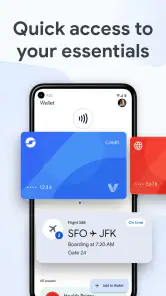
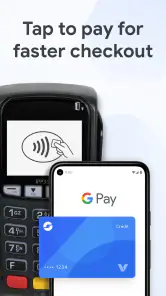
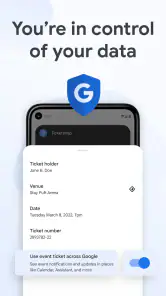
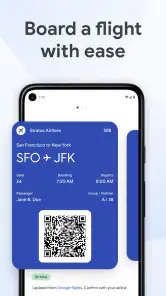
Analysis by Reviewed
I find Google Wallet most useful when I’m heading out with several small essentials to keep track of: a payment card, a ticket, or a pass I’d otherwise have to dig out of a pocket. It is a finance app from Google LLC, and its appeal is practical rather than flashy: put supported everyday items in one place, then bring them up when the moment calls for them. The key word is supported. A digital wallet can simplify the things it accepts, but it does not make every card or ticket interchangeable with every other one.
Start with the items you actually use
Before relying on it for a busy day, I’d add the cards and passes I reach for most and check that each one appears as expected. That small trial run matters: the value is not simply having a digital copy, but knowing where to find the right item at a checkout, station, or entrance. Keep a physical backup for anything that would derail your plans if it were unavailable, especially while you are still learning which parts of your routine work smoothly.
The app is free, rated for Everyone, and available on devices running Android 9 or later. It has a 4.4 average from around 2.2 million ratings, with over 1 billion installs. Those figures suggest that it is a familiar option for many people, but popularity does not guarantee that every feature or card will fit your situation. I’d judge it by the items you need to carry and the places where you expect to use them.
The Latest on Google Wallet
Move from setup to an everyday payment
Once the relevant item is in the wallet, the useful test is a normal errand, not a complicated setup session. For example, I might leave home for a quick grocery stop with a payment card ready on my phone, then pull up a ticket or pass later in the day. That is where a digital wallet can feel less like another finance app and more like a shortcut: fewer separate things to search for when the queue is moving.
There is a practical distinction between storing an item and being able to use it at a particular terminal or venue. I would check the card or pass itself and the place I plan to use it rather than assume that a digital version is accepted everywhere. For an important trip, I’d also keep the booking details or a physical payment option available until I know the handoff works. A quick check before leaving is less frustrating than discovering a mismatch at the gate.
What is Google Wallet All About?
At its core, Google Wallet is a digital wallet platform developed by Google. It’s designed to let you store your debit cards, credit cards, loyalty cards, and even gift cards, all in one convenient place. Think of it as your virtual wallet that saves you from the hassle of carrying around a bulky physical wallet.
Seamless Integration
One of the things I absolutely love about Google Wallet is how seamlessly it integrates with other Google services. If you’re already using apps like Gmail or Google Pay, you’ll find that setting up and using Google Wallet is a breeze. It’s like Google has created this interconnected ecosystem that just makes life easier.
More From Our News Desk

X Under Pressure: Can It Recover When Posting Goes Wrong?

Clash of Clans Is Won Between the Battles

Android Auto Makes the Case for Quieter Car Software

MobiOffice: Transforming Mobile Productivity with Seamless Integration

EA SPORTS FC™ Mobile Soccer: Redefining Mobile Sports Gaming

How Microsoft OneDrive Became a Mobile Productivity Giant
Plus, the app is available on both Android and iOS, so no one’s left out! Whether you’re team Android or team iPhone, you can enjoy the perks of having all your payment info right at your fingertips.
Security Features
Now, I know what you’re thinking. Is it safe? Well, Google Wallet has got you covered. The app uses advanced security measures like encryption and tokenization to protect your sensitive information. On top of that, you can set up a PIN or use your device’s biometric features, like fingerprint or facial recognition, to add an extra layer of security.
So, you can rest easy knowing that Google is going above and beyond to keep your payment details secure.
Easy to Use
Let’s talk about user experience, shall we? Navigating through Google Wallet is super intuitive. The interface is clean and straightforward, making it easy to add new cards, check your balance, or view your transaction history. Even if you’re not tech-savvy, you’ll find it easy to get the hang of it in no time.
And here’s a little bonus: Google Wallet also lets you send and receive money from friends and family. It’s perfect for splitting bills or chipping in for a group gift without any awkward cash exchanges.
Choosing it over other wallet habits
Compared with a physical wallet, the obvious win is carrying fewer loose cards; the trade-off is depending more on your phone and on acceptance at the place you visit. Compared with a bank’s own app, Wallet is more naturally suited to keeping everyday items together, while a bank app may be the better place to manage account-specific tasks. I would not replace a banking app or a backup card just because Wallet is convenient at checkout.
A useful habit is to arrange the items you use most so they are easy to spot, then remove or ignore old passes that only make the list harder to scan. Before a trip, I’d confirm the ticket is present and accessible rather than waiting until boarding. This is a small workflow improvement, but it turns the wallet from a drawer of digital odds and ends into a tool I can rely on in a specific moment.
Where the handoff can fail
The main friction is at the boundary between the app and the outside world: a card may not be accepted by a particular merchant, a pass may not suit a venue’s process, or a phone may not be the device you can use at that moment. I’d keep another payment method for situations where a declined or unavailable digital option would hold up the day. If you prefer cash, carry a basic physical wallet, or do most of your money management inside one bank’s app, Wallet may add less value than it does for someone who wants quick access to a mix of cards and tickets.
Google Wallet was released on June 24, 2011, and its long presence has helped make digital wallets familiar, but I still recommend testing your own routine before making it the only way you carry essentials. Google’s app has an average rating of 4.4, supported by around 121,000 written reviews, and that broad response is useful context rather than a promise that every user’s setup will be identical. My verdict is that it works best as a convenient front pocket for supported items—not as a replacement for every financial tool or a backup plan.
Wrapping It Up
All in all, Google Wallet is a solid choice for anyone looking to simplify their financial life. With its robust security features, seamless integration, and ease of use, it’s no wonder that so many people are making the switch to digital wallets.
So, why not give it a try? Download the app, set it up, and experience the convenience of having all your payment methods in one secure place. Trust me, once you start using Google Wallet, you’ll wonder how you ever managed without it!
Make the first outing a low-stakes test
I would not make a first attempt at a digital wallet during a rushed commute or while a line is waiting behind me. A better test is a short, ordinary stop where I can calmly choose the card I intend to use and see whether the shop’s payment setup accepts it. That gives me a chance to learn the sequence on my own phone and spot any setup step that still needs attention, without turning a small convenience into a source of stress.
For a day that involves both spending and entry, I’d check the payment card and the ticket separately. They solve different problems, and finding one successfully does not prove the other is ready. I’d also make sure I can unlock and operate my phone comfortably in the conditions I expect—such as wearing gloves or carrying bags—because the real test is not just whether an item is stored, but whether I can reach it at the moment I need it.
Keep the wallet useful rather than crowded
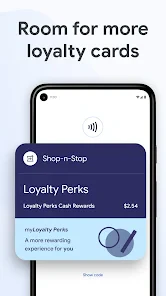
Digital storage can tempt me to add every card I own, but a longer list is not automatically a better wallet. I’d prioritize what I use routinely and leave rarely needed items out unless there is a clear reason to carry them digitally. That keeps the important choice easier to find under pressure. For someone who has several loyalty cards, for instance, the practical gain is being able to retrieve a relevant one at the store; the drawback is that a cluttered collection can erase that speed advantage.
It also helps to distinguish a payment card from a record of an account. If I need to review detailed activity or change account settings, I would still go to the relevant financial provider rather than treat Wallet as a full substitute. The wallet is most convincing as a quick access point for a transaction or pass, not as the place to handle every question about a financial relationship.
Who benefits most from this routine
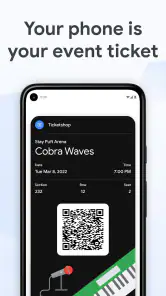
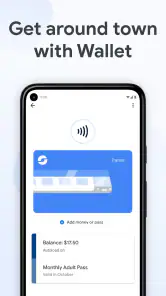
I’d recommend it to someone who already uses a compatible phone and wants fewer physical cards to carry, especially if their day regularly moves between shops, public transport, events, or other places where digital passes are useful. It can be particularly handy when I’m traveling light: instead of searching through a pocket for a ticket and then a payment card, I can check the relevant item on the same device I already have with me.
It is less compelling for someone who prefers cash, rarely carries a phone, or needs a payment method that works independently of a charged, accessible device. It may also be the wrong fit if the cards and passes that matter most are not accepted in the situations where that person uses them. I’d rather keep a straightforward physical wallet than force a digital workflow that adds steps or uncertainty.
Think about the full journey, not just checkout
A realistic day might begin with checking that a travel pass is ready, continue with using a payment card for lunch, and end with presenting an event ticket. The value comes from having those separate items available in one place, but each handoff still depends on the outside party recognizing the digital version and on me bringing a usable phone. Before an important appointment or journey, I’d verify the exact item I need and keep an alternative for the part of the plan that cannot easily be delayed.
That is also why I would not describe a phone wallet as a universal replacement for a purse or cardholder. A spare physical card can be a small but sensible fallback, particularly when the cost of a failed payment or missing ticket is more than an inconvenience. Once I know a specific routine works, I can carry less; until then, a gradual switch is more practical than removing every backup at once.
A balanced place in a finance toolkit
Among the usual alternatives, a bank’s app is stronger for tasks tied to that bank, while a physical wallet remains dependable for people who want direct access without relying on a phone. Google Wallet sits between those habits: it gathers supported everyday items for quick retrieval, rather than replacing account management or guaranteeing acceptance at every counter. I see that narrower role as a strength, as long as I do not expect it to solve problems outside its lane.
Google LLC has built an app with a broad audience, and the number of written reviews—around 121,000—offers another sign that many people have tried it. I still would not use popularity as a reason to skip the practical checks. The most useful question is simple: does it make the particular cards, passes, and tickets I carry easier to reach in the places I actually go? If yes, it earns its space on my phone; if not, a bank app or a physical cardholder may be the more comfortable choice.
Google Wallet Frequently Asked Questions
Can I use Google Wallet on an iPhone?
Google Wallet is presented here as an Android app, so check the app store on your device before downloading and confirm that the version available to you supports your phone. If you are choosing a wallet app for iPhone, make sure its features match what you need rather than assuming that the Android app’s options apply on iOS.
Do I need an internet connection to use Google Wallet?
Your connection needs can depend on what you are trying to access. Google Wallet keeps cards, passes, and tickets together for quick access, but adding or updating items and using particular services may require connectivity. If you expect to rely on a saved item while offline, check how that item works on your device before you travel or need it.
Can I add any card, pass, or ticket to Google Wallet?
Google Wallet is designed to hold everyday essentials such as cards, passes, and tickets, but that does not mean every item can be added. Availability can depend on the issuer or provider and whether the item is supported. Before relying on the app, check that the particular card, pass, or ticket you want to use can be added and accessed on your device.
Is Google Wallet free to download, and what kind of app is it?
Google Wallet is a free finance app from Google LLC. It brings everyday essentials such as cards, passes, and tickets together for quick access on your phone. The app is rated for Everyone, and its broad availability is reflected in over a billion installs. Before downloading, check that your device runs Android 9 or later.
What can I keep in Google Wallet besides payment cards?
Google Wallet is designed to keep everyday essentials together, including payment cards, passes, and tickets. This can make it easier to find items you would otherwise carry separately or search for on your phone. What you can add and use may depend on the item and its support, so the app’s usefulness will vary with the cards and passes you already have.
Pros
- Intuitive user interface for easy navigation
- Supports multiple card types and banks
- Quick and secure transactions
- Integration with other Google services
- No fees for basic transactions
Cons
- Limited availability in some countries
- Requires Google account for full features
- Potential privacy concerns with data sharing
- Occasional app crashes reported by users
- Not all retailers accept Google Wallet
- Category
- Finance
- Version
- Varies with device