 About Word Search - Word Puzzle Game
Why Word Search Still Fits the Modern Phone
Phone updates keep making our devices better at handing off tasks, protecting attention, and adapting to different screens. A word-search grid has no obvious need for any of that. Yet that is precisely the interesting question raised by Word Search - Word Puzzle Game: as Android and iOS become more context-aware and interruption-conscious, can a deliberately simple puzzle feel more at home, rather than more outdated? My verdict is that the format fits modern phone habits unusually well, but the game’s lasting appeal depends on how little friction surrounds its basic loop.
This is not a review of a dramatic redesign or a newly invented puzzle mechanic. Word search is familiar by design: scan a field of letters, spot a listed word, trace it through the grid, and move on. The pleasure comes from recognition, not spectacle. Platform changes matter here less as features to show off than as shifts in how people pick up, pause, and put down their phones.
A puzzle built for the stop-and-start phone
What the platform shift can add
Android and iOS have both spent years improving the small mechanics around app use: notifications can be managed more precisely, background activity is more restricted, accessibility controls are easier to reach, and system interfaces respond more thoughtfully to display size and text settings. Those changes do not turn a word puzzle into a new game. They do raise the standard for how gracefully it should behave between sessions.
For this kind of game, the gain is practical. A round can occupy a short break without demanding a long commitment, a complicated tutorial, or an online social obligation. If the app resumes reliably after a call or a quick switch to another task, the puzzle remains easy to return to. If it respects system text and display preferences, the grid is less tiring to inspect. These are modest benefits, but in a game designed for repeated brief visits, modest benefits accumulate.


There is an important caveat: operating-system improvements do not guarantee that every game implements them well. Nor should a review assume that a particular release includes features such as cloud saves, adaptive layouts, or a polished dark theme without verifying them. The meaningful standard is simpler: does the puzzle remain legible, responsive, and easy to resume on the phone in your hand?
What users notice first
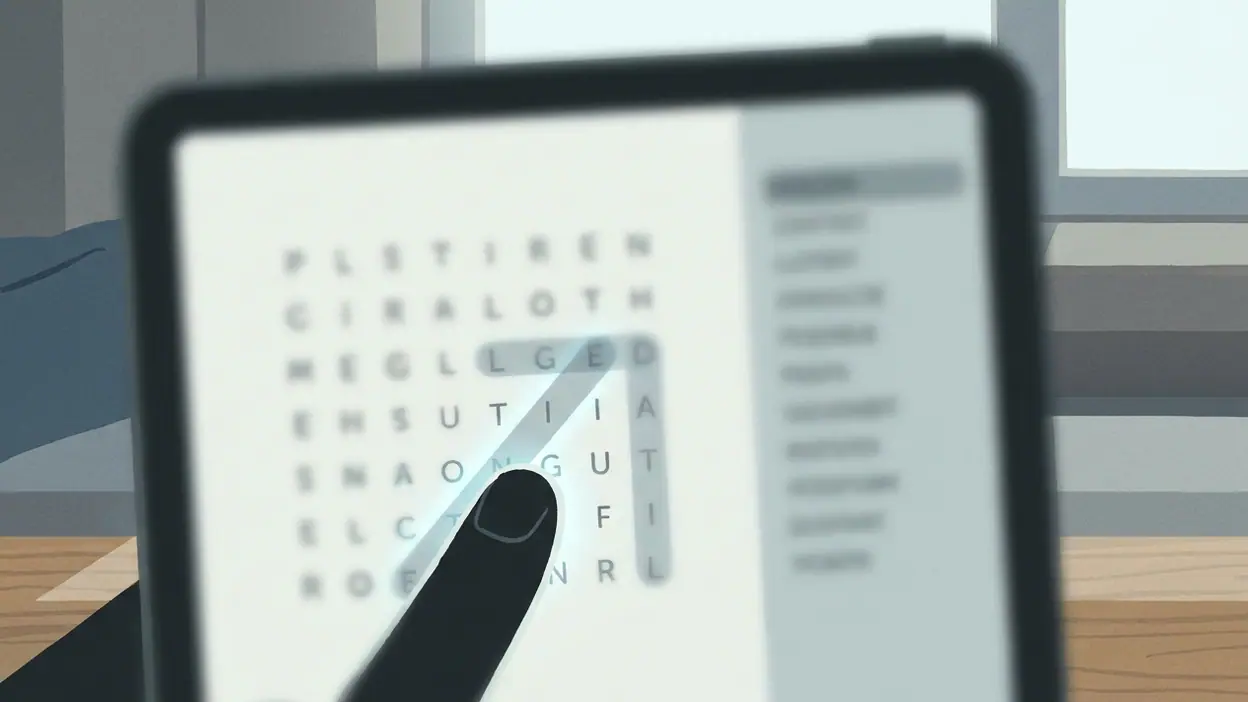
The first impression is the grid. Unlike a story game, which can introduce a character or a setting before play begins, a word-search game has almost nowhere to hide. Letter spacing, contrast, touch accuracy, and the clarity of the word list determine whether the first puzzle feels inviting or like a chore. One missed tap is a tiny annoyance; repeated uncertainty about whether a word has registered can spoil the calm the format promises.
The second impression is pace. A satisfying round gives the eye enough challenge to hunt without making every word feel buried. Your scan starts methodically, then speeds up as familiar letter patterns emerge. A word found near the edge can make the rest of the grid suddenly look different. That little shift in perception is the game’s hook: you are not only searching for words, but learning to read the board more efficiently.
Latest News


For an update-era game, controls should also feel native to current touch habits. People expect taps and swipes to respond immediately, and they may use larger text, a high-contrast setting, or a device with a notably different screen shape from the one the developer originally targeted. The core puzzle survives all of that only if its presentation stays clear. This is where an otherwise plain game earns or loses trust.
The daily rhythm changes the game
Modern phone use is fragmented. We check a message, wait for a train, return to a task, then find a spare minute later. Word search fits those gaps because its loop has a clean boundary: start a puzzle, search, complete it, and stop. There is no elaborate sequence to remember and little penalty for putting the game down. That makes it less demanding than a session-based action game and more mentally active than scrolling through a feed.
The rhythm is also tactile and quiet. A finger traces a route across the letters while the eyes test likely combinations. The game does not need a soundtrack or a constant stream of rewards to make the next move understandable. When the interface gets out of the way, the pleasure is almost private: a small click of certainty when a hidden word resolves out of visual noise.
That simplicity can become repetition. If boards feel too similar, if difficulty rarely rises, or if progression amounts to little more than another grid, a brief diversion may not turn into a lasting habit. Word search naturally encourages replay, but the format cannot rely on familiarity alone forever. Variety in themes, board construction, and challenge would give regular players a reason to keep returning without cluttering the experience.
Strengths in a more connected ecosystem
Phones are now shared spaces for maps, payments, news, comics, and games. Google Wallet is useful because it can replace a physical card at the moment of purchase; Android Auto carries selected phone functions into the car; Google News - Daily Headlines organizes updates into a feed. Those products make the phone a tool for moving between contexts. Word search occupies the opposite end of that spectrum: it asks for one small pocket of attention and does not pretend to manage the rest of the day.
That difference is a strength. A puzzle that opens quickly and lets a player focus on one grid can be a welcome counterweight to apps built around alerts and endless updates. It does not need to compete with the news cycle or turn every session into a social event. Its best ecosystem advantage is simply fitting into the short pauses created by other phone activities, while leaving those activities alone.
There is room for useful platform support around that role. Reliable state preservation matters if the player switches apps. Sensible notification restraint matters because a puzzle does not need to interrupt someone to remain engaging. Accessibility options matter because the letters are the game board, not decorative detail. Good platform integration here means less fuss, not more features.
Where compatibility can still pinch
Compatibility friction is most visible in the places a simple game cannot disguise. A cramped layout can make the grid difficult to scan on a smaller screen; oversized system text can compete with board space if the interface does not adapt; a display cutout or rounded corner can make controls feel awkwardly placed. On a large phone, the reverse problem may appear: a stretched grid can require more thumb travel and make a quick round less comfortable.
There is also the question of interruptions. Modern operating systems may pause or restrict background activity to protect battery life, while calls, navigation prompts, and messages can arrive at any time. That is not a fault unique to this game, but it makes stable saving and fast resumption especially valuable. A casual puzzle should not make a player wonder whether an interrupted round has vanished.
These concerns are not reasons to expect every player to encounter a bug. They are the right things to test before recommending the game broadly: whether the board remains readable at personal display settings, whether gestures register consistently, and whether a brief app switch costs progress. Word search has very few systems, so the quality of these fundamentals carries unusual weight.
How its rivals adapt
Most of the named comparison apps are not direct rivals. WEBTOON: Manga, Comics, Manhwa competes for leisure time, but it gives that time to serialized stories and illustrated pages. Google News competes for attention in a more literal sense, filling spare minutes with headlines. Their lesson is not that a puzzle should copy a comic feed or a news stream. It is that mobile users increasingly expect content to fit the moment: easy to resume, comfortable to read, and respectful of the time available.
A word-search game can meet that expectation by staying focused. Adding more prompts, streak pressure, or social demands might make it look busier, but busyness is not the same as value. The best response to rivals is a crisp board and a reason to play another round, not an imitation of their notifications or feeds.
What this says about mobile games
The larger shift is from treating every game session as a destination to treating some games as companions to the day. A word puzzle does not need a grand narrative arc to be worthwhile. It needs to work in the narrow spaces where people actually play: a few minutes before a meeting, a quiet stretch on public transport, or a pause at home when a larger game feels like too much effort.
That model rewards restraint, but it does not excuse thin design. A small game still needs thoughtful pacing, readable presentation, and enough variation to avoid turning repetition into routine. Platform improvements can smooth access and reduce interruptions; they cannot manufacture depth. The strongest version of this experience will use the phone’s capabilities to protect the puzzle’s focus, not to decorate a familiar format with unnecessary systems.
Who should play, and what comes next
Word Search - Word Puzzle Game makes the most sense for players who want a low-pressure mental warm-up, enjoy visual scanning, or prefer games that can be paused without losing the thread. It is also a good fit for anyone who wants a clear alternative to endless feeds. Players looking for a campaign, a strong narrative, or a dramatic progression system should look elsewhere; the appeal here is the compact satisfaction of finding words in a field of letters.
What I would watch next is not a leap into elaborate features but careful attention to the basics: puzzle variety, a meaningful range of difficulty, comfortable scaling across screens, and dependable resumption after interruptions. Those details decide whether a familiar pastime remains a pleasant daily ritual or becomes an app opened once and forgotten.
In the end, Word Search earns its place on a modern phone by asking for little and giving a small, satisfying task in return. Android and iOS updates cannot make the grid profound, and they do not need to. They can make it easier to reach, easier to see, and easier to leave and revisit. If the game keeps its controls precise and its puzzles fresh, that modest promise is enough. Its limitation is the same as its charm: the format is simple, so the details have to be right.