MetaTrader 5 — Forex, Stocks
- 10.25K
- 4.7
- Installs
- 10.00M
- Price
- Free

Screenshots
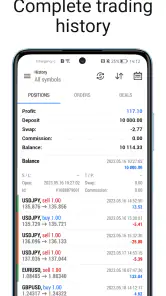
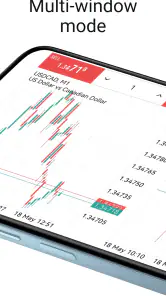
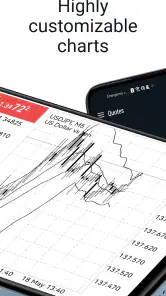
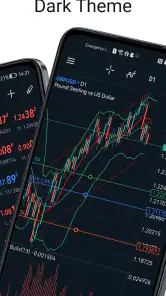
Analysis by Reviewed
I find MetaTrader 5 most useful when I have a specific market question to answer, not when I’m merely looking for a quick financial snapshot. It brings charting, technical analysis and trading tools into a phone app, but the experience depends on having current market information and knowing what you want to inspect. If I were recommending it to a friend, I’d describe it as a capable mobile workspace for active market followers—not a shortcut to trading knowledge or a replacement for careful decisions.
Network-dependent moments
Quotes and news are only useful when they’re current, so a reliable internet connection matters whenever I’m checking a market move or deciding whether a chart deserves my attention. That changes how I use the app: I treat a quick phone check as a way to monitor and investigate, not as a guarantee that every screen will be equally useful in every network situation.
For example, if I’m commuting and notice a sharp move in an instrument I follow, I can use the chart to inspect the price action rather than rely on a notification or a single number. But if the connection is patchy, I would avoid making a rushed decision based on a screen that may not have refreshed as expected. My practical rule is simple: confirm the quote and the account context before acting, especially when the timing matters.
Useful in short sessions, demanding in longer ones
The phone format works well for brief checks between other tasks. I can review a chart, switch to another instrument and return to what I was watching without needing a desktop setup. That convenience is strongest for someone who already knows which markets and chart details matter to them. A newcomer may find that the number of tools creates more questions than answers at first.
When I’m learning, I’d start with a small watchlist and a chart layout I can read at a glance. That keeps a quick mobile session focused and makes it easier to notice when I’m changing an analysis choice rather than responding to a genuine market change. If I want to study several charts carefully or compare complex setups, I’d rather use a larger screen; a phone is portable, but it can make detailed chart work feel cramped.
Recovery, care and sensible expectations
Network interruptions are a real consideration for any market app. If something appears stale or a screen does not update, I would first check the connection, then refresh or reopen the relevant view and verify the information before relying on it. I would not treat a temporary display problem as proof that an order did or did not go through; account and order status should be checked directly before taking another step. That cautious habit matters more than trying to trade faster.
It is also worth keeping market checking intentional. Repeatedly opening charts whenever a notification or price change catches your eye can turn a useful tool into a source of distraction. I prefer deciding in advance what I’m monitoring and when I’ll review it. That approach is especially helpful on mobile, where the app is always close at hand but attention is not unlimited.
More From Our News Desk

Weather by Xiaomi Review: Clear at a Glance, Less Clear Up Close

X Under Pressure: Can It Recover When Posting Goes Wrong?

Clash of Clans Is Won Between the Battles

Android Auto Makes the Case for Quieter Car Software

MobiOffice: Transforming Mobile Productivity with Seamless Integration

EA SPORTS FC™ Mobile Soccer: Redefining Mobile Sports Gaming
Trading Tools and Everyday Use
As a finance app developed by MetaQuotes Software Corp., MetaTrader 5 packs a lot of market-focused functionality into a mobile interface. I like having charts and analysis close at hand, but I would not call the experience effortless. The range of choices rewards a little preparation: learn the controls you actually need, arrange a readable view, and resist the urge to interpret every movement as a signal.
Charts that reward a deliberate setup
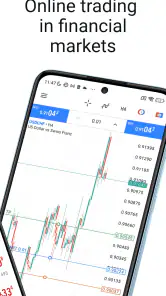
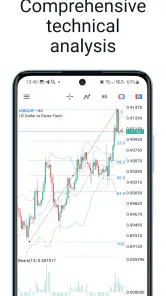
The chart is where I would spend most of my time. Rather than filling the screen with every available tool, I’d choose one or two views that answer a clear question: is the price approaching a level I care about, or has its recent direction changed? A minimal layout is particularly useful on a phone because it keeps labels and movements legible. The trade-off is that less information is visible at once than on a desktop, so a mobile chart is better for checking a prepared idea than building a complex analysis from scratch.
One practical habit is to decide what would make me change my view before opening the chart. For instance, if I’m following a stock after a busy day, I can check whether it has moved toward a level I’m watching without treating a brief fluctuation as a reason to act. This makes the app a tool for disciplined observation rather than a stream of prompts to trade.
Market coverage and broker fit
The platform is designed for following and trading across markets such as Forex and stocks, but the instruments and account arrangements available to you depend on the broker you use. That is an important distinction: installing a trading platform does not automatically provide access to every market or mean that every broker offers the same setup. I’d confirm that the instruments I care about are available through my chosen broker before investing time in arranging charts.
If your main goal is to keep an eye on a few prices, a basic quote app may be quicker to understand. If you want charts and technical analysis in the same place as your trading workflow, this app can be more useful, provided your broker supports the arrangement you need. The extra capability is worthwhile only if you plan to use it; otherwise it can feel like unnecessary complexity.
Trading controls deserve a learning period
Because this is a trading app rather than just a market-news reader, I would learn how its order controls work before using them under pressure. Take time to understand what each order choice means and how to review account activity. A neat screen can make an action feel simple, but it cannot remove the financial risk or replace a considered plan.
I’d also separate learning the interface from making a market decision. Explore the chart controls when there is no urgency, then check that you can find the relevant instrument and account details without rushing. If you are new to trading, a dedicated educational resource may be a better starting point than expecting the app itself to teach strategy or risk management.
Automated strategies are not a substitute for oversight
MetaTrader 5 is associated with automated trading tools, including Expert Advisors, but automation should not be mistaken for effortless or risk-free investing. A strategy still needs to be understood, checked and monitored. On a phone, I would be particularly cautious about assuming that a glance at a chart tells me whether an automated approach is behaving as intended. The app can be part of a wider workflow, but responsibility for understanding the approach remains with the user.
For someone who only wants to check a market now and then, the automation side may be irrelevant. For a more experienced trader, it may be a reason to explore the platform further, while still treating the strategy and broker setup as separate decisions. Either way, I would not enable or rely on a system I could not explain in plain language.
Community claims and independent judgement
Trading discussions can be useful for hearing how other people frame a market, but I would treat opinions shared by other traders as ideas to assess, not instructions to follow. A confident post does not establish that a strategy suits your finances, timeframe or risk tolerance. I prefer using discussion to generate questions, then checking the relevant chart and doing my own research.
The same caution applies to support expectations. For account-specific questions, the broker is the sensible place to confirm account terms and availability. For a problem with the app itself, the developer is MetaQuotes Software Corp. Keeping those roles distinct can save time: a platform cannot necessarily resolve a broker’s account decision, and a broker may not be able to explain every app control.
Who will get the most from it?
I’d recommend it to a trader who values charts and technical analysis enough to spend time setting up a useful view, and who wants market monitoring and trading tools together. It is less compelling if all you need is a simple portfolio snapshot or general financial headlines; a bank or investing app may be calmer and easier for that job. Likewise, anyone expecting a guided course should look elsewhere for structured lessons rather than assuming a feature-rich platform will teach trading by itself.
A practical routine is to check a few chosen instruments before work, note the levels or patterns you’re watching, then revisit them later instead of opening every chart in a moment of boredom. That creates a clearer comparison between your original plan and what the market actually did. It also limits the temptation to treat every short-term fluctuation as a signal.
Choosing between phone and desktop tools
Compared with a basic quote or broker app, this platform puts more emphasis on chart customization and analysis. That is a genuine advantage when I want to inspect price movement, but it comes with a learning curve and more visual complexity. A broker’s own app may be the better fit if your priority is a tightly integrated account workflow; a desktop platform is often more comfortable for prolonged chart study. The best choice depends on whether portability or workspace matters more to you.
One useful trade-off is to prepare a clean chart view for quick checks instead of trying to reproduce every desktop detail on a small screen. Keep the essential instrument and indicators visible, and use the phone to monitor rather than to make an elaborate analysis from scratch. That small adjustment makes mobile use more deliberate and reduces clutter.
What to check before relying on a setup
The app is free, rated for Everyone, and has a 4.7 average from around 999,000 ratings, with more than 10 million installs. It was released on October 10, 2011, and version 500.5440 requires Android 6.0 or later. Those figures point to a well-established app, but popularity is not a substitute for checking whether the instruments, account arrangements and trading conditions you need are available through your chosen broker.
That distinction also answers a common practical question: installing the app alone does not tell you what markets or account features you can use. I’d first confirm the relevant broker connection and instruments, then spend time learning the chart controls before placing any trade. If you mainly want to follow prices, you can keep your use observational; if you plan to trade, make sure you understand the order details and risks rather than treating a smooth interface as a recommendation.
Using it on a limited data plan
When I’m watching data use, I’d avoid leaving market screens open without a reason and focus on the instruments I actually follow. Checking only a small, purposeful selection is easier on attention as well as on connectivity. I would also avoid assuming that a chart or quote is current simply because it is already visible: if the information matters to a decision, I’d confirm it has refreshed before relying on it.
This is not the app I’d choose for casual browsing when I have a weak connection and no specific market to check. Its value comes from interacting with current market information, so a delayed or interrupted session reduces the confidence I can place in what I see. If I’m just curious about a company or want broad financial coverage, a general news app can be a more comfortable companion.
A realistic day with the app
Imagine I’m following a currency pair and a stock during a workday. Before leaving home, I review the charts and decide what changes would make either one worth another look. At lunch, I check the relevant views briefly; if the connection is unreliable, I wait until I can verify the information rather than reacting to a number that may be stale. Later, I can return to the charts and compare what happened with the plan I made earlier.
That routine makes the phone useful without turning every spare moment into a trading session. It also shows where a desktop remains preferable: if I want to compare several instruments carefully, annotate a more involved analysis or spend a long time studying charts, I would rather do that on a larger screen. The mobile app is strongest as a companion for focused checks, not as a reason to do all market work on a phone.
A balanced verdict on staying connected
For me, the strongest case for this app is the combination of portable chart analysis and broad market coverage, especially when I already know what I’m looking for. The main friction is that connection quality and screen size shape how confidently I can use it, while the range of controls can overwhelm someone who wants a simple, guided experience. I would choose it for focused market monitoring and hands-on chart work, but not as a substitute for learning risk management or for a stable connection when a decision depends on fresh information.
With a 4.7 average, roughly 999,000 ratings and over 10 million installs, it has clearly found a large audience. MetaQuotes Software Corp. keeps the app free, and its long presence in finance makes it easy to understand why traders keep it in their toolkit. I’d recommend trying it if you want detailed market tools on your phone and are willing to learn the interface; if your needs are simpler, a less technical alternative may serve you better.
MetaTrader 5 — Forex, Stocks Frequently Asked Questions
Is MetaTrader 5 free to download, and what should I know before using it?
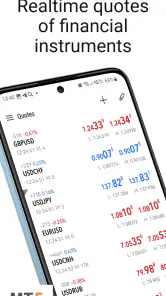
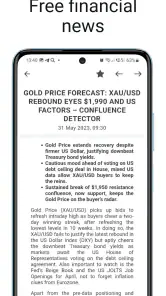
MetaTrader 5 is free to download and is designed for online trading, with Forex and stock quotes, charts, technical analysis, and news. Downloading the app does not make trading itself risk-free: market activity can lead to losses, so take time to understand the platform and the financial decisions involved before placing any trades.
What is MetaTrader 5 used for on a phone?
MetaTrader 5 is a finance app for following markets and using an online trading platform from a mobile device. It brings together Forex and stock quotes, charts, technical analysis, and news. You can explore these tools to review market information, while the instruments and trading conditions available to you depend on the broker connected to the app.
Does MetaTrader 5 require a particular Android version?
MetaTrader 5 is available for Android devices running version 6.0 or later. Before downloading, check your phone’s software version and make sure you have enough room for the app and any market information you want to view. The app is a finance platform for online trading, with Forex and stock quotes, charts, technical analysis, and news.
Who develops MetaTrader 5, and is it suitable for a general audience?
MetaTrader 5 is developed by MetaQuotes Software Corp. It is a finance app rated for Everyone, so its intended audience is broad, though its trading tools may be more useful to people who already understand financial markets. The app provides access to trading-related information and platform features; users should take time to learn how trading works before making financial decisions.
What is MetaTrader 5 and how does it differ from MetaTrader 4?
MetaTrader 5 (MT5) is an advanced trading platform designed for forex, stocks, and futures trading. Unlike its predecessor, MetaTrader 4, MT5 offers additional features such as more timeframes, an economic calendar, and a more sophisticated order management system. It supports more trading instruments and allows hedging, making it suitable for more complex trading strategies.
Pros
- User-friendly interface
- Advanced charting tools
- Supports multiple order types
- Access to global financial markets
- Automated trading capabilities
Cons
- Steep learning curve for beginners
- Requires stable internet connection
- Limited educational resources
- Occasional system lags
- In-app purchases can be costly
- Category
- Finance
- Version
- 500.5440











