Daily Weather
- 620.00
- 3.9
- Installs
- 10.00M
- Price
- Free
Screenshots
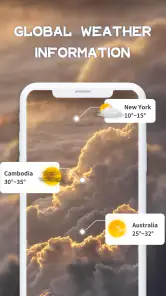
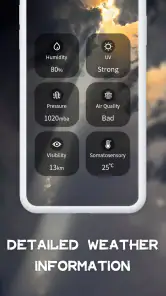
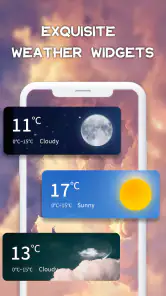
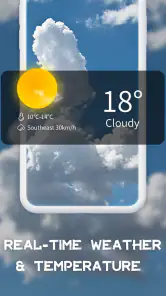
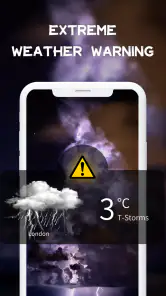
Analysis by Reviewed
I find weather apps most useful when they help me make a small decision quickly: take a jacket, shift a walk, or leave earlier. Daily Weather is built for that everyday check. It is a free weather app from P & L Studio, and its straightforward approach suits people who want a forecast without turning the morning routine into a research project. I would treat it as a practical planning aid, not as a guarantee that the sky will follow a schedule.
A simple routine for checking the day
My most useful way to use a forecast app is to check it at the moment a decision is coming up, rather than repeatedly refreshing it without a purpose. With Daily Weather, I would start by looking at the day ahead, then use the hourly view when timing matters. If I am deciding whether to walk before or after work, the broad daily picture is only the first step; the hour-by-hour detail is what helps me choose a window.
That distinction matters because a daily summary can hide changes within the day. A morning that looks manageable may not be the best time for an outdoor errand later on, and a passing shower does not necessarily mean the whole day is a washout. I find it more helpful to compare the hours around my planned activity than to react to a single icon or headline. That is a repeatable habit, and it keeps the forecast useful without making it feel like a source of constant interruptions.
For a typical commute, I would check once before leaving and again only if the day’s plans depend on changing conditions. If the forecast suggests a rough patch, I can bring suitable clothing or adjust when I travel. If nothing important is happening outdoors, there is little value in checking every few minutes. The app works best when I connect what it shows to a real choice I need to make.
Where alerts and radar fit into the routine
Alerts can be useful when I cannot keep opening the app, but I would set them with a clear purpose. A notification about a condition that affects a planned run or a long trip can be worth seeing. Too many alerts, on the other hand, can turn a helpful weather tool into background noise. I would begin with only the conditions that could change my plans, then adjust after seeing whether those notifications are genuinely useful in my routine.
The radar is a different kind of check: it helps me look at how conditions are moving rather than relying only on a general forecast. Before taking a bike ride or heading to an outdoor appointment, I would use it as one more piece of context. I would not treat a radar image as a promise about exactly what will happen at my door; weather can shift, and a broad visual view is better for judging a pattern than for making a precise guarantee.
One practical habit is to check the hourly outlook first and open radar only when the timing or direction of approaching weather could affect a decision. That avoids adding steps to an ordinary day while keeping the more detailed view available for plans that need it. The same restraint applies to alerts: the point is not to collect every update, but to receive the few that might change what I do.
More From Our News Desk

Weather by Xiaomi Review: Clear at a Glance, Less Clear Up Close

X Under Pressure: Can It Recover When Posting Goes Wrong?

Clash of Clans Is Won Between the Battles

Android Auto Makes the Case for Quieter Car Software

MobiOffice: Transforming Mobile Productivity with Seamless Integration

EA SPORTS FC™ Mobile Soccer: Redefining Mobile Sports Gaming
Who will get the most from it
I can see this app fitting people who want a readable forecast, a week of planning context, hourly detail, and weather notifications in one place. It is particularly handy for routines that repeat: walking a dog, choosing when to garden, planning school pickup, or deciding whether laundry can go outside. Checking at roughly the same decision points each day makes the information easier to act on and reduces the temptation to keep refreshing.
It may be less suitable for someone who needs specialist forecasting for work, detailed storm analysis, or a highly technical set of atmospheric tools. A general-purpose weather app is not a substitute for official local warnings or professional guidance when safety is at stake. For a serious weather event, I would compare the app’s picture with trusted local alerts rather than relying on one screen alone. That is a sensible habit with any everyday forecast app, not a criticism unique to this one.
Compared with the weather panel already built into a phone, Daily Weather offers a dedicated place to look at the week, check conditions by the hour, and use radar and alerts together. A built-in forecast may be enough if I only need the current temperature at a glance. I would choose this app when I want to spend a little more time planning, but I would not install another weather app simply to duplicate information I already find clear and dependable elsewhere.
First Impressions: Sleek and User-Friendly
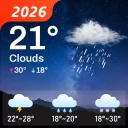
From the moment you launch Daily Weather, you’re greeted with a sleek and user-friendly interface. The design is intuitive, making it super easy to navigate. You don't need to be a tech wizard to find your way around, which is a huge plus for folks who just want their weather info without a fuss. The color scheme is easy on the eyes and the icons are crystal clear, ensuring you know exactly what weather conditions to expect.
Features That Make It Shine
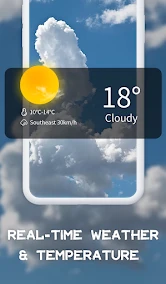
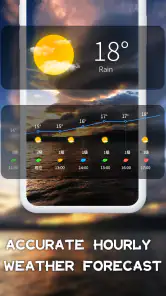
Now, let's get into the nitty-gritty. This app isn’t just about showing you if it’ll rain or shine. It provides a comprehensive seven-day forecast, letting you plan your week with confidence. The hourly updates are a lifesaver for those spontaneous outdoor plans. Moreover, the radar feature is like having a meteorologist in your pocket, giving you real-time updates on approaching storms or sunny spells.
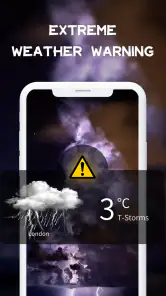
One feature I absolutely adore is the customizable alerts. You can set notifications for specific weather conditions, like a sudden drop in temperature or high pollen counts. This way, you’re always prepared, come rain or shine. It's these thoughtful touches that make Daily Weather a must-have on your phone.
Settings and small decisions that matter
Although the screen is approachable, I would not assume that every setting should be left at its default. The useful setup is the one that matches how I actually make plans: choose alerts only for weather changes that would alter my day, and keep the rest of my attention for the forecast itself. If a condition rarely affects my routine, a notification about it is unlikely to become more valuable just because it is available.
I would also make a habit of checking the location shown before interpreting a forecast, especially after travelling or when looking up conditions for a different place. A correct forecast for the wrong location is still the wrong information for a commute or appointment. This is a small but important check in any location-based weather app, and it is particularly worthwhile when I have recently moved between home, work, and a destination.
Daily Weather’s free access makes it easy to try this routine before deciding whether any optional purchase is worthwhile. In-app purchases range from $0.99 to $11.99 per item, so I would look at the actual purchase details in the app rather than assume that paying is necessary for ordinary forecasting. If the basic forecast and the settings I use cover my needs, there is no reason for me to spend money merely to make a weather check feel more complete.
Faster patterns for busy days
For a morning with several stops, I would avoid checking each forecast screen in isolation. First I would look at the overall day, then use the hourly detail for the time I will be outside longest. If that time appears unsettled, I would consult radar before leaving. This sequence keeps the decision quick: broad outlook, relevant hours, then a closer look only if the plan needs it. It is more efficient than opening every available view by habit.
For a weekend plan, the seven-day outlook is best treated as a planning draft rather than a fixed promise. I might use it to decide which day is the better candidate for a picnic, then return closer to the event and use the hourly view to choose when to go. The trade-off is simple: looking further ahead helps me compare options, while the nearer forecast is more useful for choosing exact timing. I would keep plans flexible when weather is central to them.
One less obvious use is coordinating with another person without forwarding a string of screenshots. I can use the forecast to suggest a practical time window—such as meeting earlier if the later hours look less suitable—then recheck before setting out. That keeps the conversation focused on the decision rather than arguing over a single daily symbol. For shared plans, it is still worth agreeing on a backup indoor option instead of expecting any forecast to remove uncertainty.
What its forecasts can and cannot do
The app’s mix of a seven-day view, hourly updates, radar, and alerts is useful for ordinary planning, but those tools answer different questions. The weekly forecast helps me compare days; hourly detail helps with timing; radar provides a visual sense of changing conditions; alerts bring selected information to me. None should be treated as a substitute for the others, and none turns a forecast into certainty. If my decision has serious safety consequences, I would check authoritative local warnings as well.
There is also a practical limit to customization: a notification only helps if it arrives at a useful time and concerns something I care about. If I find myself ignoring alerts, I would reduce them rather than leave them enabled and hope they become useful. Likewise, a radar view can tempt me to overread small changes. I use it to decide whether to take a closer look or adjust a plan, not to make a precise promise about conditions at a particular street or minute.
People who depend on highly specialized forecasts may prefer a tool designed around their activity, while those who only glance at current conditions may find their phone’s built-in weather display sufficient. Daily Weather sits between those approaches: more planning-oriented than a quick status glance, but still aimed at everyday use rather than expert analysis. That middle ground is its strength, provided it matches the level of detail I actually want.
Availability and everyday fit
The app is rated for Everyone, and it has an average rating of 3.9 from around 41,000 ratings, with about 620 written reviews. It has been installed over 10 million times, which makes it a widely used option, though popularity alone would not decide whether I keep it. I would judge it by whether its forecasts are clear for my locations and whether its alerts earn their place in my day.
Daily Weather was released on January 4, 2021, and its current version is 1.8.07. It supports Android 6.0 and later, so checking compatibility matters if I am using an older device. Those details are useful before installing, but the more important test is practical: can I find the right forecast quickly, and does the information help me make a better choice than my existing weather routine?
My advice is to try it for a few ordinary days, not just during dramatic weather. Check the forecast before a commute, use the hourly view for one outdoor plan, and notice whether a chosen alert is helpful or distracting. That gives a fairer sense of its fit than judging it after one glance. If I already get everything I need from another app, switching may add little; if I want a dedicated combination of weekly context, hourly timing, radar, and configurable alerts, it is a reasonable candidate.
Performance and Reliability
When it comes to performance, Daily Weather doesn’t disappoint. The app runs smoothly without any annoying lags. It's lightweight, meaning it won’t eat up your phone's resources or battery life. The data is accurate and updated frequently, so you're always in the know. I've been using it for a while, and I can confidently say it's one of the most reliable weather apps out there.
Why You Should Download It
So, why should you give Daily Weather a try? Well, if you're tired of unpredictable weather ruining your plans, this app will become your best friend. Its comprehensive forecasts, real-time updates, and customizable alerts ensure you're never caught off guard. Plus, the user-friendly interface makes it accessible for everyone, from tech novices to seasoned app users.
In conclusion, Daily Weather is more than just a weather app; it's your personal weather assistant. Whether you're planning a picnic, a road trip, or just your daily commute, this app ensures you're always one step ahead of the weather. So go ahead, download it today, and make unpredictable weather a thing of the past!
Daily Weather Frequently Asked Questions
What does Daily Weather help me do before I head out?
Daily Weather is a weather app designed to help you know the weather earlier and plan around conditions. Its store summary is “Know the weather earlier,” while the short description simply identifies it as Daily Weather. If you want weather information available on your phone, it may be worth considering before you download.
Who makes Daily Weather, and who is it intended for?
Daily Weather is developed by P & L Studio and focuses on weather information for everyday use. Its Everyone age rating makes it suitable for a broad audience, including people looking for a straightforward way to check forecasts. Whether you need weather information for daily plans or general reference, the app is aimed at users who want forecasts close at hand.
Is Daily Weather free to download, and are there optional purchases?
Daily Weather is free to download, so you can try its weather tools without paying upfront. The app also offers in-app purchases, with options ranging from $0.99 to $11.99 per item. These are optional purchases rather than a requirement to install the app, and it is worth checking the purchase details before choosing any extras.
What features does Daily Weather offer?
Daily Weather provides a comprehensive range of features including real-time weather updates, hourly forecasts, a 7-day weather outlook, and severe weather alerts. It also includes interactive radar maps and sunrise/sunset times. The app is designed to give users all the weather information they need in a clear and concise format.
Is Daily Weather available for both Android and iOS devices?
Yes, Daily Weather is available for both Android and iOS platforms. Users can download it from the Google Play Store for Android devices and from the Apple App Store for iOS devices. The app is designed to function smoothly across different devices, offering a seamless user experience.
Pros
- Accurate weather forecasts
- User-friendly interface
- Real-time weather updates
- Customizable notifications
- Detailed weather maps
Cons
- Ads can be intrusive
- Limited free features
- Requires internet connection
- Occasional loading delays
- Battery consumption concerns
- Category
- Weather
- Version
- 1.8.07













