QR Scanner
- 2.21K
- 4.0
- Installs
- 10.00M
- Price
- Free

Screenshots
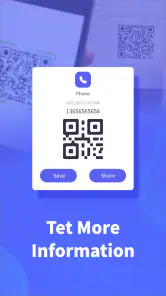
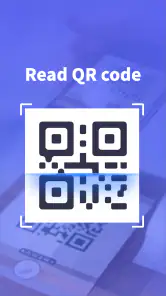
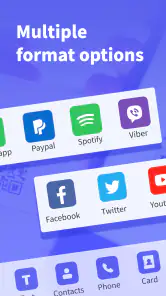
Analysis by Reviewed
QR codes are meant to save time, but reaching for a scanner that is buried in a menu—or typing a long address from a printed sign—can turn a quick task into a nuisance. I like a dedicated tool when I want to point my phone at a code and move on. QR Scanner is built for that simple job, and its appeal is less about novelty than removing a small, recurring bit of friction.
When a separate scanner earns its place
Many phones can recognize QR codes from the camera app, so a separate scanner is not essential for everyone. I would consider this one if I scan codes often and prefer a tool focused on that task rather than hunting through camera modes or a broader utility app. If your phone already opens codes reliably from its camera and you only scan one occasionally, sticking with that built-in option may be easier.
A practical habit is to pause and check the address or result before following it, especially when a code is posted in a public place. A scanner can make the code readable; it cannot make the destination trustworthy. That small extra check matters more than shaving off another tap.
Deciding whether it fits your routine
The people most likely to appreciate a dedicated scanner are those who regularly move between printed information and their phone: someone checking menus, opening a venue’s directions, or reading a label while shopping. The value is not that every scan becomes dramatically faster; it is that a familiar, focused workflow can avoid the small pauses that add up when you repeat it. If you scan only now and then, your camera’s built-in recognition may already be the simplest choice.
I would also think about how you handle scan results. A code may open a web address, show text, or lead to another action, and the useful next step depends on what appears. Before you tap through, check that the result fits the context: a menu code should make sense as a menu, and a delivery or payment prompt deserves more caution than a public information sign. The scanner reads the pattern, but it cannot judge whether the prompt is legitimate.
Why You Need a QR Scanner App
QR codes are everywhere these days. From restaurant menus to event tickets, they’ve become a part of our daily routine. So, having a reliable app on your phone is not just a convenience; it’s almost a necessity. With the QR Scanner, you can instantly access information without typing long URLs or searching for details.
Easy Peasy Setup
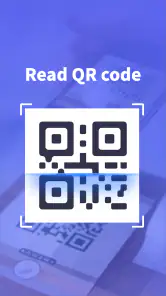
Once you download and install the app, you’re ready to roll in just a few taps. No complicated settings, no overwhelming permissions, just a simple and straightforward interface. I love how user-friendly it is, especially for those who aren’t tech-savvy. All you need to do is point your camera at the code, and voila! The app takes care of the rest.
More From Our News Desk

Weather by Xiaomi Review: Clear at a Glance, Less Clear Up Close

X Under Pressure: Can It Recover When Posting Goes Wrong?

Clash of Clans Is Won Between the Battles

Android Auto Makes the Case for Quieter Car Software

MobiOffice: Transforming Mobile Productivity with Seamless Integration

EA SPORTS FC™ Mobile Soccer: Redefining Mobile Sports Gaming
For a smoother first scan, give the camera a clear view of the whole code and hold the phone steady for a moment. On a glossy menu or a small label, changing the angle can reduce glare and make the squares easier to read. These simple adjustments are useful with any scanner and can spare you from repeatedly moving the phone closer and farther away.
Making scans work in awkward situations
One detail that is easy to overlook is the distance between the phone and the code. Moving closer is not always the answer: if the code is large, stepping back slightly can help fit its full pattern into the camera view. For a tiny label, keep the phone steady and adjust gradually until the edges look clear. This is a practical way to troubleshoot a slow scan before assuming the app has failed.
Lighting also changes the experience. In a dim restaurant, try turning toward a brighter area or using the menu’s ambient light rather than covering the code with your hand. On a phone or tablet displaying a QR code, a slight tilt can reduce reflections. These small workarounds are especially useful when you are in a hurry, because repeated, random repositioning tends to waste more time than a deliberate adjustment.
Features That Stand Out
What sets this app apart from others is its speed and accuracy. Some apps struggle with scanning in low-light conditions, but not this one. It’s like the night vision goggles of QR scanners. Plus, it stores your scan history, which is super handy if you need to revisit a link or info.
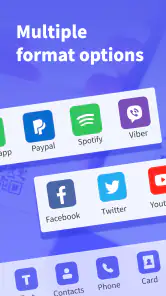
Another cool feature is its ability to scan barcodes too. Whether you’re shopping and want to compare prices or just curious about a product, this app has got you covered.
That history can be particularly useful when a code leads to details you want to check later: scan while you are standing at a counter, then return to the result when you have time to read it properly. I would not treat it as a substitute for saving an important web page or keeping a receipt, though. A scan record is most helpful as a quick breadcrumb, not a permanent filing system.
Useful in ordinary routines
Picture arriving at a café with a printed menu code while other people are waiting behind you. Instead of entering an address by hand, you can scan it and get on with choosing. The same quick workflow suits event entry codes or product labels, where the main benefit is avoiding transcription errors and unnecessary searching. If a code is damaged, covered, or displayed on a screen with heavy glare, the scanner still depends on the camera getting a readable image; no app can remove that obstacle.
There is a useful distinction between scanning an entry ticket and scanning a ticket for information. If a venue expects you to present a code at a gate, I would use the official ticket or venue app when that is the required method, rather than assume a general scanner is a replacement. For an informational code on a poster, a separate scanner can be enough to reveal the destination. Knowing which job you are doing prevents an avoidable scramble at the entrance.
Another good routine is scanning a household appliance label or a product package when you want to inspect its code without typing anything. I treat the scan as a way to reach the next piece of information, not as proof that the product is genuine or that a page is current. If the result matters—for example, before buying or following setup instructions—I check that the product name and context match what I am holding.
For shopping, barcode scanning is handy for identifying a product, but I would not assume it will automatically produce a reliable price comparison everywhere. Availability and usefulness depend on what information is associated with the code and what you want to do with it. I would use the result as a starting point, then check the seller or product details before making a decision.
What kind of app it is—and what it isn’t
Made by P & L Studio, this free Tools app is rated for Everyone and runs on Android 5.0 or later. It was released on February 23, 2023, and version 1.4.3 is the current version. Its reach is substantial, with over 10 million installs; a 4.0 average from around 42,000 ratings gives a quick sense of how users respond, while the roughly 2,200 written reviews offer more individual context.
That broad audience makes the app approachable as a basic utility, but I would not choose it on popularity alone. The more useful question is whether a separate scanner solves a real problem on your phone. If camera recognition is easy to find and dependable, another app may add little. If you repeatedly need a focused scanner, the dedicated-tool approach can feel cleaner than opening a camera, switching modes, and working out where the result went.
Compared with a phone’s built-in camera scanner, a dedicated app can make the scanning task feel more direct, while a general-purpose scanner may combine it with extra utilities. That focus is useful if you want a simple tool, but it is not automatically better: the built-in camera avoids installing anything, and a broader app may suit someone who needs several tools together. I would choose based on the routine I actually have, rather than install another app for a scan I rarely make.
Privacy, reliability, and a sensible verdict
In a world where privacy concerns are at an all-time high, it’s reassuring to know that this app doesn’t store personal data. It’s designed to do one thing and do it well, without compromising your security. And, honestly, that’s a huge relief!
For reliability, I judge a scanner by whether it can read an ordinary, intact code without turning a simple errand into troubleshooting. When it cannot, I first check the physical conditions: focus, glare, distance, and whether the complete code is visible. A code that is torn, partly covered, or too small on a screen may be the real problem. If the same code remains unreadable after those checks, trying the phone’s camera or asking for another way to access the information is a sensible fallback.
One trade-off with scan history is convenience versus clutter. It can save a useful result from a hurried moment, but repeated scans of temporary menus or signs may leave a list that is less helpful later. I would use it as a short-term reference and move anything important into the place I normally keep it, such as a saved page or a note. That habit keeps the history useful without expecting it to become an organized archive.
Even with a convenient scanner, I stay cautious about unfamiliar codes. A QR code can lead to a page or action that deserves a closer look, so I check the destination before entering personal information or proceeding. That is a sensible scanning habit, not a special feature: the tool helps read a code, while the user still decides whether its result is appropriate to trust.
My verdict is that this is best for someone who scans often enough to value a dedicated, straightforward route, particularly for everyday printed codes and occasional barcode checks. It is less compelling if the phone’s camera already handles the job or if you need a specialized ticketing, payment, or shopping service rather than a general scanner. I would keep it in mind as a practical convenience, not an essential app for every phone.
In conclusion, the QR Scanner app is a must-have tool in your smartphone arsenal. It’s fast, efficient, and incredibly easy to use. Whether you’re a tech geek or someone who just wants to keep up with the digital age, this app makes life simpler. So go ahead, give it a try and see how it transforms your everyday tasks. Trust me, once you start using it, you’ll wonder how you ever managed without it!
QR Scanner Frequently Asked Questions
Does QR Scanner need access to my camera, and how do I allow it?
Scanning QR codes with QR Scanner requires access to your device’s camera. When you first open the app or start scanning, your phone may ask for permission; approve camera access to use this function. If you previously denied permission, you can review the app’s permissions in your device settings. Only grant access when you are comfortable doing so.
Is QR Scanner suitable for children to use?
QR Scanner is rated for Everyone, so its age classification is suitable for a general audience. It is a tool for reading QR codes, and a code may lead to content outside the app, such as a website. Children should be cautious about opening unfamiliar links and, where appropriate, use the app with guidance from a parent or guardian.
Can I scan a QR code from an image saved on my phone?
QR Scanner is designed to scan codes using your device’s camera, so it is most useful when the code is visible in front of you, such as on a screen or printed material. If you have a QR code saved as an image, check the app’s available controls to see whether image scanning is supported. A clear, well-lit image helps make any code easier to read.
What should I check before installing QR Scanner?
QR Scanner is a free Tools app developed by P & L Studio, and it is rated for Everyone. It requires Android 5.0 or later, so check your device’s operating system before downloading. The app has an average rating of 4.0 from around 42,000 ratings, with about 2,200 written reviews and over 10 million installs. It was released on February 23, 2023, and its current version is 1.4.3.
What is QR Scanner and how does it work?
QR Scanner is a mobile application designed to read QR codes, which are two-dimensional barcodes often used to store URLs, contact information, and other data. To use the app, simply open it on your Android or iOS device, point your camera at the QR code, and the app will automatically scan and interpret the code, displaying the encoded information on your screen.
Pros
- Fast QR code recognition
- User-friendly interface
- No internet required for scanning
- Supports multiple barcode types
- Free to download
Cons
- Contains ads
- Limited features in free version
- Occasional scanning errors
- No batch scanning option
- Requires camera access
- Category
- Tools
- Version
- 1.4.3









