All Document Tools
- 501.00
- 4.1
- Installs
- 10.00M
- Price
- Free

Screenshots
Analysis by Reviewed
I find All Document Tools most appealing as a practical answer to a familiar phone problem: a document arrives, I need to check or change it, and switching between several apps turns a small task into a chore. It brings document work together in one place, which can make quick jobs feel less fragmented. That convenience is its clearest strength, though I would treat it as a handy mobile toolkit rather than a full replacement for a computer or a specialist office app.
Where an all-in-one approach earns its keep
The app is a free tools app from P & L Studio, and its broad document focus suits people who encounter different file types during the week. It has an average rating of 4.1 from around 14,000 ratings, with more than 10 million installs. Those figures suggest that it has reached a wide audience, but they do not tell me whether every tool will suit a particular workflow. I would judge it by the jobs I actually need to do.
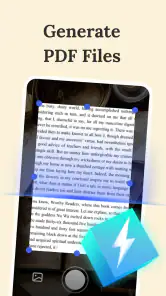
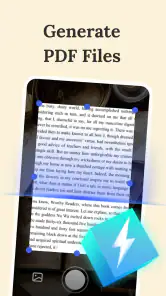
A useful way to approach an all-in-one document app is to start with a small, low-stakes task: open a file, check its layout, then try a simple change or conversion. That gives you a feel for the controls before you rely on the app for something time-sensitive. On a busy day, for example, I might receive a Word file while away from my desk, make a brief correction, and create a PDF to send back. Keeping those steps in one app is more convenient than hunting for separate tools, especially when the edit is straightforward.
Useful on the move, with limits to keep in mind
The key trade-off with a broad toolkit is depth. A quick edit or file conversion is different from carefully revising a long report, checking a complicated spreadsheet, or preserving exact formatting across several devices. For detailed work, I would still prefer the relevant desktop program or a dedicated editor, where a larger screen and more focused controls can make accuracy easier. Before sharing an important file, I’d reopen the converted copy and check that the text, page breaks, and layout look right.
That last check is especially worthwhile when the document contains tables, images, or unusual formatting. A conversion that is fine for reading may not be ideal for continued editing, so I would keep the original untouched until I had verified the new version. This is a simple habit, but it reduces the risk of treating a convenient mobile conversion as a perfect one-to-one replacement.
What is All Document Tools?
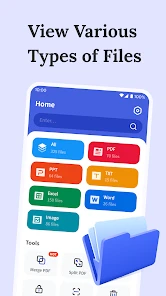
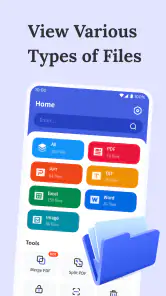
All Document Tools is an app designed to handle various document formats like PDFs, Word, Excel, and more. It's like having a Swiss Army knife for documents in your pocket. The app promises to streamline your workflow by integrating various document functionalities into one easy-to-use interface.
A Dive into the Features
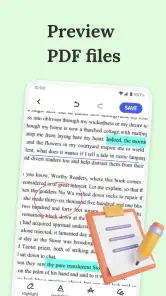
The first thing that strikes you about All Document Tools is its user-friendly design. The interface is clean, and navigation is a breeze. You can open, edit, and save documents in a flash. It's perfect for those moments when you need to make quick edits on the go.
More From Our News Desk

Weather by Xiaomi Review: Clear at a Glance, Less Clear Up Close

X Under Pressure: Can It Recover When Posting Goes Wrong?

Clash of Clans Is Won Between the Battles

Android Auto Makes the Case for Quieter Car Software

MobiOffice: Transforming Mobile Productivity with Seamless Integration

EA SPORTS FC™ Mobile Soccer: Redefining Mobile Sports Gaming
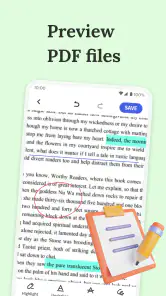
One of my favorite features is the conversion tool. Whether you need to convert a Word document into a PDF or vice versa, this app handles it without breaking a sweat. The process is seamless and remarkably fast. Plus, the editing tools are quite robust, allowing for text formatting, image insertion, and more.
Performance and User Experience
In terms of performance, All Document Tools delivers a smooth experience. I didn’t encounter any lags or crashes during my time using it, which is quite impressive given the app's range of features. It supports cloud integration too, so you can easily sync your documents across devices, which is a lifesaver for anyone who works on the go.
Security is another aspect where this app shines. It offers password protection for your sensitive files, ensuring your documents are safe from prying eyes. This feature is particularly handy if you deal with confidential information.
Choosing it for the right kind of work
I’d recommend this app most to students handling handouts and assignments, or to anyone who needs to review and make modest changes to documents while away from a desk. For a practical everyday routine, I’d open a shared file on my phone, make a quick correction, save a working copy, and check that copy before sending it. That separates the convenience of mobile editing from the more careful final review a formal document deserves.
If you mainly need to read files, your phone’s built-in viewer may already be enough. If you regularly collaborate on complex documents, a dedicated office suite is likely the better choice because its specialized editing and review workflow matters more than having many tools together. The advantage here is breadth and convenience; the compromise is that an all-purpose app may not be the best place for every demanding task.
The app is rated for Everyone, is available at no cost, and its current version is 1.1.8; it requires Android 6.0 or later. I’d still test the exact file types and steps I rely on before making it part of an important routine. Keeping an untouched original, checking converted files, and treating password protection as one useful safeguard rather than a complete security plan are sensible practices for any mobile document workflow.
Making the phone workflow more dependable
One practical detail I’d pay attention to is where a file goes after I edit or convert it. When a document has come from a message or a shared folder, it is easy to lose track of whether I am working on the original or a new copy. I’d give the working version a clear filename before sending it on, then reopen that exact version rather than relying on a preview. That small step helps avoid attaching the wrong draft when several similar files are sitting on a phone.
For a student, the app is most useful as a bridge between receiving material and getting back to a laptop or campus computer. I could check a handout on the way to class, make a modest correction to an assignment, or turn a document into a format that is easier to share. I would not use a quick phone edit as the final proofread for a paper with strict formatting, but it can keep a task moving when the alternative is waiting until I am back at a desk.
A more everyday example is handling a form while travelling: open the file, fill in or correct the parts that are practical on a small screen, save a separate copy, and check the result before returning it. The key is to distinguish simple text changes from work that depends on precise spacing, signatures, or layout. If the form is important, I’d do the mobile part for convenience and use a larger screen for a final inspection.
Where it fits beside other document apps
Compared with using separate single-purpose tools, an all-in-one app can reduce the friction of moving between a viewer, an editor, and a converter. That is valuable when the jobs are brief and varied. The trade-off is that a dedicated PDF editor or office suite may offer a more deliberate interface for its particular format. If I spend most of my time annotating PDFs or revising spreadsheets, I’d rather choose the specialist tool that matches that routine than rely on breadth alone.
There is also a useful middle ground: keep this app for occasional document tasks while leaving the primary office suite in charge of longer projects. That avoids expecting one mobile toolkit to do everything, yet still gives me a convenient option when a file arrives unexpectedly. I would decide based on the awkward task I face most often, not on how many types of files an app says it can handle.
Before settling into a workflow, I’d test one example of each file type that matters to me, especially a document with a table or image. I’d compare the saved result with the original, check whether the text remains easy to edit, and confirm that I can locate the output again. This is more revealing than testing only a plain page, because a simple sample may not expose the formatting compromises that matter in real work.
Who should keep looking
I would skip this as a primary work platform if my day depends on long-form editing, detailed spreadsheet calculations, formal collaboration, or highly consistent formatting. A phone is convenient for short interventions, but the smaller display and touch controls make careful review slower and more error-prone. A desktop program or a focused office app is a better fit when precision and sustained editing are central rather than occasional needs.
I’d also be cautious about making any mobile document app the sole home for sensitive or essential files. Password protection can add a helpful layer, but it does not replace good file handling: keep a safe original, avoid sending a draft before checking it, and use a trusted storage routine. For documents that carry serious consequences, I would verify the final file in the application or environment where it will actually be used.
The Final Word
In a world where efficiency is key, All Document Tools stands out as a must-have app for anyone dealing with documents regularly. It consolidates multiple functionalities into one app, saving you time and hassle. Whether you’re a student, professional, or just someone who likes to keep their documents organized, this app is well worth a try.
To sum it up, All Document Tools is more than just a document viewer; it's a powerhouse of features that transforms your smartphone into a portable office.
My verdict is positive for people who want one convenient place for everyday document chores and do not expect a phone app to replace a full desktop workflow. I’d give it a try for quick edits and conversions, then decide based on how reliably it handles the files I use most. If your work depends on exact formatting or advanced collaboration, choose a more focused alternative; if your needs are occasional and varied, this is a sensible tool to keep at hand.
All Document Tools Frequently Asked Questions
Can I use All Document Tools to open common office file formats?
All Document Tools is presented as a document manager and editor for formats including PDF, Word, Excel, and PowerPoint. It is intended for viewing, creating, and modifying documents on a mobile device, which may suit everyday study or work tasks. If you depend on a particular file type or advanced formatting, check how that document behaves in the app before making it part of an important workflow.
Can I move between devices and keep working on the same documents?
All Document Tools is described as a mobile document app, and the published feature information refers to cloud storage syncing and real-time collaboration as online functions. Those features may be useful when you work across devices or with other people, but they require an internet connection. For a document you need in a specific place, check the app’s available save and sharing options before relying on a cross-device workflow.
Will All Document Tools work on my Android phone?
All Document Tools is an Android app for devices running Android 6.0 or later. It is listed in the Tools category and is described as “Your smart document partner.” Before downloading, check your device’s Android version in its settings; if it meets the minimum, you can install the app and explore its document-related features.
Who makes All Document Tools, and is it widely used?
All Document Tools is developed by P & L Studio. It has been installed over 10 million times and has an average rating of 4.1 from around 14,000 ratings, giving prospective users a sense of its reach and reception. Those figures can help with initial research, though individual experiences may vary depending on a person’s device and needs.
What is All Document Tools app used for?
All Document Tools is a comprehensive application designed to manage and edit various document formats such as PDF, Word, Excel, and PowerPoint. It allows users to view, create, and modify documents on the go. This app is ideal for professionals and students who need to handle different types of documents efficiently using their mobile devices.
Pros
- Intuitive user interface
- Wide range of document formats supported
- Fast document processing
- Cloud integration available
- Regular updates and improvements
Cons
- Some features require premium version
- Occasional bugs with large files
- Limited offline capabilities
- Ads in free version
- Customer support can be slow
- Category
- Tools
- Version
- 1.1.8









