Weather & Clock Widget
- 108.89K
- 4.2
- Installs
- 50.00M
- Price
- Free
Screenshots
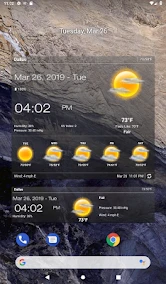
Analysis by Reviewed
I think the real appeal of Weather & Clock Widget is how easily it turns a quick weather check into part of my normal home-screen routine. Instead of opening a forecast app every time I wonder about the day, I can glance at a widget for the time and conditions together. That is useful when I’m heading out, deciding what to wear, or trying to see whether a change in the weather might affect an errand.
Fast checks suit the app best
For a weather tool, speed matters most in the small moments: checking the screen before leaving, or taking a second look when clouds gather. The combination of forecast information and a clock widget is a practical shortcut, especially for people who already rely on their home screen to show useful details. I would treat the widget as a quick guide, though, rather than a reason to expect every forecast to be exact at street level.
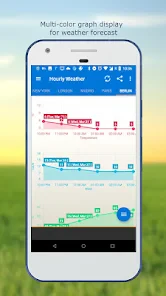
My useful habit would be to check the hourly outlook before a time-sensitive plan, then use the daily view for the broader shape of the day. That keeps a brief glance from turning into overconfidence about conditions several days away. For a longer outing, I’d also check the radar map when rain is nearby instead of relying on a single summary.
Articles Related to Weather & Clock Widget
When the forecast gets more use
The app makes the most sense on days when weather affects several decisions. Imagine I have a commute, a lunch break outdoors, and an evening walk to fit around unsettled skies. The widget gives me a quick reason to look closer; the hourly forecast helps me compare parts of the day, and the radar can offer useful context if a shower is approaching. Severe-weather alerts add another layer when conditions change in a more serious way.
There is a trade-off in putting weather on the home screen: it saves a step, but a widget also occupies space that could go to other shortcuts. I’d start with a layout that shows only the details I actually use, rather than filling the screen with information I rarely read. Since the widget is customizable, adjusting its appearance can help it fit a clean home screen instead of making the forecast feel like clutter.
First Impressions
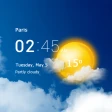
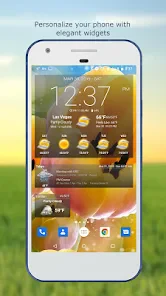
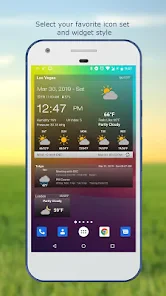
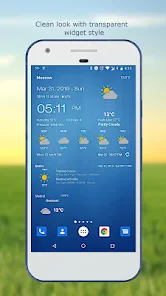
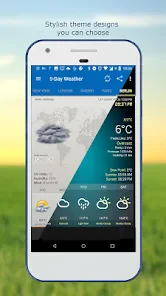
Upon launching the Weather & Clock Widget, you're greeted with a clean and user-friendly interface. The layout is intuitive, making it effortless to navigate through various features. What I particularly love is the customization aspect. You can tweak the widget to match your phone’s aesthetic, which is a nice touch for those of us who like our home screens looking top-notch.
Features That Stand Out
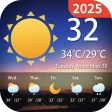
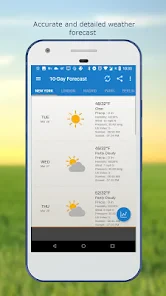
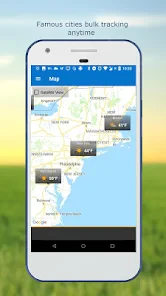
This app is not just about checking whether you need a jacket. It's packed with features that make it a go-to for weather enthusiasts. You can access hourly and daily forecasts, and even check out the 10-day forecast if you're a planner like me. The radar map is a lifesaver, especially when you want to track storms or just see how widespread that rain cloud is.
You May Like

Android Auto Makes the Case for Quieter Car Software

MobiOffice: Transforming Mobile Productivity with Seamless Integration

EA SPORTS FC™ Mobile Soccer: Redefining Mobile Sports Gaming

How Microsoft OneDrive Became a Mobile Productivity Giant

How Google Translate Breaks Language Barriers Effortlessly

Why Google Sheets Is the Ultimate Mobile Productivity Tool
Moreover, the integration of a clock widget is pretty seamless. It’s handy to have the time displayed alongside the weather, saving you the swipe to another screen. And let’s not forget the alerts. They keep you informed about severe weather changes, ensuring you're never caught off guard. Trust me, this feature can be a real game changer during unpredictable weather seasons.
Using the widget without letting it take over
I’d think of the widget as a prompt to check conditions, not as a miniature weather station that answers every question at a glance. The most useful setup is the one that makes a glance genuinely quick: keep the clock and the weather details you actually consult, and leave the rest for the full app. If I’m deciding whether to take a light jacket, a brief look may be enough; if I’m choosing whether to cycle across town, I’d open the forecast and look at the timing more carefully.
A small but practical workflow is to check the next few hours before leaving, then check again only if the day’s plans or the sky change. That avoids repeatedly refreshing a screen out of habit without gaining much new information. When rain seems close, the radar provides a different kind of context from a forecast summary: it can help me judge whether a shower appears to be moving toward my area, while the hourly view helps me decide whether waiting might be worthwhile.
There is also a useful distinction between planning and reassurance. A forecast several days ahead can help me choose which day might suit an outdoor plan, but I would not treat it as a promise. For the final decision, especially when timing matters, I’d revisit the nearer-term outlook. That is a sensible way to use the app’s range of views without expecting any weather app to remove uncertainty.
Comparing everyday options
Compared with a basic clock or weather widget, this app’s draw is having the two together with forecasts and a radar map available when I want more context. A built-in weather view on a phone may be enough if I only need a quick temperature check; I’d choose this app when I want the clock and forecast visible in one place, or expect to check changing conditions throughout the day. If I need specialist meteorological analysis, a dedicated weather service may suit me better than a convenient all-rounder.
For people who ask whether it is useful without opening the app, the home-screen widget is the point: it can make routine checks quicker. I’d still open the forecast for details before making a plan around uncertain weather. And if a widget is not part of how someone uses their phone, much of this app’s convenience may matter less to them.
It is also worth weighing the screen space against how often you use the information. Someone who already keeps a clock widget may prefer a single combined view, while a person who values a very sparse home screen may find a separate app shortcut less intrusive. The deciding question is not simply whether the widget looks good; it is whether seeing weather beside the time changes a choice you make often enough to justify the space.
For people who mainly want detailed maps or specialist forecasts, a dedicated service is the more natural comparison. Weather & Clock Widget is aimed at everyday decisions rather than replacing expert tools. I find that distinction helpful: its value is convenience and a useful set of forecast views in one place, not a claim that every weather question can be settled from the home screen.
Making it useful on a busy day
A realistic day might start with a glance while I’m getting ready. If the morning looks clear but rain is possible later, I can check the hourly forecast before deciding whether to carry an umbrella. At lunch, I might consult the radar if the sky has changed, then use the evening outlook to decide whether a walk is still appealing. The app’s mix of quick access and deeper views suits that pattern better than repeatedly opening a simple temperature display.
For a day with a fixed appointment, I would reverse the order: first check the forecast around the time I need to travel, then use the widget for quick follow-up checks. That keeps the important decision tied to the relevant hours instead of the general daily condition. If weather is only a minor concern, the widget is enough; if it could affect safety or travel, I’d give the fuller forecast more attention and keep an eye on any severe-weather alert.
This is where the app is most useful to me: not as something I study for long stretches, but as a small decision aid woven into routines. It can help with choosing when to leave, what to carry, or whether an outdoor break seems sensible. It cannot make an uncertain forecast certain, so I would still use judgement when conditions are changing quickly.
User Experience
One thing that stands out about the Weather & Clock Widget is its performance. It loads quickly, and I haven’t faced any crashes, which is a big deal for an app that's meant to be reliable. The ads are minimal and don’t interfere with the user experience, which is something I appreciate. Plus, the battery consumption is surprisingly low, meaning it won’t drain your phone as you check the weather every hour on the hour.
For day-to-day use, the important performance question is whether the shortcut remains convenient once it becomes part of the home screen. A widget that is easy to read can save a few small interruptions, but a crowded layout can make that benefit disappear. I’d place it where I naturally look when unlocking my phone and choose a size that keeps the information legible without pushing away the apps I use more often.
Weather information is also time-sensitive, so I would not judge reliability only by whether the app opens. The practical test is whether the displayed conditions are useful enough for ordinary planning and whether I can move from a glance to a more detailed view when needed. I’d use alerts as an extra heads-up, not as my only way of staying informed about serious weather; for an important situation, checking current local guidance is the more careful choice.
Reliability in everyday use
For a weather widget, reliability has two parts: the app needs to be accessible when I want it, and the information needs to be presented in a way I can interpret quickly. The clock-and-weather pairing helps with the first part because it makes a check feel immediate. For the second, I prefer to compare the hourly outlook with the radar when the timing of rain matters, rather than treating one visual cue as a complete answer.
If a widget ever seems out of step with the conditions outside, I would open the app and review the fuller forecast before acting on it. That is a sensible recovery step for any glanceable tool: the home screen is convenient, while the detailed view is where I would spend a little more attention. I would also avoid assuming that the same setup behaves identically on every phone, since widgets sit within each device’s own home-screen environment.
People who need a highly specialized weather workflow may find this approach too general. A commuter deciding whether to bring a coat will likely value the fast glance; someone making a technical assessment of changing conditions may prefer a service built around deeper analysis. Knowing which of those jobs matters to you is a better guide than choosing solely by the number of available screens.
Compatibility and practical fit
Interactive Saudi Arabia develops this free weather app, which is rated for Everyone and has been available since November 25, 2011. Its current version is 6.5.4.7, and it supports Android 5.0 and later. That broad minimum requirement makes it a possible option for older Android phones, though the experience of any widget can depend on the device and its home-screen setup.
Its popularity is substantial: it has an average rating of 4.2 from around 2.5 million ratings, with roughly 109,000 written reviews and over 50 million installs. Those figures suggest that many people have tried it, but they don’t guarantee it will suit every phone or personal preference. If your device is older or you keep many widgets active, I’d pay attention to how your own home screen behaves rather than assuming every setup will feel equally light.
The Android 5.0 minimum makes this a candidate for an older device, but I would still decide based on the phone’s actual day-to-day responsiveness and the way its launcher handles widgets. If the home screen is already slow or packed with panels, adding another persistent element may not be the best first step. I’d try a simple placement, see whether it remains comfortable to use, and remove it if the extra glance does not earn its space.
Who is it best for? I’d recommend trying it if you like a clock and forecast together, check conditions several times during a normal day, or want a straightforward way to move from a glance to hourly, daily, and radar views. It is less compelling for someone who never uses home-screen widgets, wants only an occasional temperature check, or relies on specialized weather analysis. Since it is free, trying the layout is a low-commitment way to see whether the routine suits you, but the real test is whether you keep using it after the novelty wears off.
Final Thoughts
All in all, the Weather & Clock Widget is a solid app for anyone who wants quick and reliable weather updates. It balances functionality with aesthetics, making it a perfect addition to your phone. Whether you're a weather nerd or just someone who wants to stay dry, this app is worth checking out. So, why not give it a spin and see how it fits into your daily routine?
With its robust features and user-friendly design, it's no wonder this app has become a staple for many. So next time you're planning your day, just give your home screen a glance and let the weather app do the rest.
I’d keep my expectations practical: it is strongest as a convenient everyday companion, not a substitute for judgement or specialist forecasting. If a combined clock and weather view would genuinely save you repeated taps, it is easy to see the appeal. If you prefer a bare home screen or need more technical detail than a general forecast provides, another approach will probably fit better.
Weather & Clock Widget Frequently Asked Questions
Is Weather & Clock Widget free to download?
Weather & Clock Widget is a free weather app that brings weather information and a clock together, including through home-screen widgets. That makes it easy to try without paying for the initial download. If you are considering it for regular use, check the app’s current screen and options after installing, since available features and the way they are presented can shape whether it fits your needs.
What should I know about the app’s age rating before downloading it?
Weather & Clock Widget is rated Everyone, so it is intended for a broad audience. Its purpose is to show weather information, forecasts, and a clock, including through home-screen widgets. The rating can help families decide whether it is appropriate, but parents and guardians may still want to look through the app with younger users and decide which features suit them.
Is Weather & Clock Widget compatible with my Android device?
Weather & Clock Widget is an Android weather app that requires Android 5.0 or later. Before downloading, check your device’s operating system version in its settings to make sure it meets that requirement. The app combines weather information with a clock and home-screen widgets, so compatibility is worth checking if you mainly want to use its widget features.
Who makes Weather & Clock Widget, and what do users think of it?
The app is developed by Interactive Saudi Arabia and has been available since November 25, 2011. It has a 4.2 average rating from around 2.5 million ratings, with about 109,000 written reviews and over 50 million installs. That broad audience makes it a well-established option to consider, though your own experience will depend on the features and appearance you prefer.
What features does the Weather & Clock Widget app offer?
The Weather & Clock Widget app provides real-time weather updates, a reliable clock interface, and customizable widgets for your home screen. It includes features like temperature forecasts, weather alerts, and sunrise/sunset times. Users can personalize the widget's appearance and receive updates for multiple locations, making it a versatile tool for daily weather monitoring.
Pros
- Customizable widget layouts
- Accurate weather forecasts
- Integrates with calendar
- User-friendly interface
- Real-time weather alerts
Cons
- Contains ads
- Limited free features
- Battery drain concerns
- In-app purchases required
- Occasional location errors
- Category
- Weather
- Version
- 6.5.4.7