Wifi Speed Test - Speed Test
- 176.00
- 4.0
- Installs
- 5.00M
- Price
- Free

Screenshots
Analysis by Reviewed
When a connection slows down, I want to know whether the problem is my Wi-Fi, mobile data, or something further upstream. Wifi Speed Test - Speed Test is aimed at that quick check: it measures network performance, including speed and ping, without requiring me to dig through technical settings. I find that simple purpose useful, as long as I treat a test as a snapshot rather than a final verdict on my internet service.
What a speed test can—and cannot—tell you
A result is most useful when I compare like with like. Testing in the same room, on the same connection, and at roughly the same time gives me a better sense of whether performance has changed than comparing a single reading with a plan’s advertised maximum. For a practical check, I would run a test near the router, then repeat it where a call or stream usually struggles. A large difference points toward a local coverage issue; similar results in both places suggest I should look beyond room-to-room signal.
Ping adds a different clue from download speed. If a page loads slowly or a call feels delayed, a high ping can help explain why a connection feels sluggish even when downloads seem adequate. It still cannot identify the exact cause by itself, so I would use the result to guide a follow-up check rather than treat it as a diagnosis.
Useful for quick checks, not constant monitoring
I would reach for this app before an important video call, after moving a router, or when a household stream suddenly starts buffering. One careful test can show whether the connection is performing poorly at that moment. If I need evidence of a recurring issue, I would test at consistent times over several days and note whether I was on Wi-Fi or mobile data. That small habit makes comparisons more meaningful than repeatedly tapping the test button whenever a page feels slow.
There is a trade-off: speed tests use the connection they are checking, so running one while a large download or several streams are active can make the reading reflect that shared demand. For a clean baseline, pause other heavy internet use first. Then, if the slowdown only appears when the household is busy, test again during that busy period; the contrast can help show whether congestion is part of the problem.
Where it fits among other options
Compared with checking a provider’s own app or router controls, a dedicated speed test is a faster way to get a simple performance reading on the phone in your hand. Provider tools may be more useful for account-specific troubleshooting, while router settings can help inspect the home network itself. I would use this app for a quick real-world check, then move to those tools if the results point to a persistent fault or if I need a more detailed explanation.
The app is a better fit for people who want a straightforward speed and ping check than for users seeking a full network diagnostic or a long-term connection-monitoring system. It can help narrow down when and where a slowdown happens, but it cannot, on its own, prove that an internet provider is at fault. That distinction keeps the readings useful without asking them to answer more than a phone-based test can.
Getting Started with Wifi Speed Test - Speed Test
First things first, downloading and installing the app is a breeze. Available for both Android and iOS, it’s just a tap away in your app store. Once installed, you’re greeted with a simple and user-friendly interface. No unnecessary clutter, just straightforward buttons to get you going. The app’s simplicity is one of its greatest strengths, especially for those of us who aren’t exactly tech-savvy.
The Features that Make a Difference
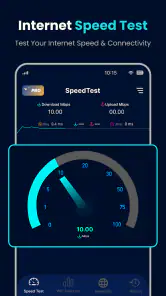
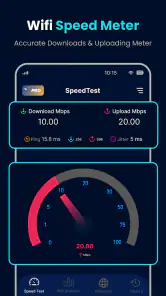
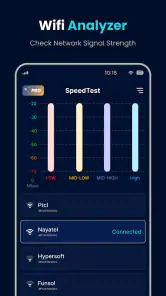
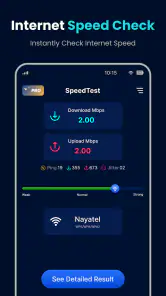
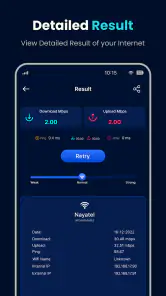
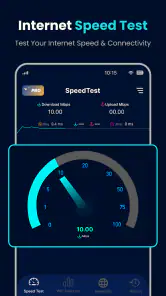
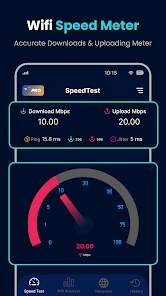
Upon launching the app, you’re presented with a single tap button to start the speed test. Within seconds, you get a detailed report on your download and upload speeds, latency, and even your network’s signal strength. It’s like having a tiny IT specialist in your pocket! What truly sets this app apart is its ability to work not just with Wi-Fi, but with mobile data as well. Whether you’re at home, at a café, or on the move, you can always check how your network is performing.
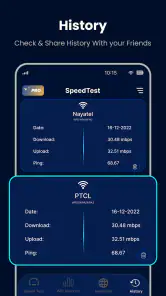
Another nifty feature is the historical data tracking. The app keeps a log of all your previous speed tests, allowing you to monitor your internet speed over time. This is particularly useful if you suspect your ISP isn’t delivering the speeds they promised. You can easily pull up your past results and have concrete data to back you up.
Why You’ll Love It (or Not)
So, what’s the verdict? Personally, I found the app incredibly handy. It’s not just about the numbers; it’s about having peace of mind knowing exactly what speeds you’re getting. The app is lightweight, doesn’t hog your phone’s resources, and does exactly what it says on the tin. Plus, it’s free! You really can’t beat that.
However, no app is perfect. Some users have reported occasional discrepancies between the app’s readings and those from other speed test platforms. While these differences are usually minor, it’s something to keep in mind if you’re a stickler for accuracy.
Availability and practical expectations
Tools Generation Hub develops this free weather-category app, although its purpose is testing network performance rather than forecasting. It has a 4.0 average from around 56,000 ratings, with more than 5 million installs, and is rated for everyone. The current version is 1.3.9, and it requires Android 6.0 or later. Optional in-app purchases range from $1.49 to $35.99 per item, so I would check the purchase details before choosing anything beyond the free use.
That combination makes it easy to try, but I would not assume a quick result will match a provider’s advertised speed exactly. Wi-Fi distance, walls, other connected devices, and temporary network traffic all affect what reaches the phone. If the reading is unexpectedly low, I would first repeat it close to the router with other intensive internet use paused, then compare it with a mobile-data test if available. This separates a weak room signal from a broader connection slowdown more reliably than relying on one number.
Who should keep it handy
For a realistic example, imagine a video call beginning to stutter just before a meeting. I would check the connection where I am sitting, note the ping as well as the speeds, and then move closer to the router for a second test. If performance improves there, relocating for the call or addressing Wi-Fi coverage may help more than contacting the provider. If both readings remain poor, I would save the results and repeat the check later before deciding whether the problem is persistent.
That workflow is also useful in a café or while travelling, where a quick reading can help me decide whether to upload a large file now or wait for a more stable connection. I would avoid repeated tests on a limited mobile-data plan unless I am comfortable using some of that connection for testing. For formal troubleshooting, I would pair phone readings with the provider’s support tools rather than presenting a single app result as proof.
If you mainly want a simple check on the phone, this app is a reasonable place to start. If you need detailed diagnostics, explanations of router settings, or dependable continuous monitoring, a network-management tool or your provider’s own troubleshooting option is likely a better fit. The strength here is convenience, not deep fault-finding; knowing that boundary helps me use the results without overreading them.
Making results more useful in everyday use
One practical detail I pay attention to is whether a test is being made over Wi-Fi or mobile data. Those readings answer different questions: Wi-Fi tells me what the home or venue’s wireless connection is delivering to my position, while mobile data gives me a comparison against the cellular connection available there. Switching between them can be a useful fallback check, but it does not isolate every cause; the two routes rely on different networks and can both vary with location and demand.
When I am comparing rooms, I would keep the phone in roughly the same orientation and avoid changing several conditions at once. If I move closer to the router, for example, I would keep the same device and connection, then test again. That simple discipline makes a change in the reading easier to interpret. It is more informative than walking around, switching networks, and then trying to remember which result came from where.
The history feature can support this kind of comparison, but I would treat saved readings as notes rather than formal evidence. A short record of where I tested and whether I was on Wi-Fi or mobile data gives those numbers context. Without that context, a list of results may look precise while leaving out the main reason they differ. This is especially important when I check at home at a quiet time and compare it with a busy evening.
Choosing the right test for the problem
For a quick decision—whether to join a call from the kitchen or move nearer the router—the app’s phone-based reading is convenient. If the question is whether a broadband service is consistently meeting expectations, I would use several checks and also consult the provider’s troubleshooting process. A phone test reflects the connection as experienced by that device in that spot; it is not the same as a direct measurement at the router or a complete account-level diagnosis.
Likewise, if only one device is struggling while others work normally, I would not assume the whole connection is at fault. A speed reading can help show what that phone receives, but comparing another device or checking the router may be a better next step. If every device has trouble at the same time, repeating a test later can help distinguish a temporary dip from a pattern worth raising with the provider.
People who only want to know whether a webpage opens may not need a dedicated test at all. For someone who regularly troubleshoots calls, uploads, or streaming around the home, though, a quick measurement can replace guesswork with a useful point of comparison. I would skip it if I expected it to explain every network fault automatically or to keep watch in the background; its value is in deliberate checks when I have a specific question.
A measured performance verdict
My overall impression is that this is most useful as a simple instrument, not a promise of perfect certainty. The speed and ping readings can help me judge how a connection feels at a particular moment, while the test history makes repeated checks easier to compare. I would still avoid judging a provider by one result, especially when other people or devices are using the same network.
It is a sensible option for casual users who want to check Wi-Fi or mobile performance without opening router menus. The trade-off is that quick readings need context, and anyone who wants deeper diagnostics should combine them with other tools. Used with that expectation, the app can help me decide whether to move, retry later, switch connections, or investigate further.
All in all, if you’re looking for a reliable, easy-to-use speed testing app, the app is definitely worth a try. It’s the perfect companion for anyone who wants to keep their internet provider on their toes. So next time you’re wondering why your Netflix is buffering or why your video call is glitchy, whip out this app and put your network to the test!
Wifi Speed Test - Speed Test Frequently Asked Questions
Can I use Wifi Speed Test to check ping as well as connection speed?
Yes. Wifi Speed Test is described as a mobile network speed test with a ping test for network performance. Alongside checking connection speed, ping readings can help you understand how quickly your network responds. Together, these results offer a practical snapshot when you are comparing connections or trying to make sense of a slowdown.
Is Wifi Speed Test suitable for someone who only needs an occasional connection check?
The app is intended to provide a straightforward way to check network speed and ping on a mobile device, so it may suit someone who wants an occasional performance check rather than a complicated network tool. Its results can help you see how a connection is performing at the time of a test, while repeated checks can provide a clearer comparison.
What information should I check before downloading Wifi Speed Test?
Wifi Speed Test is a network-testing app from Tools Generation Hub. It is free to download, rated for Everyone, and requires Android 6.0 or later. The app has a 4.0 average rating from around 56,000 ratings, and it has been installed over 5 million times. These details can help you decide whether it suits your device and expectations.
What is the primary function of the Wifi Speed Test app?
The Wifi Speed Test app is designed to measure the speed and performance of your internet connection. It provides real-time data on download and upload speeds, latency, and more. This information helps users diagnose connectivity issues and optimize their network settings for better performance. Its short description highlights Wi-Fi speed testing, while the app’s network test features can help you check how a connection is performing.
How accurate are the results provided by the Wifi Speed Test app?
The Wifi Speed Test app uses advanced algorithms to ensure accurate and reliable results. However, factors such as network congestion, device limitations, and distance from the router can affect the measurements. Users should perform multiple tests at different times for the most consistent results. A speed test is best treated as a snapshot of performance at that moment, rather than a guarantee of the speed you will always receive.
Articles Related to Wifi Speed Test - Speed Test
Clash of Clans Is Won Between the Battles
Its raids are quick; its community is a long-term project of coordination, teaching, rivalry, and shared responsibility—with all the friction that entails.
Android Auto Makes the Case for Quieter Car Software
The car interface is no longer judged by how much it can do, but by how quietly it helps. Android Auto shows what drivers now expect—and what still gets in the way.
MobiOffice: Transforming Mobile Productivity with Seamless Integration
MobiOffice: Word, Sheets, PDF is redefining mobile productivity with a surprising blend of functionality and innovation.
EA SPORTS FC™ Mobile Soccer: Redefining Mobile Sports Gaming
Dive into EA SPORTS FC™ Mobile Soccer, where immersive gameplay and strategic depth transform mobile sports gaming.
Pros
- Intuitive user interface design.
- Accurate speed test results.
- Quick testing process.
- Supports multiple server locations.
- No intrusive ads.
Cons
- Requires internet connection to work.
- Limited advanced features.
- Occasional connection drops.
- In-app purchases for premium features.
- Not available on all devices.

- Category
- Weather
- Version
- 1.3.9