Repixel: AI Photo Enhancer
- 93.00
- 4.1
- Installs
- 1.00M
- Price
- Free
Screenshots
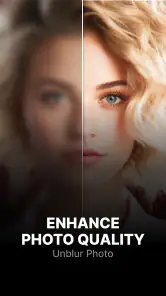
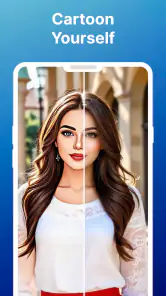
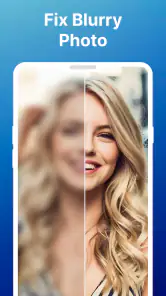
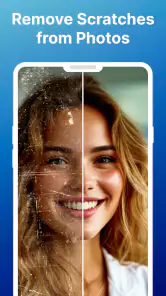

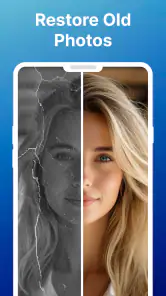
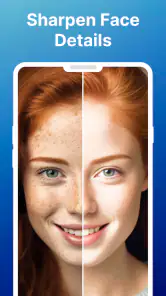
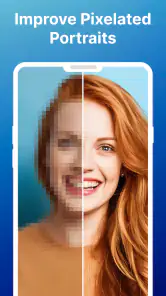
Analysis by Reviewed
When I want to rescue a photo quickly, I prefer a tool that lets me start with the image rather than burying me in editing controls. Repixel: AI Photo Enhancer is an Android photo-editing app from Tools Generation Hub, aimed at improving image clarity and applying filters or cartoon effects. Its appeal is straightforward: choose a picture, try an enhancement, and decide whether the result looks better for the way you plan to use it.
A sensible starting workflow
I’d begin with a copy of the original photo, especially if it is an old family picture or the only version of an image. Compare the source and the edited result before sharing or saving over anything. That simple habit matters with AI enhancement: sharpening can make a soft face easier to see, but it can also make texture look artificial if pushed too far. Treat the result as an interpretation of the image, not a guaranteed restoration of details that were never captured.
For an everyday example, imagine finding a dim, slightly blurry picture in a family chat that you want to use in a small album. I would test the enhancer on that one image, check faces and edges at a comfortable zoom, and keep the original beside it. If the improvement looks natural at the size you intend to view it, the edited version may be useful; if skin or fine patterns seem oddly smooth, I’d keep the unedited photo instead.
Where the quick tools help—and where they don’t
The app’s mix of enhancement, filters and cartoon styling gives it more than one casual use, but those treatments suit different goals. Clarity work is the sensible first stop for a faded or soft snapshot. A filter is better when the photo is already clear and you want a different mood, while a cartoon effect is a playful choice rather than a faithful way to preserve a memory. I’d avoid stacking strong-looking treatments just because they are available; a restrained edit often keeps the subject recognizable.
Repixel has an average rating of 4.1 from around 26,000 ratings, with over one million installs. It is free to download and rated for Everyone, while optional in-app purchases range from $3.99 to $19.99 per item. That makes it easy to try before deciding whether it fits your routine, but I’d check the purchase screen carefully before confirming anything. The app was released on February 22, 2024, and version 1.6.5 requires Android 7.0 or later.
Bringing Your Photos Back to Life
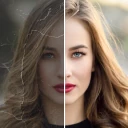
Let's dive right into what makes Repixel: AI Photo Enhancer stand out from the crowd. The app brilliantly uses artificial intelligence to enhance your photos, making those grainy images look polished and sharp. It's like having a mini Photoshop right in your pocket, minus the professional-level headache.
Easy Peasy, Lemon Squeezy
One thing I absolutely loved about this app is its simplicity. You don't need to be a tech wizard to navigate through it. With a few taps, you're all set to transform your pictures. The user-friendly interface is intuitive, making it super easy for anyone to use, whether you're a tech-savvy teenager or a grandma trying to spruce up her photo album.
The Tech Behind the Magic
So how does it work, you ask? The app uses advanced AI algorithms that automatically adjust and enhance your images. It effectively reduces noise and sharpens details, making every pixel count. It's fascinating how a single tap can turn a timeworn picture into a stunning, clear image. And the best part? It all happens in mere seconds!
Picture Perfect Quality
I tried it on a few old photos, and the results were nothing short of impressive. From family gatherings to once-in-a-lifetime trips, every image was revived with vibrant clarity. The colors popped, the details were crisp, and the overall quality was amazing. It's a game-changer for anyone looking to preserve their precious memories with a touch of modern technology.
The app also supports a variety of photo formats, which is a huge plus if you're dealing with different types of images. Whether it's a JPEG or PNG, Repixel: AI Photo Enhancer has got you covered.
Choosing it over a full editor
Repixel makes most sense when I want a quick pass on a picture, not a detailed retouching session. Compared with a conventional photo editor, its automatic approach asks less of me but also gives me less precise control over individual areas, layers or tonal adjustments. For a social post, a casual portrait, or a scan that needs a little help, that trade-off can be worthwhile. For product photography, print preparation, or a face that needs careful local correction, I’d reach for a fuller editor instead.
A useful repeatable habit is to test the same image at its intended size. A result that looks crisp on a phone screen may look overprocessed when enlarged, and a subtle edit can be more convincing than the most dramatic one. I’d also keep a small set of originals untouched rather than treating an enhancer as an archive tool; it can improve presentation, but it cannot replace a clean scan or recover every missing detail.
Making a repeatable editing routine
For a batch of unrelated pictures, I would resist the temptation to apply the same treatment automatically to every one. A dim indoor portrait, a faded outdoor snapshot and a screenshot have different problems, and a setting that makes one image clearer may make another look harsh. My practical routine would be to choose one representative image, try the enhancement, inspect the subject and background, then decide whether similar photos deserve the same treatment. This keeps the process quick without turning speed into a reason to overlook bad results.
It also helps to decide what “better” means before editing. If I am preparing a small image to send in a chat, a modest clarity improvement may be enough. If I want to print or crop closely, I would judge the result more strictly and avoid assuming that a sharper preview means the file contains genuinely recovered detail. Repixel is best treated as a presentation tool: it can alter how an image looks, but the source still sets the limits.
Small checks that prevent disappointing edits
When judging an enhancement, I look beyond the face or main subject. Hair, foliage, patterned fabric and fine lines are useful stress tests because artificial sharpening can make their edges look crunchy or their texture strangely uniform. I also compare the brightest and darkest parts of the picture; a subject may appear clearer while the overall balance becomes less natural. These checks take only a moment and are more helpful than choosing an edit solely because it looks punchier at first glance.
For a faded photograph, I would first make sure the image itself is captured as cleanly as possible. A straight, evenly lit scan or photo of the print gives an enhancer a better starting point than glare, shadows or a crooked crop. Repixel can be a convenient next step, but it is not a substitute for fixing capture problems at the source. If the image matters, I would save a separate working copy and preserve the scan unchanged.
When filters and cartoon styling make sense
Filters and cartoon effects are most useful when the goal is creative rather than restorative. I can imagine using a filter to give a set of casual pictures a consistent mood, or trying a cartoon treatment on a single image for a playful profile picture. I would not mix that purpose with archival cleanup: keep a natural-looking version for family records, then experiment separately if you want a more stylized result. That separation makes it easier to return to the photo’s original character.
There is a practical trade-off here. A strong filter can make different photos feel more alike, but it may also hide the subtle differences that made each moment distinctive. Cartoon styling changes the image more radically still, so it is a poor fit when accurate facial detail matters. I’d use those options as occasional creative choices rather than as default finishing steps.
Final Thoughts
In a nutshell, this app is a must-have for anyone who loves photography or simply wants to breathe new life into old photos. It's efficient, easy to use, and most importantly, it delivers on its promise. So if you're looking to enhance your photo collection, give Repixel: AI Photo Enhancer a shot. Trust me, you won't be disappointed!
Who will get the most from it
I’d recommend it to someone who wants an approachable way to experiment with a handful of personal photos, especially when learning a complicated editor would be overkill. It is less suitable if you need reliable, repeatable color management, precise retouching, or guaranteed restoration for a valuable image. In those cases, a dedicated editor or a careful scan-and-repair workflow offers more control. The best reason to keep Repixel handy is convenience: it can make a quick comparison easy, while leaving the final call to your eye.
Who should choose another approach
If you routinely prepare images for professional use, need to correct only one small area, or want fine control over exposure and color, a full-featured editor is the better fit. Those tools take longer to learn, but their local adjustments and more deliberate workflow matter when consistency is essential. A dedicated scanning or restoration process is also a wiser choice for a fragile or especially important print. Repixel suits quick experiments and everyday fixes, not every kind of photographic work.
For someone who only edits occasionally, the main question is whether the convenience earns a place on the phone. Its free download lowers the barrier to trying it, while optional purchases mean I would pause and read each purchase screen rather than assume every option is included. I’d first test a few ordinary pictures, see whether the results suit my taste, and only then decide whether any paid option is worth considering. That is a more sensible approach than committing based on one dramatic before-and-after result.
A realistic place in an everyday photo routine
Imagine you take a quick picture of a handwritten recipe card under uneven kitchen light because a relative is waiting for it. I would keep the camera original, try a clarity pass in Repixel, and check whether the writing is easier to read without making the paper look unnaturally textured. If it still is not legible, I would retake the photo in better light rather than repeatedly processing it. This is where the app can save a little time—and where knowing when to stop is just as useful as knowing which tool to tap.
The same judgment applies to pictures shared by friends. A compressed image may look soft because it has already been resized or sent through a messaging service. Enhancement might make it more pleasant to view, but it cannot restore the original file’s full quality. If I need a clean copy, I would ask for the original rather than treating repeated sharpening as a replacement.
A practical verdict for careful users
For me, the strongest reason to try Repixel is the low-effort way it lets me explore a quick improvement, a filter or a more playful look without first learning a complex editor. I would use it selectively, preserve the untouched image, and judge every result at the size and purpose that matter. If that matches how you handle photos, it is a reasonable tool to keep in mind; if control and dependable restoration matter more than speed, another workflow will serve you better.
Repixel: AI Photo Enhancer Frequently Asked Questions
Does Repixel: AI Photo Enhancer have many users and reviews?
Repixel has attracted over one million installs and around 26,000 ratings, with an average rating of 4.1. Those figures suggest that many people have tried the app, though individual results can vary depending on the photo and the edits you choose. Reading recent user reviews can help you decide whether its available tools match the way you want to improve or restyle images.
Who makes Repixel: AI Photo Enhancer, and when was it released?
Repixel: AI Photo Enhancer is developed by Tools Generation Hub and was released on February 22, 2024. It is an Art & Design app centered on enhancing and styling photos. If you are comparing photo-editing apps, the developer and release information can help you identify the product, while its listed tools and supported device requirements are useful points to consider before installing.
Is Repixel: AI Photo Enhancer free to download, and are there optional purchases?
Repixel is free to download, so you can try its photo-enhancement tools without an upfront app price. It also offers in-app purchases ranging from $3.99 to $19.99 per item. Keep that distinction in mind before downloading: the app itself is free, while some additional features or content may require a purchase.
What is Repixel: AI Photo Enhancer?
Repixel: AI Photo Enhancer is a cutting-edge app designed to enhance your photos using advanced AI technology. It helps in improving the quality of your images by enhancing details, colors, and overall appearance. Whether you have old, faded photos or just want to give your recent clicks a professional touch, this app is perfect for all your photo enhancement needs.
How does the AI technology work in Repixel: AI Photo Enhancer?
Repixel utilizes sophisticated AI algorithms to analyze and enhance your photos. The AI identifies different elements in the picture such as faces, landscapes, and objects, and applies specific enhancements to each element. This results in clearer, more vibrant, and professional-looking photos. The AI ensures that the enhancements are subtle yet effective, maintaining the natural look of the images.
Articles Related to Repixel: AI Photo Enhancer
Clash of Clans Is Won Between the Battles
Its raids are quick; its community is a long-term project of coordination, teaching, rivalry, and shared responsibility—with all the friction that entails.
Android Auto Makes the Case for Quieter Car Software
The car interface is no longer judged by how much it can do, but by how quietly it helps. Android Auto shows what drivers now expect—and what still gets in the way.
MobiOffice: Transforming Mobile Productivity with Seamless Integration
MobiOffice: Word, Sheets, PDF is redefining mobile productivity with a surprising blend of functionality and innovation.
EA SPORTS FC™ Mobile Soccer: Redefining Mobile Sports Gaming
Dive into EA SPORTS FC™ Mobile Soccer, where immersive gameplay and strategic depth transform mobile sports gaming.
Pros
- Enhances image quality quickly
- User-friendly interface
- Supports various image formats
- Offers batch processing
- Minimal storage requirement
Cons
- Requires internet connection
- Limited free version features
- Occasional processing delays
- Ads in free version
- No offline editing option
- Category
- Art & Design
- Version
- 1.6.5













