Weather Forecast - Live Radar
- 1.73K
- 4.5
- Installs
- 10.00M
- Price
- Free
Screenshots
Analysis by Reviewed
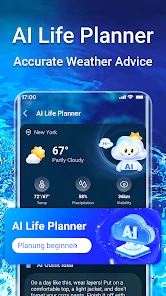
When a forecast and the sky disagree, the hard part is deciding what to trust and what to check next. I find a weather app most useful when it helps me make a practical call—whether to leave early, carry a jacket, or postpone a walk—not when it simply fills a screen with numbers. Weather Forecast - Live Radar is aimed at that everyday decision-making, with radar and weather widgets among its main attractions. I’d treat it as a helpful guide rather than a guarantee, especially when conditions are changing quickly.
Where setup and first checks can go wrong
My first advice is to give the app a fair location check before judging its forecast. If the place shown does not match where you are, confirm the selected location in the app and compare it with the area you actually need. This matters if you regularly check weather for home, work, or a planned outing somewhere else: a sensible forecast for the wrong town is still not useful.
Widgets can also take a little attention after installation. If the information is missing or looks stale, check that the widget has been added and that it is displaying the location you intend to follow. I’d use a widget for a quick glance, then open the app when a decision depends on radar or more detail. That small two-step habit avoids treating a compact home-screen panel as the whole forecast.
A better routine for radar, alerts, and plans
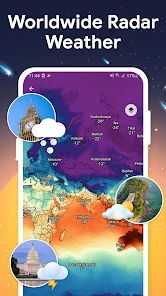
For a commute or an outdoor errand, I’d check the forecast before leaving and look at the radar again if the sky starts to change. Radar is most valuable as context for what may be approaching, not as a promise that rain will begin at an exact minute on your street. If a storm matters to your plans, give yourself a buffer rather than waiting for a notification to make the decision for you.
Alerts are best set around conditions that would genuinely change what you do. Too many low-value notifications can make it easy to ignore the one that matters, while a carefully chosen alert can prompt a useful second look before a walk, drive, or outdoor event. If an alert or widget does not behave as expected, reopen the app, check its selected location, and review the relevant setting before assuming the forecast itself is the problem.
Getting Started with Weather Forecast - Live Radar
First things first, downloading and setting up this app is as breezy as a spring day. Available on both Android and iOS, the installation process is smooth sailing. Once you fire it up, you'll be greeted by a clean, intuitive interface that's easy on the eyes. No clutter, just the essentials right at your fingertips. It's like the app is telling you, "Hey, relax, I've got your weather sorted."
Features Galore
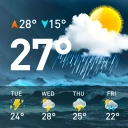
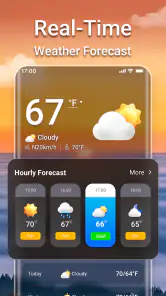
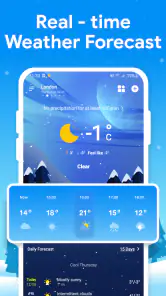
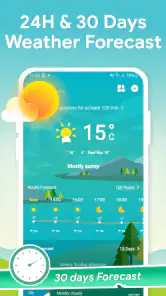
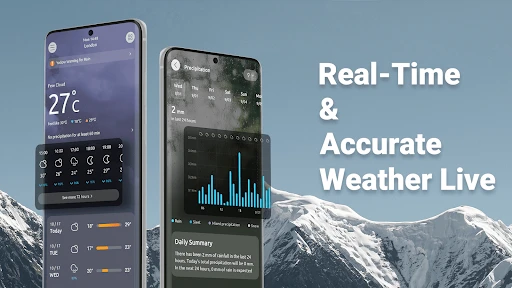
The Weather Forecast - Live Radar app packs a punch with its array of features. You get a detailed hourly and weekly forecast that’s surprisingly accurate. I mean, it predicted that random shower last Tuesday to a tee! The live radar feature is a game-changer, offering real-time updates that help you dodge those pesky rain clouds.
More From Our News Desk

Weather by Xiaomi Review: Clear at a Glance, Less Clear Up Close

X Under Pressure: Can It Recover When Posting Goes Wrong?

Clash of Clans Is Won Between the Battles

Android Auto Makes the Case for Quieter Car Software

MobiOffice: Transforming Mobile Productivity with Seamless Integration

EA SPORTS FC™ Mobile Soccer: Redefining Mobile Sports Gaming
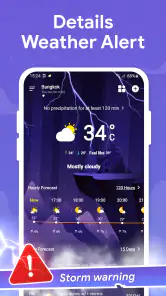
One of my favorite features is the customizable alerts. You can set notifications for specific weather conditions. So, whether you're waiting for that perfect sunny day for a picnic or trying to avoid a downpour on your commute, this app has got you covered.
User Experience
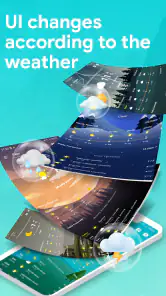
Let’s talk about usability. The app runs smoothly without any of those annoying lags or crashes. Navigating through the different sections is as intuitive as swiping through your photo gallery. And here's a little nugget—there's even a widget option for those who like to have weather updates at a glance.
Moreover, the app offers a neat little feature where you can switch between a light and dark mode. It's a small touch, but for someone like me who likes to use apps in bed, it's a lifesaver for the eyes!
Making sense of the forecast in daily life
A realistic use is deciding whether to cycle to work or take another option. I’d check the hourly outlook before leaving, then use radar as a second opinion if clouds are building. For a weekend plan, the weekly view is more useful for choosing a flexible day than for locking in an exact hour several days ahead. That distinction helps keep a forecast useful without expecting it to remove uncertainty.
This app is a good fit if you like seeing weather at a glance and want radar, alerts, and widgets together in one place. It may be less suitable if you only need a bare-bones temperature check; your phone’s built-in weather view may be quicker and simpler. Likewise, anyone making safety-critical decisions should consult official local warnings rather than relying on a consumer forecast alone.
What to expect from this weather app
Weather Forecast - Live Radar is a free weather app from Fillog Studio, rated for Everyone. It has a 4.5 average from around 95,000 ratings, and more than 10 million installs. It was released on October 28, 2022, and version 1.5.1 requires Android 6.0 or later. The app includes in-app purchases, with items ranging from $1.99 to $19.99, so I’d check the purchase details before paying for anything; the core app is free to install.
Compared with a minimal forecast app, its appeal is the combination of radar, alerts, and home-screen access. The trade-off is that extra panels and notifications only help if you take a moment to keep the location and alert choices relevant. If the display seems outdated, first reopen the app and check the selected place; if other apps also struggle to refresh, the issue may be the phone’s connection rather than this forecast. I’d avoid repeatedly changing settings until I know which part is actually failing.
Choosing how much to rely on it
For a normal workday, I’d use the app in layers rather than repeatedly refreshing it. A widget can answer the quick question of whether today looks different from yesterday; the hourly forecast helps me decide when to leave; radar is the extra check when rain could affect a particular outing. That sequence is more useful than staring at the screen throughout the day, and it keeps a changing forecast in perspective.
There is a useful distinction between planning and reacting. The weekly outlook can help me pick a day for a flexible activity, such as meeting a friend outdoors, but I would keep the plan adaptable until the day gets closer. On the other hand, if I’m about to head out and clouds are already gathering, radar may help me decide whether to take a different route or bring rain protection. Neither view removes uncertainty; each answers a different kind of question.
One practical tip is to avoid setting up every possible alert just because the option is available. I’d start with the conditions that would actually change my plans, then adjust only if I find I’m missing useful information or getting interruptions I ignore. This makes notifications more meaningful and reduces the chance that a routine update becomes background noise. It also helps separate an alert problem from a forecast problem: first check whether the chosen place and condition match what you meant to follow.
When another option may suit you better
Weather Forecast - Live Radar is most appealing to someone who likes a visual check and wants radar alongside a forecast, rather than opening one tool for a number and another for a weather map. If you often travel between a home location and another regular place, keeping the location in view is especially important. A quick glance at the wrong saved place is an easy mistake, so I’d make a habit of confirming the location before relying on a forecast for a trip.
If you want the least possible interaction, a built-in phone weather view may be the better choice. It can be enough when all you need is a quick temperature check and a basic sense of the day. Conversely, someone who regularly plans outdoor activities may value having a radar view and alerts close at hand. The difference is not that one style is universally better; it is whether you will use the extra context often enough to justify another app on your home screen.
I’d also be cautious about treating the app as an authority during severe or rapidly changing conditions. Consumer forecasts are useful for everyday choices, but important safety decisions call for official local alerts and instructions. That is not a reason to avoid the app; it is a sensible boundary for any weather tool. If the forecast and what you can see outside seem sharply at odds, pause and check a trusted local source instead of assuming either one must be right.
Simple recovery checks before changing settings
When a widget appears out of date, I’d first open the app and check whether its main view shows the location I expect. Then I’d look at the widget itself: it may be attached to a different place or simply not be the view I meant to add. If the main app also seems behind, checking the phone’s internet connection is a reasonable next step, particularly if other apps are having trouble updating too.
For an alert that never appears, I’d verify that the alert is enabled for the condition and location I care about before changing several unrelated settings. A notification is only useful when its setup matches the plan it is meant to support. If the issue persists, closing and reopening the app is a low-effort first check. I would avoid assuming that the forecast is inaccurate just because a widget or notification did not refresh as expected; those are separate parts of the experience.
There is also a helpful way to test whether a mismatch is local or broader: compare what the app shows with the weather at the place you selected, not simply with the sky outside if you are following another location. If the selected place is correct but the display still seems unusual, give conditions time to change and check again rather than making repeated setting changes. This keeps troubleshooting simple and prevents a location mix-up from masquerading as a forecasting failure.
Who will get the most from it
I’d recommend it to people whose routines are affected by rain or changing skies: commuters who walk part of the way, cyclists deciding when to set out, parents planning outdoor time, or anyone who wants a quick check before errands. Radar is particularly handy as a second look when the weather already seems unsettled, while the widget can make routine checks less of a chore. Those benefits depend on keeping the location relevant and using alerts selectively.
Someone who rarely checks the weather, dislikes notifications, or only wants a simple temperature display may find the extra options unnecessary. The same goes for anyone expecting a radar view to pinpoint exactly when a shower will reach one address. I see the app as a practical companion for everyday planning, not a replacement for judgement, local observation, or official warnings. Knowing that boundary makes its useful parts easier to appreciate.
My Final Thoughts
So, is the Weather Forecast - Live Radar app worth your precious phone space? I'd say a big, resounding yes! It's reliable, easy to use, and packed with features that cater to both weather enthusiasts and casual users alike. Whether you're planning your week ahead or just trying to dress appropriately for the day, this app is like having a weather expert in your pocket.
If you’re tired of being caught in unexpected weather, give this app a whirl. Who knows, it might just become your new go-to for all things weather! With its accuracy and user-friendly design, it's like having your personal weather station, minus the need for a meteorology degree.
My practical verdict
I’d recommend it to someone who wants a more visual, hands-on way to check conditions than a single temperature card provides, especially if quick widget checks and radar fit into their routine. I would not treat any forecast as a substitute for local emergency guidance, and I’d skip the extra complexity if I rarely look beyond today’s temperature. Used with sensible expectations—checking the right place, choosing only useful alerts, and allowing for uncertainty—this is a convenient free option for everyday planning.
Weather Forecast - Live Radar Frequently Asked Questions
Does Weather Forecast - Live Radar include widgets for checking conditions from my home screen?
Yes. Widgets are one of the features highlighted for Weather Forecast - Live Radar, making it possible to keep weather information accessible from your device’s home screen. This can be useful when you want a quick glance before heading out rather than opening the app each time. The app also brings forecasts and radar information together for broader weather checks.
Can Weather Forecast - Live Radar help me keep track of storms and hurricanes?
The app’s store summary specifically highlights real-time storm radar and a hurricane tracker. These tools are intended to help users follow weather activity and see radar information while planning around changing conditions. As with any weather app, use your judgment when making safety decisions and follow local guidance during severe weather.
Who develops Weather Forecast - Live Radar, and what is it designed for?
Weather Forecast - Live Radar is a weather app developed by Fillog Studio. It is designed to bring forecasts and radar information together, with the store summary highlighting various widgets, real-time storm radar, and a hurricane tracker. Its content rating is Everyone, so it is presented for a broad audience interested in checking weather conditions and planning around them.
Is Weather Forecast - Live Radar available for my device?
The app is available for Android devices running Android 6.0 or later. Before downloading, check your device’s operating system version and make sure it meets that requirement. Weather Forecast - Live Radar is categorized as a weather app, and its tools are intended for people who want to check forecasts, radar, and weather-related updates on a mobile device.
What features does the Weather Forecast - Live Radar app offer?
The Weather Forecast - Live Radar app provides users with real-time weather updates, including detailed forecasts, live radar maps, severe weather alerts, and customizable widgets. It also offers features like hourly and weekly forecasts, UV index information, and an interactive map to track weather patterns globally. The app is designed to deliver accurate and timely weather data to help users plan their activities accordingly.
Pros
- Accurate real-time weather updates
- Intuitive and user-friendly interface
- Detailed hourly forecasts available
- Covers a wide range of locations
- Customizable notifications and alerts
Cons
- Frequent ads can be intrusive
- Requires internet for real-time data
- Some features locked behind paywall
- Battery consumption is relatively high
- May lag on older devices
- Category
- Weather
- Version
- 1.5.1













