PDF Reader - PDF Viewer
- 8.29K
- 4.4
- Installs
- 100.00M
- Price
- Free
Screenshots
Analysis by Reviewed
PDF documents are easy to receive and surprisingly easy to get stuck on: a file may open in the wrong app, a tap may seem to do nothing, or the page you need may be buried in a long document. I find PDF Reader - PDF Viewer most useful as a dedicated place to open and review documents on a phone, rather than as a replacement for every office tool. The key is to treat it as part of a simple workflow: check the file, open it deliberately, and keep a fallback available when a document behaves strangely.
Where opening a document can go wrong
The first point of friction is often not the reader itself but how a file reaches it. A PDF opened from a message, browser, or file manager may be handed to a different viewer, which makes it seem as though the app cannot find the document. I would first use the phone’s share or open-with options and choose the reader, then check whether the file appears when browsing documents from inside the app. That distinction can save time before you assume the file is damaged.
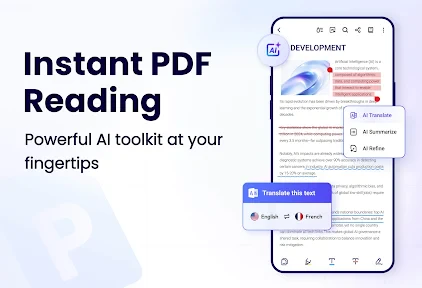
Long documents also call for a different approach from short forms. Instead of swiping page by page, use the in-document text search when you know a name or phrase to look for; it can take you closer to the relevant passage without aimless scrolling. Search depends on text being present in a searchable form, though. A scan saved as page images may not respond to a text search, so that result alone does not prove the document is incomplete.
Small checks before relying on a file
Before reviewing an important document, I check that it opens from its saved location and that the pages I need are actually readable. If the file was just downloaded, I wait for that process to finish and try opening it again from the file manager if the first attempt stalls. When a document is unusually large or complex, giving it another moment or closing and reopening it is a more sensible first step than repeatedly tapping the same control.
The app is a free productivity tool from QR Code Scanner, with optional in-app purchases listed from $4.49 to $69.99 per item. It is rated for Everyone, and its current version is 1.9.9; Android support starts at version 6.0. I would check the purchase screen carefully before confirming anything, especially if I only need basic reading. Its 4.4 average from around one million ratings and over 100 million installs suggest broad use, but popularity is not a substitute for checking whether a particular feature suits your own workflow.
A practical way to read, mark, and recover documents
Make the phone useful without making it the only copy
For a realistic everyday example, imagine a form arriving while you are away from your computer. I would open it in the reader, search for the section I need, and use the available document tools only if they suit the task. Before sending anything back, I would reopen the saved result and inspect the relevant pages. That quick second look helps catch a misplaced mark or an unreadable page before the file leaves my hands.
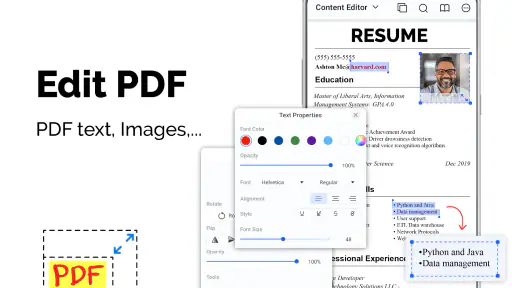
For study notes or a work document, highlighting and annotations can be convenient for a short review on the move. The trade-off is that a phone screen is cramped for detailed editing: if I need precise layout changes, extensive revisions, or careful comparison between several pages, I would switch to a computer-based PDF or office editor. I also keep an untouched copy of important originals. That way, a change made on a small screen does not become the only version I have.
You May Like

Clash of Clans Is Won Between the Battles

Android Auto Makes the Case for Quieter Car Software

MobiOffice: Transforming Mobile Productivity with Seamless Integration

EA SPORTS FC™ Mobile Soccer: Redefining Mobile Sports Gaming

How Microsoft OneDrive Became a Mobile Productivity Giant

How Google Translate Breaks Language Barriers Effortlessly
When a problem belongs to the file or the phone
If one document fails while other PDFs open, I would suspect the file first: it may be incomplete, damaged, or built in a way that a mobile viewer handles poorly. If several unrelated files fail, I would close and reopen the app, check that the phone has enough free space for ordinary use, and try opening a known-good document. These are general checks rather than guarantees, but they help separate a single-file issue from a broader device or app problem.
When marks or edits do not appear where expected, I would avoid making repeated changes until I know which copy is open. A duplicate filename or a file opened from a temporary location can make it easy to inspect one version and share another. A practical habit is to save or export the working copy to a location you can identify, then open that copy again before relying on it. For signatures or forms with legal or financial importance, I would confirm the final file carefully and use a trusted workflow if the recipient requires a specific signing method.
How it fits beside other document tools
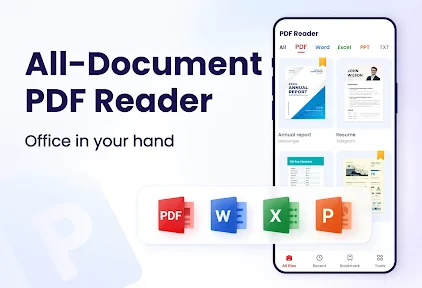
Compared with a phone’s built-in preview, a dedicated reader can be more convenient when you regularly return to PDFs, search within them, or want reading and marking tools together. Compared with a full office suite, this app is better approached as a mobile document reader than as a complete editing desk. The store summary also mentions DOCX files, but I would choose a dedicated word processor when I need to revise complex formatting rather than simply manage or read a document on a phone.
This app is a good fit for someone who receives forms, manuals, class materials, or work PDFs and wants one place to read and make straightforward notes. It is less suitable if your routine depends on advanced page editing, precise document conversion, or a guaranteed signing process. In those situations, I would use a specialist tool or desktop software and keep this reader for quick access while away from a larger screen.
Choosing it for a particular routine
The strongest case for installing this reader is regular, modest document work: opening a reference, checking a form, finding a passage, or marking a few lines before a meeting. If I only encounter a PDF every few weeks, the phone’s existing preview may be enough and one more app may not improve my routine. If documents arrive daily from several places, having a dedicated reader can make the handoff more predictable, provided I still pay attention to where each file is saved.
A useful habit for people who handle several versions is to give the working copy a clear name before editing, rather than relying on a vague label such as “final.” I would also keep the original separate and verify the copy I intend to send. This is not glamorous, but it prevents a common mobile mistake: editing one file, then sharing an older attachment because both looked alike in a recent-files list.
For a student, the practical advantage is quick review between classes; for someone handling household paperwork, it is being able to inspect a bill or instruction sheet without waiting to reach a computer. The same small-screen convenience becomes a drawback when a task depends on exact positioning, many revisions, or comparing dense pages side by side. I would decide based on the work I actually do, not on the assumption that every document task belongs on a phone.
Setup checks that prevent avoidable frustration
When a document appears to be missing, I would check its source before changing app settings. A file may still be downloading, may have been saved to a different folder, or may be attached inside a message rather than stored with other documents. Opening it from the place it arrived and then checking the saved copy are two separate steps; keeping that distinction in mind makes it easier to tell whether the problem is access or reading.
It is also worth checking that the phone can open other ordinary PDFs before treating one troublesome file as evidence of a wider failure. If the app has just been installed or updated, I would reopen it and try a small, familiar document first, then move on to the file I need. This staged approach is useful because it gives me a simple comparison and avoids repeatedly testing the same difficult document without learning anything new.
When the document itself sets the limits
Not every page that looks like text behaves like text. A scanned sheet can be an image, and a document with unusual structure may display differently from a simple digital PDF. If search finds nothing, I would zoom in and inspect the page rather than assume the content vanished. For a scan, the reliable next step may be to read visually or use a separate text-recognition tool, if extracting searchable text is essential.
Likewise, a reader can show a document without making its contents easy to change. A form designed for computer use may have fields or layout details that are awkward on a phone, while a DOCX document may be better handled in a word processor if I need to preserve formatting during edits. I would use this app for access and quick review, then move to the tool that matches the document’s structure when the task becomes more demanding.
Getting Started
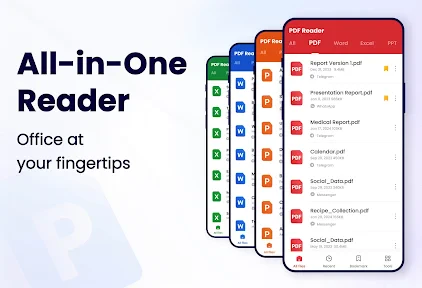
First things first, downloading and installing the PDF Reader - PDF Viewer is a breeze. Available on both Android and iOS platforms, the app is lightweight, which means it won’t hog much of your device’s storage space. Once installed, you’re greeted with a clean and intuitive interface. I personally loved how user-friendly it is; even if you’re not tech-savvy, you’ll find it easy to navigate through the app’s features.
Features and Functionality
One of the standout features of this app is its ability to open PDF files quickly and efficiently. No more waiting for ages just to view a document. It also supports a variety of file formats, which is a huge plus if you’re dealing with different document types. I tried opening a hefty PDF file, and to my surprise, it opened without any hitches.
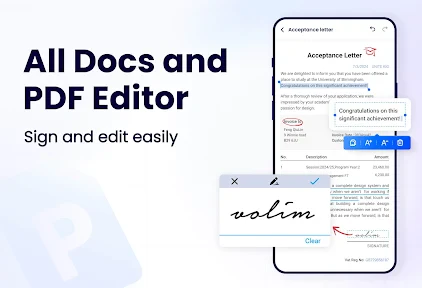
Besides just viewing PDFs, the app offers some neat features like annotating, highlighting, and even signing documents. Imagine being able to sign a contract right from your phone! The annotation tools are quite handy for students or professionals who need to make quick notes or highlight important sections of a document.
User Experience
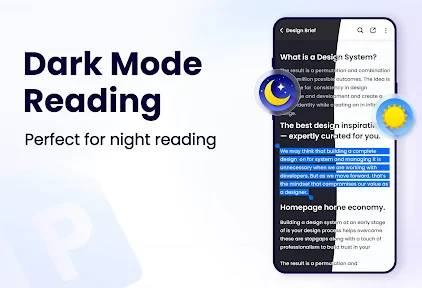
Using the app feels smooth and seamless. The developers have clearly put a lot of thought into the design and functionality. I particularly enjoyed the night mode feature, which makes reading PDFs easier on the eyes in low-light conditions. Plus, the app doesn’t bombard you with ads, which is a major relief!
Another aspect worth mentioning is the search functionality. You can search for specific texts within the document, making it easier to find the information you need without scrolling through pages aimlessly. It’s little features like these that make the app stand out.
Practical verdict for everyday readers
My recommendation is to use this as a convenient mobile stop in a document workflow, not as the single place where every important file must live. It makes sense for quick reading, locating text, and lightweight markup; it makes less sense when a document needs exact layout work or when a recipient has strict requirements for how a signature must be applied. Keeping a separate original and confirming the version you share are simple safeguards that matter more than any one editing tool.
The app is free to install, but optional purchases mean I would review the terms shown in the app before paying for anything. That is particularly important if my needs are limited to opening and reading files. For people who need a more specialized editor, a desktop program or a dedicated office app may be a better match; for someone who mainly wants to read PDFs on the go, this reader can be a sensible everyday choice.
Final Thoughts
In conclusion, PDF Reader - PDF Viewer is a solid choice for anyone looking to manage PDF files on their mobile devices. It’s fast, efficient, and comes packed with features that cater to both casual users and professionals alike. Whether you’re a student needing to annotate lecture notes or a professional looking to review documents on-the-go, this app has got you covered.
While no app is without its flaws, I found that the benefits of using this app far outweigh any minor inconveniences. It’s definitely worth a try if you’re in the market for a reliable PDF reader.
So there you have it—my take on PDF Reader - PDF Viewer. Give it a shot and see how it fits into your digital life. You might find it becoming one of those apps you just can’t do without!
PDF Reader - PDF Viewer Frequently Asked Questions
Is PDF Reader - PDF Viewer suitable for everyday document tasks?
PDF Reader - PDF Viewer is a productivity app for reading, editing, and managing documents. Its focus on PDFs, along with support for DOCX files, makes it a practical option for common tasks such as opening files and keeping documents organized. It is aimed at users who want document tools in one app rather than a dedicated PDF viewer alone.
Who is PDF Reader - PDF Viewer intended for?
The app is rated for Everyone and is designed around everyday document reading and management, so it can suit a broad range of users. Students may use it to read course materials, while professionals and casual readers may find it useful for handling PDFs and DOCX files. Whether it fits your routine depends on which document tools you need.
What file types can I open with PDF Reader - PDF Viewer?
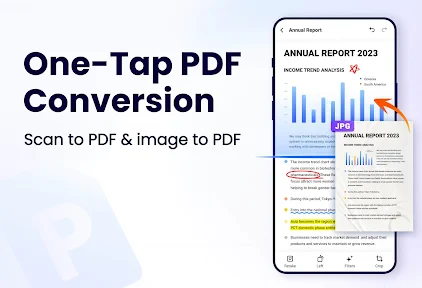
The app is centered on PDF reading and management, and its description also mentions working with DOCX files. That makes it useful if you want one place to view common document formats rather than opening a PDF reader for one file and a separate app for another. Its broader editing and reading tools are intended to support everyday document tasks.
Is PDF Reader - PDF Viewer compatible with my Android device?
PDF Reader - PDF Viewer requires Android 6.0 or later, so check your device’s software version before downloading. The app is a productivity tool for reading and managing documents, and it is free to install. It has over 100 million installs and is rated for Everyone, making it suitable for a broad audience.
What features does PDF Reader - PDF Viewer offer?
PDF Reader - PDF Viewer provides a comprehensive suite of features to enhance your PDF reading experience. It includes functionalities such as annotation, text highlighting, and the ability to add notes. Users can also fill forms, sign documents digitally, and manage files effortlessly. The app supports various file formats, offering both offline and online reading modes to suit diverse user needs.
Pros
- Supports various file formats.
- Fast and smooth navigation.
- Offline access to files.
- Annotation and editing tools.
- User-friendly interface.
Cons
- Ads in free version.
- Limited free editing features.
- Occasional crashes reported.
- No cloud sync option.
- Lacks advanced editing tools.
- Category
- Productivity
- Version
- 1.9.9













