QR Code Scanner & Scanner App
- 5.13K
- 4.4
- Installs
- 100.00M
- Price
- Free

Screenshots


Analysis by Reviewed
Hey there! So, you've probably found yourself in a situation where you needed to scan a QR code, right? Maybe you're at a restaurant trying to check out their menu, or perhaps you're trying to add a new contact by just pointing your phone at a code. Enter the QR Code Scanner & Scanner App! This nifty tool is here to make your life a whole lot easier, and I've got all the deets for you right here.
Getting Started with the App
First things first, let's talk about getting this app onto your phone. Whether you're an Android aficionado or an iOS enthusiast, the QR Code Scanner & Scanner App has got you covered. It's a quick download from the Play Store or App Store, and once you've got it installed, you're all set to dive into the world of QR codes.
User Interface and Experience
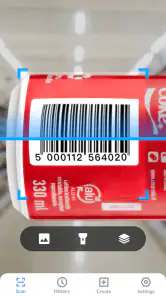
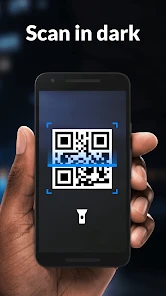
The user interface is slick and straightforward. You open the app, and boom, your camera is ready to scan. No frills, no unnecessary buttons, just a clean screen with a focus on functionality. I particularly appreciate how intuitive it is. Even if you're tech-challenged, you'll have no trouble navigating through it. Plus, there's a handy option to toggle the flashlight, which comes in clutch when you're trying to scan in low-light conditions.
Features Galore
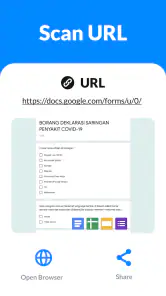
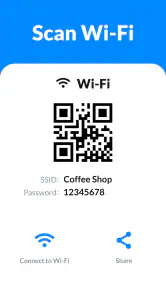
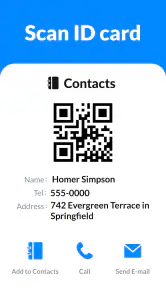
Now, let's dive into the features because this app isn't just about scanning QR codes. Oh no, it does a whole lot more! For instance, you can generate your own QR codes. Imagine the possibilities! Want to share your Wi-Fi with a friend? Generate a QR code. Need to quickly send a URL? QR code it! It's like having a digital Swiss Army knife in your pocket.
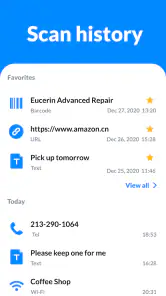
Another cool feature is the app's ability to keep a history of all your scans. This means you don't have to worry about losing that important link you scanned yesterday. It's all there, neatly organized for you to revisit whenever you need. How convenient is that?
Performance and Reliability
Performance-wise, the app is a champ. It scans codes almost instantaneously. Whether it's a tiny code on a product label or a large one at a concert venue, the app handles it all with ease. I've had no hiccups or crashes, and that's saying something given how finicky some apps can be.
The reliability of this app is truly impressive. It works offline too, so if you're in an area with sketchy internet, you can still scan codes without a hitch. Plus, it's light on resources, so you won't have to worry about it hogging your phone's memory or battery life.
Final Thoughts
In a nutshell, the QR Code Scanner & Scanner App is a must-have tool for anyone with a smartphone. It's efficient, user-friendly, and packed with features that go beyond just scanning QR codes. Whether you're tech-savvy or not, this app simplifies the process and adds a layer of convenience to your daily routine. If you haven't already, give it a whirl. Your QR code scanning experience will never be the same!
Pros
- Quick scanning of QR codes
- User-friendly interface
- Supports multiple code formats
- No internet required for scanning
- Customizable scanning settings
Cons
- Contains ads in free version
- Limited features without premium
- Occasional scanning errors
- Interface lacks advanced tools
- Battery consumption is high

- Category
- Tools
- Version
- 1.6.1











