Document Reader & PDF Editor
- 3.34K
- 4.6
- Installs
- 50.00M
- Price
- Free
Screenshots
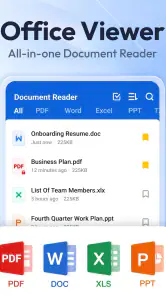
Analysis by Reviewed
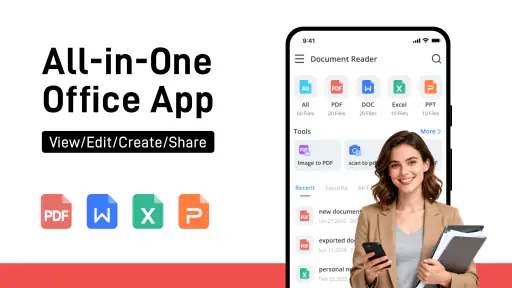
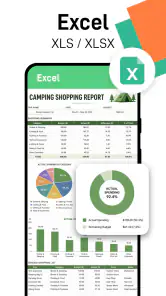
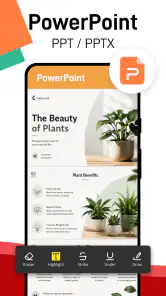
I often need to open a file quickly on my phone, not necessarily launch a full office suite or hunt for a laptop. That is the practical appeal of Document Reader & PDF Editor: it is positioned as a single place to read common document types, including PDFs, Word files, spreadsheets, presentations, and plain text. I’d treat it as a handy mobile viewer first, then check whether its editing tools fit the particular file I need to work on.
A compact reader for everyday document moments
The app is free to install, is rated for Everyone, and is made by QR Code Scanner. It has a 4.6 average from around 365,000 ratings and has passed 50 million installs, so it is clearly used well beyond a small niche. It runs on Android 6.0 or later, and the current version is 1.2.7. Those details make it an accessible option for people who want a document reader without paying up front, though in-app purchases ranging from $4.99 to $19.99 per item mean it is worth checking what is included before relying on a paid tool.
Getting Started with Ease
First things first, downloading and setting up the Document Reader & PDF Editor is a breeze. It's available for both Android and iOS, so no matter what device you’re using, you’re covered. Once installed, you’re greeted with a clean and intuitive interface. It’s not cluttered with unnecessary features, which is a big plus in my book. You can jump right into the action without a hitch.
Features That Stand Out
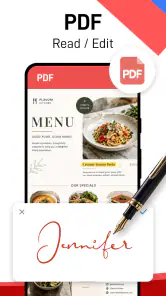
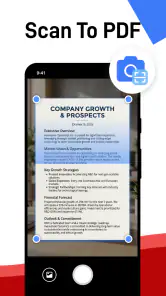
This app isn’t just about reading PDFs; it’s so much more. You can edit, annotate, and even convert files to different formats. Need to fill out a form? No problem. The app allows you to do it directly without having to print anything. I found the annotation tools particularly useful – highlighting text and adding notes was a breeze.
For a useful workflow, I’d mark up a draft on my phone, add a short note explaining the change, then reopen the file later on a larger screen if the revision needs careful formatting. That keeps quick feedback separate from the more exacting work. Before sharing an edited copy, I’d also open it again and check that the annotations and any form entries are visible where I expect; document layouts can shift between apps, especially when a file contains more than plain text.
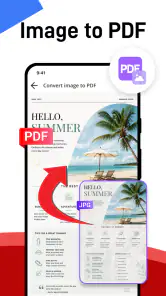
Another cool feature is the ability to convert PDFs to Word documents and vice versa. This functionality comes in handy when you need to make more extensive edits that are just too cumbersome to handle within the PDF format.
Making mobile document work less fiddly
A small-screen workflow works best when I decide what the task actually is before opening the file. If I only need to confirm a meeting time in a document, a reader is enough; if I need to correct a sentence, an annotation may be safer than changing the source text. For a PDF that needs substantial rewriting, conversion to Word can provide a more comfortable starting point, but I would keep the original alongside it. That way I can compare the text, page breaks, and any tables before treating the converted copy as finished.
You May Like

Clash of Clans Is Won Between the Battles

Android Auto Makes the Case for Quieter Car Software

MobiOffice: Transforming Mobile Productivity with Seamless Integration

EA SPORTS FC™ Mobile Soccer: Redefining Mobile Sports Gaming

How Microsoft OneDrive Became a Mobile Productivity Giant

How Google Translate Breaks Language Barriers Effortlessly
It also helps to think about where the file came from. A document attached to an email may be easy to open from the phone’s file picker, while something saved in a downloads folder might take an extra moment to locate. I’d give important working files clear names before sharing them, particularly if I have both an untouched source and an annotated or converted copy. That simple habit reduces the chance of sending a draft when someone expects the final version.
Where it fits alongside other office apps
Compared with opening each file type in a separate app, having a reader for several formats can make casual document handling feel more direct. I’d use it to check a presentation someone sent, read a text file, or look over a spreadsheet while away from my desk. It is less compelling as a replacement for a full desktop office suite: detailed spreadsheet work, complex slide design, and precise page layout are usually easier with tools built specifically for those jobs.
A realistic example is getting a form by email while waiting for an appointment. I could open it, fill in the fields, and add a note without finding a printer. If the form needs a signature or has strict formatting requirements, I’d review the saved result before sending it. That extra check is a small habit, but it helps avoid the common mobile-editing surprise of a file looking different from the original.
For a quick decision, I’d choose this kind of all-purpose reader over a heavyweight office suite when the task is mostly opening, checking, or making a modest change. A dedicated PDF app is a better match if the work depends on specialized page controls, while a spreadsheet or presentation app makes more sense when I’m building or restructuring a file rather than merely inspecting it. The trade-off is convenience against depth: fewer app switches for everyday viewing, but less reason to expect desktop-level control.
Performance and Usability
In terms of performance, the app runs smoothly without any annoying lags or crashes. The developers have done a great job optimizing it for a seamless experience. Whether you’re opening a small document or a hefty report, everything loads quickly.
One thing I appreciate is the app’s offline capabilities. You don’t need an internet connection to edit your documents, which is ideal for those moments when you’re on the move and don’t have access to Wi-Fi. Plus, it doesn’t drain your battery, so you can work without constantly reaching for the charger.
Useful habits for handling files away from a desk
Offline access is especially useful when I want to review a file during a commute or in a place with unreliable connectivity. I’d open or save the document before leaving a stable connection, then avoid assuming that a change has been shared anywhere automatically. When the task is done, I would check the saved file itself and use the phone’s normal sharing flow to send it to the right person. This keeps the distinction clear between editing a local copy and delivering that copy.
For long reports, I find a phone better for targeted checks than continuous reading. I might search visually for the relevant section, read a few pages, and note what needs follow-up rather than trying to review every detail on a small display. A spreadsheet is similar: checking a figure or reading a table is reasonable, but comparing many columns or entering lots of values is slower and easier to get wrong on a touchscreen. This is where a quick mobile glance is valuable, but a larger screen remains the sensible next step.
Things I’d check before depending on it
My main practical caution is to distinguish reading from serious editing. A phone screen is fine for reviewing a page or adding a brief comment, but it is a cramped place to compare long passages or adjust a complicated document. I’d keep an untouched copy before converting an important PDF, then compare the converted version with the source; conversion can make editing easier, but it may not preserve every detail of a carefully formatted page.
The app’s free entry point makes it easy to try, but I would not assume every feature is included at no cost. If a tool prompts for an in-app purchase, I’d consider whether I need it regularly or whether a separate editor I already use is enough. The release date is July 29, 2022, and the current version is 1.2.7; that gives existing users a clear version to identify, while future changes are something to assess when they arrive rather than assume.
What to expect from the current version
Version 1.2.7 is the practical reference point for someone deciding whether to install or keep the app now. The release date establishes that it has been available since July 29, 2022, but that alone does not tell me how any individual tool has changed over time. I’d judge the current experience by the work I need to do today, and check the version shown on my device if a feature behaves differently after an update.
For existing users, the sensible approach is to keep a clean original for documents that matter and test a conversion or edit on a copy before making it part of a routine. If the app changes later, I would look for concrete differences that affect my own workflow—such as whether a familiar file opens as expected—rather than assuming every update changes the way I work. That is a useful safeguard with any reader that handles several document formats.
Final Thoughts
So, is the Document Reader & PDF Editor worth a spot on your phone? Absolutely. It’s a versatile tool that makes handling PDFs and other documents a hassle-free experience. Whether you’re a student, a professional, or just someone who deals with PDFs on a regular basis, this app is sure to become an essential part of your toolkit.
I think it suits people who regularly need to open a mixture of documents, make quick notes, or complete straightforward forms away from a computer. If your priority is advanced editing, collaborative review, or exact control over complex layouts, I’d choose a dedicated office or PDF editor instead. Its strongest role is convenience: one mobile stop for common files, with a sensible check of the finished document before you send it on.
For students, that might mean reading a handout between classes and marking a passage to revisit at home. For someone who travels for work, it could mean checking a presentation or form without carrying a laptop for every short task. I would not recommend relying on a phone-based reader as the only tool for a document that needs careful formatting, repeated revision, or detailed collaboration; those jobs benefit from a purpose-built editor and a larger screen.
If you are weighing whether to pay for an extra tool, I’d first try the free experience on the exact kind of file you handle most often. Then consider whether the purchase solves a recurring problem, not just a one-time inconvenience. The available in-app purchases range from $4.99 to $19.99 per item, so checking the prompt and deciding based on your own routine is more sensible than assuming every editing option comes with installation.
Give it a try, and you might just find yourself wondering how you ever managed without it. With its user-friendly interface, comprehensive features, and reliable performance, it’s a standout choice in the crowded world of productivity apps. Happy editing!
Document Reader & PDF Editor Frequently Asked Questions
Is Document Reader & PDF Editor suitable for everyday document reading?
It is a productivity app centered on opening and viewing documents in several common formats. If you regularly receive PDFs, Word files, spreadsheets, presentations, or plain text, having a single viewer can make everyday reading more convenient than switching between apps. Its main appeal is document access in one place, so consider whether that matches the way you handle files.
How popular is Document Reader & PDF Editor?
Document Reader & PDF Editor has an average rating of 4.6 from around 365,000 ratings, with about 3,300 written reviews and over 50 million installs. Those figures suggest that it has reached a broad audience, though popularity alone cannot tell you whether its tools suit your personal workflow. Think about which file types you need to open and what you expect from a document app before installing.
Can I open Word, Excel, PowerPoint, and text files with Document Reader & PDF Editor?
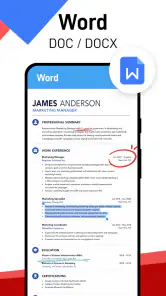
Yes. Document Reader & PDF Editor is designed as an all-in-one file viewer for PDF, DOCX, XLS, PPT, and TXT files. This makes it useful when you need to read different kinds of documents in one app rather than switching between separate viewers. Its focus is on document access and productivity.
Is Document Reader & PDF Editor free to download, and are there in-app purchases?
The app is free to download, so you can try its document-reading tools without paying upfront. It also offers in-app purchases, with items priced from around five to twenty dollars. Check the purchase details in the app before buying, especially if you only need basic file viewing, so you can decide whether any paid option suits you.
What devices and Android version do I need to use Document Reader & PDF Editor?
Document Reader & PDF Editor is an Android app that requires Android 6.0 or later. Before downloading, check your device’s Android version in its settings to make sure it meets that requirement. The app is listed for everyone, and its productivity focus makes it suited to reading and handling documents on a compatible device.
Pros
- User-friendly interface
- Supports various file formats
- Fast document loading
- Cloud integration available
- Annotation tools included
Cons
- Requires in-app purchases
- Occasional ads
- Limited editing features
- May drain battery quickly
- No offline mode
- Category
- Productivity
- Version
- 1.2.7













