Microsoft Excel: Spreadsheets
- 47.78K
- 4.8
- Installs
- 1.00B
- Price
- Free

Screenshots
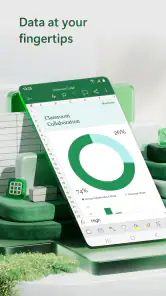
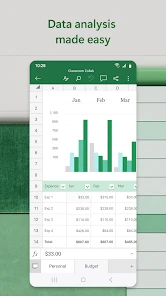
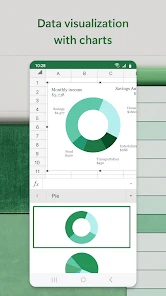
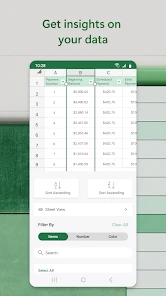
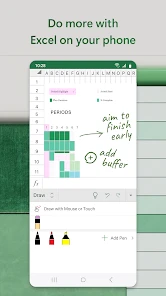
Analysis by Reviewed
My first reason to open a spreadsheet on a phone is usually practical: I need to check a figure, jot down a few changes, or make sense of information while I’m away from a computer. Microsoft Excel: Spreadsheets works well for that kind of stop-and-start day, especially when a workbook needs to move between my phone and a larger screen. It is a free productivity app from Microsoft Corporation, and its wide adoption—over a billion installs and an average rating of 4.8 from around eight million ratings—makes it a familiar option for work, study, and personal planning.
Why Microsoft Excel Stands Out
I find Excel stands out most when a small update needs to become a dependable record: its structured rows, formulas, and charts can carry the same information from a quick phone edit to a more careful review later. The useful choice is not simply whether to make a chart, but whether the person receiving it needs a visual takeaway or enough context to check the figures. That distinction shapes how I prepare a workbook for a handoff.
From a quick note to a usable sheet
When I start a new workbook, the main choice is whether to build from a blank grid or use a template as a starting point. Templates can save setup time for familiar jobs such as tracking spending or planning tasks, while a blank sheet is better when I already know what information I need. I try to decide on the columns before entering a lot of data: a simple structure makes later sorting, formulas, and charting much easier on a phone screen.
The Latest on Microsoft Excel: Spreadsheets
One practical habit is to keep the raw entries separate from any totals or summaries. For a household budget, for example, I might put dates, descriptions, and amounts in one table, then use a separate area for monthly totals. That makes corrections less risky and helps a chart reflect the figures I actually want to compare. It is a small bit of setup that pays off once the sheet grows beyond a handful of rows.
User-Friendly Interface
One of the first things you'll notice about Microsoft Excel is its intuitive interface. It’s clean, easy to navigate, and doesn’t overwhelm you with too many options right off the bat. Even if you’re a newbie to the world of spreadsheets, Excel’s guided tours and templates make it super easy to get started. I found myself creating a functional budget sheet in no time, with graphs and charts that looked like I knew what I was doing.
Touch input is still a trade-off. Selecting a cell, editing a formula, or adjusting a chart can feel more deliberate than using a mouse and keyboard, particularly when a workbook has many columns. I use the phone for checking entries, making small corrections, and capturing information in the moment; for extensive cleanup or building a complicated model, I would rather switch to a tablet or computer. That division keeps mobile editing useful without pretending a small screen is ideal for every spreadsheet job.
Powerful Features
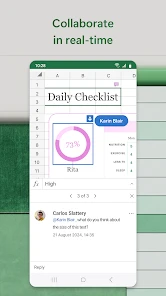
Excel isn’t just about adding numbers in rows and columns. Oh no, it’s much more versatile than that. The app offers a plethora of functions and features that are designed to cater to both beginners and advanced users. From simple sum calculations to complex pivot tables and data visualization tools, there’s something for everyone. The real-time collaboration feature is a game-changer, allowing multiple users to work on the same document simultaneously. It’s perfect for team projects or when you need to share your work with colleagues or friends.
More From Our News Desk

Android Auto Makes the Case for Quieter Car Software

MobiOffice: Transforming Mobile Productivity with Seamless Integration

EA SPORTS FC™ Mobile Soccer: Redefining Mobile Sports Gaming

How Microsoft OneDrive Became a Mobile Productivity Giant

How Google Translate Breaks Language Barriers Effortlessly

Why Google Sheets Is the Ultimate Mobile Productivity Tool
For a useful everyday workflow, I might enter receipts during the week, check the amounts for obvious mistakes, and then use a chart to see which categories are taking the largest share of the budget. The key is to treat the chart as a view of the underlying table, not as proof that the entries are correct. Consistent labels and clean columns matter: a mix of dates, notes, and amounts in the same field can make sorting and analysis confusing. Microsoft’s AI-focused tools for generating visual charts from data can help with presentation, but I still review the source figures and chart labels before sharing the result.
That review step is especially important when a workbook is handed to someone else. I prefer to make column headings plain, keep assumptions visible, and avoid unexplained abbreviations. A teammate can then check what each figure represents before editing or adding new rows. Collaboration is most useful when everyone agrees on the shape of the sheet; if several people enter the same kind of information in different ways, the shared file can become harder to analyze rather than easier.
Seamless Integration
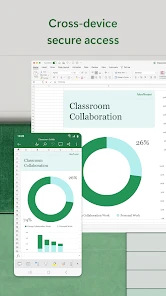
Microsoft Excel: Spreadsheets integrates smoothly with other Microsoft Office apps, making it a breeze to import and export data. The cloud integration is flawless, thanks to OneDrive, ensuring that your spreadsheets are accessible anytime, anywhere. This is particularly handy if you’re someone who frequently switches between devices. I’ve lost count of the number of times this has saved me from last-minute panic attacks when I needed to pull up a document during a meeting.
In a handoff, I would first check that I am working in the intended workbook, then confirm that the latest edits have reached the shared copy before relying on another device or passing the file to a colleague. That small pause is worthwhile when a meeting depends on current numbers. If the next person needs only the conclusion, a tidy chart and clear labels may be easier to use than a sheet full of working calculations; if they need to audit the result, keeping the source data alongside the summary is more helpful.
Customization and Flexibility
Excel is all about customization. You can tailor your spreadsheets to look exactly how you want them to, with a wide range of formatting tools at your disposal. Whether it's changing colors, adjusting layouts, or adding conditional formatting, the sky's the limit. Plus, with the ability to add extensions and plugins, you can enhance Excel’s functionality to suit your specific needs.
Formatting is most valuable when it communicates meaning rather than decoration. I use a consistent style for headings and reserve emphasis for exceptions that need attention. Conditional formatting can make unusual values easier to spot, but it cannot explain why a value is unusual; I still add notes or check the underlying entries. If a sheet is mainly for quick data entry, restrained formatting also makes it easier to keep the layout readable on a small display.
Choosing it for the right kind of work
I would recommend Excel to people who already exchange spreadsheets with coworkers, classmates, or family, and to anyone who needs formulas, charts, or a workbook that can continue on a computer later. Students can use it to organize deadlines or compare research figures; a small business owner can track stock or expenses; and a household can keep a shared record of recurring costs. The mobile app is especially useful when the job is ongoing but the moments available to update it are short.
For example, I could add a grocery receipt while waiting for a bus, then check the household sheet at home before deciding whether a spending category needs attention. That is a better fit for the phone than trying to redesign the workbook in a hurry. For recurring records, a consistent date and category format makes later comparisons more dependable. If someone else will maintain the sheet, I would agree on those labels first rather than expecting them to infer my system.
Compared with a notes app, Excel takes more setup but gives me calculations and structured comparisons instead of a loose list. Compared with a lightweight shared table, it can be a better choice when people already depend on Excel workbooks or need formulas and charts, though the extra depth can slow down a simple collaboration. If the task is mostly collecting short updates from a group, a form or shared document may be easier for contributors; if the answers need to be calculated and reviewed as a dataset, a spreadsheet is more useful.
If you only need a simple checklist or a few lines of plain text, a notes app is quicker and less fussy. If several people need to edit a lightweight table at once, a simpler shared-sheet tool may feel easier to learn. Excel makes more sense when the structure, calculations, or compatibility with existing workbooks matter enough to justify its extra controls. It is free to download, rated for Everyone, and includes in-app purchases, so I would check the options shown in the app before assuming every capability has the same cost.
Small habits that prevent messy handoffs
One less obvious safeguard is to distinguish an input from a calculated result visually and structurally. If I type over a total by mistake, it can be harder to notice than a wrong entry in the source table. I keep calculations in their own area and, before sharing, test a couple of rows against a manual calculation. That is not a substitute for checking every entry, but it can catch a broken formula or an accidental change before someone relies on the summary.
Charts also deserve a quick suitability check. A chart can make a trend easier to discuss, but categories with inconsistent names may appear as separate groups, and a visually neat result can still be misleading if the source range misses newer rows. I check the labels and the selected data before sending it on. When the audience needs exact values rather than a pattern, I include a clearly labeled table as well instead of asking the graphic to do every job.
Where the mobile workflow reaches its limits
Excel is less comfortable when the work depends on long formula editing, detailed formatting, or repeatedly moving between distant parts of a wide workbook. The phone is handy for a quick correction, but precision work is easier with a larger display and physical keyboard. I would also avoid treating a shared workbook as a casual chat space: comments and edits can help coordinate work, yet a conversation-heavy project needs a tool designed around messages and decisions.
As a long-running tool, Excel has a depth that can be an advantage and a learning curve at the same time. The app was released on January 6, 2015, and its scale—around 48,000 reviews as well as its large rating base—reflects how many different jobs people bring to it, not a guarantee that every task will feel effortless. I would not choose it for writing long notes or managing a project whose needs are mostly conversations and reminders. Its strength is structured information, and it works best when I let it be a spreadsheet rather than forcing every kind of task into rows and columns.
A sensible fit for shared records
There is another everyday case where I find the app useful: coordinating a small event or a shared household task. I can keep names, dates, costs, and status in separate columns, then use filters to focus on the rows that need attention. This is more dependable than a long message thread when details change, because the current state stays in one structured place. I would still keep the sheet modest; if the group mostly needs to discuss choices, a chat or shared document is a better home for that conversation.
Before handing the workbook over, I also look at it from the recipient’s point of view. Are the headings clear without an explanation? Can they tell which cells are intended for new entries, and which contain calculations? These checks take little time but prevent a common spreadsheet problem: a file that makes sense only to the person who created it. For a recurring record, a short instruction near the top can help preserve the format without turning the sheet into a manual.
Getting started without overbuilding
If you are new to spreadsheets, I would begin with a small task that has an obvious result, such as listing weekly expenses or comparing a few options. Enter a handful of rows, add one formula or chart, and check whether the output answers the question you had. That is a better way to learn than trying to use every tool at once. A template can provide a useful structure, but I would remove fields I do not need rather than filling them just because they are there.
For people moving an existing workbook onto a phone, the key question is not whether every part is comfortable to edit on touch, but which actions are worth doing there. Looking up a value, correcting a typo, or adding a simple row can be convenient. Reworking a large model is another matter. Keeping that distinction in mind makes the mobile version a practical companion instead of an imperfect replacement for a larger-screen workflow.
The app is free, with in-app purchases ranging from about a dollar to around $130 per item, so I would check the current choices in the app if a particular capability matters to me. Its Everyone age rating makes it suitable for a broad audience, but that does not remove the need to think carefully about what information a shared workbook contains. For school, work, or family records, I would keep only the details relevant to the task and be deliberate about who receives the file.
In conclusion, Microsoft Excel: Spreadsheets is more than just an app; it's a powerful tool that can help you manage and analyze data like a pro. Whether you're a student trying to organize your study schedule, a professional handling complex data sets, or someone who just loves to keep things organized, Excel is your best buddy. So, if you haven't explored what this app has to offer yet, I strongly recommend giving it a try. You might just find yourself wondering how you ever managed without it!
Microsoft Excel: Spreadsheets Frequently Asked Questions
Can I use Microsoft Excel without much spreadsheet experience?
Yes. Excel can be useful even if you are new to spreadsheets. You can begin by entering information into cells, arranging it in tables, and using built-in tools to organize or visualize it. More advanced work with formulas and data analysis may take practice, but you can start with straightforward tasks and explore additional features as your needs grow.
Is Microsoft Excel available for Android and iOS?
Yes. Microsoft Excel is available for both Android and iOS devices, so you can download it from the app store for your device. The mobile app lets you view, edit, and create spreadsheets, making it a handy option when you need to work away from a computer. Its smaller screen can feel less comfortable for lengthy or detailed editing.
How do I get started with a spreadsheet in the app?
You can start by creating a spreadsheet and entering information into its rows and columns. From there, you can organize the content as a table, use formulas for calculations, or add a chart to make the information easier to review. A simple list or budget is a practical first project, and you can add more structure as you become familiar with the tools.
Can I use Microsoft Excel on a phone or tablet for quick changes while traveling?
Yes. Excel’s mobile app is intended for working with spreadsheets away from a computer, so it can be useful for checking figures, updating a list, or making a small change while you are out. You can also create and edit spreadsheets on mobile. For work involving many columns or detailed formatting, the smaller screen may make a computer more comfortable.
Can Excel help me turn data into a visual overview without building a chart from scratch?
Excel includes chart tools for making spreadsheet data easier to interpret, and its store summary highlights AI tools that can generate visual charts from data. That can be helpful when you want a quick visual overview of information you have entered. You can also use the charts as part of a broader workbook, alongside tables and calculations.
Pros
- Comprehensive spreadsheet features
- Seamless collaboration tools
- Cross-platform compatibility
- Extensive formula library
- Robust data analysis tools
Cons
- Steep learning curve for beginners
- Requires Microsoft 365 subscription
- Occasional performance issues
- Complex for basic tasks
- Limited mobile functionality
- Category
- Productivity
- Version
- Varies with device













