Logo Maker - AI Art Design
- 267.00
- 4.3
- Installs
- 1.00M
- Price
- Free
Screenshots
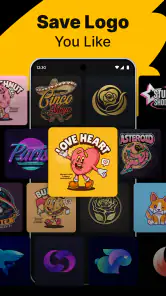
Analysis by Reviewed
When I opened Logo Maker - AI Art Design, I found an app aimed at getting a first logo idea onto the screen without asking me to learn a desktop design program first. That makes it useful for a small project, a new social page, or a quick visual draft. I’d treat it as a convenient starting point rather than assume an automatically generated design is ready for every business use.
What to expect from a phone-based logo tool
This is a free art and design app from Smart AI DEV, with a 4.3 average from around 31,000 ratings and over 1 million installs. It is rated for Everyone, and the current version is 1.2.4. The basic appeal is straightforward: use AI-assisted ideas and editing tools to work toward a custom mark on a phone. For me, that is a different promise from a full design suite, where every detail may be under my control but the learning curve is steeper.
It is also worth keeping the intended job in mind. A logo maker can help me explore a direction or prepare a simple identity for a small side project, but it does not replace the broader brand work involved in choosing a name, checking whether a mark is distinctive, or preparing assets for every kind of printing. I get the most value when I arrive with a clear purpose and use the app to explore and refine, not when I expect it to make every decision for me.
Getting Started with Logo Maker - AI Art Design
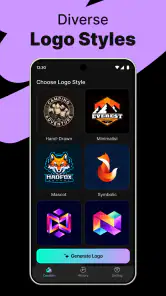
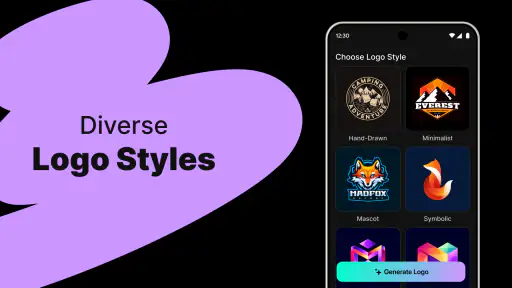
Once you download and open Logo Maker - AI Art Design, you’re greeted with a sleek and intuitive interface that makes it super easy to get started. The first thing you’ll notice is the plethora of templates available. Seriously, there’s a template for every industry you can think of—from tech startups to cozy coffee shops.
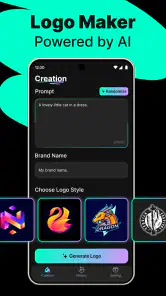
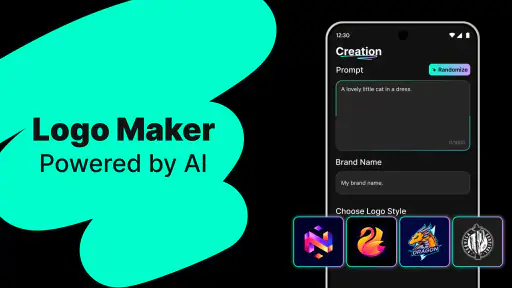
The app uses AI to suggest designs based on your preferences. You just input a few details about your brand, and voilà, you’ve got a series of tailor-made logo concepts to choose from. It’s kind of like having a personal designer in your pocket, which is pretty awesome if you ask me.
A calmer first session, from idea to draft
For a first attempt, I’d write down the project name, what it does, and two or three words describing its personality before opening the editor. That tiny bit of preparation makes it easier to judge suggestions: a logo for a friendly neighborhood bakery should not be assessed by the same standard as one for a serious consultancy. I would also pick a simple color direction early, so I’m comparing concepts on the same terms rather than changing everything at once.
A realistic use case is a friend setting up a weekend craft stall and needing a recognizable profile image before making a social page. I’d use the app to generate a few directions, choose one with a readable shape, then test it at a small size on the phone screen. If the lettering or symbol becomes muddy when reduced, that is useful feedback: simplify the draft instead of adding more decoration.
Features That Stand Out
Let’s talk features because this app is packed. One of my favorite things is the drag-and-drop editor. It’s incredibly user-friendly, even if you have zero design experience. You can easily swap out icons, change colors, and tweak fonts until everything looks just right.
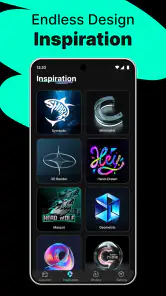
Another cool feature is the extensive icon library. The app offers a vast collection of icons and symbols that fit various themes and styles. You can mix and match to your heart’s content, ensuring your logo is unique.
For those who like a bit more control, the app allows fine-tuning with options to adjust spacing, alignment, and more. You can really drill down into the specifics, which is perfect for perfectionists like me.
Small choices that make a draft more usable
One practical trick is to check the design in a single color before settling on a palette. If the icon and name only work because of a color contrast, the mark may be harder to use on a plain document or a small label. I’d also keep a version with fewer visual elements in mind; on a phone screen, it is tempting to add details that look appealing up close but disappear when the logo is used as an avatar.
The trade-off with template and icon libraries is that familiar visual ingredients can lead to familiar-looking results. I would not assume that changing a color or swapping one symbol automatically makes a design distinctive. If originality matters for a growing company, use the app to sketch directions, then consider getting a professional review before investing in signs, packaging, or a larger identity system.
Designing with AI
The AI aspect of this app is what makes it a game-changer. It learns from your choices and suggests improvements or alternatives. This means the more you use it, the smarter it gets. It’s a bit like having a collaborative design partner who’s always ready to help out.
Plus, the AI’s ability to generate suggestions based on current design trends is a huge plus. You’re not just getting a logo; you’re getting something that feels fresh and modern, which is crucial in today’s fast-paced digital world.
Where AI helps—and where my judgment still matters
I find AI suggestions most useful when I am stuck between broad directions, such as a wordmark versus an icon-led design. They can give me options to react to, which is often easier than starting from a blank screen. I would still inspect spelling, legibility, spacing, and whether the symbol actually fits the project. A polished-looking suggestion can be attractive without being the right identity.
This is also where the app differs from a general-purpose illustration or layout tool. Those alternatives may offer more room to build a completely bespoke graphic, but they can take more time and design confidence. A logo maker is better when speed and guided exploration matter more than precise control over every drawing detail. If I need a highly original emblem or a complete brand system, I would move to a more specialized workflow.
From a first draft to a decision you can use
For someone opening the app for the first time, I’d keep the first session deliberately small: make one draft for one real destination rather than trying to design a complete brand at once. A neighborhood tutor, for example, might need a profile image that remains clear beside a short name. A person making labels for homemade jam has a different test: the mark must still read when it is printed small. Choosing the actual use first gives every editing decision a practical purpose.
When comparing options, I’d change one thing at a time. Keep the wording and layout, then compare two color choices; afterward, keep the stronger palette and test a simpler icon. If I alter the font, symbol, and colors together, it becomes hard to tell what improved the result. This slow, controlled comparison is a surprisingly useful way to get value from a quick editor, particularly when I have little design experience.
I’d also ask a person who has not seen the project brief what they think the mark says about the business. If they can read the name but interpret the symbol differently, that is not automatically a failure, but it tells me what impression the logo makes without explanation. A brief pause before collecting feedback helps too: after staring at a design for a while, I can become attached to details that other people barely notice.
Common questions before committing to a design
Can I start without paying? The app is free to download, while in-app purchases range from $6.99 to $59.99 per item. I would explore the initial workflow and check what is included before building a project around a paid option. That avoids reaching the end of a draft and only then discovering that a particular choice or output is tied to a purchase.
Will a design be ready for every use? I would not assume so. Before relying on any logo, check the available export choices in the app and confirm that the result suits the destination—especially if it is going to a printer or a client. A social profile image and a large printed sign have different practical demands, so the final file should be tested for the job rather than judged only inside the editor.
For Android users, the listed minimum operating system is Android 5.0. If I am choosing between this and a desktop editor, I’d choose this app for an approachable first draft on a phone, and a more flexible design program when exact construction, detailed illustration, or a carefully managed set of brand assets is the priority.
Costs, device choice, and when another tool makes sense
The free starting point makes sense for a person who wants to see whether a guided logo workflow suits them before putting money into a more involved design process. I would still treat purchases as a decision to make only after checking the specific item and what it unlocks. If I am experimenting casually, I would avoid paying just to keep momentum; I can first decide whether the current draft is genuinely useful and whether the next step depends on a paid option.
A phone is especially convenient when an idea comes up between other tasks: I can test a name and a visual direction without setting up a laptop or learning a large tool. That convenience has a limit. Small controls and a compact screen can make fine alignment tiring, and it is easier to overlook awkward spacing when the design is displayed at editing size. I’d use the phone for exploration, then inspect the result at the size and context where people will actually see it.
Compared with browsing template sites, the app puts the idea-making and editing in one mobile workflow, which can reduce the effort of jumping between sources. The trade-off is that a familiar template may not give a small business the individuality it wants. Compared with a professional designer, it offers a low-pressure way to develop a direction, but not the same strategic conversation about audience, competition, and long-term identity. For a personal club or a temporary event, that may be a sensible balance; for a company building a lasting public brand, I’d use it as a starting brief rather than the final authority.
Exporting and Sharing Your Creations
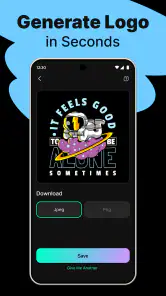
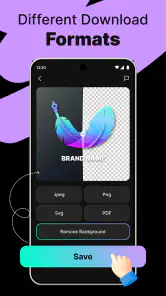
Once you’ve crafted the perfect logo, exporting it is a breeze. The app supports multiple formats, so whether you need a high-res PNG for your website or a vector file for printing, you’re covered. This flexibility is great for anyone looking to use their logo across different platforms and media.
Sharing your designs is also seamless. With just a tap, you can send your logo to colleagues, clients, or friends for feedback. It’s a handy feature for those who like to get a second opinion before finalizing their work.
Making the feedback useful instead of overwhelming
When I share a draft, I’d avoid asking only, “Do you like it?” That question tends to produce vague encouragement, which is pleasant but not very actionable. I get more useful feedback by asking someone to read the name from a small image, describe what kind of project they think it belongs to, or point out the first detail they notice. Those answers help me decide whether the design communicates clearly without asking anyone else to become a designer.
I would also keep feedback focused. If several people suggest unrelated changes, trying to satisfy each preference can make a simple mark cluttered. I’d look for repeated practical concerns—such as the wording being hard to read—rather than treating every personal taste as an instruction. Then I can make one revision and check whether it actually solves the problem.
My final take on who should use it
For a first-time creator, the best next step is to make one draft, save or share it, and ask someone who has not watched the design process what they can read and remember. That outside reaction can reveal problems I have stopped noticing after staring at the same screen. I would also compare two simple variants side by side instead of endlessly polishing one early idea.
Logo Maker - AI Art Design is a sensible fit for someone who wants a quick, guided way to explore a logo without starting in professional software. It is less suited to a business that needs a highly distinctive mark, exact production specifications, or a complete visual identity from the outset. Used as a sketching and decision-making tool, rather than a substitute for every stage of design, it can make the first step feel much less intimidating.
Logo Maker - AI Art Design Frequently Asked Questions
Is Logo Maker - AI Art Design free to download, and are there paid features?
Logo Maker - AI Art Design is free to download, so you can try the app without paying upfront. It also offers in-app purchases, with prices ranging from $6.99 to $59.99 per item. Check the purchase details shown in the app before confirming anything, so you know what a particular option costs and whether it suits the way you plan to use the app.
Who develops Logo Maker - AI Art Design, and what is it designed for?
Logo Maker - AI Art Design is an Art & Design app from Smart AI DEV. It is designed to help users create and design custom logos with AI-powered tools, making it relevant for people who want to work on a visual identity from an Android device. The app is free to download, while optional in-app purchases provide a paid route for users seeking additional offerings.
What devices can run Logo Maker - AI Art Design?
Logo Maker - AI Art Design is an Art & Design app from Smart AI DEV. It runs on Android devices using version 5.0 or later, so checking your device’s software version before downloading is a sensible first step. The app is free to download, and its age rating is Everyone.
Is Logo Maker - AI Art Design available for iOS?
The app is presented as an Android download, with support for devices running Android 5.0 or later. If you are looking for a logo-design tool specifically for an iPhone or iPad, check the relevant app store for availability before choosing a download. The app’s focus is creating and designing custom logos with AI-powered tools.
What features does Logo Maker - AI Art Design offer?
Logo Maker - AI Art Design offers a variety of features to help users create professional-looking logos. These include a wide range of templates, customizable fonts, and color palettes. Additionally, the app leverages AI technology to suggest unique designs based on your industry and preferences, ensuring your logo stands out.
Pros
- Intuitive interface for easy navigation.
- Wide range of customizable templates.
- AI-powered design suggestions.
- Export logos in high-resolution formats.
- Supports multiple file types for export.
Cons
- Limited free features; in-app purchases required.
- Occasional lag on older devices.
- Watermark on free version exports.
- Limited font customization options.
- Requires internet for AI features.

- Category
- Art & Design
- Version
- 1.2.4













