FlipaClip: Create 2D Animation
- 50.98K
- 4.4
- Installs
- 50.00M
- Price
- Free

Screenshots

Analysis by Reviewed
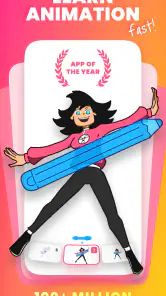
I found FlipaClip: Create 2D Animation easiest to appreciate when I stopped thinking of it as a miniature film studio and treated it as a sketchbook that happens to move. It is an art-and-design app from Visual Blasters LLC, and its appeal is straightforward: draw a frame, make a small change, then build that sequence into a cartoon. For a beginner, that turns animation from an intimidating idea into a series of manageable choices. For an experienced artist, it offers a convenient way to test a motion idea without first setting up a larger desktop workflow.
Getting Started with FlipaClip
First things first, downloading FlipaClip is a breeze. Whether you’re on Android or iOS, just hop onto your app store, and you’ll find it ready for action. Once installed, I found the interface pretty intuitive. Even if you’re a newbie like me, the app guides you through the essentials without overwhelming you with too much information all at once. It’s got this neat tutorial that walks you through the basics of creating your first animation, which I found super helpful.
That gentle start matters because frame-by-frame animation can feel repetitive before it feels rewarding. I recommend beginning with a tiny exercise, such as a bouncing ball or a blinking face, rather than planning a full story. Keeping the first project simple lets you learn how changing one drawing affects the next, and helps you decide whether you enjoy the deliberate rhythm of making motion one frame at a time.
The app is free to download, while in-app purchases range from $5.99 to $39.99 per item. That makes trying the basic experience a low-commitment decision, but it does not mean every possible tool or purchase is included at no cost. I’d start without paying and only consider an upgrade if I ran into a specific limit that mattered to my work. This is a more useful way to judge its value than assuming you need to buy something before you can find out whether animation suits you.
Features That Stand Out
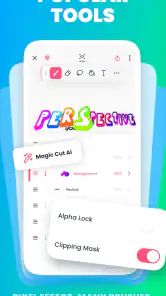
Alright, let’s dive into what makes FlipaClip stand out from the crowd. One of my favorite features is the layering system. It allows you to work on different elements of your animation separately and then blend them together seamlessly. This is particularly handy when you’re trying to add depth and detail to your animations. Plus, the onion skinning tool is a game-changer. It gives you a translucent view of your previous frame, making it easier to ensure your animations flow smoothly from one frame to the next.
Here’s a practical way to use those tools together: keep a moving character separate from a mostly stationary background, then use the previous-frame guide to judge how far the character travels between drawings. That makes it easier to spot a sudden jump before you’ve polished every detail. I also find it sensible to rough out the motion first and add small details afterward; otherwise, it is easy to spend time refining a drawing that does not yet work as movement.
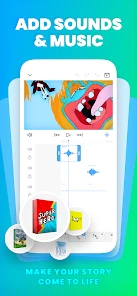
Another highlight is the audio import feature. You can add music and sound effects to your animations, which really brings them to life. It’s like adding the cherry on top of your animation sundae! And for those who love sharing their creations, the app makes it super easy to export your animations directly to platforms like YouTube and TikTok. Just a few taps, and your masterpiece is out there for the world to see.
More From Our News Desk

Weather by Xiaomi Review: Clear at a Glance, Less Clear Up Close

X Under Pressure: Can It Recover When Posting Goes Wrong?

Clash of Clans Is Won Between the Battles

Android Auto Makes the Case for Quieter Car Software

MobiOffice: Transforming Mobile Productivity with Seamless Integration

EA SPORTS FC™ Mobile Soccer: Redefining Mobile Sports Gaming
Audio is most useful when it supports a clear action: a footstep, a reaction, or a short beat that helps a gag land. I would plan the visual timing around the sound rather than adding audio as an afterthought, especially for a short clip meant to be shared. If the project is for a longer, carefully edited video, though, a dedicated editing app may give you a more comfortable place to arrange and revise the whole production.
Who Will Get the Most from It
What’s really impressive about FlipaClip is how it caters to both kids and adults. Whether you’re a young aspiring animator or a seasoned artist looking to try something new, the app offers tools and features that are engaging and useful. And let’s not forget about the community. There’s a vibrant community of users sharing tips, tricks, and even tutorials, which adds a social element to the whole experience.
Its audience rating is 4.4 from around 754,000 ratings, and it has passed 50 million installs, so it is clearly a familiar choice for people exploring mobile animation. The age rating is Everyone. I would still guide younger users toward a small, supervised creative project rather than assuming any large online community is automatically right for every child. For a parent or teacher, a simple prompt—animate a falling leaf, a waving hand, or a character showing an emotion—can keep the activity focused while leaving room for imagination.
A realistic use is making a quick birthday greeting during a spare evening: sketch a character waving, build a few frames of movement, then add a short sound cue and share the finished clip. Another is testing a visual idea for a comic or social post before committing to a more involved project. These are the kinds of short, self-contained tasks where a phone or tablet workflow feels convenient. If your goal is a long film with complex production demands, a desktop animation program is likely to offer a more suitable workspace.
Compared with a general drawing app, this one is designed around turning separate drawings into motion, so it is a better fit when timing and frame changes are the point. Compared with professional desktop animation software, it is more approachable for quick experiments, but a small mobile screen and a frame-by-frame process can become tiring on detailed or lengthy work. I’d choose it to learn the basics and make short cartoons; I would not choose it as my only tool for a demanding production pipeline.
Drawing, Workflow, and Limits
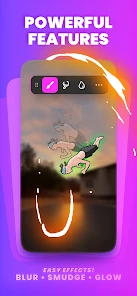
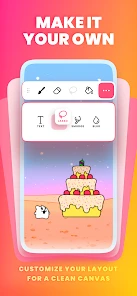
Oh, and did I mention the app’s drawing tools? They’re pretty robust! From brushes to lasso tools, you’ve got everything you need to let your creativity run wild. And if you’re worried about making mistakes, the undo and redo functions have your back. Trust me, I’ve used them more times than I’d like to admit!
A useful habit is to test the character’s silhouette with simple shapes before adding facial features or texture. If the pose is hard to read in a rough sketch, extra detail will not fix the underlying movement. I also suggest reviewing the sequence regularly instead of drawing many frames in isolation; seeing the motion play back helps reveal awkward spacing and gives you a clearer sense of whether the action needs another drawing or a simpler path.
The trade-off is that careful animation takes patience. Repeating a character across many frames can be slow, and drawing with a finger may feel imprecise if you are used to a stylus or a larger canvas. A short loop is a more realistic first goal than a polished episode. The current version is 4.2.17, and the minimum operating system requirement is 7.0, so it is worth checking that your device meets the requirement before planning a project around it.
Making a Small Project Feel Manageable
For a first project, I’d choose one action with a clear beginning and end instead of a character performing several things at once. A simple wave, for example, lets you focus on the arm’s path and the timing of the movement without having to redraw a complicated scene. Once the motion reads well, a separate background layer can add context without making every frame harder to edit.
When a sequence looks stiff, I would resist the urge to add detail immediately. First check whether the drawings change in small enough steps and whether the spacing makes the action feel too fast or too slow. Onion skinning helps with continuity, but playback is the reality check: a set of appealing drawings can still feel awkward once they move. This distinction is one of the most useful things a beginner can learn from making short loops.
For a school activity or a casual family project, it can help to divide the work into brief sessions: plan the action, sketch rough frames, review the movement, then add finishing touches and audio. That approach gives children or first-time animators a visible goal at each stage and makes it easier to stop before the project becomes a chore. I would keep the first clip short enough to finish, because completing one modest animation teaches more than abandoning an ambitious one halfway through.
How It Fits Beside Other Creative Apps
The main choice is not simply between this app and another drawing tool; it is whether you want to draw each frame yourself or have a different workflow do more of the animation work. If your priority is a polished still illustration, I would use an app built primarily for painting. If you want to experiment with movement and are willing to redraw elements as they change, this frame-by-frame approach makes the process visible and hands-on.
That hands-on quality is both the charm and the cost. It encourages you to understand how a pose leads into the next one, but it also asks for patience and repeated drawing. A tool aimed at motion graphics or automated effects may be quicker for certain social clips, while a desktop animation program is a better match when a project calls for a larger workspace and a more involved production routine. I see this as a practical middle ground for learning and sketching motion, not a substitute for every specialist tool.
It also works best when I decide what the finished clip needs before opening a project. A looping reaction, a short title flourish, or a character test has a natural limit; a story with many scenes does not. Defining that boundary helps me make better use of the mobile format and makes the free starting point easier to evaluate. If I repeatedly hit a limitation that affects a real project, I can then weigh an in-app purchase against the time and convenience it might save.
Is It Worth Trying?
In a nutshell, FlipaClip: Create 2D Animation is a fantastic tool for anyone interested in exploring the world of animation. It’s user-friendly, packed with features, and offers a fun way to express your creativity. Whether you’re creating a simple doodle or a complex animated story, this app has got you covered. So, why not give it a try? Who knows, you might discover a hidden talent for animation!
My recommendation is to begin with the free access and a deliberately small project, then decide whether the workflow clicks before spending on any in-app item. I would skip it if I mainly wanted a still-image drawing app, automatic animation, or a streamlined environment for long-form professional work. But if you’re curious about how drawings gain movement and want to experiment in short sessions, it is an inviting place to start. Its release dates back to April 2, 2012, and the continued interest makes sense to me: the core idea is easy to grasp, while the actual craft still rewards practice.
FlipaClip: Create 2D Animation Frequently Asked Questions
What should I check before downloading FlipaClip?
FlipaClip is a free Art & Design app from Visual Blasters LLC for drawing and making 2D animations. Before installing, check that your device runs Android or iOS and meets the listed minimum OS requirement of 7.0. The app is rated Everyone, and optional in-app purchases are available, so families may wish to review purchase settings before a child uses it.
Who develops FlipaClip, and is it widely used?
FlipaClip is developed by Visual Blasters LLC and is intended for people who want to draw and create 2D animations on a mobile device. It has an average rating of 4.4 from around 754,000 ratings, with more than 50 million installs. Those figures suggest it has attracted a large audience, though whether its workflow suits you will depend on the kind of animation you want to make.
Can I use FlipaClip on a phone or tablet?
FlipaClip is made for creating 2D animations on mobile devices, so you can draw and build a frame-by-frame project directly on a phone or tablet. Its drawing tools and timeline are designed for working through an animation in the app. It is an Art & Design app from Visual Blasters LLC, and it is available for Android and iOS.
Do I need drawing or animation experience before downloading FlipaClip?
No prior experience is needed to get started. FlipaClip is designed to make drawing and frame-by-frame animation approachable, and its tools let you begin with simple sketches before building them into moving scenes. You can learn the basics as you work, then explore more advanced options when you feel ready. It is a practical choice for experimenting with animation at your own pace.
What is FlipaClip and what can I use it for?
FlipaClip is a mobile application designed for creating 2D animations. It allows users to draw and animate frame-by-frame, providing tools like brushes, lasso, fill, eraser, and more. It's popular among both amateur and professional animators who want to create animations, storyboards, and even short films directly from their mobile devices.
Pros
- User-friendly interface for beginners.
- Wide range of drawing tools.
- Supports onion skinning feature.
- Frame-by-frame animation easy to manage.
- Export animations in various formats.
Cons
- Limited layers in the free version.
- Ads can be intrusive at times.
- Some features require in-app purchases.
- Occasional app crashes reported.
- No 3D animation support.
- Category
- Art & Design
- Version
- 4.2.17