AI Art Generator: Photo, Draw
- 1.85K
- 4.2
- Installs
- 10.00M
- Price
- Free

Screenshots
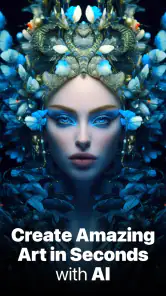
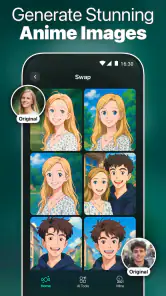
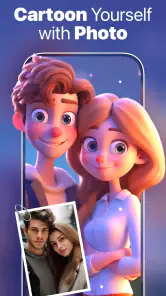
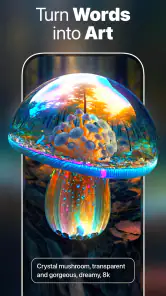
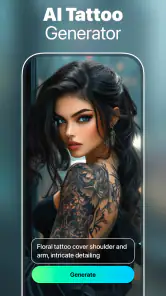
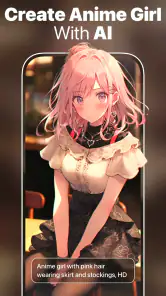
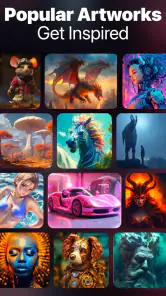
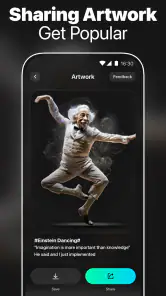
Analysis by Reviewed
If you've ever found yourself daydreaming about creating stunning artwork without the years of practice, then you might just fall in love with AI Art Generator: Photo, Draw. This app is like having a magic wand in your pocket that transforms your photos into masterpieces, and I’m here to give you the lowdown on how it all works.
Unleashing Creativity with a Tap
From the moment I launched the AI Art Generator: Photo, Draw, I was greeted with a sleek and intuitive interface. It’s designed for anyone, whether you’re a tech-savvy artist or someone who just discovered the wonders of digital art. The app allows you to take any photo and with a few taps, convert it into an artwork that looks like it was painted by a grandmaster. Seriously, it’s like having Van Gogh or Picasso at your fingertips.
The Magic Behind the Scenes
What really sets this app apart is its use of artificial intelligence to analyze and transform images. The AI works its magic by identifying key elements within your photos and applying complex algorithms to recreate them in a variety of artistic styles. You can choose from a wide array of filters and styles, ranging from classic oil paintings to futuristic digital art. It's fascinating to see your mundane selfies or landscape photos evolve into something fresh and vibrant.
Customization and Options Galore
One of the features I absolutely love is the customization options. Not only can you apply different styles, but you can also tweak them to better suit your vision. Want more texture? Or perhaps a change in the color palette? The app gives you the freedom to adjust these parameters, making each piece truly unique. It's like having a digital canvas where you can express yourself without any limits.
Sharing Your Masterpieces
Once you’ve created your artwork, sharing it with the world is a breeze. The app integrates seamlessly with social media platforms, allowing you to showcase your new masterpiece to friends and followers. This feature is perfect for those who love to receive instant feedback or simply want to brighten someone’s day with a splash of creativity.
In conclusion, AI Art Generator: Photo, Draw is not just an app; it’s a portal to infinite artistic possibilities. Whether you’re looking to add a creative touch to your photos or dive into the world of digital art, this app provides the tools and inspiration to do it all. So why not give it a try and let your imagination run wild?
Pros
- Generates high-quality artwork quickly
- Intuitive and user-friendly interface
- Wide variety of art styles available
- Ability to refine and edit outputs
- Regular updates with new features
Cons
- Requires a stable internet connection
- Some features locked behind paywall
- Occasional output inconsistencies
- Limited free version functionalities
- High resource consumption on devices

- Category
- Art & Design
- Version
- 1.4.2











