Adobe Express: AI Photo, Video
- 10.00K
- 4.6
- Installs
- 100.00M
- Price
- Free
Screenshots
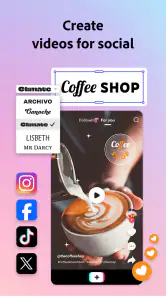
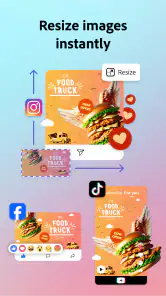
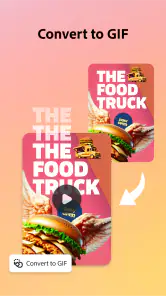
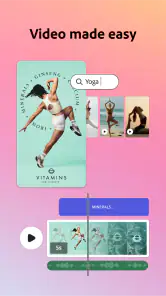

Analysis by Reviewed
My first impression of Adobe Express is that it’s most useful when I need a polished visual quickly, not when I want to spend an afternoon learning a full editing suite. It brings photo and video creation into an approachable mobile workflow, with ready-made starting points and quick tools that help turn an idea into a shareable result. I’d recommend it to someone who regularly needs social posts, simple promos, invitations, or short clips, but I wouldn’t treat it as a replacement for every dedicated design or video app.
Choosing the right job for a quick workflow
I find it helps to decide what I actually need before opening the app. A one-off event announcement, a product graphic, and a short recap video may all be creative projects, but they call for different amounts of editing. Express is at its best when the goal is clear and the finished piece can stay compact. If I’m still working out the idea itself, I prefer to sketch the message and gather the images first rather than expect a template or automated suggestion to make those decisions for me.
This also helps answer a practical question: is it suitable for someone who has never designed anything? For a simple post, usually yes. A starting layout gives a beginner something to react to, and replacing its sample content is less intimidating than facing a blank page. The learning curve becomes more noticeable when the project needs careful alignment, a distinctive visual identity, or many rounds of revisions. I’d begin with a small real task, not an ambitious campaign, and use that to see whether the mobile editing style suits me.
A practical starting workflow
I like to begin with the finished format in mind: a short social post, a story, or a small business announcement. Choosing a template can save time on layout, but I still replace the sample text and imagery early so I can judge whether the design fits my actual message. The templates are a launch point rather than a finished answer; a quick check of spacing, contrast, and text length is what makes the result feel personal instead of copied.
For a quick video, I’d gather the photos or clips I plan to use before opening the editor. That small habit makes it easier to keep the sequence focused and avoid losing time browsing halfway through. I then make the main point clear with concise text and review the result once with the sound on and once muted. The second pass matters because people often encounter social videos without audio, and a clip should still make sense visually.
Settings and choices worth checking
Before sharing, I’d inspect the design at the size where people will actually see it on a phone. Small captions, thin details, and low-contrast text can look fine while editing but become hard to read in a feed. I also check whether a crop has removed an important face or product detail. These checks take little effort and often improve a post more than adding another decorative effect.
Adobe Express: AI Video Design is free to download, and its broad reach is reflected in an average rating of 4.6 from around 662,000 ratings and over 100 million installs. Adobe developed it as an art-and-design app; it is rated for Everyone, and version 29.4.1 requires Android 10 or later. Optional in-app purchases range from $9.99 to $99.99 per item, so I’d check which tools I can use in the free experience before building a workflow around paid options.
More From Our News Desk

Weather by Xiaomi Review: Clear at a Glance, Less Clear Up Close

X Under Pressure: Can It Recover When Posting Goes Wrong?

Clash of Clans Is Won Between the Battles

Android Auto Makes the Case for Quieter Car Software

MobiOffice: Transforming Mobile Productivity with Seamless Integration

EA SPORTS FC™ Mobile Soccer: Redefining Mobile Sports Gaming
Getting Started with Ease
First off, let's talk about how easy it is to get started. The user interface of Adobe Express: AI Video Design is intuitive and straightforward. From the moment you open the app, you're greeted with a clean layout that guides you, step-by-step, through the process of creating your first video. It's almost like having a personal tutor right there in your pocket. You don't need a degree in graphic design or a background in tech; the app is designed to cater to all skill levels.
Features That Stand Out
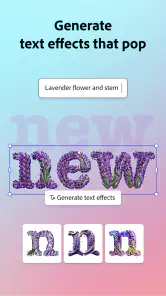
So, what can this app do? Quite a lot, actually. With a plethora of templates, you can easily start a project without worrying about the layout or design elements. The coolest part? The AI-powered tools. These tools suggest design tweaks, color schemes, and even music that fits your video’s mood. It's like having a creative assistant who knows exactly what you need before you even ask.
Another feature worth mentioning is the seamless integration with Adobe's suite of products. If you're already using software like Photoshop or Illustrator, you can easily import and export files, making the workflow smooth and efficient. This is a game-changer for those who juggle between different design platforms.
Making repeat work faster
For a weekly event post or recurring product announcement, I’d keep the structure consistent and change only the details that need to be current. That gives me a recognizable look without forcing me to rebuild the whole design each time. I also find it helpful to keep a short checklist beside the project: confirm the date, check names and spelling, review the crop, and make sure the final wording is readable on a small screen. These are simple habits, but they prevent the most embarrassing mistakes in a fast turnaround.
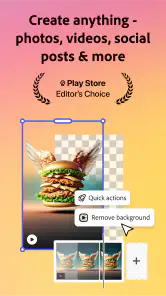
Quick Actions are most valuable when the task is narrow and clear. If I need a small adjustment rather than a completely new concept, starting with that focused edit can be more efficient than opening a blank canvas and making every choice from scratch. I still review the result carefully: automation can speed up a step, but it doesn’t know which detail matters most to my audience or whether a suggested style suits the brand.
Performance and Reliability
Performance-wise, Adobe Express delivers. The app runs smoothly without any hiccups, and the rendering times are surprisingly fast, even on older devices. Whether you're crafting a short Instagram story or a detailed promotional video, the app handles it all without breaking a sweat. This reliability is crucial, especially when you're working on tight deadlines.
Where it fits—and where it doesn’t
Picture a small café owner who needs to announce a weekend special between serving customers. I’d use a template, swap in a clear photo of the offer, keep the wording brief, and check that the price and dates stand out before sharing. That is exactly the kind of everyday job where a phone-based design app earns its place: it reduces the setup work and helps produce something more considered than a rushed text post.
Compared with a basic photo editor, Express is better suited to combining images, text, and a designed layout into one piece. Compared with a dedicated video editor, it prioritizes approachable creation over detailed control of every edit. That trade-off is useful for quick promotional clips, but less appealing if I need precise timeline work, complex sound mixing, or extensive color grading. In those cases, I’d choose a specialist editor and use Express only for the supporting graphics.
It’s also not my first choice for a photographer who wants fine control over image processing, or for a designer building a complex illustration from a blank canvas. The templates and guided tools make common tasks easier, but they can also encourage a familiar, template-led look. I’d spend time changing the hierarchy, colors, and wording rather than accepting the first suggestion, especially when a post needs to feel distinctive.
A repeatable routine for real deadlines
For a neighborhood club or small shop posting regularly, I’d keep a few practical habits: collect the current photos in one place, write the final copy before arranging the design, and make a last pass for names, dates, and legibility. The useful trade-off is that a consistent layout can save time, but repeating it too literally may make every announcement look interchangeable. I’d preserve only the elements that help people recognize the organization and adjust the rest to suit the specific event.
When I’m making a short clip, I’d decide which image or moment should carry the message before adding extra decoration. That keeps the edit from becoming a collection of effects with no clear point. I’d also watch the video through once without stopping to tweak it: seeing it as a viewer often reveals a confusing transition or a title that disappears before I can read it. This final viewing is a simple way to catch problems that are easy to miss while editing individual pieces.
Creative Freedom at Your Fingertips
One of the joys of using this app is the creative freedom it offers. With its drag-and-drop interface, you can customize elements, add text animations, and tweak the visuals to your heart's content. The app encourages experimentation, allowing you to play around with different styles until you find what works best for your brand or personal taste.
Additionally, the app's social media integration is top-notch. You can directly publish your videos to various platforms like Instagram, Facebook, or Twitter, saving you the hassle of downloading and uploading content separately. It's these little conveniences that make all the difference in the fast-paced world of social media marketing.
Limits to keep in mind
I wouldn’t assume every project is quicker just because it starts on a phone. Detailed revisions can be fiddly on a small screen, and a design that needs repeated, pixel-level adjustments is more comfortable in a desktop editor. The app’s guided suggestions are helpful for momentum, but they are starting points, not a substitute for judgment; I still need to decide whether the image, copy, and tone belong together.
People often ask whether they need design experience. I don’t think so for ordinary posts and short, straightforward videos: templates and the guided interface lower the barrier. The more useful question is how much control they expect. If their goal is a coherent announcement or social graphic, the app is approachable; if they need deep control over every layer or a long, intricate edit, a specialist tool is a better fit.
Who will get the most from it
I’d point a busy creator, volunteer, student, or small-business owner toward Express if they often need presentable graphics but don’t want to build each one from scratch. It can be especially handy when the work is a mix of photo, text, and a modest amount of video rather than one narrowly defined editing task. Someone who already has a clear message and a few suitable images is likely to get more out of it than someone hoping the app will invent the whole concept.
I’d steer a different user toward a specialist tool if image retouching, precise illustration, or fine-grained video control is the main purpose. That doesn’t make Express a poor choice; it means its convenience is most valuable when a project can be completed within its guided, mobile-first approach. For occasional work, the free starting point makes it easy to judge the fit. If I plan to rely on it often, I’d first identify which paid options I genuinely need rather than assume every extra is essential.
Final Thoughts
In a nutshell, if you're looking for an app that combines ease of use with powerful design capabilities, Adobe Express: AI Video Design is a strong contender. Whether you're a seasoned marketer, a content creator, or someone just starting, this app has something for everyone. It's like having a mini production studio in your pocket, ready to bring your creative visions to life at the tap of a screen.
So, why not give it a try? Dive in, explore the features, and let your creative juices flow. Trust me, once you start using it, you'll wonder how you ever managed without it!
My more measured recommendation is to try one real task first: make a post you genuinely need, then see whether the editing flow feels comfortable and whether the free tools cover your routine. Adobe Express is free to start, but optional purchases mean frequent users should decide what they actually need before paying. Adobe released it on June 18, 2018, and its 10,000 reviews sit alongside a large audience; popularity is reassuring, but it doesn’t replace testing your own workflow. For me, it works best as a flexible shortcut for everyday creative work—not as a reason to abandon every specialized app.
Adobe Express: AI Photo, Video Frequently Asked Questions
Is Adobe Express available for both Android and iOS?
Adobe Express is a mobile app for creating visual content, including photos and videos. Before downloading, check the app store on your device for the version available to you and confirm that your operating system meets the app’s minimum requirement. This helps avoid installation problems and ensures you can get started with its creative tools.
Do I need design experience to get started with Adobe Express?
You can begin using Adobe Express without being an experienced designer. The app focuses on making photo and video creation approachable, with Quick Actions intended to speed up common creative tasks. You can explore the available tools and templates, then adjust your project as you become more familiar with the editing workflow. The range of options may depend on the project.
Can I use Adobe Express to make designs other than videos?
Yes. Adobe Express is an art and design app for creating visual content, and its AI-powered photo and video tools make it useful for more than video editing alone. Quick Actions are intended to make common creative tasks fast and straightforward, while templates and editing tools help shape content for different purposes. The exact options you use depend on the project you want to create.
What is Adobe Express: AI Video Design and how does it work?
Adobe Express: AI Video Design is a cutting-edge mobile application designed to simplify the video creation process through AI-driven features. It allows users to create, edit, and design videos using intuitive tools, templates, and automated processes. By leveraging Adobe's powerful AI technology, users can produce high-quality videos with minimal effort, making it ideal for both beginners and experienced creators.
Is Adobe Express: AI Video Design free to use?
Adobe Express: AI Video Design offers both free and premium versions. The free version provides access to basic features and a selection of templates, while the premium subscription unlocks advanced tools, extensive template libraries, and additional AI capabilities. Users can choose the option that best suits their needs and budget, ensuring flexibility in their creative projects. In-app purchases range from $9.99 to $99.99 per item, so check the available options in the app before purchasing.
Pros
- User-friendly interface for beginners.
- Wide range of templates available.
- Excellent AI-powered design tools.
- Integration with Adobe Creative Cloud.
- Efficient video rendering.
Cons
- Requires subscription for full features.
- Occasional crashes on older devices.
- Limited offline functionality.
- High battery consumption.
- In-app purchases can be expensive.
- Category
- Art & Design
- Version
- 29.4.1