ibis Paint X
- 121.63K
- 4.4
- Installs
- 100.00M
- Price
- Free
Screenshots


Analysis by Reviewed
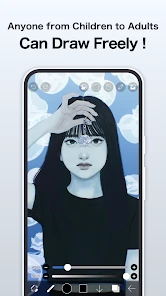
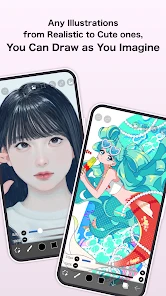
When I first open ibis Paint X, I don’t need to treat it like a miniature desktop program. I can start with a simple sketch, find a brush that feels comfortable, and build toward a finished drawing at my own pace. That gentle entry matters: the app has plenty to explore, but a first-time user can get something on the canvas without understanding every tool. For anyone who wants to draw on a phone or tablet during a spare moment, that low-pressure start is a real strength.
Unleashing Creativity on the Go
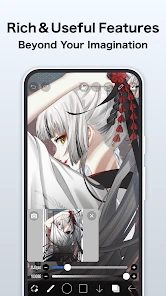
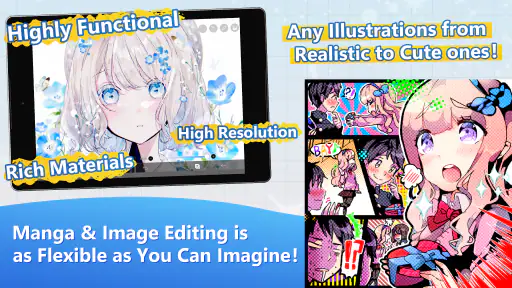
Let's dive right into what makes this app stand out. First off, the sheer number of brushes is mind-boggling. With over 300 brushes, ranging from dip pens to fan brushes, there’s something here for every artist’s taste. And the best part? You can adjust these brushes to suit your needs, whether you're sketching a rough draft or adding the final touches to your masterpiece.
For a first session, I’d keep the goal deliberately small: draw a few shapes, test a pen and a softer brush, then add one detail on a separate layer. That gives you a useful feel for line response and layering without turning setup into a project. A quick character doodle, a simple sticker idea, or a colored study of an object on your desk is enough to discover whether drawing on your screen suits you.
Getting Comfortable With the Canvas
Before investing time in a detailed piece, I’d make a tiny test drawing and deliberately try a few different marks: a long curve, a short hatch, and a filled shape. This quickly reveals whether the brush responds in a way I like and whether my finger or stylus feels comfortable. If the result looks rough, that is useful information, not a failed first attempt. I can adjust the brush or zoom in for the next mark rather than abandoning the app before I’ve found a workable setup.
Canvas size is another early choice worth keeping simple. For practice, I don’t need to plan a polished final format; a modest sketch gives me room to learn without inviting a long session of setup. When the idea is still uncertain, I’d focus on composition and big shapes first. I can make a more deliberate canvas decision once I know whether I’m drawing a quick study, a character concept, or a piece I want to refine and share.
A Feature-Packed Powerhouse
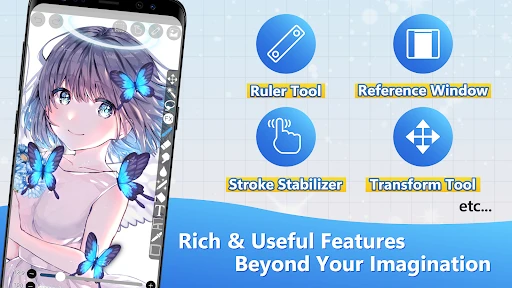
What really sets this app apart is its feature-rich environment. You get access to layers, blending modes, and even custom filters. These are features you'd typically expect in desktop software, but here they are, right in the palm of your hand. The app also supports recording your drawing process, which is perfect for sharing your creative journey or even learning from your past artworks.
Layers are especially useful when you want to experiment without risking a sketch you like. I often separate rough lines from color, so I can revise the color pass without having to redraw the outline. A practical habit is to name layers by purpose as a piece grows; otherwise, a busy canvas can become harder to manage than the drawing itself. The recording option also has a learning use: watching a sequence of decisions can show where I hesitated or overworked a detail, rather than merely giving me something to share.
More From Our News Desk

Clash of Clans Is Won Between the Battles

Android Auto Makes the Case for Quieter Car Software

MobiOffice: Transforming Mobile Productivity with Seamless Integration

EA SPORTS FC™ Mobile Soccer: Redefining Mobile Sports Gaming

How Microsoft OneDrive Became a Mobile Productivity Giant

How Google Translate Breaks Language Barriers Effortlessly
One small workflow choice makes a noticeable difference: I keep the first rough drawing loose and put cleanup on another layer. That way, I can compare the lively sketch with the cleaner version instead of gradually erasing the original character of the lines. For a sticker or profile illustration, I might block in the silhouette first, then add facial details and color separately. This helps me spot proportion problems while they are still easy to fix.
User-Friendly Interface
Now, I know what you're thinking: "All these features must make the app complicated, right?" Surprisingly, the user interface is pretty intuitive. The layout is clean, making it easy to navigate between tools, and the app provides helpful tutorials for beginners. You’ll feel right at home, even if you're just starting out in the digital art world.
My advice is not to learn every control at once. Start with choosing a canvas, making a mark, and finding the undo and layer controls; then leave the rest alone until a real drawing gives you a reason to explore. If a brush seems wrong, try adjusting its size or opacity before switching through a long list. That small change can make a familiar tool feel much more suitable, and it keeps the first attempt from becoming a hunt through settings.
There is a useful distinction between feeling lost and simply not needing a control yet. When I hit an unfamiliar option, I ask whether it solves a problem in the drawing in front of me. If not, I leave it untouched and continue with the tools I understand. That approach matters in an app with enough depth to invite browsing: a beginner can make progress without turning each canvas into a lesson in every feature.
Social and Educational Features
Another cool aspect of ibis Paint X is its social community. You can share your artwork within the app and get feedback from fellow artists. Plus, there’s a treasure trove of tutorials available, so you can continually hone your skills and try new techniques as you grow as an artist.
The community and lessons are most useful when I approach them with a specific question, such as how to make a line look cleaner or how to handle a particular coloring choice. Trying one technique on a small practice drawing is less frustrating than rebuilding an entire piece around a tutorial. If you prefer to keep your work private, you can still use the drawing tools on their own; sharing is an option, not the reason the app has value.
For a first-time user, tutorials are easier to absorb when treated as prompts rather than instructions to copy exactly. I might follow one idea on a throwaway sketch, then close the lesson and use the technique in a drawing of my own. That gives me a chance to remember the process without worrying that every result should match an example. Feedback can also be more useful when I ask about one specific choice instead of expecting broad comments to tell me what to improve.
How It Fits a Daily Drawing Habit
I find this app particularly handy for the small gaps in a day: sketching a pose while waiting, refining a simple icon during a break, or capturing a color idea before it slips away. On a touch screen, the directness is appealing, but a finger can feel less precise than a stylus, especially for tiny details. I’d begin with larger shapes and a loose sketch, then zoom in for cleanup rather than trying to perfect every line at full view.
A realistic use for me is making a quick character thumbnail during a commute or a short break, then returning to it later when I have more time. The first pass can hold the pose and expression; a later session can sort out the outline and color. This split keeps a small burst of inspiration from becoming a demand to finish everything immediately. It also makes the app useful as a place to develop an idea, not just a tool for producing a polished image in one sitting.
Compared with a basic note-taking or doodling app, ibis Paint X gives me more room to develop an illustration through layers, brush adjustments, and filters. Compared with desktop art software, the phone-first convenience wins for quick studies, while a larger screen and more deliberate workspace may be better for long, intricate sessions. If your main goal is vector artwork that stays crisp at any size, a dedicated vector tool is a more natural fit; this app is aimed at painting and drawing rather than replacing every kind of design software.
The practical trade-off is that a phone’s compact display can make detailed work feel crowded. I’d use it for sketches, studies, and illustrations that benefit from a portable workflow, but I would not choose a small screen as my first choice for a long session of tiny line work. A tablet can give the same kind of touch-first approach more breathing room, while desktop software is often easier to work with when the task depends on a spacious canvas and a keyboard-centered routine.
What to Know Before You Settle In
The app is free to download, with optional in-app purchases ranging from $2.99 to $27.99 per item. I’d start with the free experience and decide whether any paid option solves a need I’ve actually run into. Because there is a lot on offer, the larger trade-off is attention: it’s easy to spend time browsing tools instead of finishing a first piece. A small personal challenge, like completing one simple illustration before customizing anything, helps keep the app focused on making art.
If you’re wondering whether you need to pay before you can make something worthwhile, I’d begin by drawing a complete small piece with the tools already available to you. Only consider a purchase after you can name the limitation you keep encountering and know that an available option addresses it. This avoids spending money because a feature looks interesting in the abstract. It also makes the free starting point a useful test of the interface and the touch-screen drawing experience.
Another sensible habit is to keep a piece organized only as much as it needs. A rough doodle may be fine on a simple setup, while a more involved illustration benefits from separating sketch, line work, and color. Too many layers too early can slow down a beginner just as surely as too few can make revisions awkward later. I’d add structure when the drawing starts to need it, not because a complicated workflow seems more professional.
ibis inc. develops this art and design app, which is rated for Everyone and has an average rating of 4.4 from 2.8 million ratings, alongside 122,000 reviews and over 100 million installs. It first appeared on February 27, 2014; version 13.1.16 requires Android 7.0 or later. Those details place it among widely used mobile drawing options, though popularity alone won’t tell you whether its controls feel right on your device.
Who I’d Recommend It To
I’d recommend it to a beginner who wants room to grow, a hobby artist who likes drawing away from a desk, or someone who wants to practice illustration without buying into a complex workflow first. It can also suit an experienced artist who wants a portable sketchbook with more control than a basic scribble app. If you mainly need precise vector layouts, prefer a large desktop canvas for extended work, or find touch controls tiring, another kind of art tool may fit better.
It is especially appealing if your goal is to learn by making: try a line, adjust a brush, separate a color pass, and build up a drawing through small decisions. I’d be less likely to recommend it to someone who wants a fast logo layout, precise page design, or a workspace that feels like a full desktop studio on a small phone. Those tasks call for tools built around vector shapes, layout, or a larger screen rather than a painting-focused canvas.
If you’re choosing between this and a simpler sketch app, ask yourself whether you expect to revise and develop drawings or mostly jot down quick visual notes. The simpler option may feel calmer when all you need is a quick mark. I’d choose ibis Paint X when layers, brush choice, and the option to refine an illustration are part of the point. For someone unsure, the best test is to draw one small object from observation and see whether the extra control feels useful or merely distracting.
Overall, ibis Paint X is a fantastic resource for both budding artists and seasoned professionals. It combines power and flexibility, all wrapped up in a user-friendly package. Whether you're doodling for fun or crafting detailed illustrations, this app has got you covered. So why not give it a try and see where your creativity takes you?
ibis Paint X Frequently Asked Questions
Can I use ibis Paint X offline, or do I need an internet connection?
ibis Paint X is a mobile drawing app, so its central purpose is making artwork on your device. Whether you need an internet connection can depend on the particular feature you want to use, such as accessing online content or sharing a finished piece. If you plan to work somewhere without reliable service, it is sensible to open the app beforehand and check that the tools and materials you need are available.
Does ibis Paint X work with a stylus, or can I draw with my finger?
You can use ibis Paint X as a touch-based drawing app, which makes finger drawing a practical way to get started on a phone or tablet. A compatible stylus may feel more natural if you want finer control over strokes, but the experience can vary with your device and pen. If precision matters to your workflow, try a few sketches before committing to a longer project.
Who develops ibis Paint X, and what kind of app is it?
ibis Paint X is an Art & Design app developed by ibis inc. It is made for creating digital artwork on mobile devices, with a focus on giving artists a hands-on painting experience. If you are looking for a drawing app rather than a photo editor or a game, its creative tools and illustration-focused interface make it a relevant option to explore.
What is ibis Paint X and what are its main features?
ibis Paint X is a popular drawing app available for Android and iOS, offering over 800 fonts, 381 brushes, 71 filters, and more than 46 screen tones. It is designed for artists of all levels to create detailed and professional-quality illustrations with ease. The app also supports layer functions and offers a user-friendly interface, making it accessible for both beginners and advanced users.
Is ibis Paint X free to use, and are there any in-app purchases?
Yes, ibis Paint X is free to download and use. However, it offers in-app purchases to unlock additional features and remove ads. These purchases include advanced brushes and filters, which can enhance the drawing experience. Users can choose to subscribe to the Prime Membership for a monthly or annual fee to access all premium features without restrictions.
Pros
- User-friendly interface for easy navigation.
- Wide range of brushes and tools.
- Frequent updates enhance functionality.
- Supports layers and blending modes.
- Community features for sharing artworks.
Cons
- Contains ads in the free version.
- Some features require in-app purchases.
- High-performance devices recommended.
- Complex features have a learning curve.
- Limited 3D capabilities.
- Category
- Art & Design
- Version
- 13.1.16