Drum Pad Machine - beat maker
- 58.02K
- 4.3
- Installs
- 100.00M
- Price
- Free
Screenshots
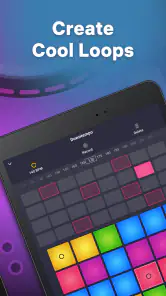
Analysis by Reviewed
If you've ever found yourself tapping out a rhythm on your desk or drumming your fingers to the beat of a song, then the Drum Pad Machine - beat maker might just be the app you need in your life. This app is like carrying a mini recording studio in your pocket, ready to unleash your inner DJ anytime, anywhere.
When tapping feels less simple than it looks
A pad-based music app can feel immediate, but I find the first few minutes are often less about making a polished beat and more about learning what happens when I tap. A sound that seems obvious in isolation may sit awkwardly beside another, and it is easy to make a rhythm feel crowded by playing too many parts at once. I get a better first result by choosing a simple pulse, leaving space between hits, and adding only one new sound at a time.
That approach also helps when a beat sounds messy rather than musical. I stop tapping for a moment, listen to the pattern as a whole, then rebuild it with fewer simultaneous sounds. Multi-touch can make a performance more expressive, but it is not automatically an advantage: if my hands are moving faster than my sense of timing, the extra taps can obscure the groove. For a first session, a deliberately spare pattern is usually more satisfying than trying to fill every moment.
The Latest on Drum Pad Machine - beat maker
A low-pressure way to start
I would treat the tutorials as a starting point rather than a promise that every part of beatmaking will become effortless. Follow one lesson, then repeat the basic idea with a different rhythm or sound combination. That small variation is useful: it lets a beginner learn how changing a few taps affects the feel of a loop without needing music theory or a complicated setup.
If you are opening the app in a noisy place, such as a bus or a shared room, check that you can hear the sounds clearly before deciding a pad is not responding or that a mix feels off. Headphones can make it easier to judge whether parts blend, while a quiet setting is better for noticing timing and balance. I also avoid judging a new beat from a single quick listen; a short pause and another play-through often reveal which sound is dominating.
Drum Pad Machine is a free music and audio app from Easybrain, with a 4.3 average from around one million ratings and over 100 million installs. It is rated for Everyone, so its approachable format can suit curious beginners as well as people who already enjoy tapping rhythms. In-app purchases are available at $5.49 per item, which is worth keeping in mind if you are trying to keep app spending to a minimum.
Unleashing Creativity on the Go
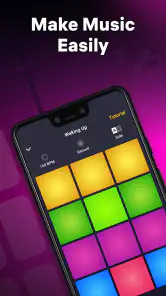
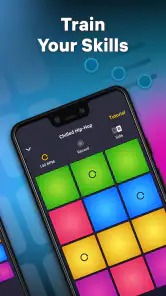
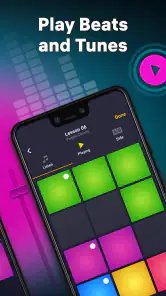
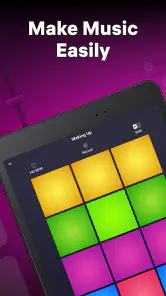
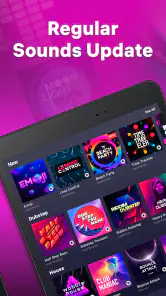
The first thing you'll notice when you fire up the Drum Pad Machine - beat maker is its vibrant and user-friendly interface. It's intuitive enough for beginners, yet rich with features that seasoned beatmakers will appreciate. The app offers a variety of sound packs that cater to different musical genres, from hip-hop to EDM, and even some funky jazz vibes. No matter what your musical taste, there’s something here to get your creative juices flowing.
More From Our News Desk

Clash of Clans Is Won Between the Battles

Android Auto Makes the Case for Quieter Car Software

MobiOffice: Transforming Mobile Productivity with Seamless Integration

EA SPORTS FC™ Mobile Soccer: Redefining Mobile Sports Gaming

How Microsoft OneDrive Became a Mobile Productivity Giant

How Google Translate Breaks Language Barriers Effortlessly
Features that Make a Difference
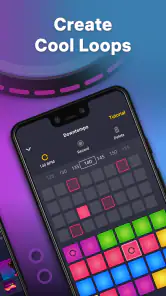
One of the standout features is the real-time audio recording. You can create beats on the fly, layering different sounds and effects to craft something truly unique. The app also supports multi-touch, allowing you to tap multiple pads simultaneously and create complex rhythms.
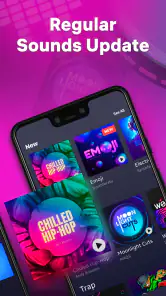
Another neat feature is the ability to mix and match sounds from different packs. This flexibility means you're not restricted to one genre or style, encouraging experimentation and innovation. Plus, with regular updates, there’s always something new to explore.
Putting the pads to practical use
I see the strongest everyday use as quick musical sketching, not replacing a full production setup. Imagine having a few minutes before meeting a friend: you open the app, try a beat idea, and discover a rhythm you want to remember. That kind of short session makes the tap-and-listen format useful even if you never intend to publish a finished track. It is also a playful way to explore rhythm with a friend, taking turns adding a sound and hearing how the pattern changes.
A useful workflow is to decide what the beat needs before reaching for more sounds. I might begin with a steady foundation, add a contrasting hit, then leave the pattern alone long enough to hear whether those parts work together. Mixing sounds from different packs makes experimentation appealing, but it can also create a less coherent result if the sounds compete. I use variety as a prompt, not a requirement: if a combination distracts from the pulse, I return to a simpler arrangement.
The same restraint helps when recording. I would first play the pattern a few times to settle into its timing, then make a take once I know which pads I want to use. That avoids treating every attempt as a finished performance and gives me a clearer idea of what I want to change. If a recording does not come out as intended, I start another take with one adjustment rather than changing the whole pattern at once.
Learning and Sharing
For those new to beatmaking, Drum Pad Machine offers tutorials that guide you through the process of creating your first track. These tutorials are easy to follow and provide a solid foundation for beginners. Once you've mastered the basics, you can start experimenting with more advanced techniques.
Sharing your creations is a breeze too. Whether you want to impress your friends or share your work with a broader audience, the app makes it simple to export tracks and upload them to social media or music platforms.
Drum Pad Machine - beat maker is not just an app; it's a community of music enthusiasts and creators. Joining this community means having access to a wealth of shared knowledge and inspiration from other users around the globe.
What to check when a session goes wrong
If taps seem to produce an unexpected result, I first check the simple things: whether I am touching the pad cleanly, whether I am tapping the intended area, and whether I can hear the output clearly. I also pause and try one pad at a time. That separates a possible input problem from a mix that is simply too busy to follow. These basic checks are more useful than changing several things at once, because they make it easier to identify what actually improved the result.
If the app feels slow or a session is interrupted, I keep the recovery process uncomplicated: stop, give the device a moment, and reopen the app if needed. I would not assume that a rhythm has been saved unless I have confirmed it in the app, so I make a habit of checking the result before leaving a session I care about. For casual experiments, a lost take is annoying; for an idea I want to keep, a deliberate check at the end is sensible.
Choosing it over other music tools
Compared with a conventional music-production app, a drum-pad interface makes trying a beat feel direct: I can tap sounds instead of beginning with a detailed arrangement. That is a real strength for spontaneous ideas and for people who find a larger studio-style interface intimidating. The trade-off is that a pad-focused workflow is not the same as a complete recording and editing environment. If your main goal is detailed control over a song, arranging many parts, or refining a production for release, a dedicated music workstation is likely a better fit.
It also serves a different purpose from a metronome or a simple drum machine. Those tools can be better when I want an uncomplicated timing reference or a predictable backing pattern. Here, the appeal is the hands-on performance and the chance to combine sounds creatively. I would choose based on the task: use this app to play with beat ideas, and choose a more focused tool when accuracy, long-form arrangement, or detailed editing matters more than quick experimentation.
Version 2.29.0 requires Android 7.0 or later. If you are deciding whether it suits your device, checking the operating-system version before installing is a practical first step. The app is free to start, while in-app purchases cost $5.49 per item; I would explore the basic experience before spending and only consider a purchase if it supports the way I actually use the app.
Who will enjoy it, and who may want something else
I would recommend it to someone who wants a quick, tactile introduction to making beats, enjoys experimenting with sound, or wants a creative distraction that does not demand a long setup. It can also work for an experienced musician looking for a portable place to test a rhythmic idea, as long as they understand that a sketching tool and a full production environment are different things.
I would steer away from it if you want to record a complete song with extensive editing, need a precise practice tool, or prefer to build music by entering notes and arranging tracks rather than performing on pads. It may also be a poor match if you dislike trial and error: the fun comes partly from testing combinations and listening critically, not from having every decision made for you. The right expectation is a playful beat-making experience, not a substitute for every kind of music software.
The Verdict
In a world where creativity is just a tap away, the Drum Pad Machine - beat maker stands out as a must-have app for anyone passionate about music. Whether you're a novice looking to dip your toes into beatmaking or a seasoned pro seeking a portable studio, this app has you covered.
With its versatile sound packs, user-friendly interface, and robust features, it's no wonder this app is a favorite among music lovers. So, why not give it a try? You might just find yourself creating the next big hit!
My more measured recommendation is to try it with a small goal: make a short pattern you enjoy, learn how the pads and recording fit your own rhythm, and decide from there whether you want to keep exploring. The app's strongest appeal is how quickly it invites you to play; its main limitation is that playful immediacy should not be mistaken for the depth of a full studio tool. If that balance suits you, it is an easy way to turn idle tapping into a more intentional musical idea.
Drum Pad Machine - beat maker Frequently Asked Questions
Can Drum Pad Machine run on my phone or tablet?
Drum Pad Machine is available for Android and iOS, so you can use it on a compatible phone or tablet. On Android, it requires version 7.0 or later. The app is categorized as Music & Audio and is designed around creating beats by tapping pads, which makes it a hands-on option for experimenting with music on a mobile device.
Can I use Drum Pad Machine without experience in music production?
You do not need formal music-production experience to start exploring Drum Pad Machine. Its pad-based approach lets you tap sounds and build rhythms directly, making experimentation feel accessible. If you enjoy trying combinations and learning through practice, you can begin with simple patterns and gradually develop your own style as you become more comfortable with the app.
Is Drum Pad Machine free to download, and what does it cost to unlock more content?
Drum Pad Machine is free to download, so you can try its beat-making tools without paying upfront. It also offers optional in-app purchases, priced at $5.49 per item, for users who want to access additional content. You can begin with the free experience and decide whether any paid options suit the way you use the app.
What is Drum Pad Machine and how does it work?
Drum Pad Machine is a versatile music-making app designed for both beginners and professionals who want to create beats and music tracks. It features a user-friendly interface with a variety of sound packs, including drum kits, loops, and melodies. Users can tap on the pads to create rhythmic patterns and combine them to produce complete tracks. The app also allows users to record, edit, and share their creations easily.
Is Drum Pad Machine suitable for beginners?
Yes, Drum Pad Machine is highly suitable for beginners. The app offers an intuitive interface and a wide range of tutorials to help new users get started. It includes easy-to-use features that guide users in creating their first beats, along with a library of pre-made sound packs. This makes it an excellent starting point for anyone interested in music production without prior experience.
Pros
- User-friendly interface for beginners.
- Wide variety of sound packs.
- Regular updates with new features.
- Customizable sound effects.
- Works offline without internet.
Cons
- Ads can be intrusive.
- Limited free features.
- Requires purchase for premium packs.
- No MIDI support.
- Occasional app crashes.
- Category
- Music & Audio
- Version
- 2.29.0













