edjing Mix - Music DJ app
- 54.20K
- 4.5
- Installs
- 100.00M
- Price
- Free

Screenshots
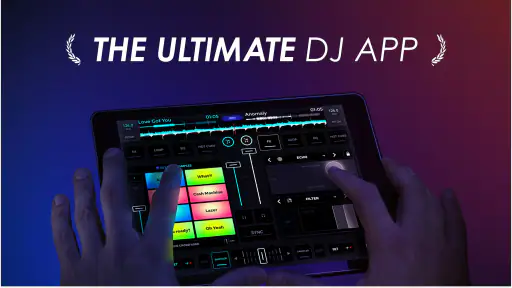
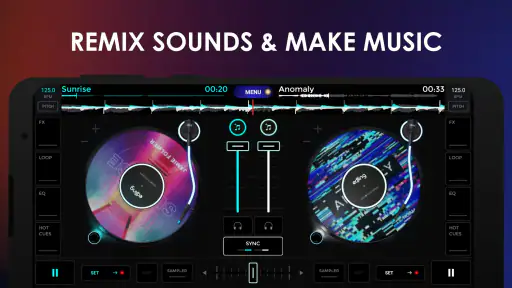
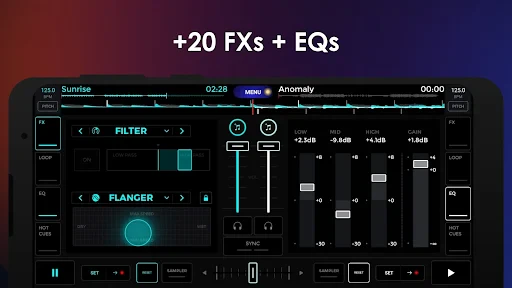
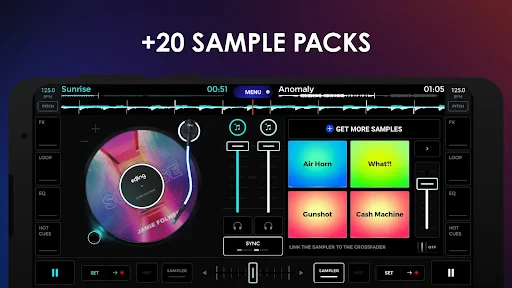
Analysis by Reviewed
I think the most revealing way to use a DJ app is to hand a phone around the room and see whether everyone can contribute without turning the session into a technical lesson. With edjing Mix, that works best as a casual, shared activity: one person can choose the next track while another experiments with transitions, loops, or the sampler. It feels more rewarding when the aim is to make a short, playful mix together than to reproduce a polished club set on a touchscreen.
A good fit for casual, shared listening
Picture a relaxed evening at home: someone puts on a playlist, then a friend suggests blending two songs for a party or family gathering. The crossfader and BPM sync give you an approachable starting point, while the sampler offers room to add a more personal touch. I’d treat this as a way to explore music together, not as a guarantee that every track will blend smoothly; tempo, arrangement, and familiarity with the controls still matter.
That distinction is useful when deciding who will enjoy the app. It suits curious listeners who want to try DJ-style techniques and people who like actively shaping a playlist. If your household simply wants background music with minimal interaction, a regular music player is quicker. If you need a dependable setup for a professional performance, dedicated DJ hardware and software are a better place to start than relying on a phone alone.
Set expectations before passing over the phone
A shared device can make an impromptu mix easy, but it also means the same screen and session are being passed between people. I’d agree on who is choosing tracks and who is handling the controls before starting; that small bit of coordination avoids accidental changes when someone is learning the interface. For a first attempt, it helps to pick two familiar songs and practise the transition before adding sampler effects or scratching.
Recording is useful for keeping a mix to listen back to, but it changes the mood of a session: people may become more cautious once they know a take is being saved. I’d make that choice together, and check the result before sharing it. The app offers social sharing options, but a private household experiment doesn’t need to become a public post. That’s a simple way to keep creative play comfortable for everyone involved.
Age, boundaries, and trust
The app is rated for Everyone, which makes its stated age context broad, but I’d still decide whether a child should use it alone or with an adult. The more important household question is how the device is used: who can access the music sources already available, who may share a recording, and whether everyone is comfortable with the result being posted. I wouldn’t assume that an age rating settles those choices for a family.
There’s also a practical boundary around purchases. The app is free to download, while it offers in-app purchases ranging from $0.99 to $114.99 per item. If several people use one device, I’d discuss purchase expectations beforehand and keep control of buying decisions with the account holder. That prevents a music experiment from turning into an unexpected spending decision.
More From Our News Desk

Weather by Xiaomi Review: Clear at a Glance, Less Clear Up Close

X Under Pressure: Can It Recover When Posting Goes Wrong?

Clash of Clans Is Won Between the Battles

Android Auto Makes the Case for Quieter Car Software

MobiOffice: Transforming Mobile Productivity with Seamless Integration

EA SPORTS FC™ Mobile Soccer: Redefining Mobile Sports Gaming
If your priority is a shared, low-pressure way to play with transitions and make short recordings, I can see this earning a place on a household phone. If people need separate personal libraries, clear individual profiles, or a hands-off listening experience, I’d choose a conventional music app instead. The best result comes from treating it as a creative tool for a specific session rather than the family’s all-purpose audio hub.
In the wider music-and-audio category, edjing Mix occupies a different lane from streaming players: its appeal is the act of shaping and recording a mix, not simply pressing play and letting an algorithm choose what comes next. Compared with desktop DJ programs, the mobile format is easier to pick up in a living room but naturally offers less room for precise control than dedicated equipment. The trade-off is worthwhile for experimenting on the go, provided you don’t mistake convenience for a full studio setup.
There are a few practical ways to make the first session less frustrating. Start with tracks whose rhythms are easy to follow, use BPM sync as a helper rather than assuming it will make every transition sound natural, and bring in loops or samples only after the basic blend works. I also like recording a short test before attempting a longer set: listening back can reveal abrupt volume changes or a transition that felt smoother while performing than it does afterward.
For anyone comparing options, the choice comes down to intent. A standard streaming app is better for effortless listening and a dedicated computer-based DJ setup makes more sense when precision and performance preparation are central. This app sits between those extremes: it gives music fans tactile mixing tools without demanding a separate booth, while the small screen and touch controls can make fine adjustments less comfortable during a long session. I’d recommend it to curious beginners and casual hobbyists, but not to someone who needs a complete professional workflow.
If you’re wondering whether it’s approachable for a first-time mixer, I found the visible deck-style controls and automatic beat assistance make experimenting less intimidating, though they don’t replace practice. Whether you can use your preferred tracks depends on what music sources are available to you in the app and on your device; I’d check that before planning a set around a particular song. And if you want to keep a recording, try a brief mix first so you can judge the sound and sharing choices before committing to a longer session.
MWM - AI Music and Creative Apps has developed this free music-mixing app, which has been available since November 14, 2012. It has an average rating of 4.5 from around 1.6 million ratings, with over 100 million installs; its current version is 7.28.01. Those figures suggest it has reached a broad audience, but the more useful test is whether you enjoy interacting with tracks rather than just listening. I’d give it a try if mixing sounds fun, while keeping the purchase and sharing boundaries clear on any device used by more than one person.
Getting into the Groove
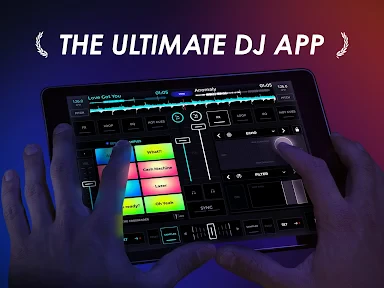
First things first, downloading edjing Mix was a breeze. Available on both Android and iOS, it quickly set the stage for what I hoped would be a mind-blowing experience. Upon opening the app, you’re greeted with a sleek interface that feels intuitive and lively. It’s like stepping into your very own DJ booth with all the tools laid out right before your eyes.
What caught my attention immediately was the app’s comprehensive music library. It seamlessly integrates with platforms like SoundCloud and Deezer, giving you access to millions of tracks. I was like a kid in a candy store, scrolling through endless options, ready to mix and match.
Features that Make You Go Wow!
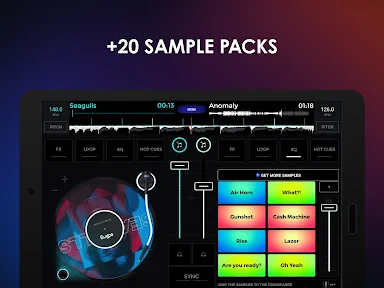
Now, let’s talk features. The app is loaded with cool tools that make mixing a joy rather than a chore. From crossfaders to loops, it’s got everything you need. But the real game-changer here is the sampler. With a variety of sound effects and beats at your fingertips, creating unique mixes becomes second nature. I found myself spending hours experimenting, adding a personal touch to every track.
Another standout feature is the BPM sync. It’s like having an extra pair of hands, keeping your tracks perfectly aligned without breaking a sweat. This is a lifesaver, especially when you’re in the zone and don’t want to be bogged down by technicalities.
Let’s Get Technical
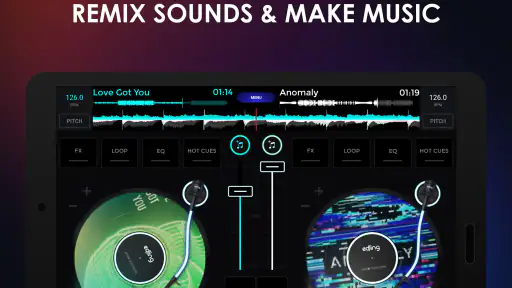
For those who love to tinker, edjing Mix doesn’t disappoint. The EQ controls are responsive and give you the freedom to sculpt your sound precisely. And if you’re into scratching, the virtual turntables are as close to the real deal as you can get on a mobile device. I spent a good chunk of my time just scratching away, lost in the rhythm.
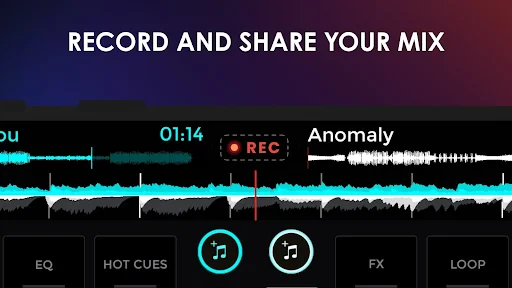
The app’s ability to record your sessions is another feather in its cap. Whether you want to review your mixes or share them with friends, having a recorded version is incredibly handy. Plus, with its social sharing options, you can easily showcase your DJ skills on platforms like Facebook and Twitter.
Practice that translates beyond the screen
One useful way to approach the EQ and crossfader is to make a small change at a time, then listen for its effect instead of moving several controls at once. That makes it easier to hear whether a transition needs a volume adjustment or whether the two tracks simply do not suit each other. I find this more informative than trying to rescue a mismatched pairing with effects.
There is also a difference between a mix that feels exciting while you are making it and one that works as a recording. When practising, I’d leave a little space between experimental moments and listen back for distracting level jumps or abrupt endings. A short recorded pass can help you decide what to repeat, without turning a casual session into an all-evening editing project.
For a household that shares one phone, this kind of practice can be cooperative without requiring everyone to be equally interested in DJing. One person can suggest the next track, another can listen for the transition, and the person at the controls can try the blend. Taking turns deliberately is more fun than crowding around the screen and making competing changes, especially when newcomers are still learning what each control does.
Who should take the next turn
I’d particularly recommend trying it if you already enjoy making playlists, notice how songs fit together, or want a hands-on way to introduce a friend to basic mixing ideas. It gives those interests somewhere to go beyond simply queueing another track. It is also an appealing option for a short, informal activity before guests arrive: test a couple of familiar songs, see whether their rhythms cooperate, and keep the result if the recording sounds good.
On the other hand, I would not choose it as the only audio app for someone who mainly wants reliable background playback, nor would I use a phone-based mix as the foundation of a performance where precise, repeatable control is essential. The touchscreen encourages experimentation, but it can also make small adjustments fiddly. A computer setup or physical DJ equipment is a better fit when the task calls for more deliberate control and a longer, carefully prepared set.
Music access is another practical decision to make before planning a session. I would first check whether the tracks I want to use are available through the sources I can access, rather than assuming every song in a personal listening routine can be mixed here. That quick check avoids building a set around a track that is not ready to load, and it helps keep a shared session moving.
Final Thoughts
After spending quality time with edjing Mix, I can confidently say it’s a must-have for any music enthusiast. The blend of powerful features and user-friendly design makes it a standout choice in the world of DJ apps. Whether you’re just starting out or a seasoned pro, this app offers a playground of creativity. So, plug in your headphones, fire up the app, and let your musical journey begin!
My recommendation is more specific than calling it essential for everyone: I’d try it when the goal is to make music listening interactive, practise simple transitions, or share a playful mix with people nearby. I’d skip it when ease, separate personal listening habits, or professional-level control matters more than experimentation. Used with sensible boundaries around purchases and recordings, it can turn an ordinary shared evening into a small creative project.
edjing Mix - Music DJ app Frequently Asked Questions
Can edjing Mix be used without an internet connection?
If you plan to mix while offline, the key consideration is whether the tracks you want to use are already available on your device. Streaming services require an internet connection to access their catalogs, so they are not a reliable option when you are offline. The app is built for mobile mixing, but plan your music sources ahead of time if you expect to use it without a connection.
Can I use edjing Mix to make and save my own music mixes?
Yes. Making and recording mixes are central to edjing Mix’s purpose, so it can be a practical choice if you want to create a session on your phone or tablet and keep a recording to revisit. Its store summary highlights remixing songs, making music, and recording mixes on the go. Before starting a longer session, explore the recording controls and decide how you want to organize your finished mixes.
Who develops edjing Mix, and what kind of app is it?
edjing Mix is a Music & Audio app developed by MWM - AI Music and Creative Apps. It is built around mobile DJ mixing, with its store summary describing tools to remix songs, make music, and record mixes on the go. It may suit listeners who want to try hands-on music creation as well as people who already enjoy experimenting with DJ-style mixes.
What is edjing Mix and how does it work?
edjing Mix is a professional DJ application that allows users to mix music tracks seamlessly using their smartphones or tablets. The app offers a wide range of features including real-time effects, loops, and a library integration that allows users to access music directly from their device or streaming services. The intuitive interface is designed to cater both beginners and professional DJs, making it an ideal tool for practicing and performing.
Is edjing Mix free to use, or does it require a purchase?
edjing Mix is available as a free download, providing access to basic features. However, to unlock more advanced capabilities and remove ads, users can opt for in-app purchases or a subscription plan. This premium option offers additional effects, samples, and an enhanced experience without the interruption of advertisements, providing a more professional setup for serious users. In-app purchases range from $0.99 to $114.99 per item, so check the available options in the app before choosing to buy.
Pros
- Intuitive interface for beginners.
- Wide range of sound effects.
- Real-time audio analysis.
- Large music library access.
- Cross-platform compatibility.
Cons
- In-app purchases can be costly.
- Ads can be intrusive.
- Requires internet for full features.
- Can drain battery quickly.
- Occasional app crashes.
- Category
- Music & Audio
- Version
- 7.28.01