Jigsaw Puzzles - Puzzle Games
- 106.44K
- 4.8
- Installs
- 100.00M
- Price
- Free
Screenshots

Analysis by Reviewed
I like jigsaw puzzles best when I can settle into them without needing a clear table or a long stretch of free time. On a phone, that convenience matters: I can work on a picture for a few minutes, pause, and return later. Jigsaw Puzzles - Puzzle Games brings that familiar pastime to a mobile screen, and its simple premise makes it easy to understand whether you’re already a puzzle fan or just looking for a quiet break.
Who will enjoy this kind of puzzle
This is a good fit if you enjoy visual sorting more than timers, scores, or competition. A jigsaw asks you to notice color, shape, and small details at your own pace; that makes it a gentler choice than many puzzle games built around quick decisions. I’d recommend it for a short evening wind-down, a calm wait in a queue, or a low-key activity to share with someone who likes solving pictures together.
It is less suitable if you want a story, levels with increasingly elaborate rules, or a strong sense of progression. The appeal here is the act of assembling an image, not unlocking a campaign or mastering a new mechanic. If you need constant novelty in how a game plays, a logic puzzler or a word game may hold your attention better.
Getting Started with Jigsaw Puzzles
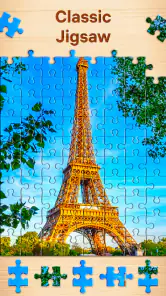
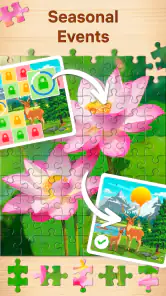
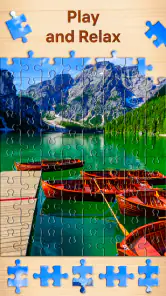
Opening up Jigsaw Puzzles - Puzzle Games feels like stepping into a treasure trove of visual delights. The app greets you with a vibrant interface that's easy on the eyes and simple to navigate. You’ll find a wide array of puzzles to choose from, each offering its own unique challenge. What’s really cool is that the app frequently updates its collection, so there’s always something new to try.
Features Galore
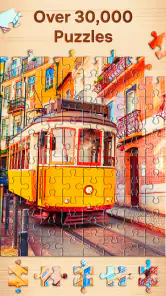
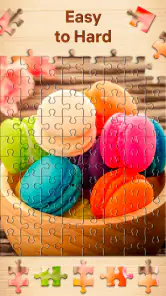
One of the key features that stood out to me is the vast collection of puzzles available in this app. Unlike traditional jigsaw puzzles that can leave you with a limited number of options, this app provides an almost endless supply. From breathtaking landscapes to intricate patterns, there’s a puzzle for every taste. Plus, you can adjust the difficulty level, which means even if you’re a puzzle novice, you can start small and gradually work your way up.
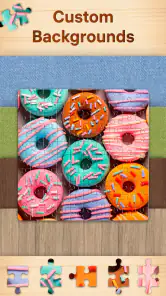
Another feature worth mentioning is the customization option. You can actually create your own puzzles from your photo library! This little touch makes the experience personal and adds an extra layer of fun. Imagine piecing together your favorite vacation photo or a picture of your pet. It’s these personal touches that make the app stand out.
A more deliberate way to play
For a smoother session, I’d choose a picture with distinct areas of color when I want an easier start, then save detailed or similarly colored images for a longer sit-down. This small choice changes the feel of a puzzle without requiring a different game mode: clear contrast gives your eyes useful landmarks, while a sky, beach, or patterned surface can take more patience. If I’m using a personal photo, I’d pick one with a recognizable subject rather than a busy image, so the finished picture feels rewarding instead of visually confusing.
More From Our News Desk

Weather by Xiaomi Review: Clear at a Glance, Less Clear Up Close

X Under Pressure: Can It Recover When Posting Goes Wrong?

Clash of Clans Is Won Between the Battles

Android Auto Makes the Case for Quieter Car Software

MobiOffice: Transforming Mobile Productivity with Seamless Integration

EA SPORTS FC™ Mobile Soccer: Redefining Mobile Sports Gaming
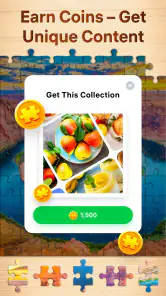
Compared with a physical jigsaw, the phone version wins on storage and convenience, but it can’t reproduce the feel of sorting pieces across a table. Compared with match-three or tile puzzles, it is slower and more contemplative, with fewer urgent decisions. That is a strength when I want to unwind, but a drawback if I’m looking for a brisk challenge. The free-to-download game also offers in-app purchases, with items priced from $0.99 to $14.99, so I’d check the purchase prompts carefully if I want to keep spending controlled.
A Relaxing Experience
One of the beauties of Jigsaw Puzzles - Puzzle Games is its calming effect. The app is designed to provide a soothing experience, with serene background music that enhances your focus and helps you relax. It’s perfect for winding down after a long day, giving your mind a break from the hustle and bustle.
There’s also a handy feature that lets you save your progress, so you don’t have to worry about finishing a puzzle in one go. You can simply pick up right where you left off, making it easy to fit puzzling into even the busiest of schedules.
Making it fit the day
A realistic routine might be to open a puzzle during a lunch break, make a few placements, then leave the rest for the evening. Since progress can be resumed, there’s no need to turn a small pause into a rushed attempt to finish. I’d also treat music as optional: it may suit a quiet room, while playing without it can be more comfortable in public or when I’m listening to something else.
Offline play is part of the game’s appeal, especially for travel or places where connectivity is unreliable. I’d still open the app before leaving home if I planned to use it on a trip, rather than assuming every part of browsing or downloading content will work without a connection. That practical distinction helps set expectations: an already available puzzle is a better bet for an offline stretch than relying on finding something new at that moment.
Design and Usability
The developers have done an excellent job with the app’s design. It’s intuitive and user-friendly, making it accessible to users of all ages. The drag-and-drop interface is smooth, and the pieces snap into place with a satisfying click. It replicates the tactile feel of a real puzzle, which is a nice touch.
Additionally, the app runs smoothly without any noticeable lag, which is crucial for maintaining the immersive experience. The responsiveness and speed make it a joy to use, even on older devices.
What the current version tells me
Easybrain’s puzzle game was released on April 10, 2019, and its current version is 4.8.0. That gives the game an established history rather than the feel of a brand-new experiment, but a version number alone doesn’t tell me which individual features changed along the way. Existing players can judge the present experience directly: familiar picture-solving remains the draw, while newcomers can start without needing to learn a complicated system.
Its audience is also substantial: the game has a 4.8 average from around 2.3 million ratings, with over 100 million installs. Those figures suggest broad appeal, not a guarantee that every player will enjoy the pace. It is free to install, rated Everyone, and requires Android 8.0 or later. For me, the more useful question is whether calm, image-based play suits the moment I have available.
Where I’d draw the line
The main trade-off is that a digital puzzle is still a screen activity. If I’m already tired from reading or working on a phone, switching to another visual task may not feel restful; a paper puzzle, a walk, or an audio activity could be a better break. Smaller screens can also make intricate images less comfortable to inspect, so I’d favor simpler compositions when playing on a compact device.
I would also avoid treating the large puzzle selection as a promise that every image will suit my taste. The best choice depends on how much attention I want to give it: a clear, familiar subject is ideal for a brief session, while subtle detail can turn a puzzle into a longer project. That flexibility is useful, but it means the relaxing experience depends partly on choosing well.
Keeping a puzzle manageable
One useful way to avoid turning a casual session into a chore is to decide on the kind of image before choosing how long to play. If I have only a few minutes, I’d look for a picture with a strong focal point and several clearly different colors. For a longer break, a less distinct scene can make the sorting itself the activity. The practical benefit is that the challenge comes from the picture I select, rather than from feeling obliged to finish every puzzle I open.
Personal-photo puzzles also work best when I treat them as a different kind of choice, not automatically as the most enjoyable one. A photo that matters to me can make the completed image feel special, but familiar memories do not always translate into easy pieces: a portrait against a plain background may be simpler to read than a crowded group shot. I’d keep a favorite photo for when I have patience to spare and use a more visually varied image for a quick, low-effort session.
Choosing it over other downtime
When I’m choosing between this and a physical jigsaw, the deciding factor is usually space. A phone puzzle is easy to leave and resume without keeping pieces spread out, while a tabletop puzzle gives me the larger view and hands-on sorting that a screen can’t match. If I’m at home with room to leave a puzzle set up, physical pieces may be more satisfying; if I’m travelling or waiting, the digital format is much more practical.
It also fills a different niche from sudoku, word searches, and other conventional phone puzzles. Those often ask for a specific answer or a chain of deductions, which can feel mentally sharper but also more demanding. Here I can make progress through visual recognition without needing to remember rules or keep track of a score. I’d choose it for a gentle pause, but pick a logic game when I want a clear test of reasoning or a stronger sense of accomplishment from solving a problem.
Small habits that improve a session
I’d avoid starting with a photo that has large areas of nearly identical color if I’m playing on a small screen or in a distracted setting. It can be satisfying when I have time to inspect details, but it makes a quick session feel slower. A recognizable object near the center gives me an easy place to begin, while contrasting edges and colors help me decide where a piece belongs instead of repeatedly trying it at random.
For a shared session, I’d take turns looking for different visual clues rather than both moving pieces at once. One person can scan for a color or object while the other checks the shape of a candidate piece. That makes the game a relaxed conversation activity without changing its basic pace. It is less suited to a group looking for fast competition, since its appeal is patient observation rather than beating someone to an answer.
What to expect from the business model
Because the game is free to install but includes optional purchases, I’d approach it as a free starting point rather than assume every aspect of continued play is cost-free. The listed purchase range is $0.99 to $14.99 per item, and those options may matter differently to someone who plays occasionally than to a regular puzzler. I’d take a moment to read each prompt before confirming anything, especially if a child is using the device or if I’m trying to avoid accidental spending.
The game is rated Everyone, which makes it broadly accessible, but that doesn’t mean every player will find the interface or puzzle style equally comfortable. Someone who prefers large physical pieces, needs a less screen-focused pastime, or finds detailed images tiring may be happier with a paper puzzle. For younger players, I’d still set expectations about purchases and screen time rather than treating the age rating as a substitute for supervision.
Final Thoughts
In a world where everything is fast-paced and digital, Jigsaw Puzzles - Puzzle Games offers a delightful escape. It combines the charm of traditional puzzles with the convenience of modern technology, creating a perfect blend for puzzle enthusiasts. Whether you’re looking to pass the time, engage your brain, or simply relax, this app has got you covered.
So, why not give it a try? Dive into the world of jigsaw puzzles anytime, anywhere, and discover the joy of piecing together something beautiful. Trust me, it’s an experience worth having.
Jigsaw Puzzles - Puzzle Games Frequently Asked Questions
What is Jigsaw Puzzles - Puzzle Games, and what kind of experience does it offer?
Jigsaw Puzzles - Puzzle Games is a puzzle game built around the familiar activity of fitting pieces together to complete images. Its focus is on a relaxed, flexible experience that can suit a short break or a longer session. The game is described as offering jigsaw puzzles for adults, while its Everyone content rating also makes it appropriate for a broad audience.
Can I play Jigsaw Puzzles - Puzzle Games without an internet connection?
Yes. The game can be played offline, which makes it a convenient choice for a commute, travel, or a place where you do not have internet access. You will need a connection to download puzzles and updates, so it is worth getting the content you want while online. After that, you can enjoy the puzzles without staying connected.
What devices and operating systems can run Jigsaw Puzzles - Puzzle Games?
Jigsaw Puzzles - Puzzle Games is available for Android and iOS, so you can enjoy it on a compatible phone or tablet. The Android version requires Android 8.0 or later. The game is free to download, making it easy to try the puzzle experience before deciding whether any optional purchases are right for you.
Is Jigsaw Puzzles - Puzzle Games free to download?
Yes, Jigsaw Puzzles - Puzzle Games is free to download. It also offers optional in-app purchases, with items priced from $0.99 to $14.99 each. You can begin playing without paying, while purchases provide an option for users who want to spend on additional content or features. Check purchase settings on your device if you want to manage in-app spending.
What types of puzzles are available in Jigsaw Puzzles - Puzzle Games?
Jigsaw Puzzles - Puzzle Games offers a wide variety of puzzles, ranging from simple to complex images. Users can choose themes like nature, animals, art, and more. The app regularly updates its library, providing fresh and engaging puzzles to keep users entertained and challenged.
Pros
- Wide variety of puzzle themes available.
- User-friendly interface for easy navigation.
- High-quality images enhance puzzle experience.
- Offline mode for play without internet.
- Regular updates with new puzzles.
Cons
- Some puzzles locked behind paywall.
- Large app size may affect storage.
- Occasional ads interrupt gameplay.
- No hints or help for difficult puzzles.
- Limited social sharing options.
- Category
- Puzzle
- Version
- 4.8.0