DaVinci - AI Image Generator
- 7.61K
- 3.7
- Installs
- 5.00M
- Price
- Free

Screenshots
Analysis by Reviewed
I find AI art apps are easiest to judge by what happens after the initial excitement: can I turn a vague idea into an image I actually want to keep, and can I recover when the result misses? DaVinci - AI Image Generator, by HubX, is aimed at that quick, prompt-led kind of creative play. It belongs to the art and design category, and its central appeal is simple: describe a scene in words and see what the generator makes of it.
The app is free to download, with in-app purchases ranging from $2.99 to $69.99 per item. It has an Everyone age rating, a 3.7 average from around 181,000 ratings, and more than 5 million installs. Those figures suggest a widely tried app, but they do not tell me whether a particular image will match your idea. The useful question is how you approach the prompt and what you expect the result to be.
Turning a rough idea into a usable image
DaVinci is most appealing when I treat it as a sketching partner rather than a dependable production tool. A short description can give me a visual starting point, help me explore a mood, or reveal a composition I would not have thought to draw myself. That makes it handy when I have an idea but no clear picture of how it should look.
Where people can get stuck
The first hurdle is often the prompt, not the interface. A broad request leaves plenty of room for interpretation, so the generated image may capture the general subject while missing the detail I had in mind. When that happens, I get better results by changing one part of the description at a time: clarify the subject, then the setting, then the mood. Rewriting everything at once makes it harder to tell which change helped.
I also try not to treat a first result as a final answer. Image generation involves interpretation, and visual details can land differently from what a sentence seems to promise. If the overall idea is right but one element feels off, I narrow the prompt around that element rather than adding a long list of unrelated instructions. This keeps the next attempt focused and makes the process less frustrating.
Getting ready for a smoother first session
DaVinci is an art and design app from HubX, and version 4.2.8 supports devices running Android 7.0 or later. Before starting, I would check that the device meets that minimum and that the app is up to date. If it is already installed but behaving oddly, closing and reopening it is a sensible first check before trying the same action repeatedly.
It is also worth deciding what success means before generating anything. If I want a playful concept for a chat, I can accept surprises; if I need a specific object in a specific arrangement, I need to describe those priorities clearly and allow for imperfect matches. That small expectation check matters: this is a creative generator, not the same thing as carefully placing and editing every element in a conventional drawing app.
More From Our News Desk

Weather by Xiaomi Review: Clear at a Glance, Less Clear Up Close

X Under Pressure: Can It Recover When Posting Goes Wrong?

Clash of Clans Is Won Between the Battles

Android Auto Makes the Case for Quieter Car Software

MobiOffice: Transforming Mobile Productivity with Seamless Integration

EA SPORTS FC™ Mobile Soccer: Redefining Mobile Sports Gaming
Recovering when a result misses the mark
When an image is close but not quite right, I use the result as feedback. I identify the strongest part, such as its color or atmosphere, then make the next prompt protect that quality while correcting the weak point. For example, if a scene has the right mood but the main subject is unclear, I make the subject more specific instead of asking for a completely different style as well.
If the app seems to stall, I avoid tapping through the same request over and over. I check whether the device is responding normally, reopen the app, and try a simpler prompt once it is ready. A simpler description is useful as a diagnostic too: if that works, the issue may have been the complexity or ambiguity of the request rather than the whole creative workflow. I would keep any text I especially like outside the prompt field before experimenting, so I can return to it without rebuilding it from memory.
When another tool is a better fit
DaVinci suits people who want to explore ideas through text and are comfortable refining them through trial and error. It can be a fun starting point for a personal project, a visual mood board, or a quick image to share. Someone who needs precise control over layers, typography, or individual brush strokes will probably be happier in a traditional drawing or photo-editing app. Likewise, if every detail must match a fixed brief, a generator may take more retries than a hands-on editor.
Compared with a standard drawing app, the advantage here is speed from description to visual concept; the trade-off is less direct control over exactly what appears. Compared with browsing stock images, it offers a way to pursue a more personal combination of ideas, but it is not a substitute for searching an existing library when an exact, ready-made subject is essential. I see it as a useful companion to those tools, not a replacement for all of them.
A realistic way to use it
Imagine I am putting together a casual invitation for a small get-together and want a whimsical night-sky image to set the tone. I can start with the core scene, see whether the composition feels inviting, then adjust the wording to emphasize the colors or atmosphere I want. If the image is only inspiration, a near miss may still be useful; if I need legible event details, I would add those separately in an editor rather than expecting the generated art to handle precise text layout.
That separation is one of the practical trade-offs I keep in mind: use DaVinci to explore the visual idea, and use a more controlled tool for finishing work that depends on exact placement. The same approach works for brainstorming a character, testing a color mood for a personal project, or making a quick visual prompt for a conversation. I would not rely on it as the only step in work where accuracy or repeatability matters.
What to expect from access and cost
The app is free, but optional in-app purchases run from $2.99 to $69.99 per item. I would explore the basic workflow before spending anything and check the purchase details shown in the app at the moment I consider buying. That gives me a chance to decide whether the available experience already fits my needs, rather than paying because I assume a purchase will guarantee a particular image or remove every point of friction.
One practical question is whether it is suitable for a younger user. Its Everyone rating makes it broadly accessible, though I would still guide a child through any purchase prompts and help them understand that generated pictures can be unpredictable. Another common concern is whether the app can replace a designer: in my view, it can help with inspiration and rough concepts, but it does not replace the judgment and precise editing a finished project may need.
My practical verdict
DaVinci earns a place on my shortlist when I want to turn words into visual possibilities without first learning a full illustration workflow. Its value is strongest in the early, playful stage: testing a scene, finding a mood, and giving an abstract idea a form I can react to. It is less compelling when the goal is exact control or a polished deliverable with every detail fixed.
I would recommend trying it if you enjoy experimenting and can treat unexpected results as part of the process. I would skip it as a primary tool if repeated interpretation would slow you down or if you need dependable control over every visual element. The best results come from focused prompts, small revisions, and a clear distinction between generating an idea and finishing an image.
Hey there, fellow app explorers! Today, we're diving into the fascinating world of DaVinci - AI Image Generator. If you're anything like me, always on the hunt for cutting-edge tech that sparks creativity, then buckle up because this app might just blow your mind.
Unleashing Your Imagination
Alright, let's get straight into it. DaVinci - AI Image Generator is like having a mini art studio right in your pocket. Imagine being able to create stunning visuals with just a few taps. Sounds cool, right? The app harnesses the power of artificial intelligence to generate images that range from realistic to fantastically abstract. It's like having a digital canvas where the only limit is your imagination.
Features That Stand Out
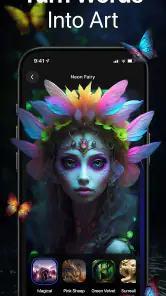
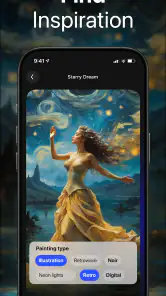
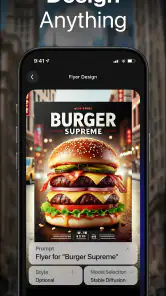
First up, let's talk features. One of the standout aspects of this app is its user-friendly interface. Even if you're not tech-savvy, navigating through the app is a breeze. You start by choosing a style – be it a classic painting vibe, modern abstract, or even pop art. Then, you can either upload your own photo or let the AI surprise you with something entirely unique. And the results? Absolutely mesmerizing.
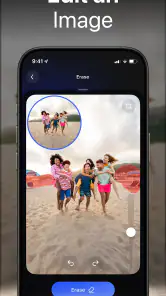
One of my favorite features is the app's ability to learn and adapt. The more you use it, the better it gets at understanding your preferences. Plus, the option to tweak the generated images to your liking adds a personal touch that many other image generators lack.
Why You'll Love It
If you're a content creator, artist, or someone who just loves to play around with visuals, this app is a game-changer. The sheer variety of styles and options ensures there's always something new to discover. Not to mention, it's an excellent tool for brainstorming. Stuck on a project? Fire up DaVinci, and let the AI inspire you with fresh ideas.
And here's a little insider tip: the app often updates with new features and styles, so there's always something fresh to look forward to. It's like a gift that keeps on giving.
The Final Verdict
In a world where visuals speak louder than words, DaVinci - AI Image Generator is a must-have for anyone looking to elevate their creative game. Whether you're a pro designer or just someone who loves to dabble in digital art, this app offers endless possibilities. It's intuitive, fun, and most importantly, it delivers stunning results that will make you look twice.
So, why not give it a try and see where your creativity takes you? Who knows, you might just find your next masterpiece waiting to be discovered. Happy creating!
DaVinci - AI Image Generator Frequently Asked Questions
Can I use DaVinci - AI Image Generator without knowing how to draw?
Yes. DaVinci is designed around turning written ideas into AI-generated art and paintings, so you can start with a text prompt rather than drawing by hand. It may suit someone who wants to explore visual concepts without traditional art skills, as well as people looking for inspiration. The result depends on how the AI interprets the words you enter.
Is DaVinci - AI Image Generator suitable for children?
DaVinci has an Everyone content rating, so it is intended for a general audience. Its focus is creating AI-generated art from text prompts, which may make it an approachable way for younger users to explore visual creativity. Parents can still look through the app with children and discuss what they create, particularly if they are new to AI image generators.
Can I use DaVinci - AI Image Generator for professional or commercial projects?
DaVinci can generate images from written prompts, which may help with brainstorming or exploring visual directions for a project. Whether a particular image is suitable for professional or commercial use depends on your needs and the rights and terms that apply to the content you create. Review the app’s terms and any relevant usage requirements before relying on generated images in paid work.
Do I need an internet connection to create images in DaVinci - AI Image Generator?
DaVinci uses artificial intelligence to transform text prompts into images, so creating artwork may involve processing beyond what happens in a basic drawing app. Check that you have a reliable connection when you plan to generate images, and consider your data access if you are not using Wi-Fi. This is especially useful to keep in mind before starting a creative session away from home.
Can I save or share images created with DaVinci - AI Image Generator?
The app is centered on making AI-generated art and paintings from words, so it is aimed at users who want to create visual results from their ideas. If you plan to keep or share a particular image, check the available options in the app after generating it. You may also want to review the app’s terms before sharing artwork publicly or using it elsewhere.
Pros
- User-friendly interface simplifies art creation.
- Wide range of styles for diverse outputs.
- Fast processing generates images quickly.
- High-quality results with vivid details.
- Supports exporting in multiple formats.
Cons
- Requires internet connection to function.
- Subscription needed for premium features.
- Limited free version capabilities.
- Occasional glitches in image rendering.
- Consumes significant device resources.
- Category
- Art & Design
- Version
- 4.2.8













