AI Video - AI Video Generator
- 4.72K
- 4.5
- Installs
- 5.00M
- Price
- Free

Screenshots
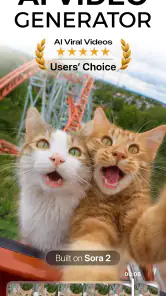
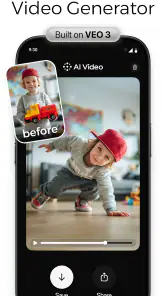
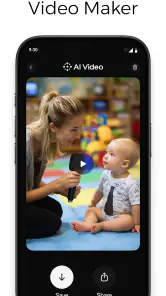
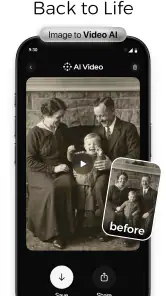
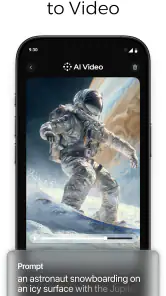
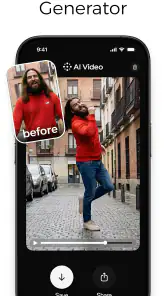
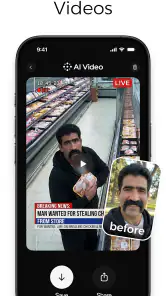
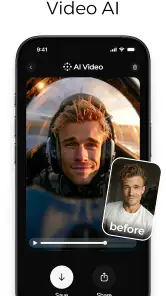
Analysis by Reviewed
When I want to turn a loose idea into a quick visual draft, I find AI Video - AI Video Generator most useful as a starting point rather than a replacement for a full editing setup. It is an Art & Design app from HubX, built around generating video from a written prompt. The appeal is simple: describe a scene, see what the AI makes of it, and decide whether the result is worth refining or sharing.
A practical prompt-to-video routine
I’d approach a first project with one clear subject and one action, rather than asking for an entire story in a single prompt. For example, a small bakery owner could try describing warm morning light falling across fresh pastries for a short social post. Keeping the visual idea focused makes it easier to judge whether the output matches the intention; if it misses, I’d change one part of the wording at a time instead of rewriting everything and losing track of what helped.
That habit matters because a generated clip is an interpretation, not a precise shot list. I would treat early results as sketches: useful for testing a mood, illustrating a concept, or finding a direction, but not automatically ready for a polished campaign. If exact product details, readable on-screen wording, or carefully timed action are essential, a conventional editor or a real camera workflow gives you more direct control.
Check the trade-offs before building a habit
The app is free to install, rated for Everyone, and its current version is 2.5.7; it requires Android 7.0 or later. Optional in-app purchases range from $4.99 to $39.99 per item, so I’d check what a particular paid option unlocks before making it part of a regular workflow. The app has a 4.5 average from around 563,000 ratings, with over five million installs, which suggests broad interest, but popularity alone can’t tell you whether its generated style suits your project.
For an occasional creator, the strongest reason to try it is speed and low setup effort. It may help a student make a visual prompt for a presentation, or let a small business test a few creative directions before investing time in a more involved edit. Someone who needs repeatable brand consistency, detailed timeline control, or dependable fine adjustments may be better served by traditional editing software. I’d also keep expectations flexible: AI output can need several prompt revisions, and a visually appealing result may still need checking for details that matter to the brief.
Unleashing Creativity with Ease
So, what's the big deal with AI Video - AI Video Generator? Well, imagine having a personal assistant that takes your ideas and transforms them into stunning videos with minimal effort on your part. This app leverages the power of artificial intelligence to help you create professional-looking videos without the need for high-end editing skills or expensive software.
Getting Started: User-Friendly Interface
First things first, the app is super easy to navigate. When I first opened it, I was greeted with a clean, intuitive interface that made me feel right at home. Whether you're a newbie or a seasoned pro, you'll find the layout easy to understand. The main screen offers various templates and themes to choose from, making the process of starting a new project as simple as pie.
Features That Stand Out
One of the standout features of this app is its AI-driven editing tools. These tools allow you to automate the editing process, which means you can focus more on the creative aspects rather than getting bogged down by technical details. The app offers a range of editing options, from trimming and merging clips to adding transitions, text, and music. Plus, the app suggests edits based on your input, which is a nifty feature that saves a ton of time.
Make the first draft work harder
For a repeatable routine, I’d keep a small note of the prompt wording that produced a useful look, then adapt only the subject or setting for the next idea. This is a practical way to stay consistent without assuming the app has a saved-prompt library or a special shortcut. I’d also review the finished clip once for visual accuracy and once for the intended audience: those are different checks, and the second pass can catch a mismatch in tone even when the video looks attractive.
Perfect for Social Media Enthusiasts
If you're all about sharing your creations on social media, you'll love how this app optimizes videos for different platforms. Whether it's Instagram, TikTok, or YouTube, the app ensures your videos look top-notch on any screen. The export options are straightforward, and you can directly upload your creations to your favorite platforms without a hitch.
That makes it a handy option when I need a quick visual to accompany a post, but I’d still watch the exported result on the device and platform where it will appear. A clip that looks convincing in a preview can feel less effective once viewed alongside a caption or other feed content. For regular posting, I’d plan the message first, generate a visual that supports it, and keep any essential wording in the post itself rather than relying on generated imagery to communicate exact text.
Why It's Worth Your Time
Overall, what really sets AI Video - AI Video Generator apart is its ability to democratize video creation. You don't need to be a tech whiz to make something beautiful. With its combination of powerful features and user-friendly design, it's an app that truly makes video creation accessible to everyone.
For me, that accessibility is most valuable when experimentation matters more than frame-by-frame precision. It is a sensible pick for curious beginners, casual social creators, and anyone who wants to explore a visual idea without first learning a complicated editing workflow. If the goal is a tightly controlled final film, or you simply prefer to shape every cut yourself, another kind of tool is likely a better fit.
So, if you're looking to spice up your video content or simply want to experiment with new creative outlets, give this app a try. It's an exciting tool that brings your ideas to life with just a few taps. Happy video making!
Turn a real task into a small experiment
A useful way to judge whether this app belongs in your routine is to give it a modest, practical job rather than a high-stakes project. Imagine you run a neighborhood café and need a fresh post for tomorrow’s special. I’d start with one visual idea, such as a cup of coffee beside a pastry in a calm morning setting, and generate a draft to see whether the mood fits. If it does, the clip can help set the direction for the post; if it doesn’t, the experiment has still shown which parts of the prompt need changing before I spend time editing elsewhere.
This kind of use suits the app better than asking it to produce a complete promotional film with exact branding and a carefully sequenced message. The generated image can provide atmosphere, while a caption or a separate editing step can carry details that need to be accurate. That division of labor is one of the most useful habits I’d recommend: let the AI handle visual exploration, then keep factual claims, spelling, and final presentation under your own control.
Use settings and checks as part of the workflow
Before making something for a particular channel, I’d look through the available project and export choices rather than assume that one output will suit every destination. The practical question is not simply whether a clip can be shared, but whether it will look composed in the place where people will actually see it. Keep the central subject visually clear, avoid building the whole idea around tiny details, and preview the final result at the size you expect an audience to view it.
I’d also make a quick quality pass with three separate questions: does the clip show the intended subject, does its mood support the message, and is anything important left to interpretation? This catches different kinds of problems than simply asking whether the result looks attractive. If a detail is essential—such as a product feature or a specific written phrase—I would not rely on a generated scene to communicate it perfectly. A standard editor is the safer choice for placing precise text or arranging a dependable sequence.
There is a small but important trade-off in making several prompt changes at once. It may seem faster to rewrite a whole description after a disappointing result, but then it is hard to know which change improved or weakened the output. I prefer to adjust one ingredient at a time: the subject, setting, action, or mood. Keeping short notes about successful wording makes those trials more repeatable, even without assuming any dedicated prompt-saving function.
Where it fits beside other creative tools
Compared with a conventional video editor, this app puts more emphasis on generating a visual starting point from language and less on manually controlling every moment. That can be a real advantage when I have a rough idea but no footage, or when I want to explore a look before committing to a full production. An editor remains the better choice when the job depends on exact cuts, matching existing footage, consistent logos, or a sequence that must follow a fixed script.
It also differs from simply recording a scene on a phone. A camera gives you evidence of a real place, person, or object and lets you decide exactly what is in the frame, while prompt-based generation is better suited to imaginative concepts and quick visual exploration. If authenticity is central—showing a real menu item, a specific location, or a product as it actually appears—I’d film it myself and use an editor to polish the result. For an abstract mood board or a playful concept, generating a draft may be the less laborious route.
That makes the app most appealing to beginners, students, and casual creators who want to try ideas without learning a complex editing process first. It can also help a small team discuss creative direction: a rough generated clip gives people something concrete to react to before anyone invests effort in a finished piece. I would skip it as the main production tool if my work depended on consistent visual identity, precise timing, or full control over every shot.
What to consider before paying or relying on it
The free starting point makes experimentation approachable, but optional purchases change the calculation if you expect to use the app often. Before choosing a paid option, I’d check the in-app details and decide whether the benefit matters to the kind of projects I actually make. A one-off test is different from a recurring workflow, so I would not commit simply because a first generated result looks promising. The best test is whether the app saves meaningful effort across several real tasks, not whether one draft happens to be eye-catching.
It is also sensible to treat generated work as a draft that deserves human review. Prompt-based results can miss the intended emphasis or introduce visual details that do not belong in a brief. I’d be especially careful before using a clip for an announcement, a product description, or anything where a viewer might mistake an imaginative image for a literal representation. The app is a creative aid, not a substitute for checking whether the final video says what I mean.
People often wonder whether they need editing experience to get something useful from it. I don’t think they do for basic exploration: a plain-language idea is enough to begin, and the simplest improvement is usually making the prompt more focused. The more demanding the finished result becomes, though, the more valuable ordinary editing skills are. Knowing how to trim, place text, or combine material gives you a way to correct what a generated draft cannot reliably control.
A sensible routine for repeat users
If I used it regularly, I’d keep the process deliberately simple: write down the audience and purpose, describe one visual moment, generate a draft, and check it against the brief before sharing. I would keep the prompt notes outside the app in whatever place I already use for project ideas, so useful wording remains available without relying on an unconfirmed built-in feature. For recurring posts, I’d also save examples of the tone I want to achieve and compare new outputs against those examples rather than expecting identical results from similar prompts.
That routine helps separate creative exploration from final production. First decide whether the visual direction is useful; only then spend effort on captions, layout, or a more controlled edit. It avoids polishing a clip that was never right for the message in the first place. And if several attempts still do not deliver the subject or mood I need, I’d switch tools instead of endlessly rewriting the prompt.
My overall view is that this is a convenient Art & Design app for turning a written concept into something visual, especially when speed and experimentation matter more than precision. HubX has made the entry point approachable, and the app’s broad audience is reflected in its average rating of 4.5 across around 563,000 ratings, alongside over five million installs. Those figures are reassuring signs of interest, not a promise that every result will fit every creator.
I’d recommend giving it a try if you want a quick way to explore video ideas, make a visual draft, or add an imaginative element to casual content. I would not choose it as my only tool for a polished campaign, a precise product demonstration, or work where every frame must match a brand guide. Used with focused prompts, a careful review, and realistic expectations, it can be a useful shortcut from an idea to a first draft; the final judgment and the important details should still remain yours.
AI Video - AI Video Generator Frequently Asked Questions
Does AI Video - AI Video Generator require an internet connection to create videos?
AI Video - AI Video Generator turns written prompts into AI-generated videos, so its main creative purpose is to generate content from text. Before downloading, consider whether you will usually have a reliable connection when you want to make videos. If you plan to create while traveling or away from your usual network, check how the app behaves in those circumstances before relying on it.
What kinds of projects might AI Video - AI Video Generator suit?
The app may appeal to people looking for a straightforward way to explore video creation from written ideas, including casual creators and users making content for personal or promotional projects. Its text-to-video approach makes it different from a traditional editor focused only on assembling existing clips. Think about the style and level of control you want before downloading, since your needs will shape whether this approach feels suitable.
Is AI Video - AI Video Generator suitable for children?
AI Video - AI Video Generator has an Everyone content rating, making it suitable for a broad audience in terms of its rating. Parents may still want to review the app themselves and discuss how children should use AI-generated media and any optional purchases. The age rating is a helpful starting point, but family preferences and supervision can also matter when choosing creative apps.
Who develops AI Video - AI Video Generator, and what should I know before installing it?
AI Video - AI Video Generator is an Art & Design app developed by HubX. It is rated for Everyone and is available free to download, with optional in-app purchases. If you are considering installing it, check that your device runs Android 7.0 or later and that you are comfortable with the possibility of paid features inside the app.
What is AI Video - AI Video Generator and what does it do?
AI Video - AI Video Generator is an innovative application designed to help users create high-quality videos using artificial intelligence. Whether you're a content creator, marketer, or just someone looking to make engaging videos, this app offers a range of tools that simplify video creation, allowing you to generate professional-grade videos with minimal effort. Its central idea is to turn written prompts into AI-generated videos, giving users a way to explore video creation from text.
Articles Related to AI Video - AI Video Generator
Clash of Clans Is Won Between the Battles
Its raids are quick; its community is a long-term project of coordination, teaching, rivalry, and shared responsibility—with all the friction that entails.
Android Auto Makes the Case for Quieter Car Software
The car interface is no longer judged by how much it can do, but by how quietly it helps. Android Auto shows what drivers now expect—and what still gets in the way.
MobiOffice: Transforming Mobile Productivity with Seamless Integration
MobiOffice: Word, Sheets, PDF is redefining mobile productivity with a surprising blend of functionality and innovation.
EA SPORTS FC™ Mobile Soccer: Redefining Mobile Sports Gaming
Dive into EA SPORTS FC™ Mobile Soccer, where immersive gameplay and strategic depth transform mobile sports gaming.
Pros
- Generates high-quality videos quickly.
- User-friendly interface and navigation.
- Offers a variety of templates.
- Includes AI-driven video enhancements.
- Supports multiple video formats.
Cons
- Limited free version features.
- Occasional AI glitches.
- Requires high-speed internet.
- No offline editing capabilities.
- Subscription can be costly.

- Category
- Art & Design
- Version
- 2.5.7













