Ask AI - Chat with AI Chatbot
- 10.38K
- 4.5
- Installs
- 10.00M
- Price
- Free

Screenshots





Analysis by Reviewed
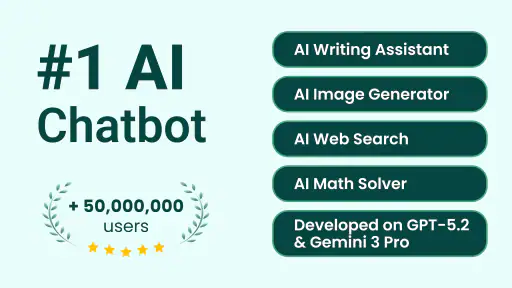
I find a chatbot most useful when it fits into an ordinary moment: a quick question while cooking, a rough draft before work, or a patient explanation when I am stuck on a topic. Ask AI - Chat with AI Chatbot is built for that kind of on-demand help. It is a free productivity app from Codeway Dijital, and its appeal is straightforward: open a chat, ask in everyday language, and use the reply as a starting point rather than treating it as the final word.
A shared device, with separate expectations
In a household where people sometimes borrow the same phone or tablet, a chat assistant can be handy for small, practical tasks. One person might ask for a simple explanation of a school subject, while another uses it to brainstorm a shopping list or make a message sound clearer. The conversational format lowers the barrier to asking, especially when someone does not know the right search terms.
I would still treat a shared device as a shared space, not a private family workspace. Before handing it to someone else, I would check what is visible on screen and avoid leaving personal questions open in the chat. If household members need distinct histories, privacy boundaries, or a reliable way to coordinate around separate accounts, they should confirm that the app’s current setup suits them rather than assume those features are available.
Set sensible boundaries for answers
The app’s quick conversational style can make a response sound more certain than it deserves. I get the best results when I ask one clear question, add relevant context, and then check important details elsewhere. For example, I might ask it to explain a confusing term in plain language, then compare the explanation with a trusted source before using it in a decision.
That habit matters even more when several people use the same device. I would not enter passwords, payment details, private family information, or anything I would not want visible to another person. For health, legal, financial, or urgent safety decisions, a chatbot can help organize questions, but it should not replace a qualified person or an authoritative service.
Getting to Know the App
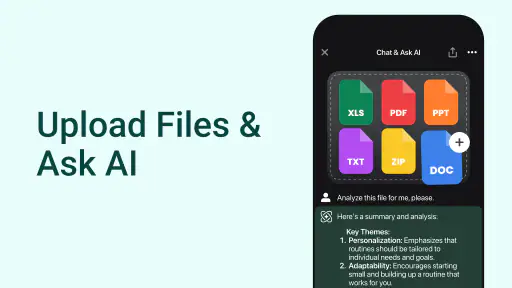
The first thing you'll notice about Ask AI - Chat with AI Chatbot is how user-friendly it is. With a sleek design and intuitive interface, you can dive right into the conversation without any hassle. The app opens up to a welcoming chat screen where you can start typing your queries. It's almost like texting a friend, but this friend is a super-smart AI ready to assist.
Features That Stand Out
One of the coolest features of this app is its ability to understand and respond to a wide variety of questions. Whether you're asking about weather updates, trivia facts, or looking for some life advice, this chatbot can handle it all with ease. The natural language processing is top-notch, making interactions feel almost human-like.
More From Our News Desk

Weather by Xiaomi Review: Clear at a Glance, Less Clear Up Close

X Under Pressure: Can It Recover When Posting Goes Wrong?

Clash of Clans Is Won Between the Battles

Android Auto Makes the Case for Quieter Car Software

MobiOffice: Transforming Mobile Productivity with Seamless Integration

EA SPORTS FC™ Mobile Soccer: Redefining Mobile Sports Gaming
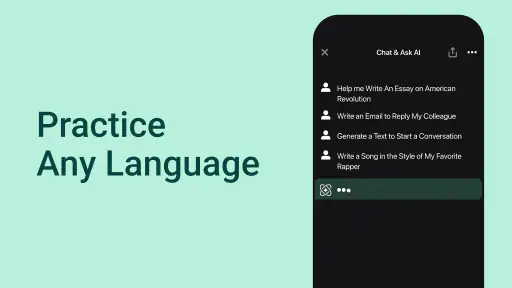
Moreover, the app supports multiple languages, which is a big plus for non-English speakers. You can chat in your preferred language, and the AI won't skip a beat. This makes it accessible to a broader audience and enhances the user experience significantly.
Performance and Usability
In terms of performance, Ask AI - Chat with AI Chatbot is impressively quick. The responses are almost instantaneous, which is crucial when you're in a hurry and need information fast. The app runs smoothly without any noticeable lag, even when handling complex queries.
Another aspect worth mentioning is the app's lightweight nature. It doesn't hog your device's resources, which means it can run efficiently on both high-end and older devices. This is a relief for users who might not have the latest smartphones but still want to enjoy the benefits of AI technology.
Shared routines and age-aware use
For coordination, I would use the assistant to prepare a first draft that the household can review together: a polite note to a teacher, a meal plan prompt, or a list of questions for an appointment. The useful trick is to give it constraints—such as the audience, tone, and what must be included—then edit the result yourself. That makes the chat a drafting partner, not an automatic decision-maker, and helps avoid passing around a polished answer that contains an error.
Ask AI is rated for Everyone, which makes its age context broad, but that is not a substitute for adult guidance. Younger users may need help understanding that fluent answers can be incomplete or wrong, and shared-device conversations can expose information to the next person who opens the app. I would keep use focused on learning, brainstorming, and low-stakes questions, with an adult available for sensitive topics. Families looking for built-in parental controls or dedicated child accounts should choose a service that clearly provides those tools.
Who will get the most from it?
The app is a good fit for someone who wants a conversational alternative to searching through pages of results: a student looking for a simpler explanation, a busy person drafting a short message, or a curious user who wants ideas to explore. Its store summary describes a chatbot and smart assistant powered by multiple AI models, so the central appeal is having an AI conversation rather than managing a large productivity system. If you mainly need a traditional web search with visible sources, a notes app that keeps carefully organized records, or a specialist tool for a high-stakes task, those alternatives may serve you better.
It is free to install, but it also offers in-app purchases ranging from $1.49 to $149.99 per item. I would try the basic experience first and decide whether it genuinely improves a recurring task before paying for anything. The current version is 3.3.5, and the app requires Android 7.0 or later. Its average rating is 4.5 from around 1.1 million ratings, with over 10 million installs; those figures suggest broad interest, but they cannot tell you whether its answers fit your needs.
Making a useful chat without overcomplicating it
I get more value from a short, well-framed prompt than from asking the assistant to solve an entire project at once. If I am planning dinner, for instance, I would state the ingredients I already have, how much time I want to spend, and any household preference that matters. I would then treat the suggestions as options to inspect, not as a guarantee that every recipe detail or substitution will work. That small habit keeps the exchange focused and makes it easier to spot when the answer has wandered away from the request.
For a shared routine, one person can use the chat to generate a draft agenda or a list of questions for a family discussion, then read it aloud and let everyone correct it. I would avoid treating the chat itself as the final shared record: copy only the edited result into whatever calendar, notes tool, or message thread the household already uses. This division of labor is useful because the assistant can help with wording and idea generation, while the existing tool remains the place people check for the actual plan.
Where it differs from search and specialist apps
Compared with a conventional search engine, a chatbot is more comfortable when I have a fuzzy question or want a response rewritten in a particular way. I can ask for a plain-language explanation, follow up with a narrower question, and request a different tone without assembling the answer from separate pages. The trade-off is that a smooth conversational reply is not the same as a transparent trail of sources. When I need current, verifiable details or want to compare original documents, search is the better first stop.
It also sits in a different lane from a task manager or family calendar. Those tools are designed to keep dates, responsibilities, and reminders organized; Ask AI is better used to think through a task or draft what someone might send. I would not rely on a chat response as a reminder system or assume it will coordinate people automatically. For users who mainly want to capture notes, manage deadlines, or keep a dependable household schedule, a purpose-built organizer is the more practical choice.
Keep prompts useful and low-risk
A helpful prompt does not need to include every personal detail. I usually describe the situation in general terms, specify the result I want, and leave out names, account details, addresses, or private background that is not needed to answer. For example, asking for a tactful way to decline an invitation can work without naming the people involved. That is a simple way to get useful wording while reducing what ends up in a conversation on a device others may use.
When an answer is important, I would ask the assistant to separate what it knows from what it is assuming, or to give me a concise list of points to verify. That does not make the response authoritative, but it turns the next step into something concrete: check a term, confirm a date, or ask a professional. I also find it useful to request a shorter version after a long explanation, while still reviewing it for missing qualifications before sharing it with someone else.
Limits worth considering before you rely on it
The biggest practical limitation is the same one I keep in mind with any general chatbot: it can produce a convincing answer that needs correction. That makes it useful for getting unstuck, but less suitable when an error would have serious consequences. If I need a precise answer for a medical concern, a legal obligation, a financial commitment, or an urgent situation, I would go directly to a qualified source rather than letting a conversational reply set the decision.
There is also a difference between a quick answer and a lasting workflow. A chat can help me brainstorm, simplify, or draft, but I still need somewhere dependable to store the final information and make sure the right people see it. If I expect separate personal spaces, family permissions, or built-in controls for younger users, I would check that the current app meets those needs before making it part of a household routine. For some families, a basic chat on a shared device will be enough; for others, clear account separation is a requirement, not a bonus.
Final Thoughts
All in all, Ask AI - Chat with AI Chatbot is a fantastic tool for anyone looking to have information at their fingertips. It's like having a personal assistant that's available 24/7. The app's ability to understand and respond in multiple languages, coupled with its fast performance, makes it a standout choice in the sea of AI chatbots available today.
Whether you're using it for educational purposes, casual conversations, or just to satiate your curiosity, this app won't disappoint. So, if you're in the market for a reliable and efficient AI chatbot, give Ask AI a try. You might just find it becoming one of your go-to apps!
My household verdict
For a household, I see it as a convenient shared starting point for everyday questions, language help, and first drafts—not as a family organizer or a trusted authority. Its release date is March 3, 2023, and the Everyone age rating makes it broadly accessible, but sensible supervision and separate expectations still matter on a shared device. I would recommend giving it a try if you value quick, natural chat and are comfortable checking important answers; I would skip it if you need guaranteed accuracy, strong account separation, or a dedicated system for coordinating family tasks.
Ask AI - Chat with AI Chatbot Frequently Asked Questions
Can Ask AI - Chat with AI Chatbot help with everyday tasks?
Ask AI - Chat with AI Chatbot is designed as a conversational assistant, so you can use it to ask questions, seek advice, and explore different topics. It may be useful for brainstorming or getting a starting point when you need help thinking through a task. Treat its replies as AI-generated guidance, especially when a decision depends on accurate or important information.
Does Ask AI - Chat with AI Chatbot use more than one AI model?
Yes. Ask AI - Chat with AI Chatbot is described as a chatbot and smart assistant powered by multiple AI models. That gives the app a broad conversational focus rather than limiting it to one specific kind of task. You can use it to ask questions and request assistance, while remembering that the wording and usefulness of responses can vary with the prompt and subject.
What age group is Ask AI - Chat with AI Chatbot intended for?
Ask AI - Chat with AI Chatbot has an Everyone content rating, so it is presented as suitable for a broad audience. Younger users may still benefit from guidance: chatbot responses can require careful judgment, and children should be reminded not to share private or sensitive details. Parents and guardians can help them use the app thoughtfully for questions and learning.
Is Ask AI - Chat with AI Chatbot free to download, and are there paid features?
Ask AI - Chat with AI Chatbot is free to download, so you can install it and explore the app without an upfront purchase. It also offers in-app purchases, with individual items priced from $1.49 to $149.99. Check the purchase details shown in the app before confirming anything, and make sure you understand whether an option is a one-time purchase or part of a recurring plan.
Who makes Ask AI - Chat with AI Chatbot, and what should I expect from it?
Ask AI - Chat with AI Chatbot is a productivity app developed by Codeway Dijital. Its focus is conversational assistance: you can ask questions, request help, and use a chatbot as a smart assistant. The app is described as being powered by multiple AI models, which gives it a broad conversational role rather than making it a dedicated tool for just one task.
Pros
- Fast and accurate responses
- User-friendly interface
- Supports multiple languages
- Personalized recommendations
- Regular updates
Cons
- Requires internet connection
- Limited free features
- Occasional lag in responses
- Ads in free version
- May struggle with complex queries
- Category
- Productivity
- Version
- 3.3.5