IQ Masters - Brain Games
- 1.77K
- 4.4
- Installs
- 10.00M
- Price
- Free

Screenshots

Analysis by Reviewed
I like the idea of a brain-training app best when it gives me a clear, low-pressure way to spend a short break, rather than promising to transform my thinking overnight. IQ Masters - Brain Games sits in that casual space: it offers puzzle-style activities for memory and logic, with enough variety to make a few minutes on a phone feel more purposeful than scrolling. I’d approach it as entertainment with a mental-workout flavor, not as a test that can measure intelligence or a substitute for learning a particular subject.
Why a little trust-check matters
Brain games often invite repeated use, and that makes it sensible to think about the choices around playing as well as the puzzles themselves. I wouldn’t treat a friendly design or an educational label as proof of anything about privacy. Instead, I’d make the same practical checks I use with any app: look at the permission requests shown by my device, read prompts before accepting, and avoid sharing information I don’t need to provide.
That approach is especially useful when trying an app for the first time. I’d take a moment to understand what the screen is asking before tapping through quickly, particularly if a prompt involves an account, a purchase, or access to something on my phone. If I’m unsure about a choice, I can pause and decide later; a puzzle break should not require rushing through decisions that affect my comfort.
What to expect from a brain-game routine
In practice, the most useful way to try an app like this is to keep the goal modest. I’d choose one short activity while waiting for a ride or taking a coffee break, then stop when the break is over. That makes it easier to notice which kinds of challenges I actually enjoy, instead of turning a casual game into another daily obligation. If I wanted to build a habit, I’d focus on returning because the puzzles are engaging—not on treating a score as proof of lasting cognitive improvement.
The app is published by Codeway Dijital and belongs to the education category, though the experience is closer to casual puzzle play than a structured course. It is free to install, rated for Everyone, and has optional in-app purchases priced from $0.99 to $49.99 per item. That range is worth keeping in mind before tapping through any purchase screen: I’d check the wording and total cost carefully, and decide in advance whether I’m happy to use only what is available without paying.
Trust, choices, and sensible caution
When I try a game that invites regular use, I pay attention to what the app visibly asks me to do and what choices it presents. I don’t assume that a brain-game label tells me anything about privacy, permissions, or how personal information is handled. Before installing, I’d review the permissions shown by my device; while using it, I’d pause at any request or purchase prompt I don’t understand. That’s a practical check, not a claim about this app’s data practices.
I’d also keep the app’s role clear: it can offer a convenient puzzle break, but it shouldn’t be treated as a clinical assessment or a reliable way to diagnose memory or attention problems. Anyone looking for formal cognitive support, a school curriculum, or evidence-based guidance for a health concern would be better served by an appropriate professional or a purpose-built learning resource. For a light diversion, though, a short session can be an enjoyable change of pace.
More From Our News Desk

Weather by Xiaomi Review: Clear at a Glance, Less Clear Up Close

X Under Pressure: Can It Recover When Posting Goes Wrong?

Clash of Clans Is Won Between the Battles

Android Auto Makes the Case for Quieter Car Software

MobiOffice: Transforming Mobile Productivity with Seamless Integration

EA SPORTS FC™ Mobile Soccer: Redefining Mobile Sports Gaming
Its audience figures suggest that plenty of people have tried it: it has over 10 million installs and an average rating of 4.4 from around 124,000 ratings. Those figures can help set expectations about reach, but they don’t tell me whether its puzzles will suit my tastes or whether I’ll want to keep playing. I’d judge it by the actual activities and by whether the free experience feels worthwhile to me.
Get Ready to Flex Those Brain Muscles
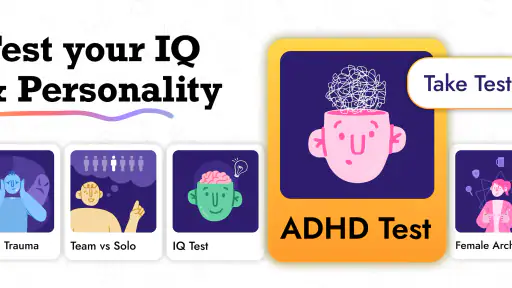
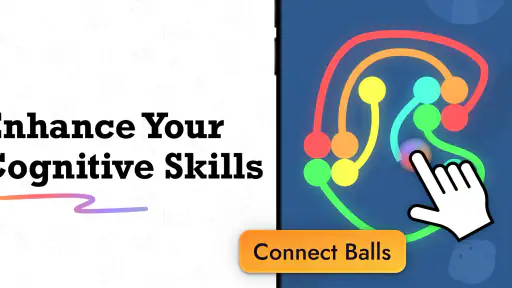
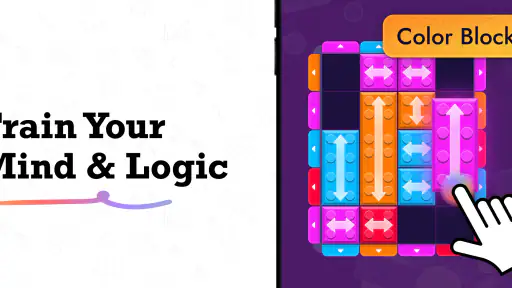
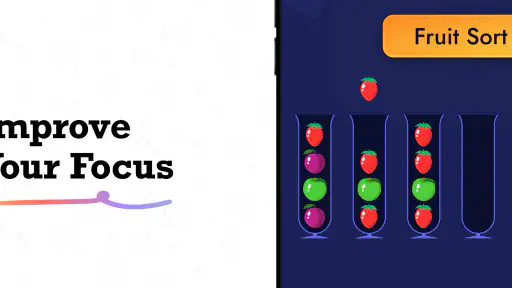
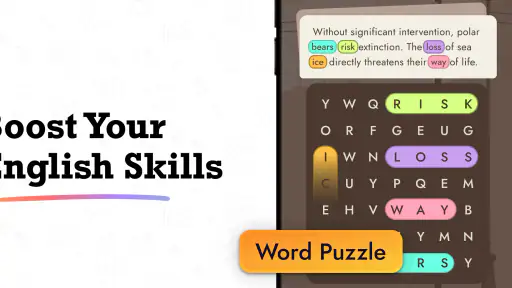
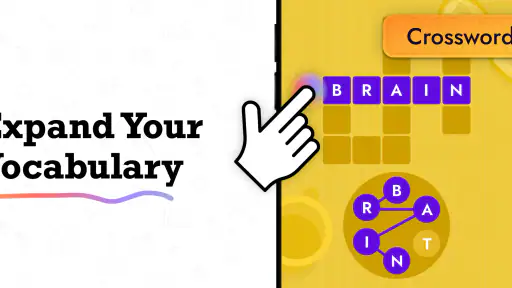
The first thing you’ll notice about IQ Masters - Brain Games is its colorful and inviting interface. It’s like stepping into a digital playground, but for your brain. From the get-go, the app offers a variety of games that target different cognitive skills. Whether you’re in the mood to enhance your memory, improve your logical thinking, or just want to solve some fun puzzles, this app has got you covered.
A Plethora of Challenges
What I love about this app is the sheer variety of games available. You’re not just stuck with the same old puzzles; there’s something new to try every day. The categories range from memory and attention exercises to math and logic puzzles. Each game is designed to challenge different aspects of your cognitive abilities, keeping the experience fresh and engaging.
One of my favorite games in the app is the "Memory Path". It’s a simple yet challenging game where you have to remember and repeat a sequence of tiles. Sounds easy? Trust me, it’s more challenging than it looks, especially as the sequences get longer and faster!
Making a session work for you
A small but useful tactic is to choose the activity before opening the app, rather than letting a menu of options decide how long the break lasts. If I have only a few minutes, I’d pick one round of a familiar game; if I have more time, I’d try a different kind of challenge. That gives me a natural stopping point and makes it easier to keep play separate from work, study, or bedtime.
I’d also notice what makes a round difficult. With a sequence task such as Memory Path, distraction can matter as much as the challenge itself, so I’d avoid judging my ability after trying it while someone is talking or notifications are interrupting me. Conversely, I wouldn’t keep replaying until I get a better result just to reassure myself. The more useful question is whether the activity is enjoyable enough to return to, not whether I can force a particular score.
Perfect for Quick Breaks or Long Sessions
Another great feature of IQ Masters is its flexibility. Whether you have five minutes to spare or an entire afternoon, the app is designed to fit into your schedule. You can play a quick game during a coffee break or dive into a more extensive session if you’re looking to kill some time. Plus, the app’s intuitive layout makes navigation a breeze, so you can jump into a game without any fuss.
For the competitive folks out there, IQ Masters includes a leaderboard feature where you can compete with friends or other users globally. It adds a fun competitive edge, pushing you to improve your skills and climb the ranks. Who doesn’t love a little friendly competition, right?
Everyday use without overdoing it
A realistic routine might be opening the app during a lunch break, choosing a memory challenge, and stopping after one or two rounds when it’s time to get back to work. I find that kind of boundary useful: it keeps the game in the role of a break, rather than letting a leaderboard or a desire to beat a previous result take over the afternoon. If a challenge feels frustrating, switching to a different type of puzzle is a better use of the app than forcing myself through it.
For a more deliberate session, I’d vary the kind of activity rather than repeat the same easy game every time. Memory Path, for example, asks me to hold a sequence in mind and reproduce it, so it feels different from a logic puzzle that depends on spotting a rule. Alternating those demands can make the session feel less monotonous. It doesn’t establish that my real-world memory or reasoning is improving, but it does help me avoid mistaking familiarity with one game for broad progress.
How it compares with other ways to play
Compared with a standalone puzzle game, the appeal here is the mix of different mental tasks in one place. A dedicated logic game may be a better choice if I want one carefully focused puzzle style, while a language-learning app or course is more useful if I need structured lessons and measurable subject knowledge. IQ Masters makes more sense when I want variety without choosing a specific skill to study. That flexibility is also a trade-off: people who prefer a clear curriculum, detailed coaching, or a single deep puzzle system may find a specialist app more satisfying.
I’d also be cautious about using scores as a personal benchmark. A result can be affected by how familiar I am with a particular format, how attentive I feel in that moment, and whether I’m rushing through a break. If I enjoy seeing a score change, I’d treat it as feedback about that session’s game—not as a dependable measure of intelligence or a health indicator. This distinction matters most for anyone tempted to compare results with friends or to read too much into a difficult round.
Who is likely to enjoy it
I’d recommend giving it a try to someone who likes bite-sized puzzles, wants a little variety, and doesn’t mind a playful rather than academic tone. It may suit a family looking for casual, age-accessible challenges too, since its content rating is Everyone, although each person’s interests and comfort with in-app prompts still matter. The current version is 2.0.0, and the app was released on March 8, 2024; those details are useful context, but I’d still base a decision on whether the activities feel enjoyable after trying them.
On the other hand, I’d skip it if I’m mainly looking for a rigorous training plan, a way to diagnose a cognitive concern, or a guaranteed path to better memory. I’d also choose another option if I dislike game-like competition or don’t want to manage optional purchases. The app’s free entry point makes it easy to explore, but the presence of paid items means I’d stay attentive to any prompts and avoid buying something just to keep a streak or satisfy a momentary impulse.
Questions worth asking before settling in
Can I try it without paying? The app is free to install, and I’d begin by exploring without committing to a purchase. Optional items cost from $0.99 to $49.99 each, so I’d read each purchase screen carefully and make a deliberate choice rather than assume that every activity requires payment. If a paid prompt appears at a moment when I’m eager to continue, I’d leave it until I can compare the cost with how much I’m actually enjoying the app.
Is it suitable for a child or for a family break? Its Everyone rating makes it broadly age-accessible, and the short puzzle format could work for a shared casual session. I’d still supervise younger players around purchase prompts and device permissions, and I wouldn’t present a score as a school grade or a measure of ability. For learning a school subject, a teaching app with lessons and feedback would be a better fit.
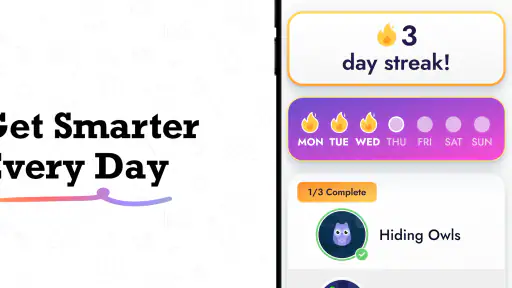
Do I need to play every day, or treat the leaderboard as a goal? I wouldn’t. A few rounds when I genuinely want a puzzle are enough to see whether it fits my routine. Competition can add motivation for some players, but it can also turn a relaxing break into pressure to keep checking results. If that starts happening, I’d ignore the ranking and choose a puzzle on its own merits—or take a break from the app.
A cautious verdict
All in all, IQ Masters - Brain Games is a fantastic app for anyone looking to keep their brain engaged and entertained. It’s perfect for all ages, offering a range of challenges that are both fun and educational. Plus, the app is free to download, so why not give it a try?
So, if you’re ready to give your brain some love and attention, head over to your app store and download IQ Masters. Trust me, once you start, it’s hard to stop. Happy gaming!
IQ Masters - Brain Games Frequently Asked Questions
What kinds of activities can I expect in IQ Masters - Brain Games?
IQ Masters - Brain Games centers on brain teasers, tests, and exercises aimed at memory, logic, and other cognitive skills. It may suit people who enjoy short mental challenges or want a mix of puzzles rather than a single type of game. The activities are presented as a way to exercise your mind, so it is best approached as brain-training entertainment rather than a guarantee of measured improvement.
Can I use IQ Masters - Brain Games on an older Android phone?
The app requires Android 7.0 or later, so an older phone may still be compatible if it runs that version or a newer one. Check your device’s Android version before downloading, and consider whether you have enough free storage for installation. If the phone runs an earlier Android release, it will not meet the stated minimum requirement for the current app version.
Is IQ Masters - Brain Games free to download, and what might cost extra?
IQ Masters - Brain Games is free to download, so you can try its brain-training activities without an upfront payment. The app also offers optional in-app purchases, with prices ranging from $0.99 to $49.99 per item. These purchases are not required to use the app, though choosing one may provide access to additional content or features.
Who develops IQ Masters - Brain Games, and is it a popular app?
IQ Masters - Brain Games is developed by Codeway Dijital and is an education app focused on memory, logic, and other cognitive exercises. It has been downloaded over 10 million times and has an average rating of 4.4 from around 124,000 ratings. Those figures suggest that it has reached a broad audience, though individual experiences with its puzzles and exercises can differ.
What is IQ Masters - Brain Games?
IQ Masters - Brain Games is an engaging mobile application designed to challenge and enhance your cognitive skills through a variety of fun and stimulating puzzles and games. The app features a range of brain-teasing activities that aim to improve your memory, attention, and problem-solving abilities, making it perfect for users looking to boost their mental fitness.
Pros
- Enhances cognitive skills effectively.
- Offers a variety of challenging puzzles.
- User-friendly interface design.
- Frequent updates with new games.
- Improves memory and concentration.
Cons
- Contains in-app advertisements.
- Some games require in-app purchases.
- Occasional lag on older devices.
- Limited free content available.
- Requires constant internet connection.
- Category
- Education
- Version
- 2.0.0













