Retake AI: Face & Photo Editor
- 2.05K
- 3.7
- Installs
- 10.00M
- Price
- Free

Screenshots
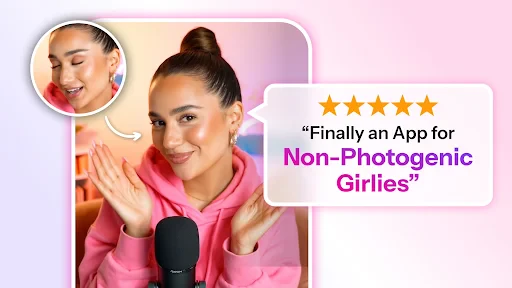
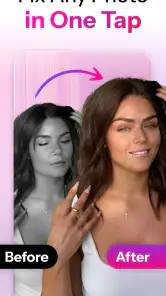

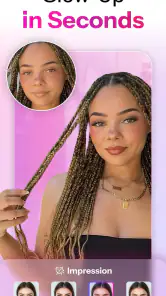
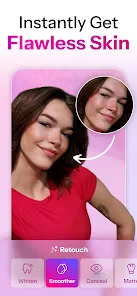
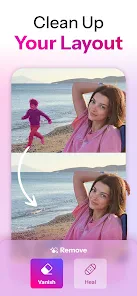
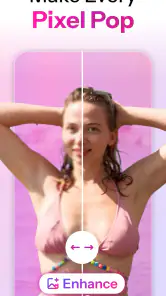
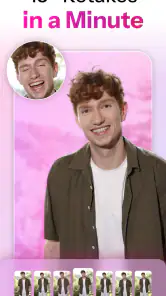
Analysis by Reviewed
If you've ever looked at a photo and wished you could tweak it just a bit, then Retake AI: Face & Photo Editor might just be your new best friend. In this digital age, where selfies and photos rule our social media feeds, having a tool that can help you present the best version of yourself is essential. Trust me, after giving this app a whirl, I found it to be a nifty companion for all things photo-related.
Where small edits can become a sticking point
Face editing can be less straightforward than it first appears. A small adjustment may help a portrait feel more polished, while several changes together can make it look unlike the person in the original. I recommend starting with one correction, checking the whole image, and stopping as soon as the photo feels natural. That restraint is especially useful for profile pictures, where friends and colleagues may know your face well.
It also helps to choose a photo with a clear, well-lit face before editing. If the original is blurry, heavily shadowed, or shot from an awkward angle, an editor cannot reliably turn it into a different kind of image. I would keep an untouched copy and compare it with the edited result before sharing. This makes it easier to catch changes that looked appealing while zoomed in but feel distracting at normal size.
The practical question is often not which control to try, but whether the picture is a good candidate in the first place. A quick front-camera photo with a clear face is a more sensible starting point than a dim group snapshot where faces are tiny. When the source is difficult, I would first choose another frame from the same moment rather than piling edits onto an image that is already working against me.
How Retake AI fits into a portrait-editing routine
So, what's all the fuss about with Retake AI? Well, let me tell you, this app is packed with features that could make any photo enthusiast jump with joy. First up, the app uses advanced AI algorithms to retouch your photos. This means you can say goodbye to blemishes, unwanted spots, or anything else that you wish wasn’t in the picture. It's like having a magic wand at your fingertips!
A practical workflow for better-looking portraits
For a casual headshot, I would begin with the image that already has the expression and framing I like, then use retouching sparingly. If I were preparing a picture for a work profile, I would favor a faithful result over dramatic facial changes; the goal is to look like myself on a good day, not like a different person. For a group photo, I would check every face after editing, since an adjustment that suits one person may not suit another.
One useful habit is to make a single change at a time and pause between edits. That gives you a clearer sense of which adjustment helped and which one pushed the image too far. I would also judge the finished photo on the screen where I expect to use it, rather than relying only on a close-up view. A subtle edit can look quite different once it is reduced to a small profile image.
More From Our News Desk

Weather by Xiaomi Review: Clear at a Glance, Less Clear Up Close

X Under Pressure: Can It Recover When Posting Goes Wrong?

Clash of Clans Is Won Between the Battles

Android Auto Makes the Case for Quieter Car Software

MobiOffice: Transforming Mobile Productivity with Seamless Integration

EA SPORTS FC™ Mobile Soccer: Redefining Mobile Sports Gaming
That same one-change-at-a-time approach helps when I am choosing between two possible versions. I would save or keep the more natural-looking option, then compare both at the size where people will actually see them. For a social profile, that means checking the small circular crop as well as the full photo: a detail that looks tidy in a large preview may become the main thing you notice once the image is reduced.
Another standout feature is the ability to adjust facial features. Want to make your smile a bit wider or your eyes a tad brighter? You got it! The app allows you to tweak these elements with ease. Plus, it’s not just about faces; you can also enhance the background, adjust lighting, and even change the mood of your photo. It's like having a mini Photoshop right in your pocket.
Setup checks and recovery when an edit stalls
Retake AI is a free photography app from Codeway Dijital, with optional in-app purchases priced from $1.99 to $59.99 per item. It is rated for Everyone, has a 3.7 average from around 48,000 ratings, and has passed 10 million installs. The current version is 3.0.2, and it requires Android 8.0 or later. Those details make it approachable to try, but the purchase range is worth bearing in mind if you prefer to avoid paid add-ons: check any purchase prompt carefully before proceeding.
The app was released on September 29, 2023, and its current version is 3.0.2. I would treat an install as a small test rather than a commitment: open a photo you already know well, try a modest adjustment, and decide whether the result and available options suit your habits. Since the app is free to try, that first check is a practical way to see whether a face-focused editor belongs in your routine before spending on anything.
If an edit does not load or an image does not appear as expected, I would first close and reopen the app, then try the original photo again. If the same image continues to cause trouble, choosing another clear photo is a sensible way to separate an image-specific issue from a broader problem. Keeping the source photo unchanged also gives you a clean fallback rather than leaving you with only an edited version.
For a stalled workflow, I would change one thing at a time instead of immediately reinstalling or repeatedly tapping controls. Reopen the app, select the same source again, and see whether the issue follows that particular image. If another photo behaves normally, the original file or its conditions may be the hurdle; if the problem appears with different images too, restarting the app is a sensible basic check. This simple sequence preserves the original and makes it easier to know what to try next.
When the app is not the cause
Not every disappointing result points to a broken editor. A face turned away from the camera, a strong shadow, motion blur, or a crowded frame can leave little room for a convincing portrait adjustment. In those cases, I would look for a better frame before blaming the tool. The app can help refine a suitable picture, but it cannot restore details that were never captured clearly.
There is also a difference between a technical problem and an expectation mismatch. If I want a carefully composed image with exact control over every edge and color, a quick face-editing workflow may feel limiting even when it is working as intended. If I only want the photo to look a little more balanced, it makes more sense to keep the task narrow and judge the result against that goal.
When another kind of editor is the better fit
This app makes most sense when the main task is improving a portrait without learning a complicated editing workflow. Compared with a general-purpose photo editor, its face-focused approach is convenient when you want a quick selfie adjustment, but a broader editor may be a better choice if your priority is detailed control over a full scene, precise cropping, or a carefully assembled composition. For simple brightness or framing fixes, your phone’s built-in editor may be quicker still.
I would also skip Retake AI if you want every portrait to remain completely untouched, or if you need dependable professional retouching with close control over each detail. AI-assisted edits can be convenient, but convenience is not the same as fine-grained control. For a sensitive image, such as a formal portrait or a picture shared with family, I would compare the result with the original and avoid changes that alter someone’s recognizable features.
For example, if I were preparing a travel photo where the person is a small part of a wide landscape, I would choose a general photo editor for the overall composition rather than make a face tool the center of the workflow. For a quick selfie before a video call or a profile update, the reverse is true: a portrait-oriented app can be less distracting than searching through a large set of unrelated controls. The right choice depends on whether the face or the whole frame needs attention.
Using it for everyday photos without overdoing them
A realistic use case is taking a quick picture before meeting friends, noticing a small blemish or an unflattering bit of lighting, and making a restrained correction before sharing. I would keep the original, adjust only what distracts me, then ask whether the edited version still fits the moment. That check matters because a casual photo should still feel like a memory, not a heavily manufactured portrait.
It can also be useful when I need a consistent-looking set of personal portraits, such as choosing a photo for a contact profile and another for a social account. I would not try to force different pictures into identical lighting or facial expressions; instead, I would use the same light touch on each and compare them together. This helps avoid the common trap of editing one image until it looks polished in isolation but oddly different from the rest.
For a group shot, I would be more conservative still. A change that looks appropriate on the person nearest the camera may be distracting on someone farther back, and it is easy to focus on one face while overlooking how the full group reads. I would inspect the overall frame before sharing and leave the photo alone if the edits make the people look inconsistent. The point is to improve the picture as a shared memory, not to perfect each face separately.
User Experience and Interface
Now, let’s chat about the user experience. I found the interface of Retake AI to be incredibly intuitive. You don’t need to be a tech wizard to navigate through its options. The layout is clean, with all the tools neatly organized, making it super easy to find what you're looking for. The app also provides a helpful guide for newbies, which is a nice touch.
Performance-wise, it runs smoothly without any hiccups. I tried it on both Android and iOS, and it was a seamless experience across both platforms. No lagging, no crashing. Just pure, uninterrupted photo editing bliss.
Even with an easy interface, I would take a moment to review the result before saving or sharing it. A helpful guide can make the controls easier to approach, but it cannot decide how much retouching suits a particular photo. My own rule is to make the smallest change that solves the problem, then revisit the original after a short pause. That quick comparison is often enough to spot an edit that has gone too far.
How to decide whether the result is worth keeping
I find it useful to judge a portrait in two passes. First, I look at the face and ask whether the correction solves the specific distraction I noticed. Then I look at the entire image, including the background and the way the subject sits in the frame. If the edit draws attention to itself during that second pass, I would undo it or use a lighter touch. That method is especially helpful when the app offers several tempting adjustments at once.
Another good stopping point is when I can no longer explain what I changed without zooming in. If the image simply feels a little cleaner while remaining familiar, the edit is probably doing its job. If I start comparing tiny facial details or chasing an idealized look, I take a break and check the untouched photo again. That pause makes it easier to avoid treating every natural feature as a flaw that needs correcting.
Why You Should Give It a Try
In my honest opinion, if you’re big on sharing moments and want those moments to look their absolute best, Retake AI: Face & Photo Editor is worth a shot. It's perfect for anyone who loves to experiment with their photos and wants an easy-to-use app that delivers professional-quality results. It’s like having a personal photo editor, minus the hefty price tag.
Whether you're prepping for the perfect Instagram post or just want to improve your personal photo collection, Retake AI provides the tools to make your images stand out. With its wide array of editing features and user-friendly interface, it’s an app that delivers on its promises. So go ahead, give it a download, and start transforming your photos today!
My practical verdict
I see Retake AI as a handy option for someone who often notices one small distraction in a selfie and wants to fix it without opening a more involved editing app. Picture taking a quick photo before meeting friends: you can choose the frame you like, make a restrained adjustment, and check that the result still looks like you before posting. That is a more realistic strength than expecting every ordinary snapshot to become a studio portrait.
The app’s focus is also its main trade-off. Face retouching and portrait adjustments are useful when that is the job, but they are not a substitute for every kind of photo editing. If I wanted precise control over a landscape, a collage, or a complex set of image changes, I would reach for a broader tool. If I only needed a basic crop or light correction, I would try the phone’s own editor first. For quick portrait touch-ups, though, Retake AI is a reasonable place to start, provided you keep the edits subtle and review the finished image with care.
Retake AI: Face & Photo Editor Frequently Asked Questions
What should I check before installing Retake AI: Face & Photo Editor?
Retake AI: Face & Photo Editor is a photography app from Codeway Dijital, and its content rating is Everyone. Before installing, check that your device meets the app’s operating system requirement and that you have enough room for another photo editor. If you regularly edit selfies or portraits, consider whether the app’s focus on face and photo retouching fits the kind of images you want to work on.
What kind of photos is Retake AI: Face & Photo Editor intended for?
The app is presented as a way to fix, edit, and retouch faces in selfies and photos. That makes it a natural fit for people who want to refine portraits or improve the appearance of a face in an image. It is a photo editor rather than a general-purpose camera app, so its appeal is strongest when you want to work on existing pictures.
Is Retake AI: Face & Photo Editor free to download, and are there paid features?
Retake AI: Face & Photo Editor is a free photography app, so you can download it without an upfront purchase. It also offers in-app purchases, with items priced from $1.99 to $59.99. Consider whether you are comfortable with optional purchases before using the app, especially if you plan to explore features that may require payment.
What is Retake AI: Face & Photo Editor?
Retake AI: Face & Photo Editor is a cutting-edge application designed to enhance and transform your photos with ease. Using advanced AI technology, it offers a wide range of features such as facial retouching, background editing, and artistic filters to make your photos look professional and stunning. It's perfect for both casual users and photography enthusiasts who want to create eye-catching images.
How does Retake AI ensure user privacy and data security?
Retake AI takes user privacy and data security very seriously. The app uses encryption to protect all uploaded photos and ensures that any edited images are only stored locally on your device unless you choose to share them. Additionally, the app complies with relevant data protection regulations, offering users peace of mind when it comes to their personal information and photo content.
Pros
- User-friendly interface simplifies editing.
- Variety of filters enhance photo quality.
- Quick processing saves time on edits.
- Advanced AI features for precision.
- Supports high-resolution image editing.
Cons
- Limited free version features.
- In-app purchases might be expensive.
- Occasional glitches with older devices.
- Requires stable internet for best use.
- Large file size may affect storage.
- Category
- Photography
- Version
- 3.0.2












