Speak & Learn English: Learna
- 2.63K
- 4.6
- Installs
- 10.00M
- Price
- Free

Screenshots



Analysis by Reviewed
My first week with Learna had an easy rhythm: open a short lesson, try a few activities, and leave before English practice started to feel like homework. That low-pressure start is its strongest invitation. The app is an education tool from Codeway Dijital, and its focus on speaking makes it feel different from a course built mainly around reading rules or memorizing vocabulary. I would treat it as a place to build a regular practice habit, not as a shortcut to fluency.
Why the first few sessions feel approachable
Have you ever found yourself in a situation where you wish you could just pick up a new language without the usual hassle? Well, let me introduce you to Learna: Speak & Learn English, an app that promises to make learning English as easy as pie. I've spent some time with this app, and let me tell you, it's been quite the experience!
Engaging Lessons At Your Fingertips
One of the first things I noticed about Learna: Speak & Learn English is how user-friendly it is. From the moment you open the app, it has this welcoming vibe that makes you want to dive right into learning. The lessons are structured in bite-sized pieces, which is perfect for someone like me who gets easily overwhelmed by too much information all at once. The app uses a mix of audio, visual, and interactive lessons, which makes the whole learning process feel more like play than work.
Interactive Features That Keep You Hooked
What sets Learna apart from other language apps is its interactive features. It’s not just about reading and listening; the app encourages you to speak and interact. There's this cool feature where you can practice speaking with native speakers in real-time. It felt like having a conversation with a friend rather than a language lesson, and I found myself actually looking forward to these sessions.
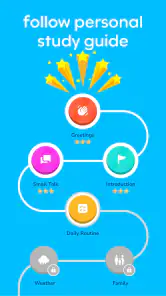
Another nifty feature is the personalized learning plan. The app assesses your level and crafts a study plan tailored just for you. It’s kinda like having a personal tutor in your pocket, always ready to guide you on your English learning journey.
Gamified Learning Experience
Now, let’s talk about the gamification aspect. The app incorporates games and quizzes that make learning fun and competitive. You earn points, unlock levels, and can even compete with friends. This approach taps into the competitive spirit in all of us, making it hard to put the app down. Plus, it’s a great way to reinforce what you’ve learned without it feeling like a chore.
And let’s not forget about the rewards system. Every milestone you hit comes with a little celebration, which is a great motivator to keep pushing forward. It’s these little touches that make the app feel more like a game than a traditional learning tool.
More From Our News Desk

Weather by Xiaomi Review: Clear at a Glance, Less Clear Up Close

X Under Pressure: Can It Recover When Posting Goes Wrong?

Clash of Clans Is Won Between the Battles

Android Auto Makes the Case for Quieter Car Software

MobiOffice: Transforming Mobile Productivity with Seamless Integration

EA SPORTS FC™ Mobile Soccer: Redefining Mobile Sports Gaming
Using it beyond the initial novelty
The more useful test comes after the first burst of enthusiasm. I’d keep the lessons as a warm-up, then use a speaking activity to rehearse something I genuinely need to say: introducing myself, asking for help, or explaining a simple problem. That gives practice a purpose beyond collecting points. A practical routine is to repeat a lesson’s spoken response once, then try saying the same idea in your own words. The second attempt is less comfortable, but it is where I can tell whether I’m recalling language or merely following a prompt.
For a busy day, a brief session during a commute or while waiting for an appointment is more realistic than promising myself an hour of study later. I’d save longer speaking practice for a quiet moment, since trying to talk aloud in a noisy place can turn a useful exercise into an awkward one. If the app’s conversational practice is central to your goal, check that you have the time and setting to use it; a lesson you can tap through silently won’t replace speaking aloud.
Where it fits among language-learning options
Compared with flashcard-first tools, Learna puts more emphasis on using spoken English than on repeatedly reviewing isolated word pairs. That can suit someone who understands basic vocabulary but freezes when it is time to answer. A textbook or grammar-focused course is still a better fit if you want systematic explanations and written exercises, while a human tutor can respond to your specific mistakes in a way an app cannot guarantee. I see Learna as a convenient practice partner, not a complete substitute for either.
It is especially appealing if you want a guided starting point and need encouragement to return tomorrow. If you already have a strong routine, prefer to study grammar in depth, or need specialist English for a particular job, I would pair it with a more targeted resource or choose that resource first. The personalized plan may help give your sessions direction, but it is worth checking that the level and pace feel right to you rather than treating any suggested path as a fixed curriculum.
Keeping the habit without letting the game take over
Points and milestones can make a new routine easier to begin, yet they are not the same as progress you can use outside the app. I’d judge a week by whether I can produce a useful phrase with less hesitation, not by how many rewards I unlock. When a quiz feels repetitive, I would switch attention to speaking practice or pause for the day instead of tapping through just to preserve a streak. That small boundary helps the app stay a learning aid rather than another source of screen-time pressure.
One limitation is that a polished, friendly learning flow can make English feel smoother inside the app than it does in an unpredictable real conversation. Use its practice to build confidence, then look for low-stakes chances to speak with people in everyday life. Also, anyone relying on the app for a formal exam should combine it with exam-specific preparation: conversational confidence and test technique are different needs.
What to know before committing
Learna is free to install, with optional in-app purchases ranging from $0.99 to $79.99 per item, so I’d explore the free experience and check any purchase screen carefully before deciding whether paid access suits my needs. It is rated for Everyone, has a 4.6 average from around 393,000 ratings, and has passed 10 million installs. The app was released on September 24, 2024; version 2.1.93 requires Android 7.0 or later. Those figures suggest a widely used option, but popularity alone cannot tell you whether its teaching style will click for you.
One question I’d ask before making it part of my routine is whether I want English-only practice or also expect to study Spanish: the app’s broader language-learning framing may interest people with both goals, but my recommendation here is based on its English-learning use. Another practical question is whether speaking aloud fits your day. If not, the short lesson format can still be convenient, but the app’s distinctive value is harder to access when you never use the speaking side.
Building a routine that survives a busy month
The useful habit is not necessarily a long daily session; it is having a clear reason to return. I’d link a lesson to a moment that already exists in my day, such as a quiet break after lunch, rather than depend on finding a perfect study window. If I miss a day, I would simply restart with a small activity instead of trying to make up for it with an exhausting catch-up session. That keeps the routine forgiving, which matters more once the novelty wears off.
I’d also keep a short note outside the app with phrases I want to use in real life. After a speaking exercise, I could write down one expression that felt useful, then try to recall it later without reopening the lesson. This makes it easier to notice whether practice is transferring into memory, and it gives me a personal reason to revisit English beyond points or milestones. It is a simple companion habit, not extra homework for its own sake.
Choosing the right kind of practice
Learna is a stronger match for learners who need a nudge to speak than for people who already enjoy building their own study plans. A beginner can use its guided structure to get started, while someone with basic English may find the speaking emphasis useful for turning familiar words into answers. If your main need is careful correction of complex writing, deep grammar explanations, or preparation for a specific exam, I would not make this the only tool in your routine. A course, reference book, or teacher may serve those goals more directly.
It is also worth being honest about where you can practise. A person sharing a small home or commuting in a crowded space may not feel comfortable speaking aloud every time they open the app. In that case, I’d use quiet moments for spoken activities and keep other sessions brief, rather than expecting every visit to deliver the same benefit. The best fit depends less on enthusiasm for language apps than on whether the speaking format works with your actual surroundings.
Making the speaking practice more useful
One way I’d get more from an activity is to answer before looking for help or repeating the model. Even a hesitant first attempt shows which words I can retrieve on my own. Then I can listen again, notice what I missed, and make a second response that is a little more natural. This turns a guided prompt into a small test of recall, rather than a sequence I can complete without thinking.
I would also avoid treating a smooth app interaction as proof that I am ready for every real conversation. People speak at different speeds, change topics, and do not always phrase questions as expected. After practising a useful exchange, I’d try adapting it: change the place, person, or reason for asking. That tiny variation helps me rehearse flexible language instead of memorizing a single answer word for word.
Checking value as the months pass
The purchase question is easiest to answer after trying the ordinary routine, not while a new app still feels exciting. I’d first decide what I need from it—more confidence introducing myself, for example—and check whether the activities I actually use help with that goal. Optional purchases can make sense if a paid option fits a need I have identified, but I would not pay simply because a reward or plan makes me feel behind. The free starting point lets you judge the learning style before committing money.
For someone who likes switching between languages, the English and Spanish focus may be a draw, but I would keep each study goal clear. Splitting attention between languages can make a developing English routine harder to maintain, especially if time is limited. I’d choose one priority for the week, then use the other only when I have a separate reason to practise it. That avoids turning a helpful app into a collection of unfinished intentions.
Wrapping It Up
In conclusion, Learna: Speak & Learn English is a fantastic tool for anyone looking to learn English in a fun, engaging, and stress-free way. Whether you’re a beginner or just looking to brush up on your skills, this app has got you covered. The combination of interactive lessons, personalized learning plans, and a gamified experience makes it stand out in the crowded field of language learning apps.
If you’re on the hunt for a new way to learn English, give Learna a try. It’s not just an app; it’s a whole new way to experience language learning. Happy learning!
My long-term verdict
For me, Learna earns a place on a phone when I use it to lower the friction of showing up, then connect the practice to a real conversation or personal goal. I wouldn’t expect its rewards to carry my motivation indefinitely, and I wouldn’t rely on it alone for detailed grammar or high-stakes preparation. But if speaking is the part of English study you keep putting off, its friendly structure may help you return often enough to make practice feel normal. That recurring usefulness, rather than novelty, is the reason I’d keep it.
Speak & Learn English: Learna Frequently Asked Questions
Is Learna suitable for practicing English conversations before I download it?
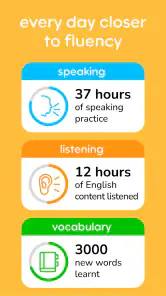
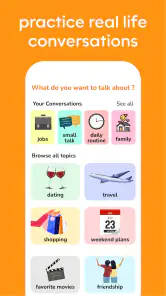
Learna is designed around speaking and language practice, with interactive lessons and real-life conversation simulations. Its AI-driven feedback can help with pronunciation and grammar, making it useful for learners who want more than a passive vocabulary review. The experience is intended to support practice, though it works best as a learning aid alongside regular use and your own effort.
Can I use Learna to learn Spanish as well as English?
Learna’s description presents it as an app for speaking and learning English and Spanish, so it may suit people interested in practicing either language. The published questions here focus on its English-learning experience, including speaking practice and feedback. If Spanish is your main goal, review the lessons and options available in the app to see whether they fit your needs.
Is Learna free to download, and what might cost extra?
Learna is a free education app, so you can get started without paying for the download. It also offers in-app purchases, with listed items ranging from $0.99 to $79.99. These purchases are optional, but check the price and terms shown in the app before confirming anything, especially if you are comparing free access with paid learning features.
What is Learna: Speak & Learn English?
Learna: Speak & Learn English is an innovative language learning app designed to help users improve their English speaking and comprehension skills. The app focuses on interactive lessons and real-life scenarios to make learning more engaging. It caters to all levels, from beginners to advanced learners, ensuring a comprehensive learning experience.
How does Learna: Speak & Learn English work?
The app employs a combination of interactive lessons, quizzes, and real-life conversation simulations to teach English. Users can practice speaking with AI-driven feedback, which aids in correcting pronunciation and grammar. The app’s adaptive learning system personalizes the experience, ensuring users focus on areas that need improvement, making learning effective and enjoyable.
Pros
- User-friendly interface for easy navigation
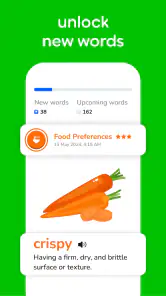
- Wide range of vocabulary topics
- Interactive learning with quizzes
- Personalized learning paths
- Offline access to lessons
Cons
- Limited advanced content for fluent speakers
- Requires internet for updates
- Some features behind paywall
- Occasional app crashes
- No support for other languages
- Category
- Education
- Version
- 2.1.93













